

Your Browsing History


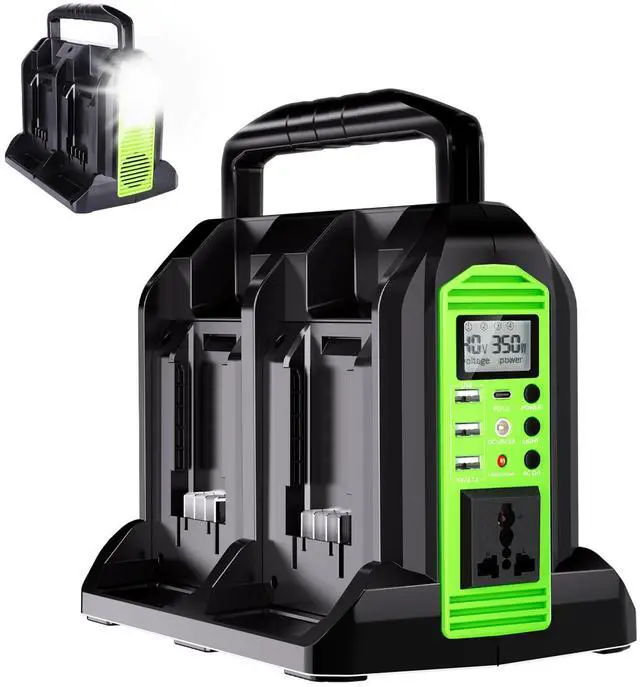
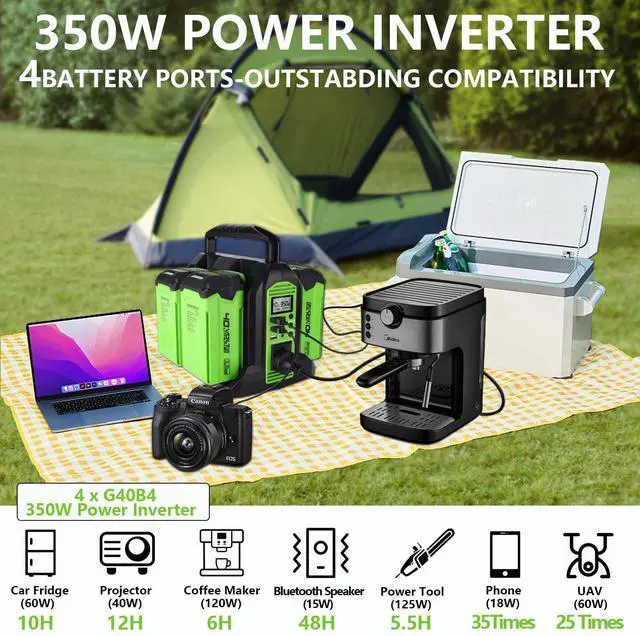


350W Power Inverter for Greenworks 40V Li-ion Batteries,4-Port Supply Inverter Generators Converter DC 40V to AC110V ~120V with LED Light,3 USB-A,1 Type-C,1DC Port, for Outdoor Travel Camping
Limited time offer, ends 09/18 By WanJin World Shop
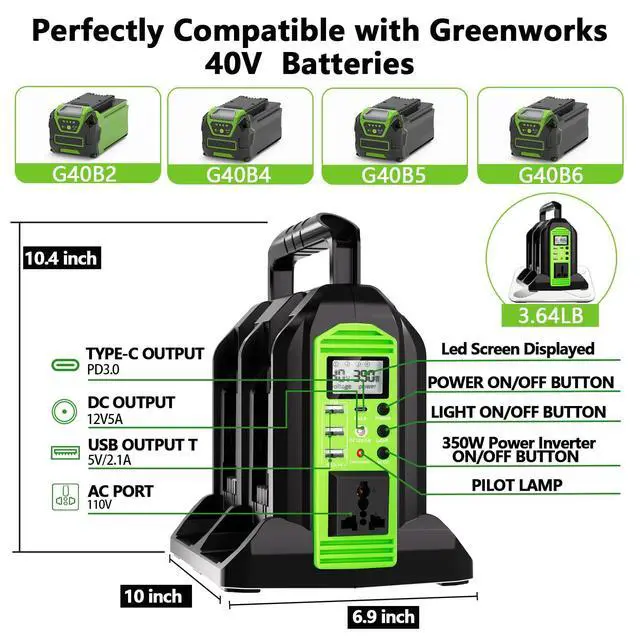
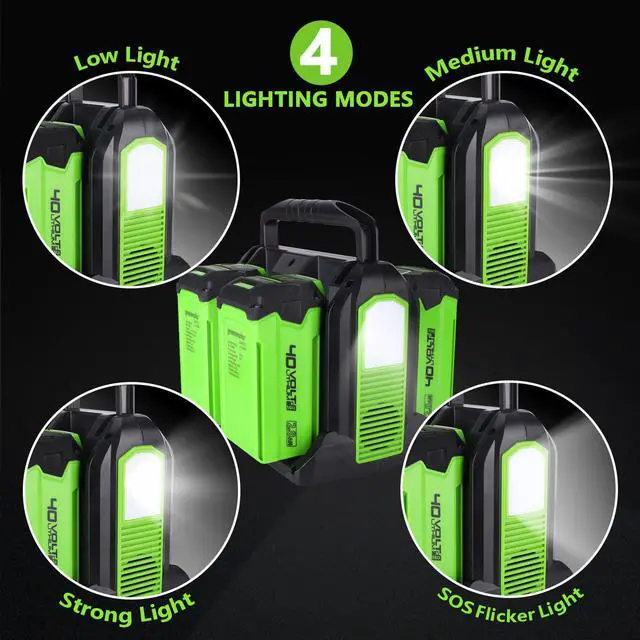
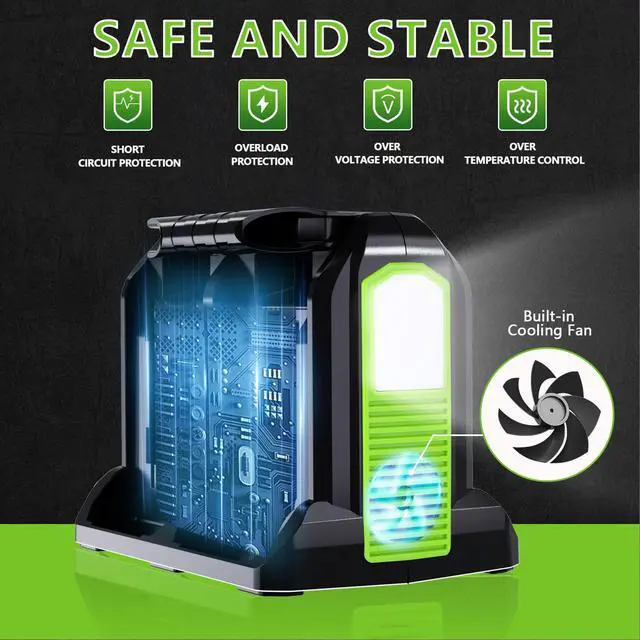
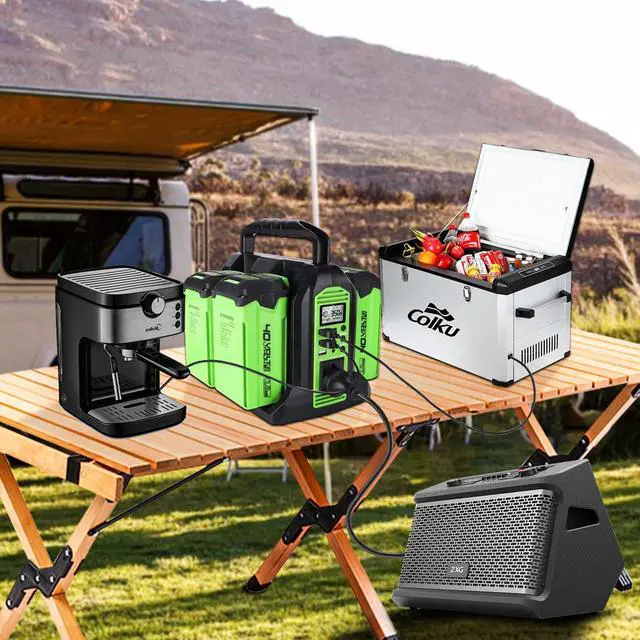
- Once the inverter is activated and conversion is complete, the maximum power draw from the AC socket is 350W. Any device exceeding this power limit will trigger an automatic shutdown, activating the protection function. Tip: To verify the functionality of each battery, the corresponding numbers 1, 2, 3, 4 will appear on the screen. If no number appears, it indicates a malfunction. AC Power On and OffPress the POWER switch and the screen lights up; the 3 USB, Type-C, DC port, and light functions operate normally. To activate the AC socket, press and hold the AC O/I button until the indicator lights up and a beep is heard, confirming successful activation. To deactivate the AC socket, press and hold the AC button again. If the indicator turns off, the system has been shut down successfully. 4 Ports 350W Power Inverter with Greenworks BatteryInsert your Greenworks 40V Li-ion batteries into the inverter to convert DC 40V to AC 110V, enabling your outdoor travel and camping adventures. Compatible with Greenworks 40V batteries, including G40B2, G40B4, G40B5, G40B6, and more (Batteries Not Included). Multi-OutputThis portable power station features an AC110-120V output port, 3 USB-A ports (5V 2.1A), 1 Type-C port (PD3.0, 18W), and 1 DC output (12V 5A). These outputs deliver stable, safe power for various devices such as laptops, phones, tablets, cameras, drones, radios, USB-powered night lights, mini fans, refrigerators, and electrical products with power under 350W. It is wel
+
+
Overview
Specs
Reviews

Any questions? Our AI mode will help you find out quickly.
Try me now
Once the inverter is activated and conversion is complete, the maximum power draw from the AC socket is 350W. Any device exceeding this power limit will trigger an automatic shutdown, activating the protection function. Tip: To verify the functionality of each battery, the corresponding numbers 1, 2, 3, 4 will appear on the screen. If no number appears, it indicates a malfunction. AC Power On and OffPress the POWER switch and the screen lights up; the 3 USB, Type-C, DC port, and light functions operate normally. To activate the AC socket, press and hold the AC O/I button until the indicator lights up and a beep is heard, confirming successful activation. To deactivate the AC socket, press and hold the AC button again. If the indicator turns off, the system has been shut down successfully. 4 Ports 350W Power Inverter with Greenworks BatteryInsert your Greenworks 40V Li-ion batteries into the inverter to convert DC 40V to AC 110V, enabling your outdoor travel and camping adventures. Compatible with Greenworks 40V batteries, including G40B2, G40B4, G40B5, G40B6, and more (Batteries Not Included). Multi-OutputThis portable power station features an AC110-120V output port, 3 USB-A ports (5V 2.1A), 1 Type-C port (PD3.0, 18W), and 1 DC output (12V 5A). These outputs deliver stable, safe power for various devices such as laptops, phones, tablets, cameras, drones, radios, USB-powered night lights, mini fans, refrigerators, and electrical products with power under 350W. It is well suited for outdoor activities like jobsites, camping, RV trips, fishing, hunting, hiking, and emergency situations or power outages. LED Light for Emergency UseThis Greenworks Battery outdoor generator is equipped with a 300-lumen LED light supporting 4 brightness levels (low, medium, strong, SOS flashing), making it a reliable emergency light source for camping, working in the dark, and many other scenarios
Warranty & Returns
Warranty, Returns, And Additional Information
Warranty
- Please contact the Seller directly for warranty information. Warranty information may also be found on the Manufacturer's website.
- CONTACT
Return Policies
- Return for refund within: 30 days
- Return for replacement within: 30 days
- This item is covered by WanJin World Shop Return Policy
Manufacturer Contact Info
- For a directory of all our manufacturers, please click below.
- Manufacturers Directory
LOADING...