

Your Browsing History




HDMI ARC to Optical Converter 192KHz ARC to RCA 3.5mm Jack Audio Converter | HDMI ARC Audio Extractor for HDTV ARC to Optical RCA Audio Adapter Support CEC for TV to Sound System Speaker Amplifier
Limited time offer, ends 09/18 By WanJin World Shop
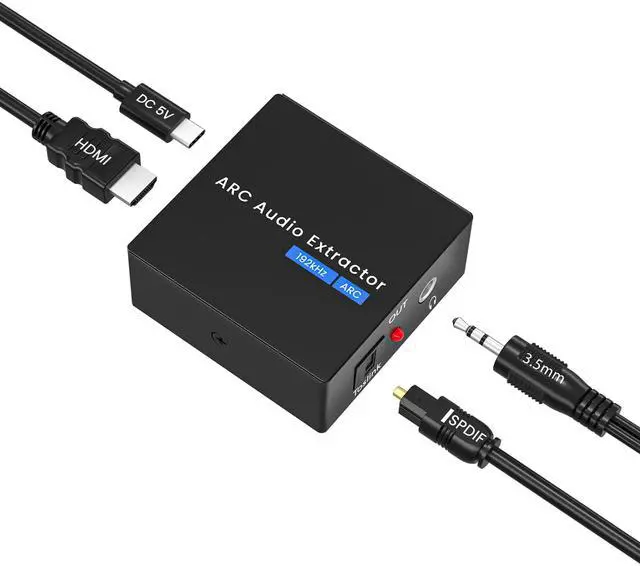
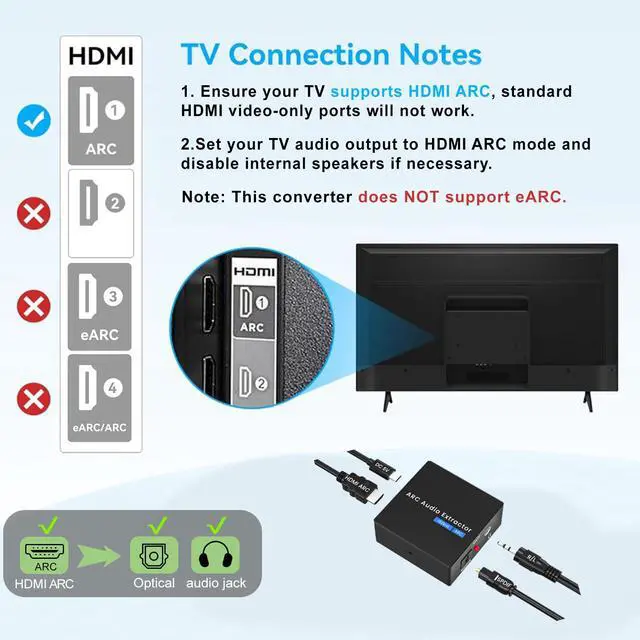
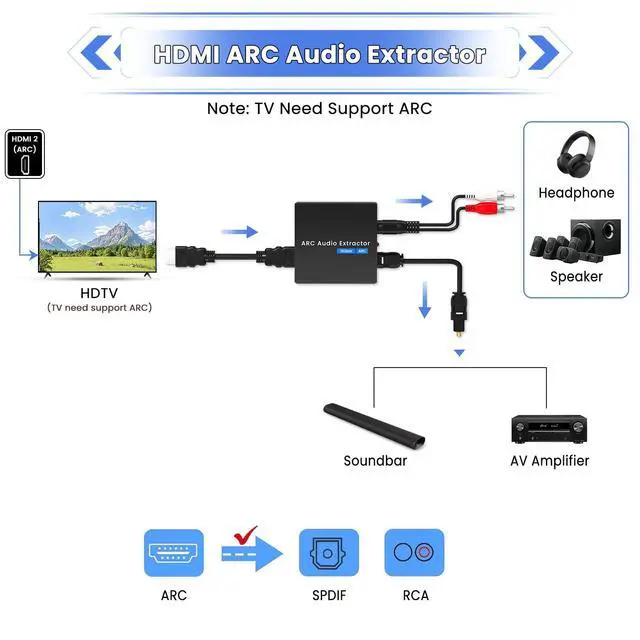
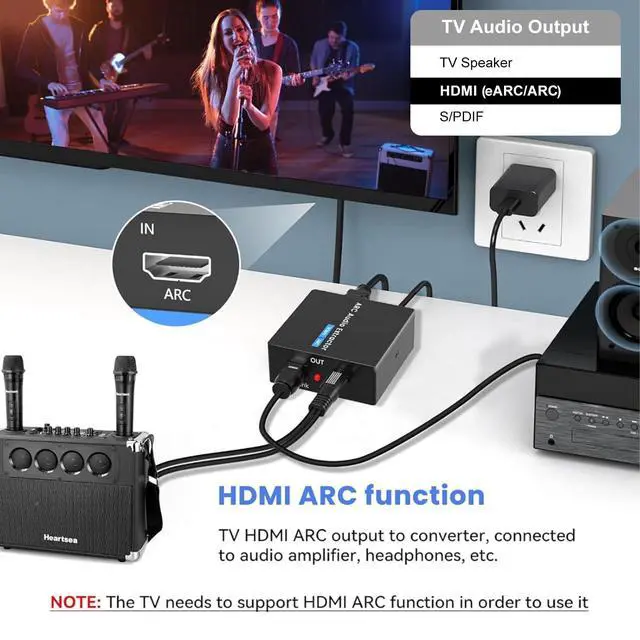
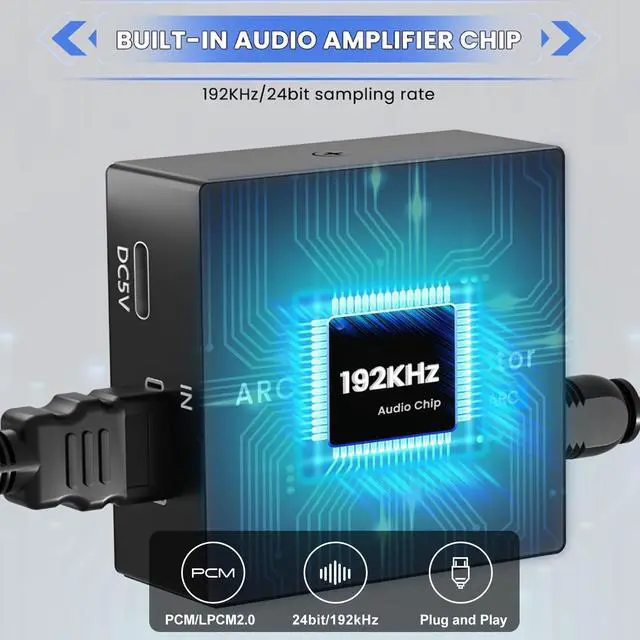
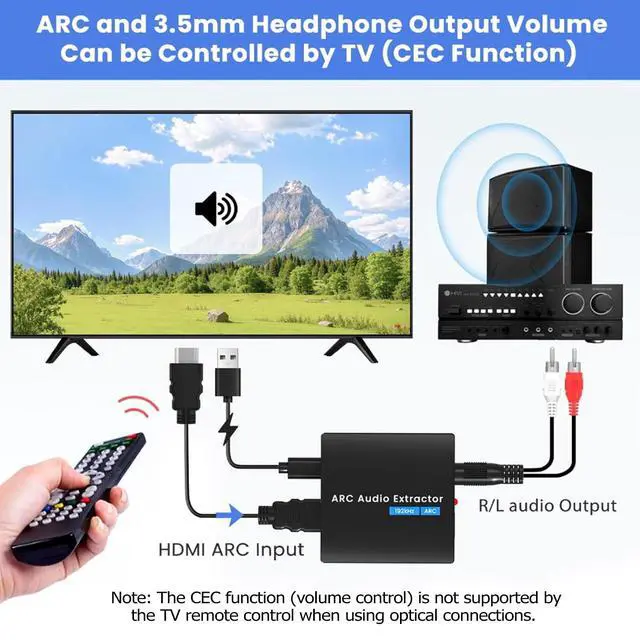
- **HDMI ARC Splitter** The HDMI ARC extraction device pulls audio from your TV to a Soundbar or Amplifier. Connect your TV's HDMI (ARC) port to the audio adapter's ARC port using an HDMI cable, then use an optical cable or a 3.5mm analog connection to link to a Soundbar, Speaker, home theater, A/V receivers, and similar equipment. (Note: Intended only for TVs equipped with an "ARC" interface, not for "HDMI eARC" or the "HDMI" interface found on newer TVs.) **192KHz Sampling Rate Achieved** It supports sampling rates of 32, 44.1, 48, 96, and 192 KHz, along with a 24-bit SPDIF incoming bit stream on the Left and Right Channels. Please use an HDMI 1.4 cable (19+1). Note: Set the audio output to PCM or LPCM. In ARC mode, the volume of the stereo L/R and 3.5mm headphone outputs (not optical) can be adjusted using the TV remote control (CEC function). **Attention** 1. Confirm your HDTV supports the ARC function. 2. Make sure the adapter is powered on. 3. Verify the HDMI cable is connected to the HDTV's ARC interface. 4. Ensure the HDTV is set to ARC audio output (activate it via the TV's remote). 5. Connect the HDMI port marked with ARC and confirm the ARC function is enabled on your TV. 6. Note that CEC (volume control) is NOT supported on optical ports when using the TV remote. **Plug and Play** The HDMI ARC Adapter is driver-free and ready to use, offering great convenience. Equipped with advanced audio processing technology, it effectively and cleanly extracts audio from the TV'
+
+
Overview
Specs
Reviews

Any questions? Our AI mode will help you find out quickly.
Try me now
**HDMI ARC Splitter** The HDMI ARC extraction device pulls audio from your TV to a Soundbar or Amplifier. Connect your TV's HDMI (ARC) port to the audio adapter's ARC port using an HDMI cable, then use an optical cable or a 3.5mm analog connection to link to a Soundbar, Speaker, home theater, A/V receivers, and similar equipment. (Note: Intended only for TVs equipped with an "ARC" interface, not for "HDMI eARC" or the "HDMI" interface found on newer TVs.) **192KHz Sampling Rate Achieved** It supports sampling rates of 32, 44.1, 48, 96, and 192 KHz, along with a 24-bit SPDIF incoming bit stream on the Left and Right Channels. Please use an HDMI 1.4 cable (19+1). Note: Set the audio output to PCM or LPCM. In ARC mode, the volume of the stereo L/R and 3.5mm headphone outputs (not optical) can be adjusted using the TV remote control (CEC function). **Attention** 1. Confirm your HDTV supports the ARC function. 2. Make sure the adapter is powered on. 3. Verify the HDMI cable is connected to the HDTV's ARC interface. 4. Ensure the HDTV is set to ARC audio output (activate it via the TV's remote). 5. Connect the HDMI port marked with ARC and confirm the ARC function is enabled on your TV. 6. Note that CEC (volume control) is NOT supported on optical ports when using the TV remote. **Plug and Play** The HDMI ARC Adapter is driver-free and ready to use, offering great convenience. Equipped with advanced audio processing technology, it effectively and cleanly extracts audio from the TV's HDMI ARC port, reducing potential interference or distortion during conversion. It delivers a seamless, lag-free, and premium audio experience. Constructed from high-quality metal, it provides solid robustness and reliable heat dissipation. **Wide Compatibility** This HDMI ARC converter works with most HDTVs featuring ARC, including Sony TV, Samsung TV, LG TV, Fire TV, Roku TV, and others. This ARC converter can output audio simultaneously from both optical and analog 3.5mm ports. **Package Included** 1 x HDMI ARC Audio Extractor Converter, 1 x Digital Optical Cable, 1 x HDMI Cable, 1 x 3.5mm to R/L Cable, 1 x Type-C Charging Cable (power adapter not included), 1 x User Manual
Warranty & Returns
Warranty, Returns, And Additional Information
Warranty
- Please contact the Seller directly for warranty information. Warranty information may also be found on the Manufacturer's website.
- CONTACT
Return Policies
- Return for refund within: 30 days
- Return for replacement within: 30 days
- This item is covered by WanJin World Shop Return Policy
Manufacturer Contact Info
- For a directory of all our manufacturers, please click below.
- Manufacturers Directory
LOADING...