• $34.49
  • Free 30-day Returns
  • Price alert
    Shop it at NeweggBusiness.

    USB C to HDMI and DisplayPort Adapter, 4K @60Hz Dual Monitor Adapter for Dell/HP/Mac Laptops, USB Type C to Display Port and HDMI Multiport with USB3.0/PD, USB C Hub, Docking Station Dual Monitor

    Limited time offer, ends 10/16 By PureSpring Trading Shop

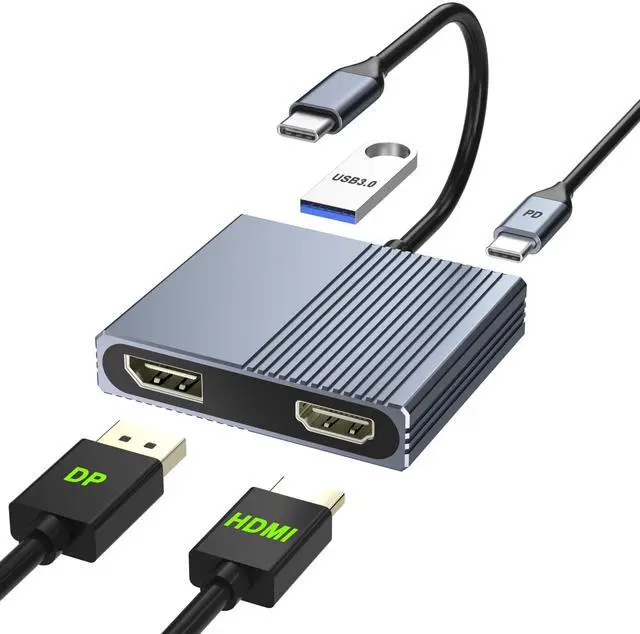
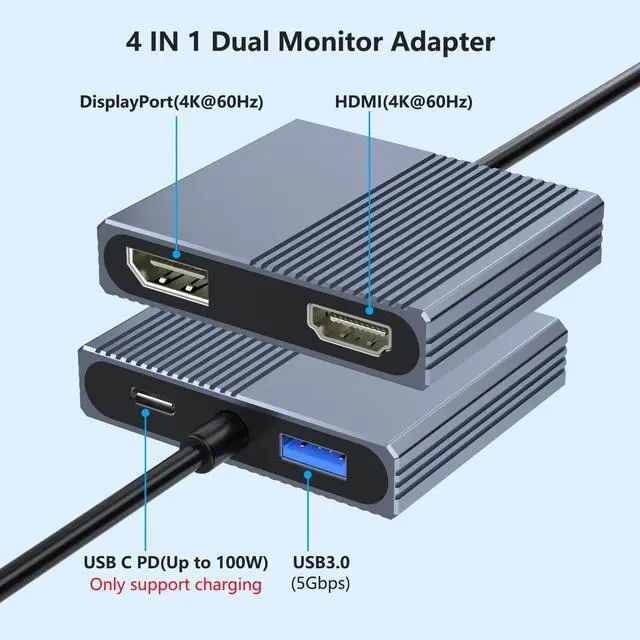
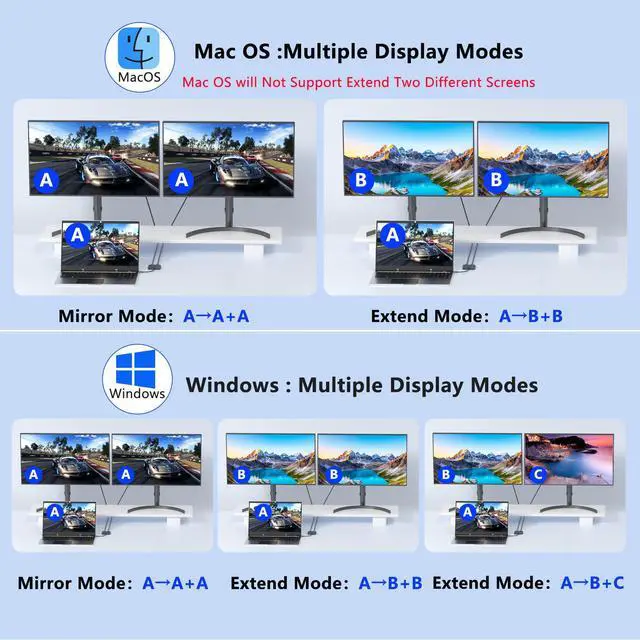
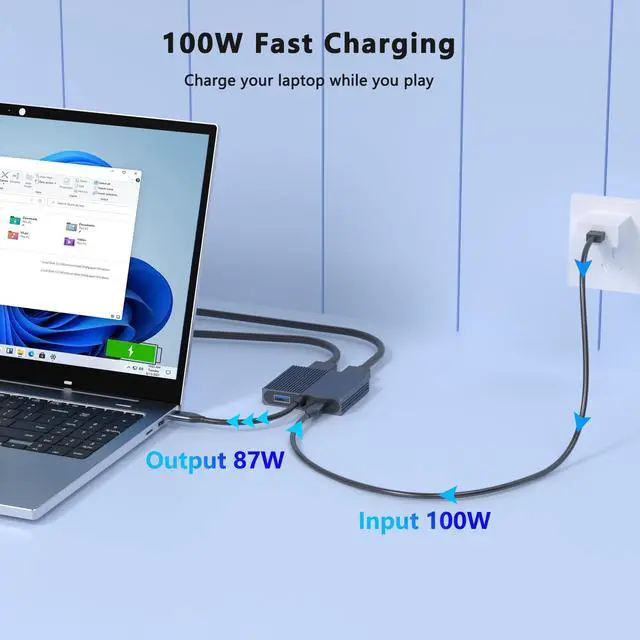
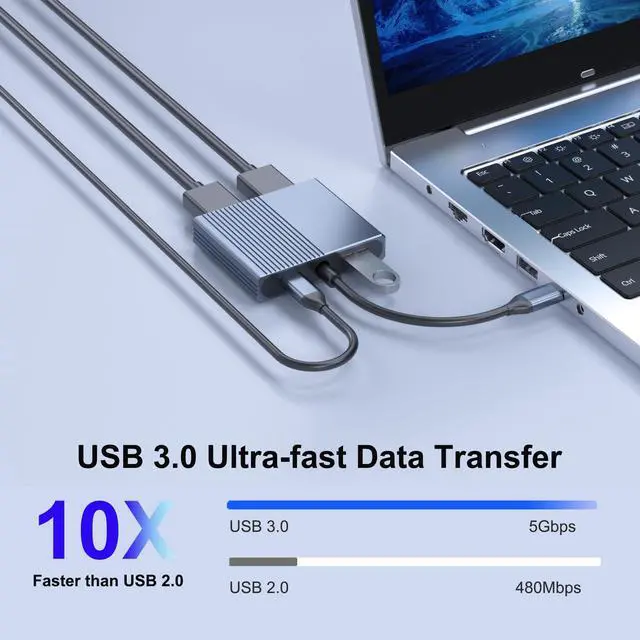
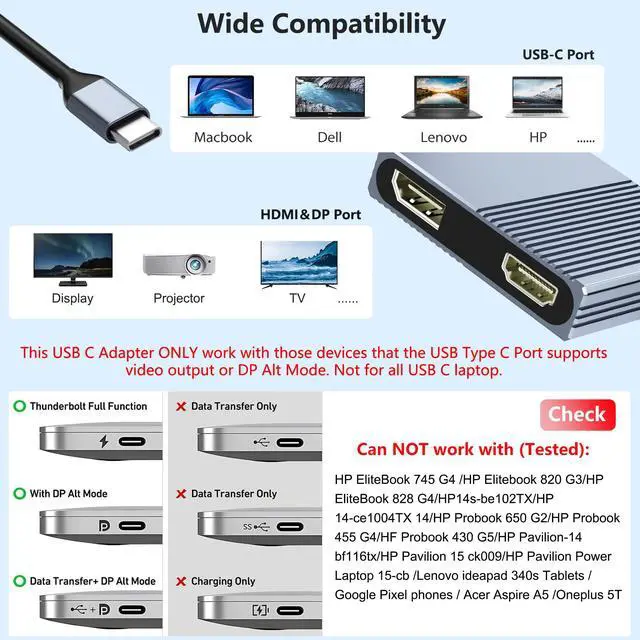
    • 4-IN-1 Docking Station Dual MonitorThis dual monitor adapter expands your laptop's USB-C port into an HDMI port + DisplayPort + USB3.0 port + 100W PD port. It lets you extend your laptop desktop to two external displays. Boost productivity and efficiency, ideal for photographers, programmers, and data analysts. Please note: not for all USB-C port laptops. Make sure your laptop supports video output (Thunderbolt 3 / Thunderbolt 4) or DP Alt Mode, which determines whether the HDMI and DP ports work or not. Multiple Display ModesFor Mac OS, it only supports mirror mode (A-AA, A-BB), and cannot extend two different screens due to Mac OS limitation. For Windows OS, it supports two monitors displaying different screens (A-AA, A-BB, A-BC). If your laptop does not have enough space to complete the work, then this dual monitor adapter will be a good choice! 5Gbps Ultra-fast Transfer & 100W Fast ChargingEquipped with 1 USB3.0 port, offering a fast data transfer rate of up to 5Gbps. Easily connect peripherals like keyboards, mouse, printers, USB Flash Drive, and other USB devices. USB 3.0 offers data transfer speeds of up to 5Gbps, while USB 2.0 is only 480Mbps. Additionally, the dual monitors adapter supports pass-through charging up to 100W, providing fast and safe charging for your laptop or device. 4K@60Hz UHD Visual FeastThis docking station dual monitor supports resolutions up to 4K @60Hz thanks to MST technology. It also supports 1440p and 1080p @60Hz. No driver require
    +
    +
    Overview
    Specs
    Reviews
    avatar

    Any questions? Our AI mode will help you find out quickly.

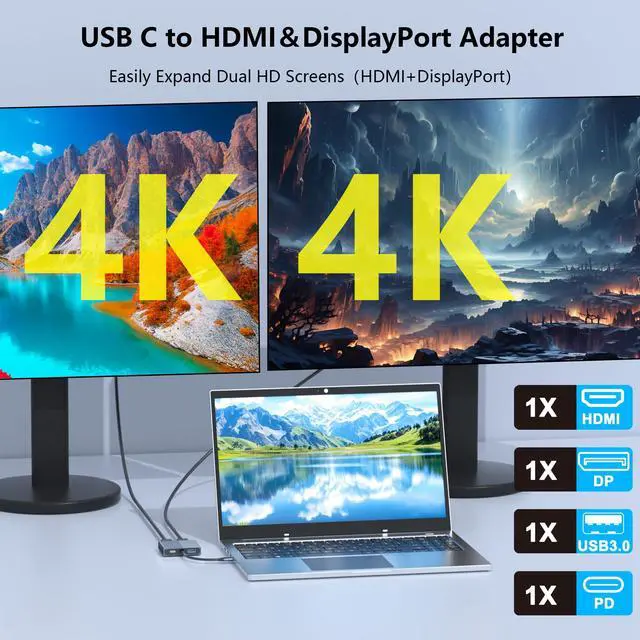
    4-IN-1 Docking Station Dual MonitorThis dual monitor adapter expands your laptop's USB-C port into an HDMI port + DisplayPort + USB 3.0 port + 100W PD port. It lets you extend your laptop desktop to two external displays. Boost productivity and efficiency, ideal for photographers, programmers, and data analysts.
    Please note: not for all USB-C port laptops. Make sure your laptop supports video output (Thunderbolt 3 / Thunderbolt 4) or DP Alt Mode, which determines whether the HDMI and DP ports work or not. Multiple Display ModesFor Mac OS, it only supports mirror mode (A-AA, A-BB), and cannot extend two different screens due to Mac OS limitation. For Windows OS, it supports two monitors displaying different screens (A-AA, A-BB, A-BC). If your laptop does not have enough space to complete the work, then this dual monitor adapter will be a good choice! 5Gbps Ultra-fast Transfer & 100W Fast ChargingEquipped with 1 USB 3.0 port, offering a fast data transfer rate of up to 5Gbps. Easily connect peripherals like keyboards, mouse, printers, USB Flash Drive, and other USB devices. USB 3.0 offers data transfer speeds of up to 5Gbps, while USB 2.0 is only 480Mbps. Additionally, the dual monitors adapter supports pass-through charging up to 100W, providing fast and safe charging for your laptop or device. 4K@60Hz UHD Visual FeastThis docking station dual monitor supports resolutions up to 4K @60Hz thanks to MST technology.

    It also supports 1440p and 1080p @60Hz. No driver required, plug in and play. Video output will be 4K only if your device supports 4K resolution. Ensure you're using a HDMI 2.0 and DP 2.0 or higher-quality cable for optimal performance. Sleek & Functional DesignIf your laptop's limited ports hinder productivity, our HDMI splitter for dual monitors extended display can solve your problem. Crafted from premium aluminum alloy, it is lightweight, highly durable, and provides a stylish yet robust solution for extending laptop displays

    Warranty & Returns

    Warranty, Returns, And Additional Information

    Warranty

    • Please contact the Seller directly for warranty information. Warranty information may also be found on the Manufacturer's website.
    • CONTACT

    Return Policies

    Manufacturer Contact Info

    LOADING...