Your Browsing History
Meet Your Seller
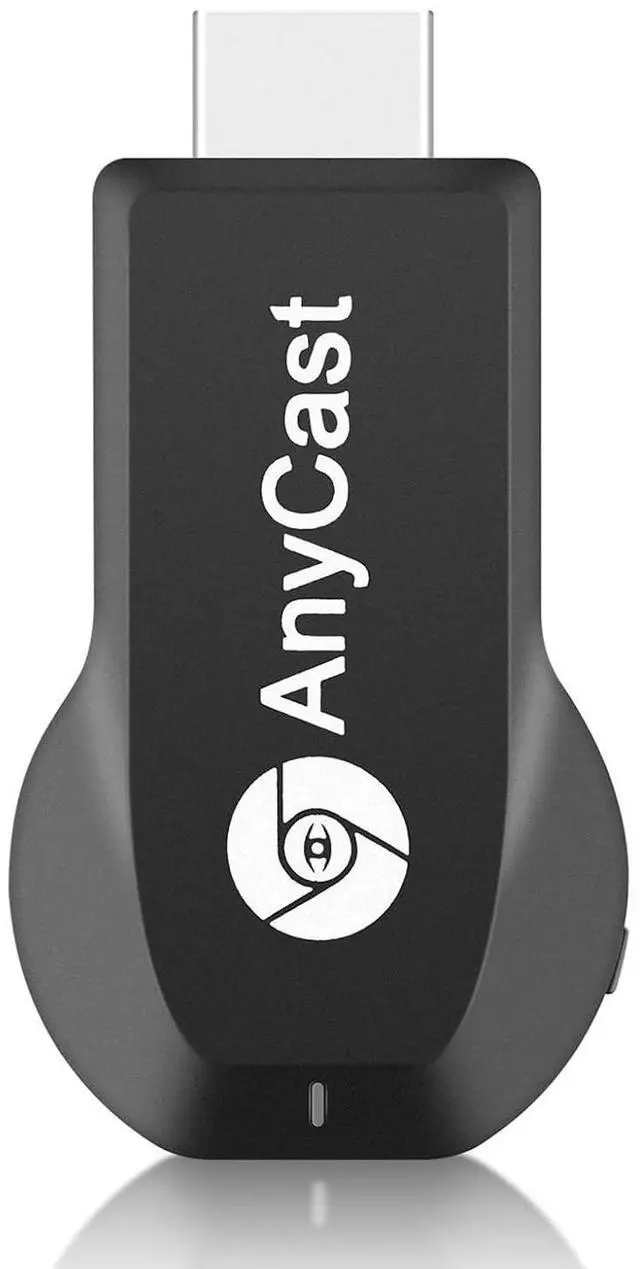
Anycast Wireless HD Display Adapter Receiver 1080P Screen Mirroring Streaming Media Dongle Compatible with iOS/Android/Windows/Mac to HDTV Monitor Projector
Limited time offer, ends 10/16 By PureSpring Trading Shop
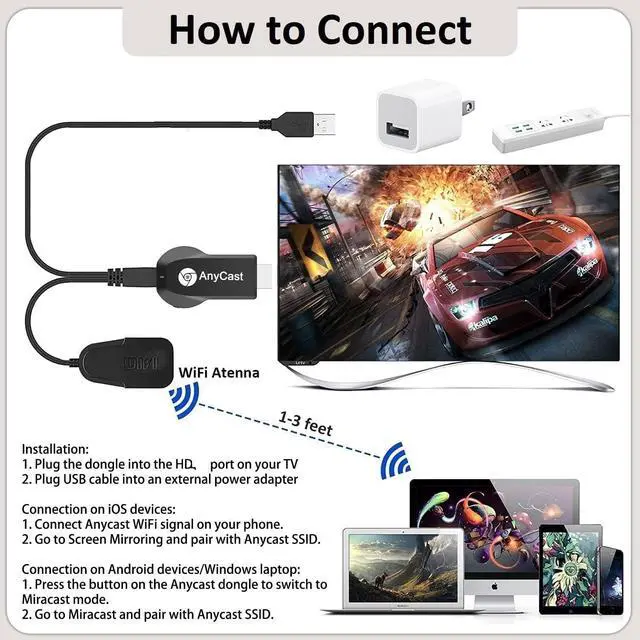
- Wireless HD Display Adapter: The 2.4G Wireless HD Display Adapter enables seamless 1080p screen mirroring. Wirelessly mirror the screen of your smartphone, tablet, laptop, or PC to any HD display, including TVs, monitors, or projectors. Share everything from photos, videos (unencrypted only), apps, games, documents, and websites turning your TV into a smart TV without any cables. SYSTEM REQUIREMENTS: All-In-One. Supports Android 4.4+, iOS 9.0+, MacOS 10+, and Windows 8.1+ operating systems through Airplay, Miracast, and DLNA protocols. Supports YouTube, TikTok, Facebook, Twitter, and most online video apps for smooth wireless display. NOTES: 1. Not compatible with copyright-protected apps such as Netflix, Hulu, HBO, video, etc. 2. Android and Windows devices must be Miracast supported. 3. Not compatible with Google Pixel or Motorola phones. Flexible Usage: No app or driver needed. Just pair with Anycast screen sharing adapter to mirror screen wirelessly. 2 Mirror Methods: Cast screen via WiFi or 4G/5G. Works even without WiFi network. 2 modes: Airplay mode (for iOS and Mac) and Miracast mode (for Android and Windows). Switch between Airplay and Miracast mode with a single button press. Recognize your IP address and match your local language automatically. Wide Range of Applications: Onto HDTV, monitors, projectors. In Meetings/Conferences: Wirelessly share presentations, documents, and more by mirroring your screen to a projector. In Classrooms: Project teaching documents
+
+
Overview
Specs
Reviews
Any questions? Our AI mode will help you find out quickly.
Try me now
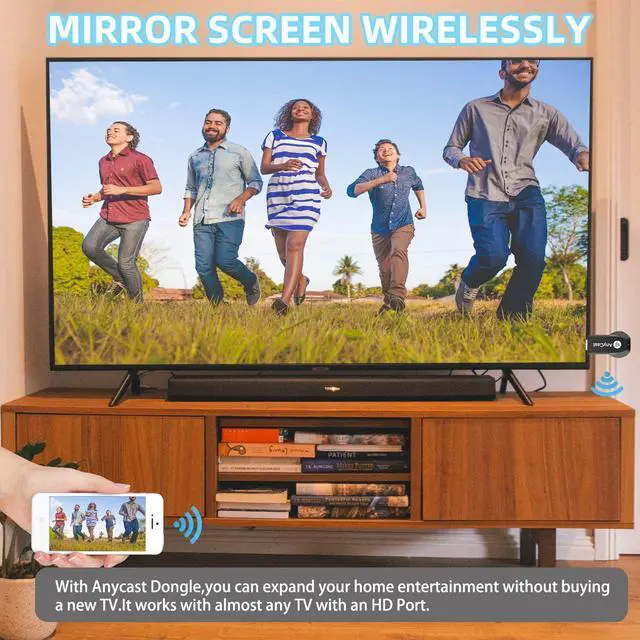
Wireless HD Display Adapter: The 2.4G Wireless HD Display Adapter enables seamless 1080p screen mirroring. Wirelessly mirror the screen of your smartphone, tablet, laptop, or PC to any HD display, including TVs, monitors, or projectors. Share everything from photos, videos (unencrypted only), apps, games, documents, and websites turning your TV into a smart TV without any cables.
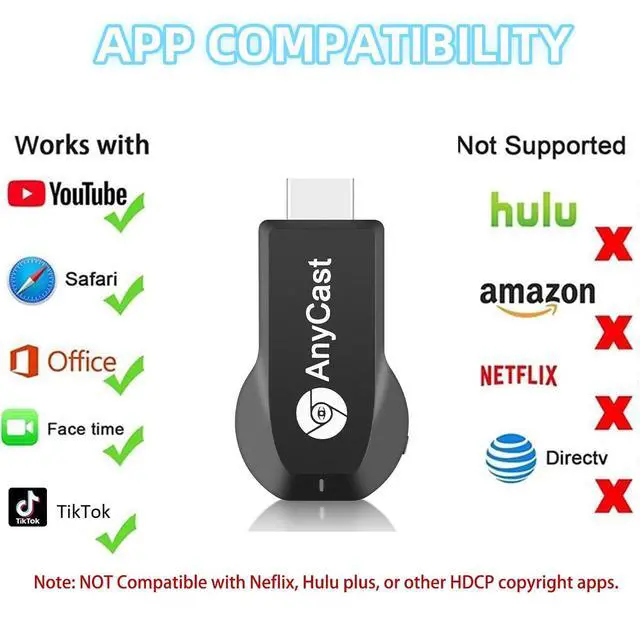
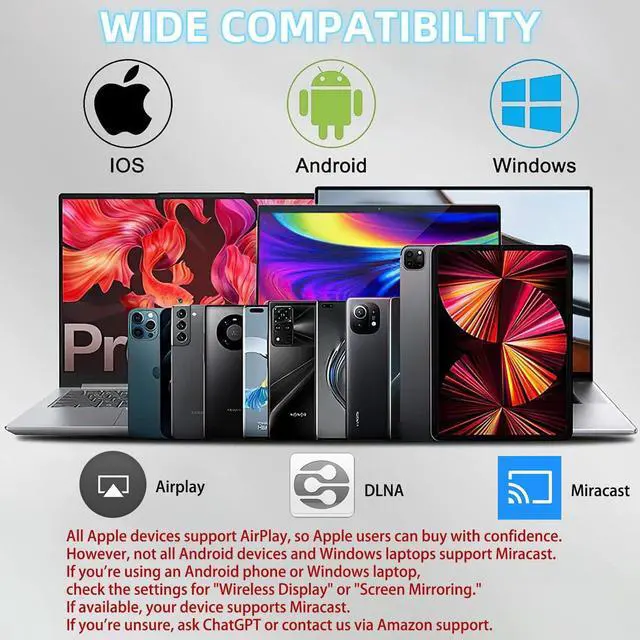
SYSTEM REQUIREMENTS: All-In-One. Supports Android 4.4 +, iOS 9.0 +, MacOS 10+, and Windows 8.1 + operating systems through Airplay, Miracast, and DLNA protocols. Supports YouTube, TikTok, Facebook, Twitter, and most online video apps for smooth wireless display.
NOTES:
1. Not compatible with copyright-protected apps such as Netflix, Hulu, HBO, video, etc.
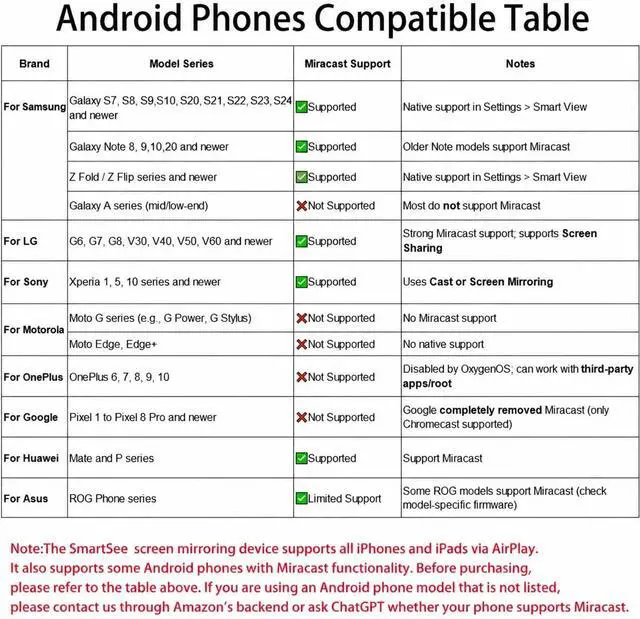
2. Android and Windows devices must be Miracast supported.
3. Not compatible with Google Pixel or Motorola phones.
Flexible Usage: No app or driver needed. Just pair with Anycast screen sharing adapter to mirror screen wirelessly.
2 Mirror Methods: Cast screen via WiFi or 4G/5G. Works even without WiFi network.
2 modes: Airplay mode (for iOS and Mac) and Miracast mode (for Android and Windows). Switch between Airplay and Miracast mode with a single button press. Recognize your IP address and match your local language automatically.
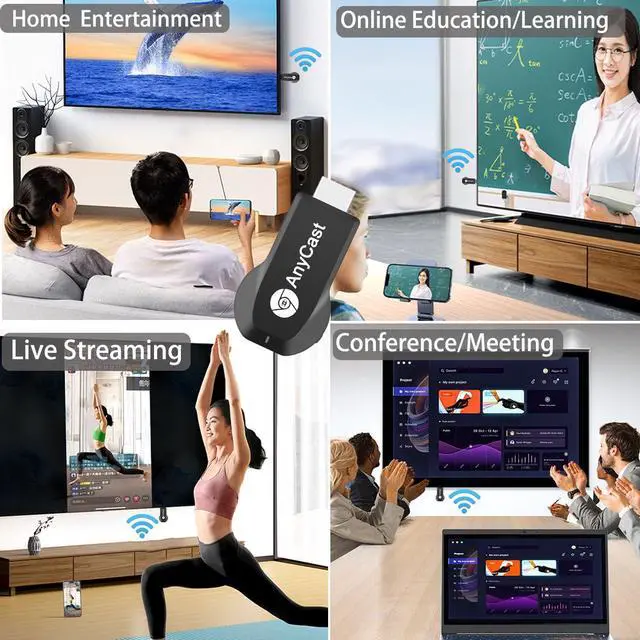
Wide Range of Applications: Onto HDTV, monitors, projectors.
In Meetings/Conferences: Wirelessly share presentations, documents, and more by mirroring your screen to a projector.
In Classrooms: Project teaching documents, lessons, and documents wirelessly onto a larger screen.
At Home: Enjoy family movie nights or share photos and videos (unencrypted only) by mirroring content to your TV.
While Traveling: Conveniently mirror your phone or tablet screen to any HD TV, anywhere you go

SYSTEM REQUIREMENTS: All-In-One. Supports Android 4.4 +, iOS 9.0 +, MacOS 10+, and Windows 8.1 + operating systems through Airplay, Miracast, and DLNA protocols. Supports YouTube, TikTok, Facebook, Twitter, and most online video apps for smooth wireless display.
NOTES:
1. Not compatible with copyright-protected apps such as Netflix, Hulu, HBO, video, etc.
2. Android and Windows devices must be Miracast supported.
3. Not compatible with Google Pixel or Motorola phones.
Flexible Usage: No app or driver needed. Just pair with Anycast screen sharing adapter to mirror screen wirelessly.
2 Mirror Methods: Cast screen via WiFi or 4G/5G. Works even without WiFi network.
2 modes: Airplay mode (for iOS and Mac) and Miracast mode (for Android and Windows). Switch between Airplay and Miracast mode with a single button press. Recognize your IP address and match your local language automatically.
Wide Range of Applications: Onto HDTV, monitors, projectors.
In Meetings/Conferences: Wirelessly share presentations, documents, and more by mirroring your screen to a projector.
In Classrooms: Project teaching documents, lessons, and documents wirelessly onto a larger screen.
At Home: Enjoy family movie nights or share photos and videos (unencrypted only) by mirroring content to your TV.
While Traveling: Conveniently mirror your phone or tablet screen to any HD TV, anywhere you go
Warranty & Returns
Warranty, Returns, And Additional Information
Warranty
- Please contact the Seller directly for warranty information. Warranty information may also be found on the Manufacturer's website.
- CONTACT
Return Policies
- Return for refund within: 30 days
- Return for replacement within: 30 days
- This item is covered by PureSpring Trading Shop Return Policy
Manufacturer Contact Info
- For a directory of all our manufacturers, please click below.
- Manufacturers Directory
LOADING...