• $44.99
  • Free 30-day Returns
  • Price alert
    Shop it at NeweggBusiness.

    H/D VGA DVI Audio LVDs Controller Board 30 pin for 17" 19" 1280x1024 M170EG01 M170EN01 M170EN06 M170ETN01 1 LCD Gaming Screen Panel

    Limited time offer, ends 10/16 By PureSpring Trading Shop

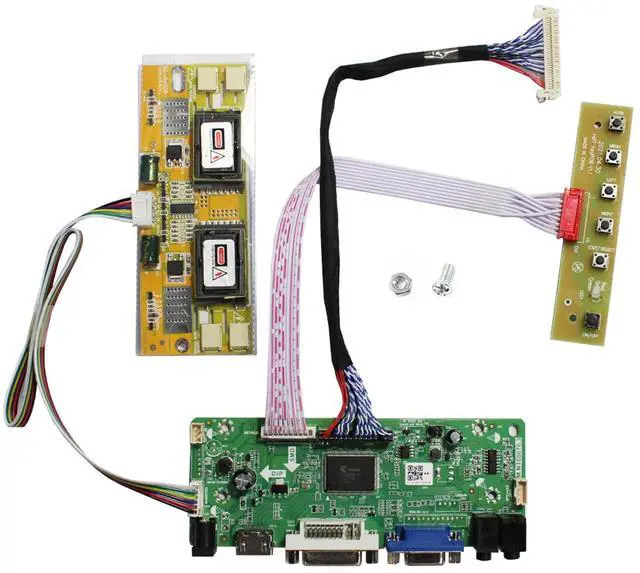
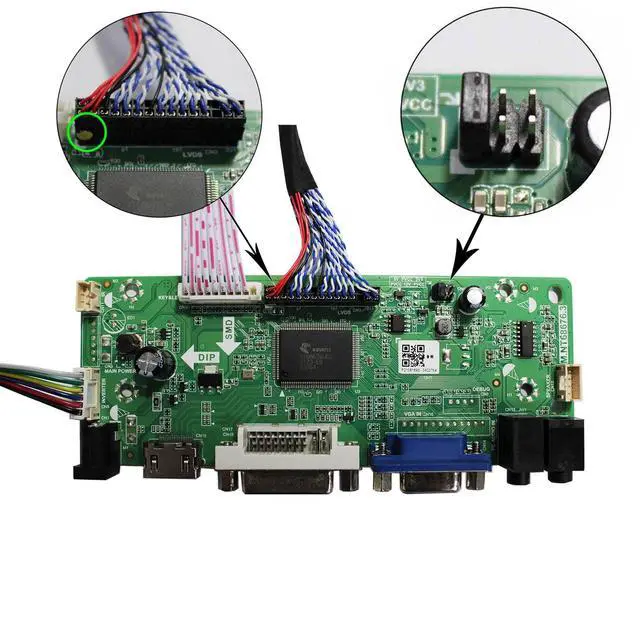
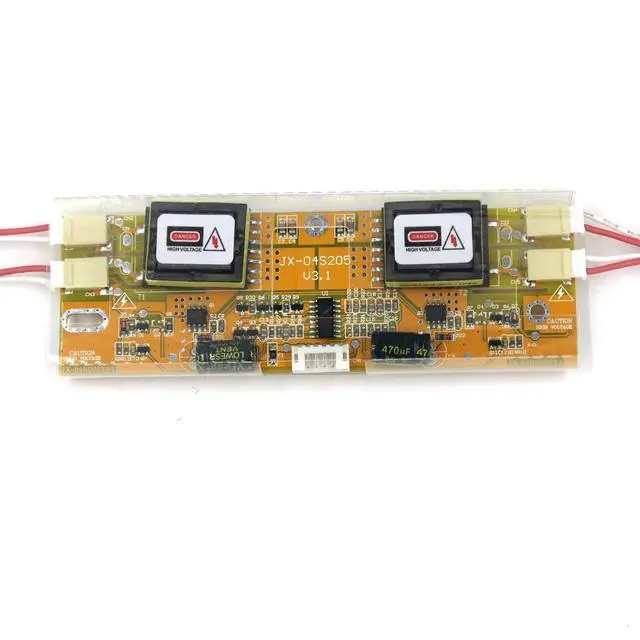
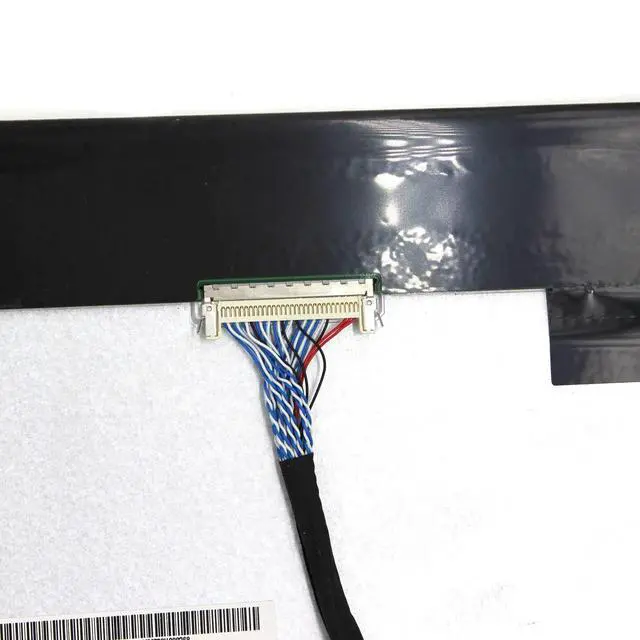
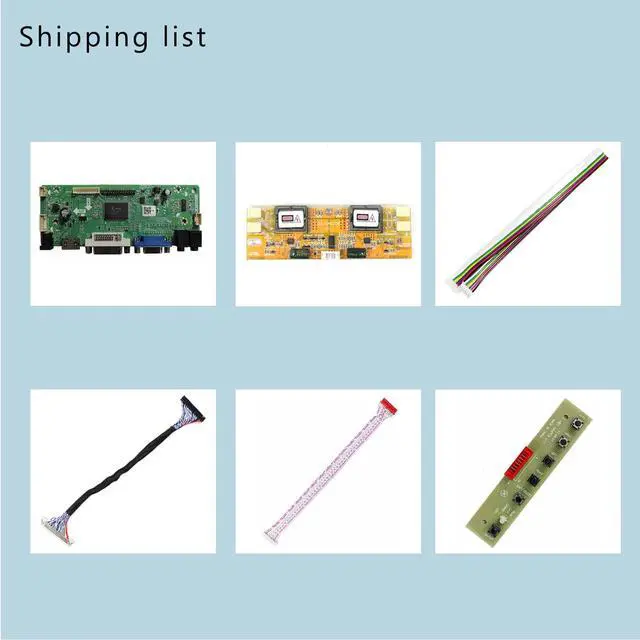
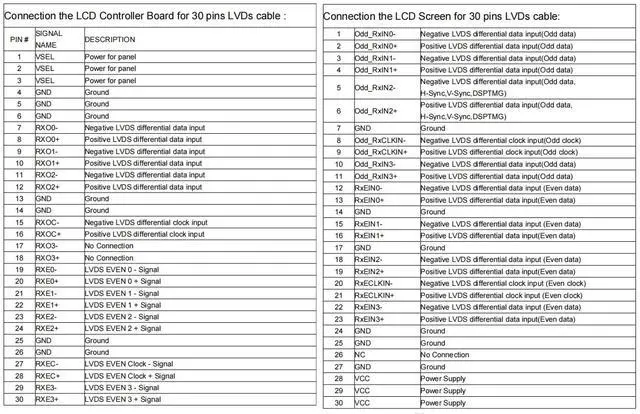
    • [LCD Driver Board] Works for 1280x1024 30Pin 5V LVDS LCD display. Video input: VGA, DVI. Audio output: speaker connector (8ohm 2W 4Pin PH2.0 connection). Please use in an insulated environment. [Compatible Screen Models] 17" LTM170EU, LTM170EH, LTM170E5, LTM170E6, HSD170ME13, M170EG01, M170EG02, M170EN01, M170EN04, M170EN05, M170EN06, LM170E03; 19" LM190E02, LM190E03, LM190E08, G190EG01, M190EG02, M190EN01, HSD190ME11, HSD190ME12, HSD190ME13, LTM190EX. [Plug and Play] With a compatible screen, connect the cables and ports as shown in the pictures, power on, and enter the VGA/DVI signal; the screen can then be lit. [Input Power Supply] 12V DC, more than 3A. Port size: 5.5x2.1mm. Please prepare the power adapter by yourself. [Board Failure Self-Check] Directly power on the board; the LED light showing green/red means the board can work normally. Then connect the screen port. If there is no display, the "no signal" words showing on the screen mean the problem comes from the signal source; please try with another cable or resource. For a white/black screen, check the screen port connection, resolution, 5V jumper pin, and resource

    +
    +
    Overview
    Specs
    Reviews
    avatar

    Any questions? Our AI mode will help you find out quickly.

    [LCD Driver Board] Works for 1280x1024 30Pin 5V LVDS LCD display.
    Video input: VGA, DVI.
    Audio output: speaker connector (8ohm 2W 4Pin PH 2.0 connection). Please use in an insulated environment. [Compatible Screen Models] 17" LTM170EU, LTM170EH, LTM170E5, LTM170E6, HSD170ME13, M170EG01, M170EG02, M170EN01, M170EN04, M170EN05, M170EN06, LM170E03; 19" LM190E02, LM190E03, LM190E08, G190EG01, M190EG02, M190EN01, HSD190ME11, HSD190ME12, HSD190ME13, LTM190EX. [Plug and Play] With a compatible screen, connect the cables and ports as shown in the pictures, power on, and enter the VGA/DVI signal; the screen can then be lit. [Input Power Supply] 12V DC, more than 3A.
    Port size: 5.5 x 2.1 mm. Please prepare the power adapter by yourself. [Board Failure Self-Check] Directly power on the board; the LED light showing green/red means the board can work normally. Then connect the screen port. If there is no display, the "no signal" words showing on the screen mean the problem comes from the signal source; please try with another cable or resource. For a white/black screen, check the screen port connection, resolution, 5V jumper pin, and resource

    Warranty & Returns

    Warranty, Returns, And Additional Information

    Warranty

    • Please contact the Seller directly for warranty information. Warranty information may also be found on the Manufacturer's website.
    • CONTACT

    Return Policies

    Manufacturer Contact Info

    LOADING...