Your Browsing History
Meet Your Seller
6 in 1 USB C Hub 10Gbps, USBC to DisplayPort Multiport Adapter Dongle Mac 4K@60Hz DP, 4 USB-C /A 3.2 Gen 2 Ports Data,100W PD,USBC Splitter Docking Station for Laptop/ MacBook Neo/Air/Pro, iPad Pro
Limited time offer, ends 10/29 By Vast Sun Tech
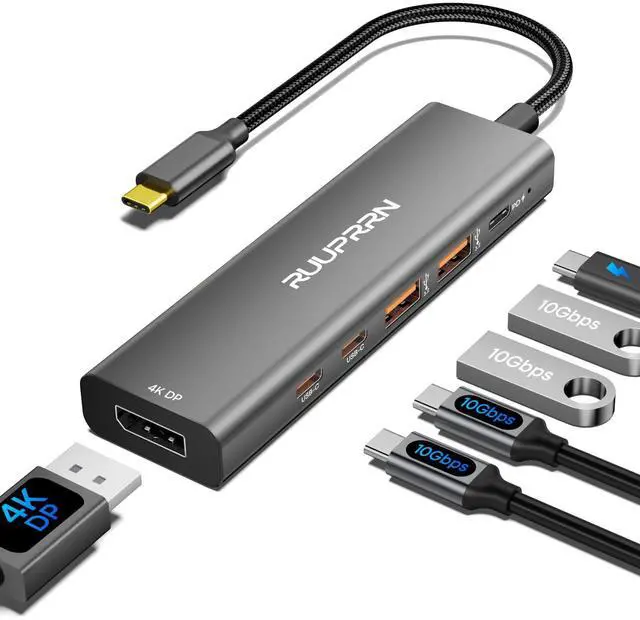
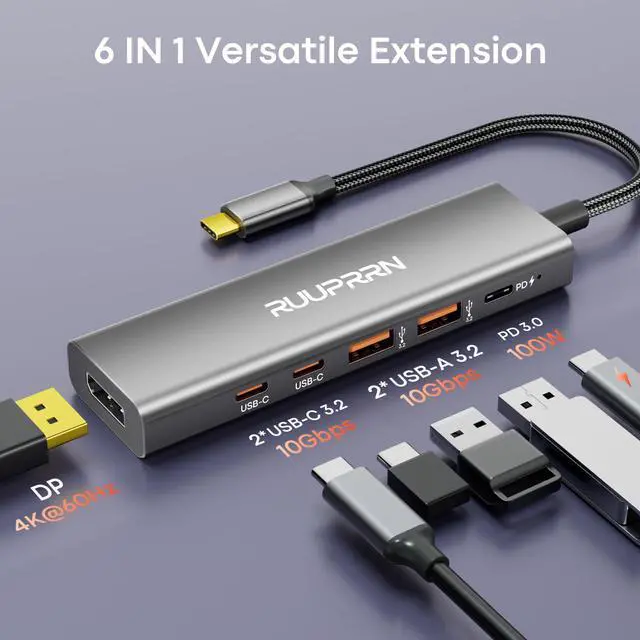
- [6-in-1 USB C 3.2 Gen 2 Hub] Expand one USB-C port into 4K@60Hz DisplayPort, 100W PD, 2× USB-C 3.2 Gen 2 (10Gbps Data Only), and 2× USB-A 3.2 Gen 2 (10Gbps). Unlike ordinary USB C hubs or USB C dongle adapters that share bandwidth, all four USB ports deliver true 10Gbps performance. Perfect as a USB C hub for laptop, USB C hub for MacBook, USB C hub for iPad Pro, home office, travel, and hybrid work. Note: For full 10Gbps speed, please connect to a 10Gbps-capable port and use a high-speed device. [4K@60Hz Smooth Ultra HD Display] The USB-C splitter is easy to use; the built-in USB C to DisplayPort dongle delivers crystal-clear 4K@60Hz video for smoother visuals than 30Hz. Ideal for video editing, graphic design, office work, presentations, gaming, and extended desktop setups. Connect directly to a DisplayPort monitor. Note: Your USB-C device must support DisplayPort Alt Mode. Connect a 100W PD charger for stable video output. [4×10Gbps Faster Data Transfer] Equipped with 2 USB-C 3.2 Gen 2 and 2 USB-A 3.2 Gen 2 ports, this USB C hub multiport adapter transfers files up to 10Gbps, up to 20× faster than USB 2.0. Easily move RAW photos, 4K videos, CAD files, and large backups while connecting SSDs, flash drives, keyboards, and more. Note: USB-C ports support data transfer only. Use a USB 3.2 Gen 2 host and cable for full 10Gbps speed. [100W Power Delivery Keeps Your Laptop Charged] Supporting 100W USB-C PD input, this USB C hub with Power Delivery provides up to 85W charging fo
+
+
Overview
Specs
Reviews
Any questions? Ask CelesteSM will help you find out quickly.
Try me now
[6-in-1 USB C 3.2 Gen 2 Hub] Expand one USB-C port into 4K@60Hz DisplayPort, 100W PD, 2× USB-C 3.2 Gen 2 (10Gbps Data Only), and 2× USB-A 3.2 Gen 2 (10Gbps). Unlike ordinary USB C hubs or USB C dongle adapters that share bandwidth, all four USB ports deliver true 10Gbps performance. Perfect as a USB C hub for laptop, USB C hub for MacBook, USB C hub for iPad Pro, home office, travel, and hybrid work.
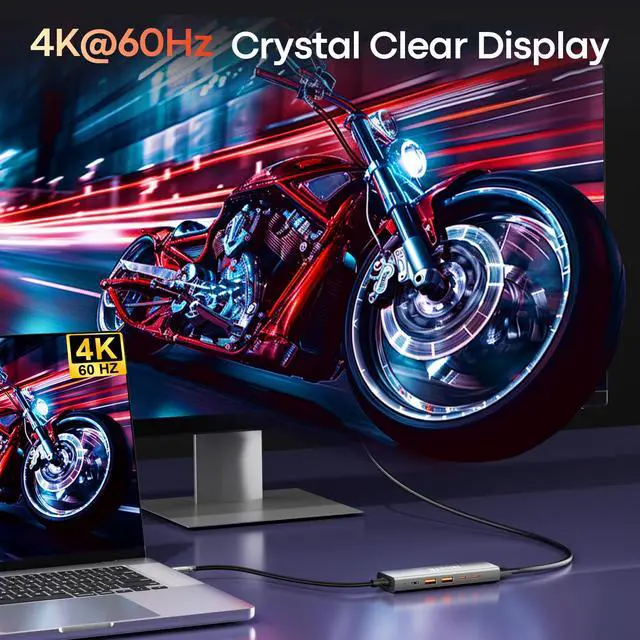
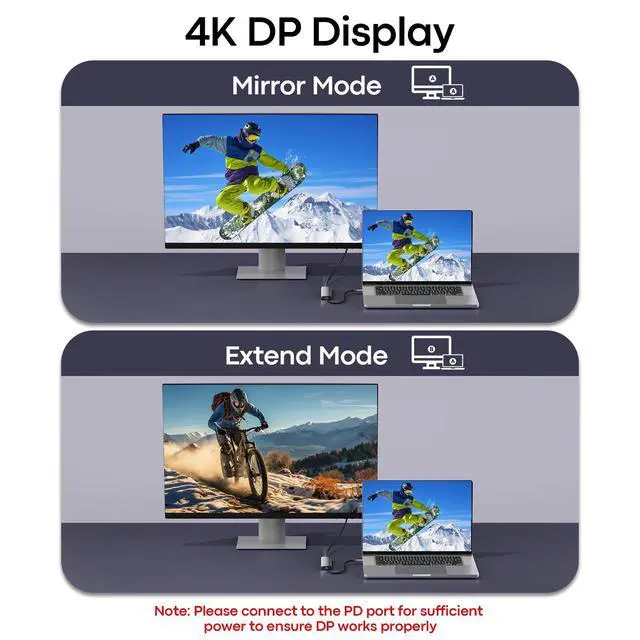
Note: For full 10Gbps speed, please connect to a 10Gbps-capable port and use a high-speed device. [4K@60Hz Smooth Ultra HD Display] The USB-C splitter is easy to use; the built-in USB C to DisplayPort dongle delivers crystal-clear 4K@60Hz video for smoother visuals than 30Hz. Ideal for video editing, graphic design, office work, presentations, gaming, and extended desktop setups. Connect directly to a DisplayPort monitor.
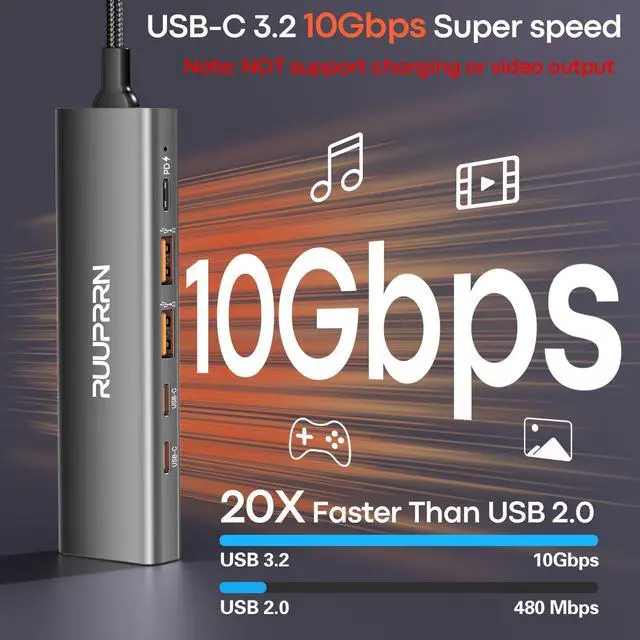
Note: Your USB-C device must support DisplayPort Alt Mode. Connect a 100W PD charger for stable video output. [4×10Gbps Faster Data Transfer] Equipped with 2 USB-C 3.2 Gen 2 and 2 USB-A 3.2 Gen 2 ports, this USB C hub multiport adapter transfers files up to 10Gbps, up to 20× faster than USB 2.0. Easily move RAW photos, 4K videos, CAD files, and large backups while connecting SSDs, flash drives, keyboards, and more.
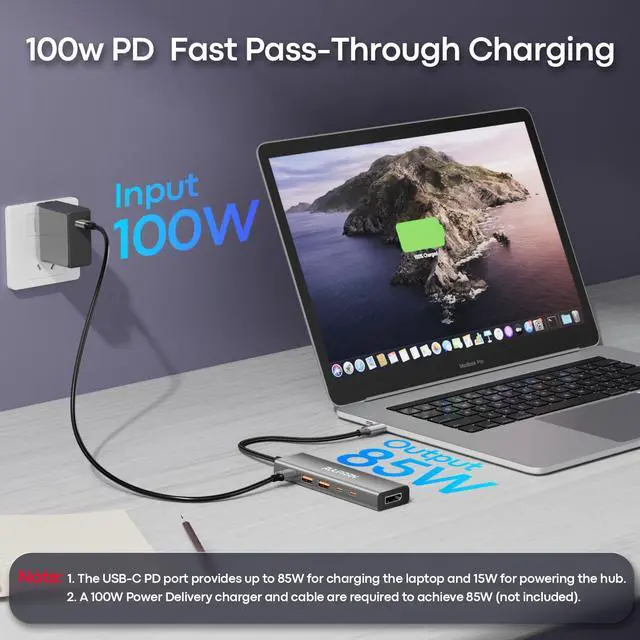
Note: USB-C ports support data transfer only. Use a USB 3.2 Gen 2 host and cable for full 10Gbps speed. [100W Power Delivery Keeps Your Laptop Charged] Supporting 100W USB-C PD input, this USB C hub with Power Delivery provides up to 85W charging for your laptop while reserving power for stable hub performance. Perfect for MacBook Pro, Dell XPS, iPad Pro, Steam Deck, and other USB-C laptops during meetings, editing, gaming, or travel.
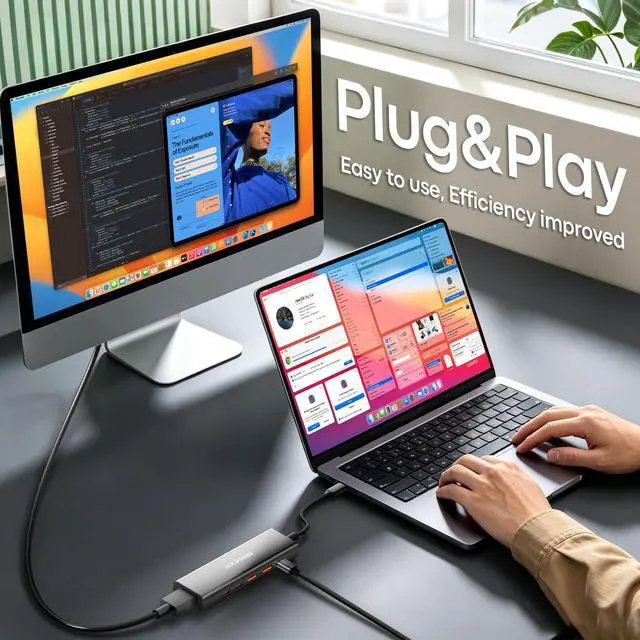
Note: Requires a 100W+ USB-C PD charger and cable (not included). Charging works only with PD-enabled USB-C devices. [Universal Compatibility & Plug and Play] No drivers required. Compatible with ChromeOS, Windows (32/64-bit) XP8/7/Vista/10/11, MacOS, Linux, and iPadOS. This USB C to USB C hub extender is compact and portable, and works with DisplayPort Alt Mode devices, including MacBook Pro/Air (M1-M4), iPad Pro/Air, iMac, Surface Pro, Dell XPS, Lenovo, HP, Chromebook, Samsung Galaxy, Steam Deck, ROG Ally, and iPhone 15/16/17 Pro. Travel-friendly for work, home office, business trips, and everyday productivity

Note: For full 10Gbps speed, please connect to a 10Gbps-capable port and use a high-speed device. [4K@60Hz Smooth Ultra HD Display] The USB-C splitter is easy to use; the built-in USB C to DisplayPort dongle delivers crystal-clear 4K@60Hz video for smoother visuals than 30Hz. Ideal for video editing, graphic design, office work, presentations, gaming, and extended desktop setups. Connect directly to a DisplayPort monitor.
Note: Your USB-C device must support DisplayPort Alt Mode. Connect a 100W PD charger for stable video output. [4×10Gbps Faster Data Transfer] Equipped with 2 USB-C 3.2 Gen 2 and 2 USB-A 3.2 Gen 2 ports, this USB C hub multiport adapter transfers files up to 10Gbps, up to 20× faster than USB 2.0. Easily move RAW photos, 4K videos, CAD files, and large backups while connecting SSDs, flash drives, keyboards, and more.
Note: USB-C ports support data transfer only. Use a USB 3.2 Gen 2 host and cable for full 10Gbps speed. [100W Power Delivery Keeps Your Laptop Charged] Supporting 100W USB-C PD input, this USB C hub with Power Delivery provides up to 85W charging for your laptop while reserving power for stable hub performance. Perfect for MacBook Pro, Dell XPS, iPad Pro, Steam Deck, and other USB-C laptops during meetings, editing, gaming, or travel.
Note: Requires a 100W+ USB-C PD charger and cable (not included). Charging works only with PD-enabled USB-C devices. [Universal Compatibility & Plug and Play] No drivers required. Compatible with ChromeOS, Windows (32/64-bit) XP8/7/Vista/10/11, MacOS, Linux, and iPadOS. This USB C to USB C hub extender is compact and portable, and works with DisplayPort Alt Mode devices, including MacBook Pro/Air (M1-M4), iPad Pro/Air, iMac, Surface Pro, Dell XPS, Lenovo, HP, Chromebook, Samsung Galaxy, Steam Deck, ROG Ally, and iPhone 15/16/17 Pro. Travel-friendly for work, home office, business trips, and everyday productivity
Warranty & Returns
Warranty, Returns, And Additional Information
Warranty
- Please contact the Seller directly for warranty information. Warranty information may also be found on the Manufacturer's website.
- CONTACT
Return Policies
- Return for refund within: 30 days
- Return for replacement within: 30 days
- This item is covered by Vast Sun Tech Return Policy
Manufacturer Contact Info
- For a directory of all our manufacturers, please click below.
- Manufacturers Directory
LOADING...