Your Browsing History
- Free 30-day Returns
$26.99
Sold by DrakeMount FortunaTech Parts
Shipped by DrakeMount FortunaTech Parts
Meet Your Seller
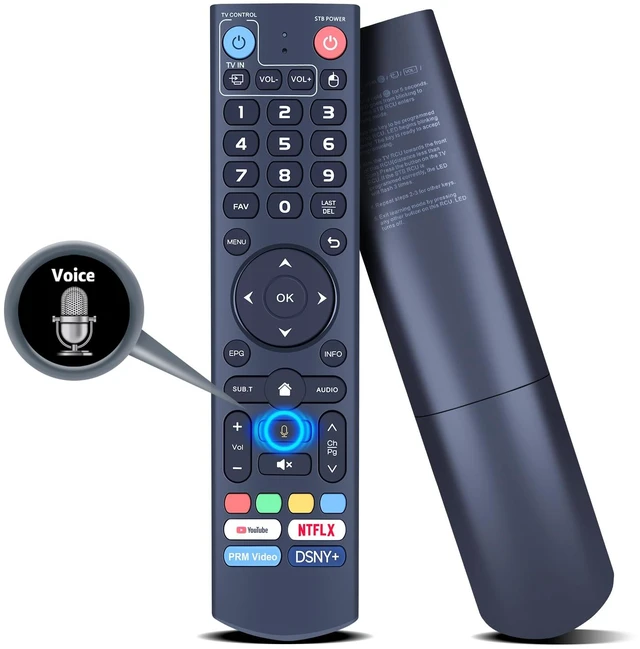
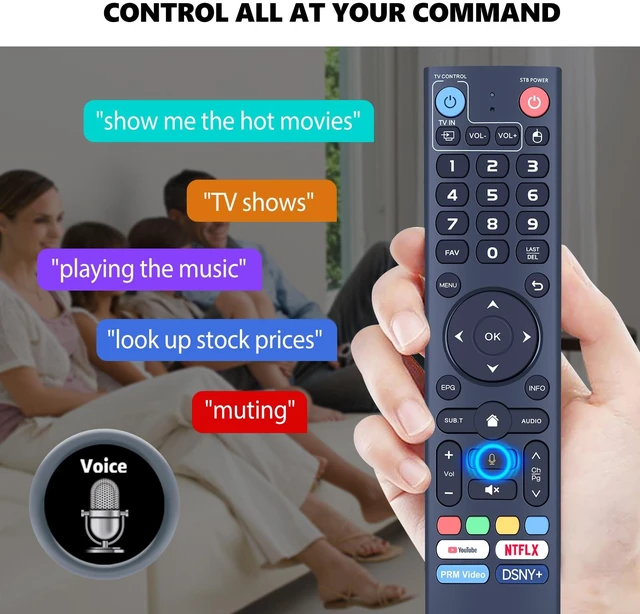
V3 Plus Voice Replacement for vSeeBox Remote Control, Compatible with vSeeBox V5 Pro, V3 Plus, V3 Pro, V2 Pro, V1 Pro, V1 Max, Elite
Limited time offer, ends 11/10 By DrakeMount FortunaTech Parts
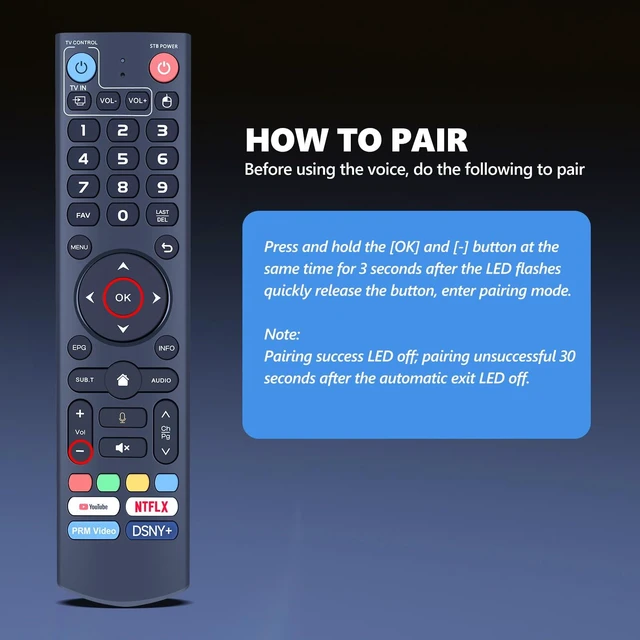
- Compatible Models: New replacement voice remote control for vSeeBox V3 Pro, V3 Plus, V5 Pro, V2 Pro, V1 Pro, V1 Max, and Elite. Pairing Method: Press and hold the [OK] and [-] buttons simultaneously for at least 3 seconds. The LED will flash rapidly. Release the buttons to enter pairing mode. The LED will go out if pairing is successful. If pairing is unsuccessful, the LED will go out and the remote will exit pairing mode automatically after 30 seconds. Device Name: vsSeeBox Remoter; Switch Mode: Press and hold the number key [5] for more than 10 seconds to switch modes. V3 Pro working mode is for V3 Pro. V2 Pro working mode is for V3 Plus, V2 Pro, V3 Pro, V1 Pro, V1 Max, and Elite. High Performance: With newly upgraded smart chips, this replacement TV remote offers reliable long-distance transmission and precise control at 8 m / 26 ft. The fastest response takes less than 0.2 seconds, and it supports over 160,000 clicks in approved tests
+
+
Overview
Specs
Reviews
Any questions? Ask CelesteSM will help you find out quickly.
Try me now
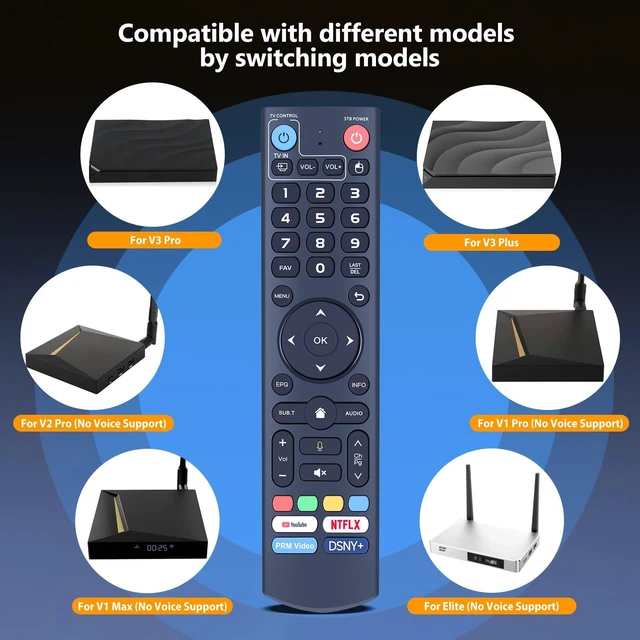
Compatible Models: New replacement voice remote control for vSeeBox V3 Pro, V3 Plus, V5 Pro, V2 Pro, V1 Pro, V1 Max, and Elite.
Pairing Method: Press and hold the [OK] and [-] buttons simultaneously for at least 3 seconds. The LED will flash rapidly. Release the buttons to enter pairing mode. The LED will go out if pairing is successful. If pairing is unsuccessful, the LED will go out and the remote will exit pairing mode automatically after 30 seconds.
Device Name: vsSeeBox Remoter;
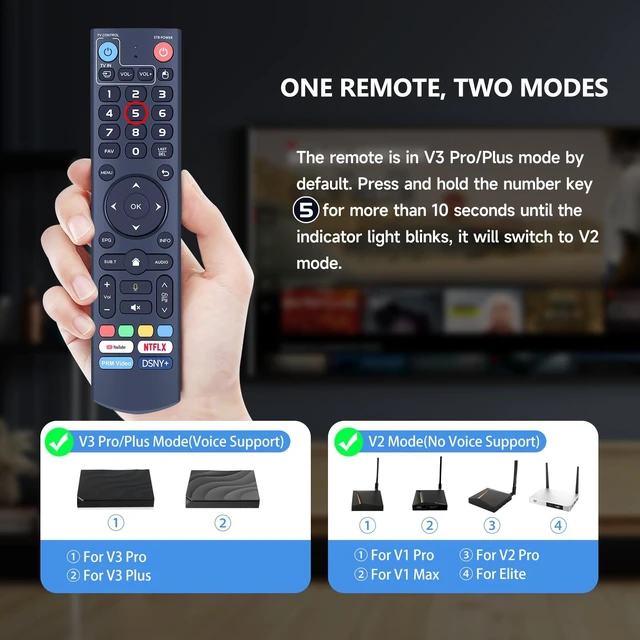
Switch Mode: Press and hold the number key [5] for more than 10 seconds to switch modes. V3 Pro working mode is for V3 Pro. V2 Pro working mode is for V3 Plus, V2 Pro, V3 Pro, V1 Pro, V1 Max, and Elite.
High Performance: With newly upgraded smart chips, this replacement TV remote offers reliable long-distance transmission and precise control at 8 m / 26 ft. The fastest response takes less than 0.2 seconds, and it supports over 160, 000 clicks in approved tests

Pairing Method: Press and hold the [OK] and [-] buttons simultaneously for at least 3 seconds. The LED will flash rapidly. Release the buttons to enter pairing mode. The LED will go out if pairing is successful. If pairing is unsuccessful, the LED will go out and the remote will exit pairing mode automatically after 30 seconds.
Device Name: vsSeeBox Remoter;
Switch Mode: Press and hold the number key [5] for more than 10 seconds to switch modes. V3 Pro working mode is for V3 Pro. V2 Pro working mode is for V3 Plus, V2 Pro, V3 Pro, V1 Pro, V1 Max, and Elite.
High Performance: With newly upgraded smart chips, this replacement TV remote offers reliable long-distance transmission and precise control at 8 m / 26 ft. The fastest response takes less than 0.2 seconds, and it supports over 160, 000 clicks in approved tests
Warranty & Returns
Warranty, Returns, And Additional Information
Warranty
- Please contact the Seller directly for warranty information. Warranty information may also be found on the Manufacturer's website.
- CONTACT
Return Policies
- Return for refund within: 30 days
- Return for replacement within: 30 days
- This item is covered by DrakeMount FortunaTech Parts Return Policy
Manufacturer Contact Info
- For a directory of all our manufacturers, please click below.
- Manufacturers Directory
LOADING...