Your Browsing History
Meet Your Seller
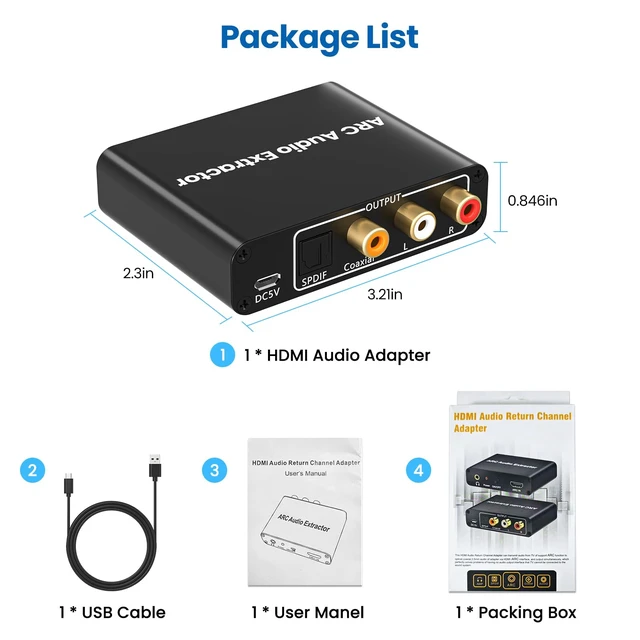
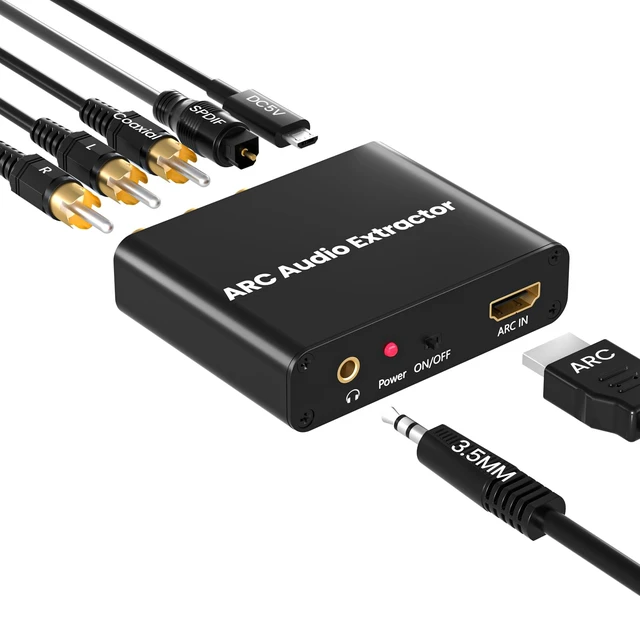
HDMI ARC Audio Extractor Support HDMI ARC to Optical SPDIF 3.5mm AUX Jack HDMI ARC to Optical Coaxial RCA 3.5mm Audio Adapter Splitter for HDTV Soundbar Speaker Amplifier with Cable
Limited time offer, ends 10/29 By MiniJoyBelle Tech
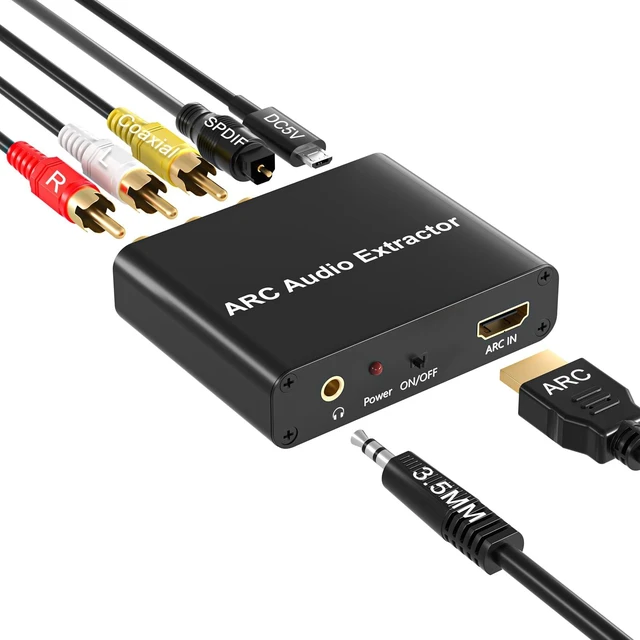
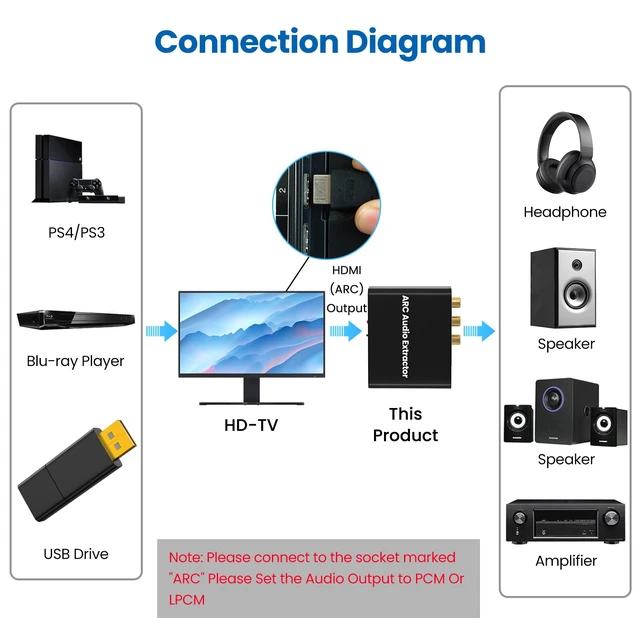
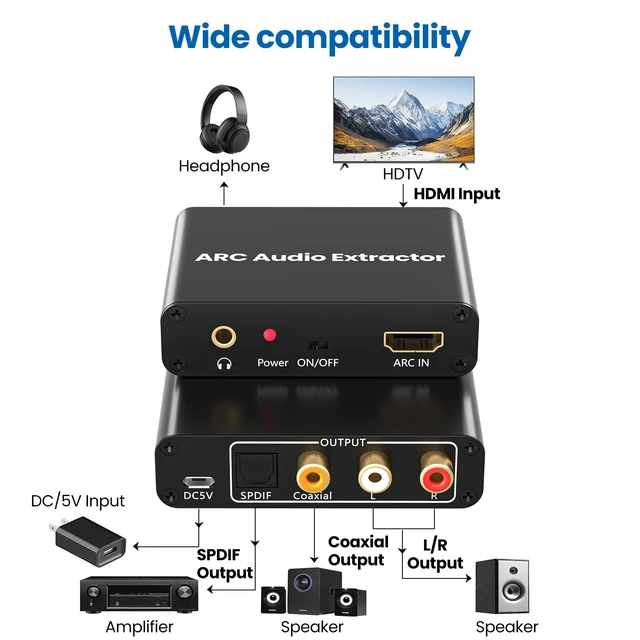
- HDMI ARC Audio ExtractorThe HDMI ARC adapter can transmit the sound of the TV supporting ARC function back to the optical, coaxial, L/R channel and 3.5mm headphone port of the adapter through the HDMI/ARC interface, effectively solving the problem that the TV without the audio output interface cannot connect to the sound system. Plug and PlayNo need to install software or drivers, just connect your TV and audio equipment to get the sound. When ARC in, 3.5mm jack out, CEC function is supported, so convenient. 192KHz Sampling RateOptical to HDMI Converter actually supports sampling rate at 32, 44.1, 48, 96 and 192 KHz, and 24-bit S/PDIF incoming bit stream on left and right channels. Please use AGW26 standard HDMI 1.4 cable (19+1). Support 5.1 ChannelsThe optical/coaxial interface of the HDMI ARC audio extractor supports 5.1 channel output. Please make sure that the audio format is 5.1. Note: Set the optical port on the TV to source output (that is, the output is unchanged compressed audio). Simultaneous Audio OutputThis HDMI ARC to RCA audio converter can simultaneously output audio from optical, coaxial, L/R and 3.5mm headphone port. Note: Please set the audio output to PCM or LPCM before using RCA and 3.5mm headphone stereo interface. Wide CompatibilityCompatible with Soundbars, speakers and amplifiers for all ARC-enabled HDTVs and all audio devices with optical/coaxial/RCA/3.5mm ports. Note: Make sure to connect the TV's HDMI ARC port and switch the adapter sw
+
+
Overview
Specs
Reviews
Any questions? Ask CelesteSM will help you find out quickly.
Try me now
HDMI ARC Audio ExtractorThe HDMI ARC adapter can transmit the sound of the TV supporting ARC function back to the optical, coaxial, L/R channel and 3.5 mm headphone port of the adapter through the HDMI/ARC interface, effectively solving the problem that the TV without the audio output interface cannot connect to the sound system. Plug and PlayNo need to install software or drivers, just connect your TV and audio equipment to get the sound. When ARC in, 3.5 mm jack out, CEC function is supported, so convenient. 192KHz Sampling RateOptical to HDMI Converter actually supports sampling rate at 32, 44.1, 48, 96 and 192 KHz, and 24-bit S/PDIF incoming bit stream on left and right channels.
Please use AGW26 standard HDMI 1.4 cable (19+1). Support 5.1 ChannelsThe optical/coaxial interface of the HDMI ARC audio extractor supports 5.1 channel output. Please make sure that the audio format is 5.1.
Note: Set the optical port on the TV to source output (that is, the output is unchanged compressed audio). Simultaneous Audio OutputThis HDMI ARC to RCA audio converter can simultaneously output audio from optical, coaxial, L/R and 3.5 mm headphone port.
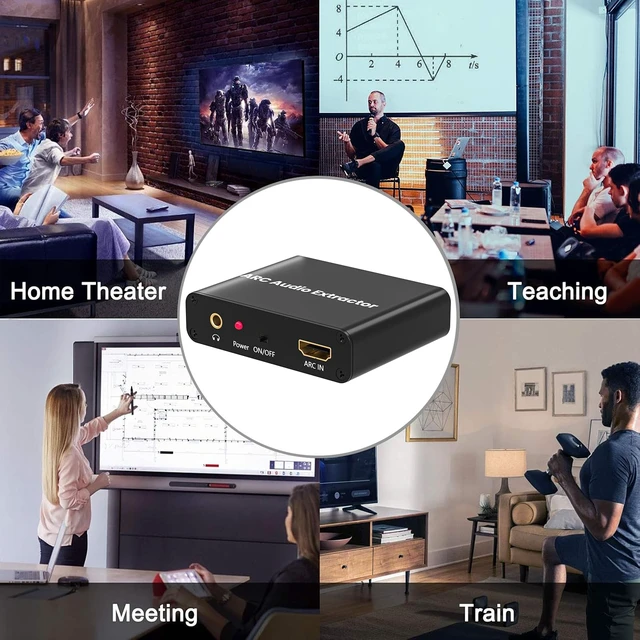
Note: Please set the audio output to PCM or LPCM before using RCA and 3.5 mm headphone stereo interface. Wide CompatibilityCompatible with Soundbars, speakers and amplifiers for all ARC-enabled HDTVs and all audio devices with optical/coaxial/RCA/ 3.5 mm ports.
Note: Make sure to connect the TV's HDMI ARC port and switch the adapter switch to "On"

Please use AGW26 standard HDMI 1.4 cable (19+1). Support 5.1 ChannelsThe optical/coaxial interface of the HDMI ARC audio extractor supports 5.1 channel output. Please make sure that the audio format is 5.1.
Note: Set the optical port on the TV to source output (that is, the output is unchanged compressed audio). Simultaneous Audio OutputThis HDMI ARC to RCA audio converter can simultaneously output audio from optical, coaxial, L/R and 3.5 mm headphone port.
Note: Please set the audio output to PCM or LPCM before using RCA and 3.5 mm headphone stereo interface. Wide CompatibilityCompatible with Soundbars, speakers and amplifiers for all ARC-enabled HDTVs and all audio devices with optical/coaxial/RCA/ 3.5 mm ports.
Note: Make sure to connect the TV's HDMI ARC port and switch the adapter switch to "On"
Warranty & Returns
Warranty, Returns, And Additional Information
Warranty
- Please contact the Seller directly for warranty information. Warranty information may also be found on the Manufacturer's website.
- CONTACT
Return Policies
- Return for refund within: 30 days
- Return for replacement within: 30 days
- This item is covered by MiniJoyBelle Tech Return Policy
Manufacturer Contact Info
- For a directory of all our manufacturers, please click below.
- Manufacturers Directory
LOADING...