• $134.99
  • Free 30-day Returns
  • Price alert
    Shop it at NeweggBusiness.

    Meet Your Seller

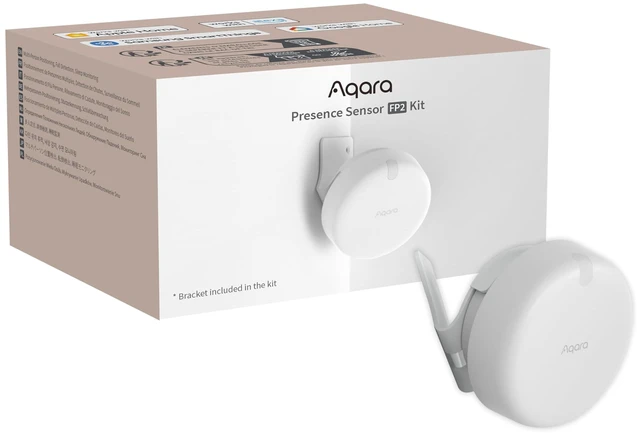
    Presence Sensor FP2 Bracket Set, mmWave Radar Wired Motion Sensor Zone Positioning, Multi-Person & Fall Detection, Supports HomeKit, Alexa, and Home Assistant, 2.4 GHz Wi-Fi Required

    Limited time offer, ends 11/25 By MiniJoyBelle Tech

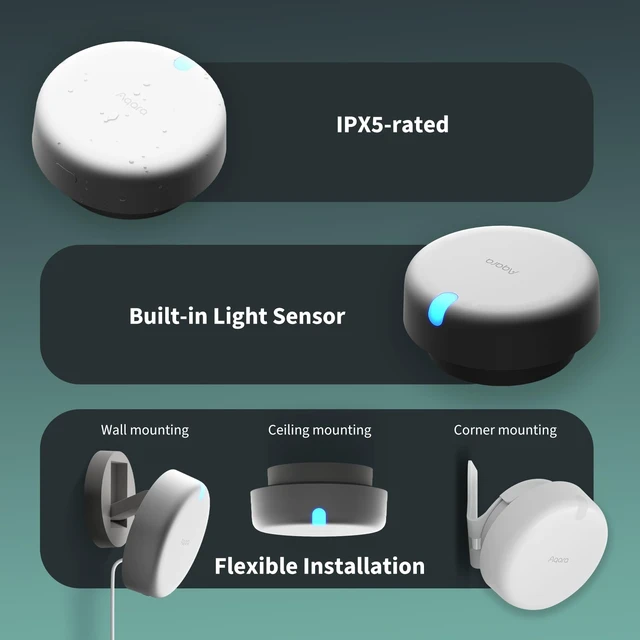
    • [Installation Method] With the installation method for the FP2, you can mount it in the corner of a room. Attach the included angle mount and switch to the corresponding mode in the app. This setting eliminates dead zones caused by the sensor's angle and rotates the room layout by 45 degrees, allowing for enhanced zone detection and more automation options. [Multi-Person & Zone Positioning] The Presence Sensor FP2 can simultaneously detect up to 5 people and trigger different scenarios and automations. The FP2 (2.4GHz Wi-Fi REQUIRED) uses a single radar sensor to monitor rooms of up to 40 m² (430 sq ft). You can divide the room into up to 30 zones, such as a sofa, bed or desktop, and set up individual automations for each zone. It is like having several PIR sensors at the same time with one Presence Sensor FP2. Please note: the FP2 is a wired sensor that should be constantly powered. [Sleep Monitoring & Fall Detection] Install the FP2 next to the bed and select sleep monitoring mode to sense sleep status in real time and generate a sleep health report. You can also mount the FP2 on the ceiling and choose Falling Detection Mode, which detects and alerts you through the app if someone falls. The FP2 is not a medical device and can only be used for notification purposes. [Multi-Ecosystem Support] The Presence Sensor FP2 is exposed as multiple sensors to HomeKit, Alexa, Samsung SmartThings and Home Assistant. The device can be added directly to Home Assistant using HomeKit Cont
    +
    +
    Overview
    Specs
    Reviews

    Any questions? Ask CelesteSM will help you find out quickly.

    [Installation Method] With the installation method for the FP2, you can mount it in the corner of a room. Attach the included angle mount and switch to the corresponding mode in the app. This setting eliminates dead zones caused by the sensor's angle and rotates the room layout by 45 degrees, allowing for enhanced zone detection and more automation options. [Multi-Person & Zone Positioning] The Presence Sensor FP2 can simultaneously detect up to 5 people and trigger different scenarios and automations. The FP2 ( 2.4GH z Wi-Fi REQUIRED) uses a single radar sensor to monitor rooms of up to 40 m² (430 sq ft).

    You can divide the room into up to 30 zones, such as a sofa, bed or desktop, and set up individual automations for each zone. It is like having several PIR sensors at the same time with one Presence Sensor FP2.
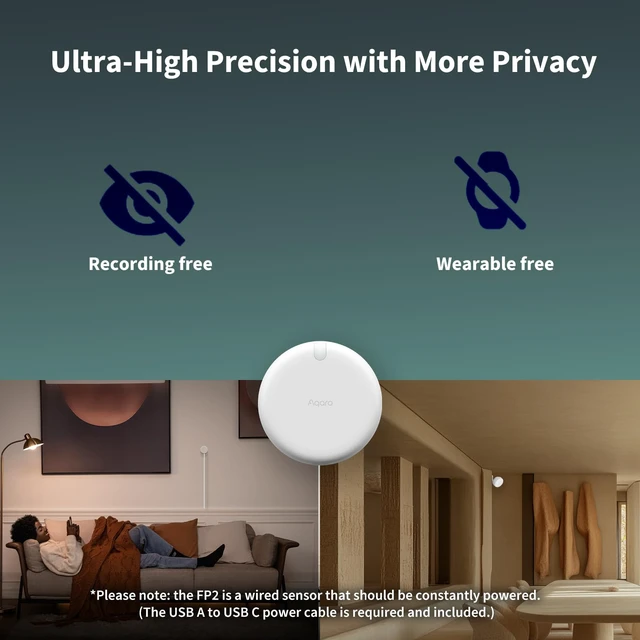
    Please note: the FP2 is a wired sensor that should be constantly powered. [Sleep Monitoring & Fall Detection] Install the FP2 next to the bed and select sleep monitoring mode to sense sleep status in real time and generate a sleep health report. You can also mount the FP2 on the ceiling and choose Falling Detection Mode, which detects and alerts you through the app if someone falls. The FP2 is not a medical device and can only be used for notification purposes. [Multi-Ecosystem Support] The Presence Sensor FP2 is exposed as multiple sensors to HomeKit, Alexa, Samsung SmartThings and Home Assistant. The device can be added directly to Home Assistant using HomeKit Controller integration. You can integrate the sensor without requiring a hub. For a stable connection, ensure the sensor is placed within 6 meters (19 feet) of your router. [Ultra-High Precision, Privacy, and Enhanced Features] Using millimeter-wave radar technology, the Presence Sensor FP2 provides precise detection of movement, even for slight movements. It has no camera monitoring system. With IPX5, it can be installed in wet environments. It also has a built-in light sensor for flexible lighting automations, available in Home, HomeKit and IFTTT.

    FP2 automations are executed without sending data to the cloud and will keep working even if there is no internet connection

    Warranty & Returns

    Warranty, Returns, And Additional Information

    Warranty

    • Please contact the Seller directly for warranty information. Warranty information may also be found on the Manufacturer's website.
    • CONTACT

    Return Policies

    Manufacturer Contact Info

    LOADING...