

Your Browsing History

Meet Your Seller



Visit EmpressTech Store
FOLLOW
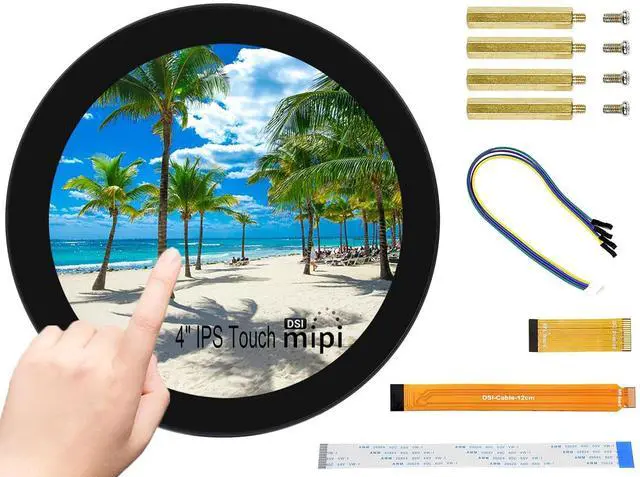
Waveshare 4inch DSI Round Touch Display 720 × 720 Resolution, 10-Point Capacitive Touch IPS Display Screen Compatible with Raspberry Pi 5/Pi 4B/3B+/3A+, Compute Module 4/Compute Module 3+/CM3
Limited time offer, ends 09/29 By EmpressTech
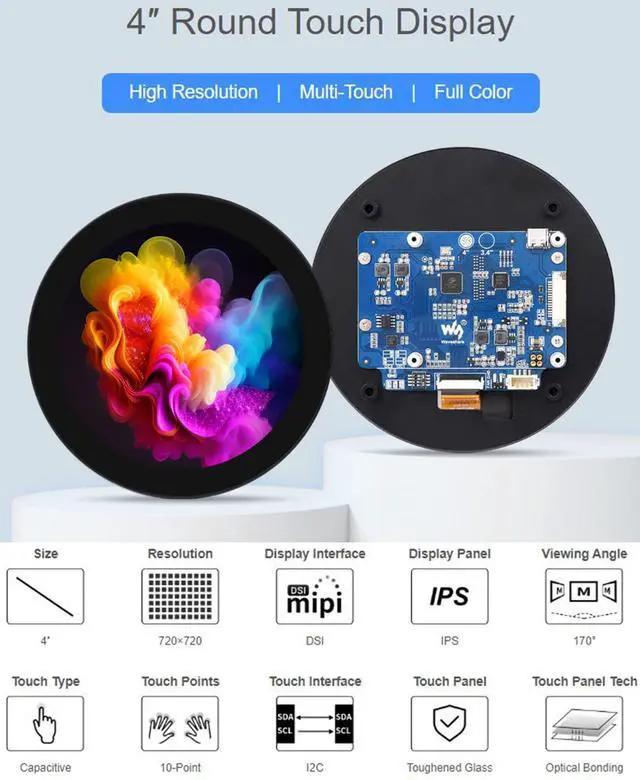
- 4inch DSI Round Touch Display, IPS screen, 720 x 720 hardware resolution.; Support 10-point capacitive touch, toughened glass panel with up to 6H hardness.; Drive the LCD directly via the DSI interface of the Raspberry Pi, up to 60Hz refresh rate.; When used with Raspberry Pi, the Raspberry Pi driver is provided. Compatible with Raspberry Pi 5/Pi 4B/3B+/3A+. Aslo Compatible with Raspberry Pi Compute Module 4/Compute Module 3+/CM3, but when it works with Compute Module 4/Compute Module 3+/CM3, the extra DSI-Cable-15cm is required.; Supports software control of backlight brightness.
+
+
Overview
Specs
Reviews

Any questions? Our AI mode will help you find out quickly.
Try me now
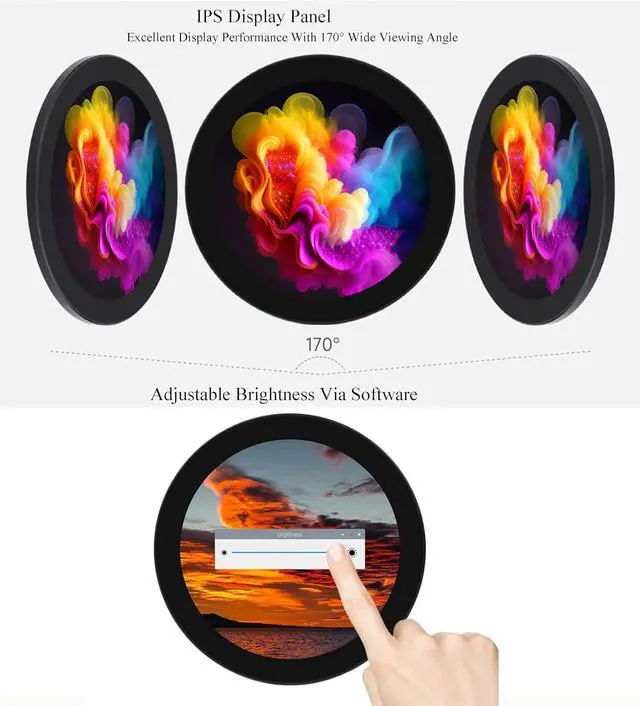
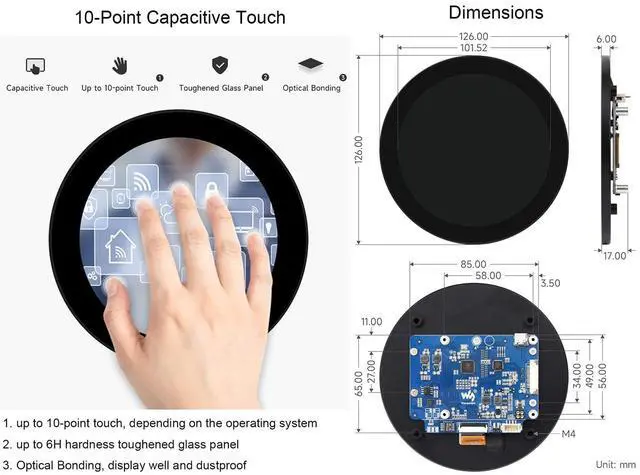
Features 1. 4inch DSI Round Touch Display, 720 x 720 hardware resolution. IPS Display Panel, Excellent Display Performance With 170° Wide Viewing Angle 2. Support 10-point capacitive touch, toughened glass panel with up to 6H hardness. 3. Drive the LCD directly via the DSI interface of the Raspberry Pi, up to 60Hz refresh rate. 4. When used with Raspberry Pi, the Raspberry Pi driver is provided. Compatible with Raspberry Pi 5/Pi 4B/3B+/3A+. Aslo Compatible with Raspberry Pi Compute Module 4/Compute Module 3+/CM3, but when it works with CM4/CM3+/CM3, the extra DSI-Cable-15cm is required.
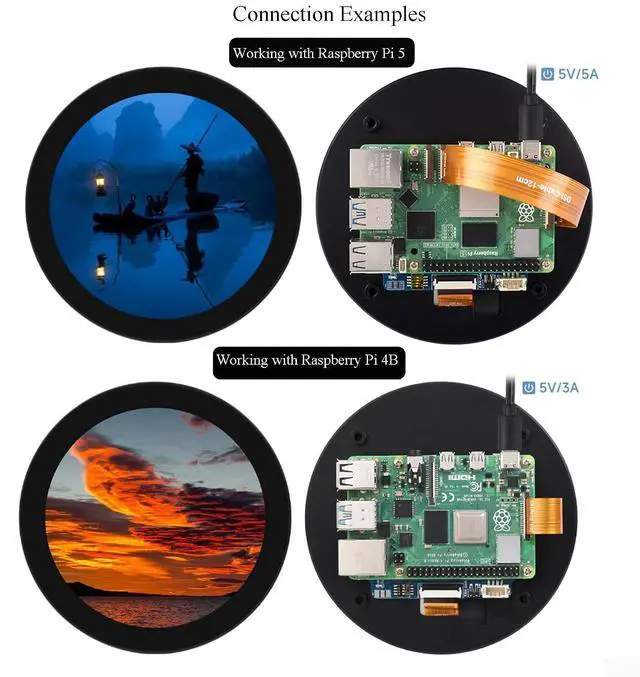
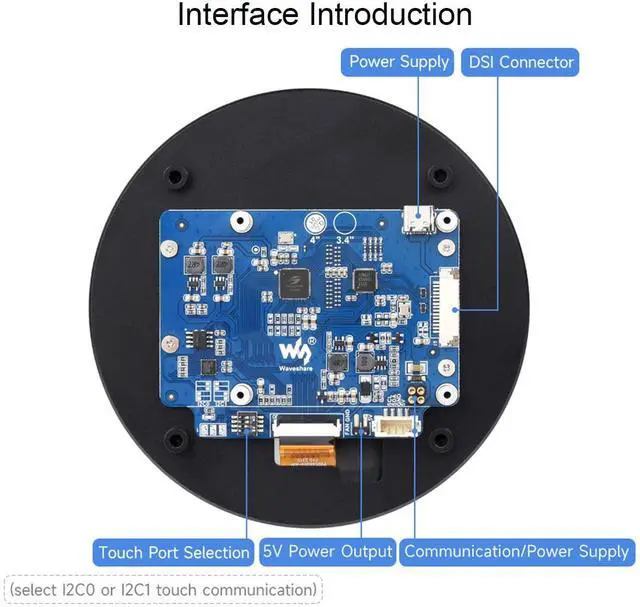
5. Supports software control of backlight brightness. 6. Adopts optical bonding technique, clearer image. Working with Raspberry Pi 1. Hardware Connection ---Connect the DSI interface of the display to the DSI interface of the Raspberry Pi board with a 15PIN FPC cable. ---Mount the Raspberry Pi board backside down to the carrier board of the LCD, and connect to the 5V power and I2C communication via the 4PIN connector. 2.
Software Setting Method 1: Manual Driver Installation 1. Download the image from the Raspberry Pi website. 2. Connect the TF card to the PC, and use SDFormatter software to format the TF card. 3. Open the Win32DiskImager software, select the system image downloaded in step 2, and click 'Write' to write the system image. 4. After programming, connect the TF card to the Raspberry Pi and boot. Log into the Raspberry Pi's terminal (you can connect the Raspberry Pi to an HDMI display or log in remotely with ssh).
Method 2: Program Pre-install Image More information about Display Rotation/ Touch Rotation/Brightness Control via Software, please send us message to get it if necessary.
5. Supports software control of backlight brightness. 6. Adopts optical bonding technique, clearer image. Working with Raspberry Pi 1. Hardware Connection ---Connect the DSI interface of the display to the DSI interface of the Raspberry Pi board with a 15PIN FPC cable. ---Mount the Raspberry Pi board backside down to the carrier board of the LCD, and connect to the 5V power and I2C communication via the 4PIN connector. 2.
Software Setting Method 1: Manual Driver Installation 1. Download the image from the Raspberry Pi website. 2. Connect the TF card to the PC, and use SDFormatter software to format the TF card. 3. Open the Win32DiskImager software, select the system image downloaded in step 2, and click 'Write' to write the system image. 4. After programming, connect the TF card to the Raspberry Pi and boot. Log into the Raspberry Pi's terminal (you can connect the Raspberry Pi to an HDMI display or log in remotely with ssh).
Method 2: Program Pre-install Image More information about Display Rotation/ Touch Rotation/Brightness Control via Software, please send us message to get it if necessary.
Warranty & Returns
Warranty, Returns, And Additional Information
Warranty
- Please contact the Seller directly for warranty information. Warranty information may also be found on the Manufacturer's website.
- CONTACT
Return Policies
- Return for refund within: 30 days
- Return for replacement within: 30 days
- This item is covered by EmpressTech Return Policy
Manufacturer Contact Info
- For a directory of all our manufacturers, please click below.
- Manufacturers Directory
LOADING...