Your Browsing History
Meet Your Seller
Visit EmpressTech Store
FOLLOW
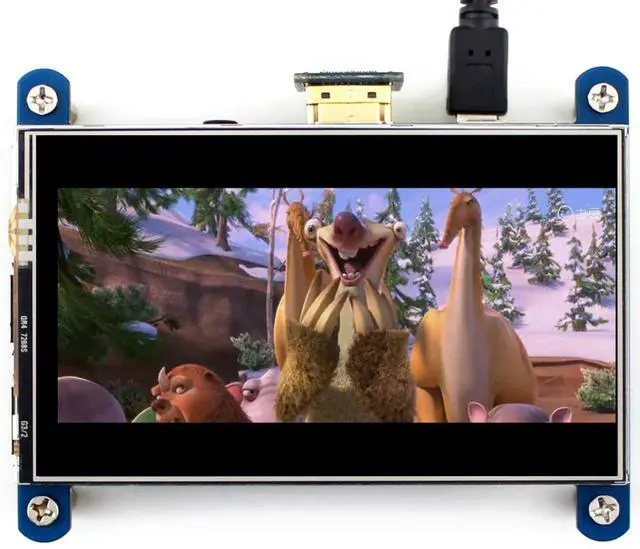
4 inch HDMI LCD IPS Display 800x480 Resolution Resistive Touch Screen HDMI Interface for Raspberry Pi 4B/3B+/3B/2B/B+/A+/Zero W,Support Raspbian/Ubuntu/Kali/Retropie
Limited time offer, ends 07/19 By EmpressTech
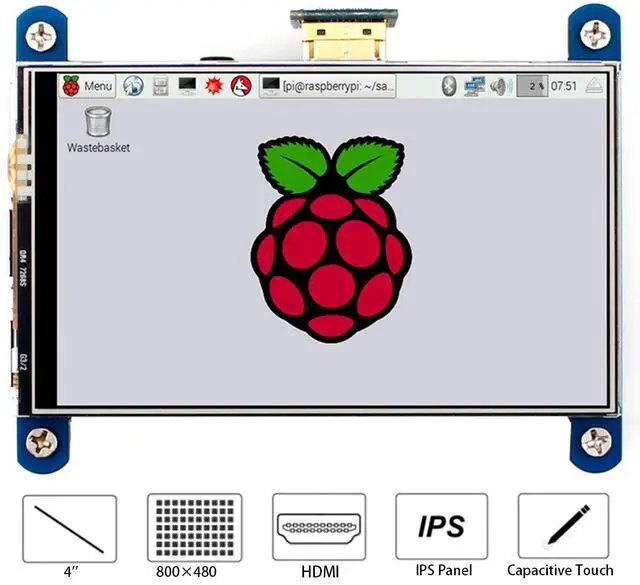
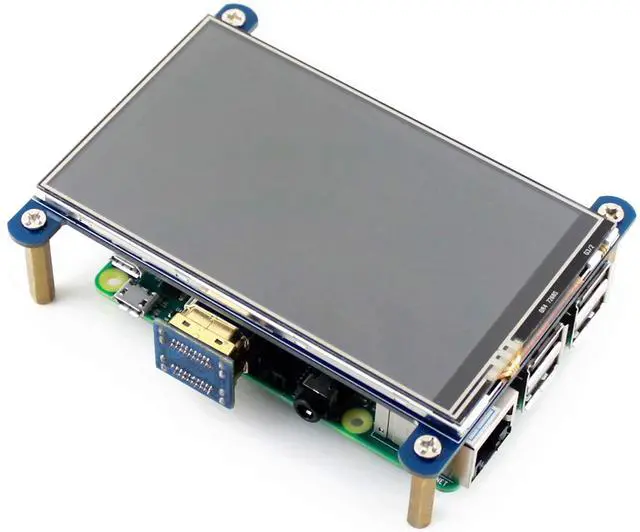
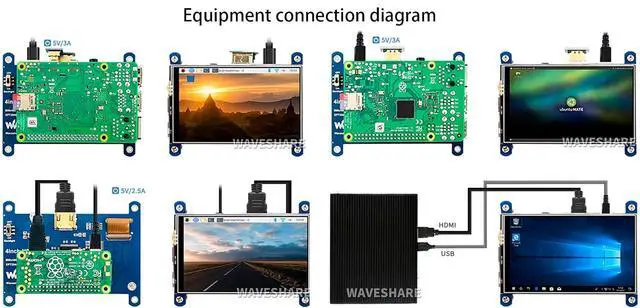
- 4inch Resistive Touch Screen LCD, HDMI interface, IPS Screen,800x480 high hardware resolution,high quality and perfect displaying from very wide viewing angle; Designed for Raspberry PiCompatible and Direct-connect with any revision of Raspberry Pi (except the Pi 1 model B or Pi Zero, which requires an HDMI cable); Drivers provided (works with your own Raspbian/Ubuntu/Kali/Retropie) Backlight can be turned off to lower power consumption; Also works as a computer monitor, in this case, touch panel is unavailable and HDMI cable is required
+
+
Overview
Specs
Reviews
Any questions? Our AI beta will help you find out quickly.
Try me now
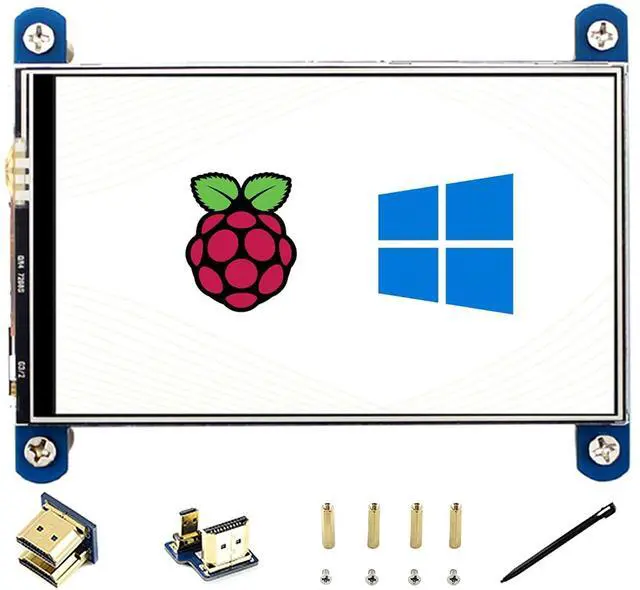
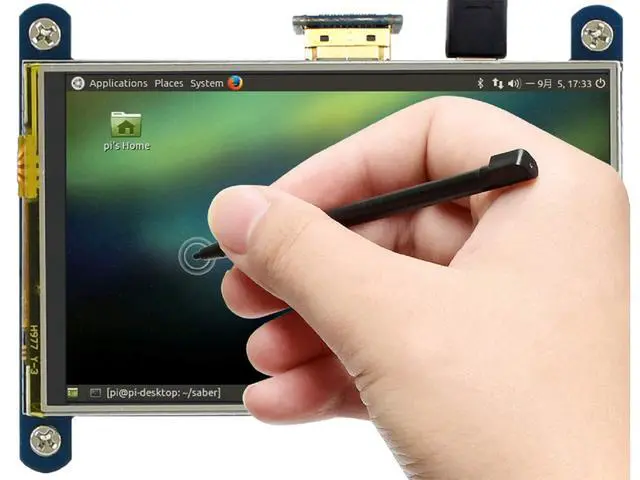
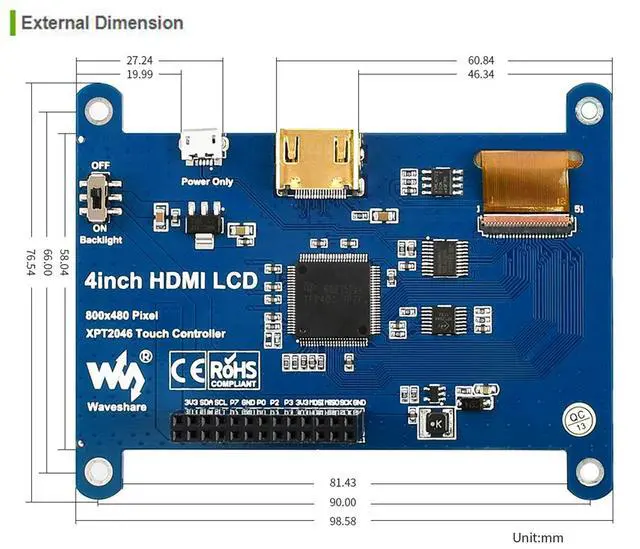
Overview 800x480, 4inch Resistive Touch Screen LCD, HDMI interface, IPS Screen, Designed for Raspberry Pi Features 800x480 high hardware resolution, Resistive touch control, IPS technology, high quality and perfect displaying from very wide viewing angle Compatible and Direct-connect with any revision of Raspberry Pi (except the Pi 1 model B or Pi Zero, which requires an HDMI cable), Drivers provided (works with your own Raspbian/Ubuntu/Kali/Retropie) Also works as a computer monitor, in this case, touch panel is unavailable and HDMI cable is required HDMI interface for displaying, no I/Os required (however, the touch panel still needs I/Os), Backlight can be turned off to lower power consumption
Development Resource/User Manual: //bit. ly/3eNVZix Package Content 4inch HDMI LCD IPS screen x1 HDMI connector x1 HDMI to micro HDMI connectorx1 Touch pen x1 RPi screws pack (4pcs ) x1 Quick start sheet x1 Tips 1. If the LCD doesn't work with your Raspbian, Please to use the LCD with the Raspberry Pi official image, driver should be installed first. Please refer to the user manual. However, for the first testing, you may want to use our provided image directly
FAQ:
1.
Question: How could I disable the rainbow screen?
Answer: Please add the following command to /boot/config. txt dusable_splash=1
2.
Question: How to change the splash screen of Pi?
Answer: You can repalce the splash. png from the path /usr/share/plymouth/themes/pix/splash. png to yours.
3.
Question: What is the operating temperature of the 4inch HDMI
LCD?
Answer: The working temperature is 0°C -- 70°C

Development Resource/User Manual: //bit. ly/3eNVZix Package Content 4inch HDMI LCD IPS screen x1 HDMI connector x1 HDMI to micro HDMI connectorx1 Touch pen x1 RPi screws pack (4pcs ) x1 Quick start sheet x1 Tips 1. If the LCD doesn't work with your Raspbian, Please to use the LCD with the Raspberry Pi official image, driver should be installed first. Please refer to the user manual. However, for the first testing, you may want to use our provided image directly
FAQ:
1.
Question: How could I disable the rainbow screen?
Answer: Please add the following command to /boot/config. txt dusable_splash=1
2.
Question: How to change the splash screen of Pi?
Answer: You can repalce the splash. png from the path /usr/share/plymouth/themes/pix/splash. png to yours.
3.
Question: What is the operating temperature of the 4inch HDMI
LCD?
Answer: The working temperature is 0°C -- 70°C
Warranty & Returns
Warranty, Returns, And Additional Information
Warranty
- Please contact the Seller directly for warranty information. Warranty information may also be found on the Manufacturer's website.
- CONTACT
Return Policies
- Return for refund within: 30 days
- Return for replacement within: 30 days
- This item is covered by EmpressTech Return Policy
Manufacturer Contact Info
- For a directory of all our manufacturers, please click below.
- Manufacturers Directory
LOADING...