Your Browsing History
- Free 30-day Returns
$35.14
Ships from China.
Meet Your Seller
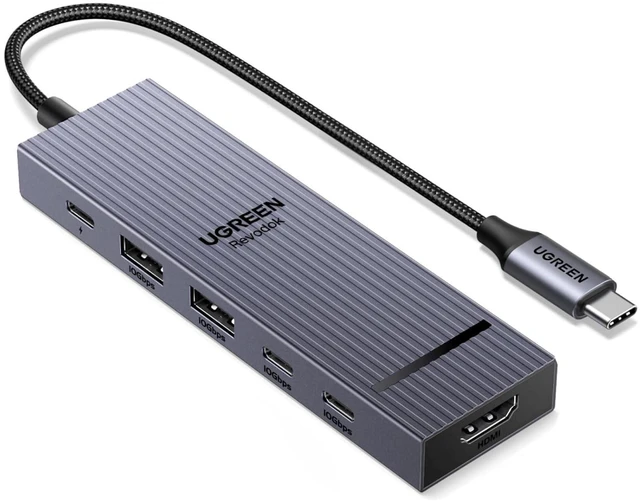
UGREEN Revodok Pro USB-C Hub 6 in 1 10Gbps 4K 60Hz HDMI
Limited time offer, ends 09/19 By CoreDepot
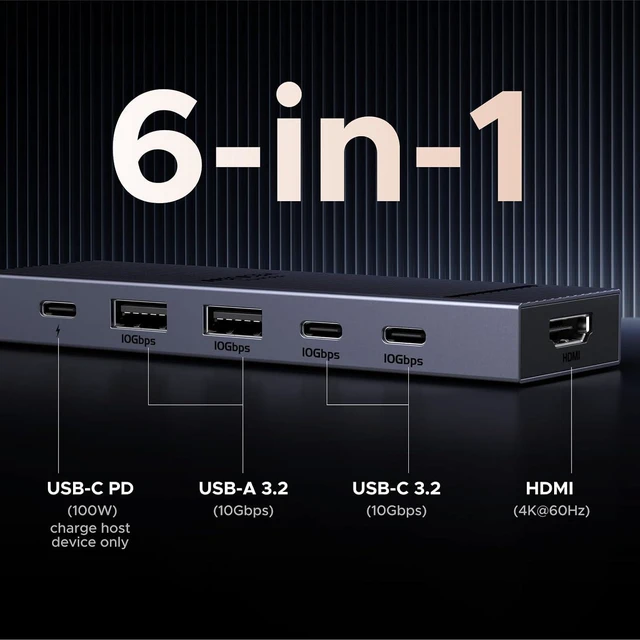
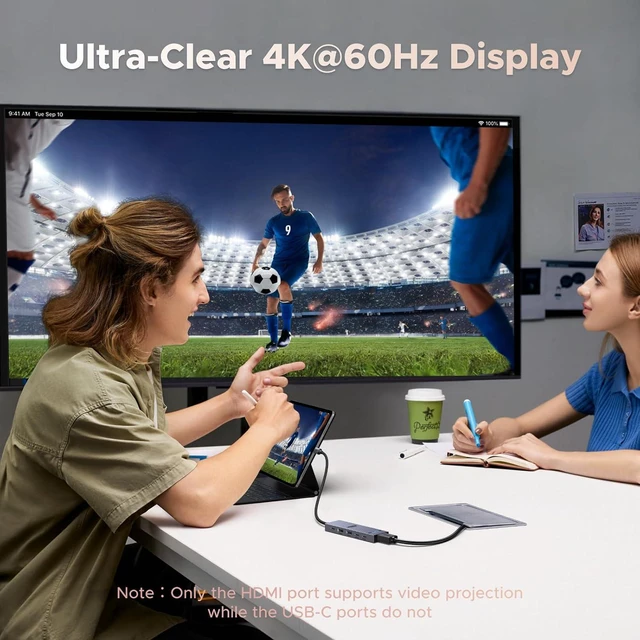
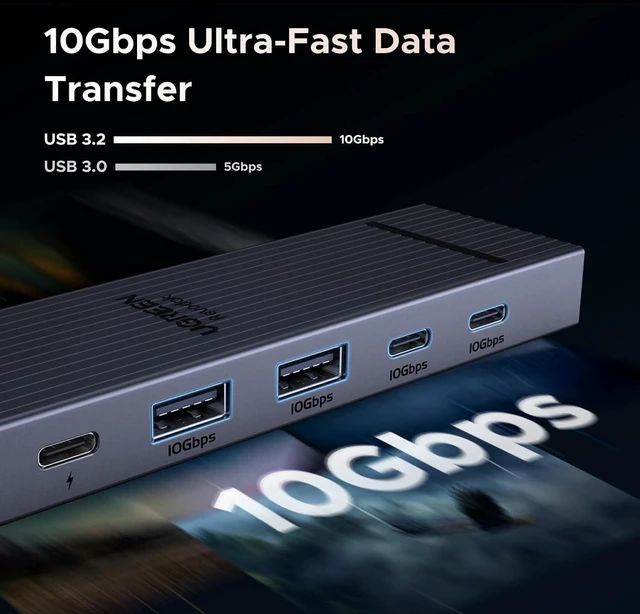
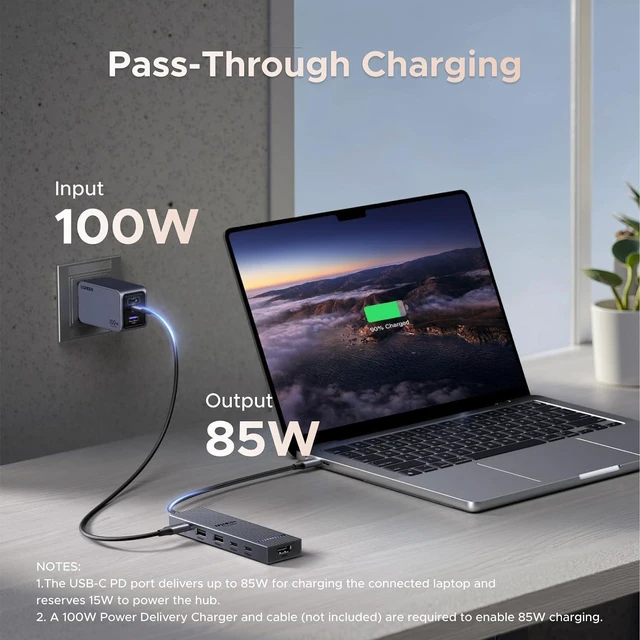
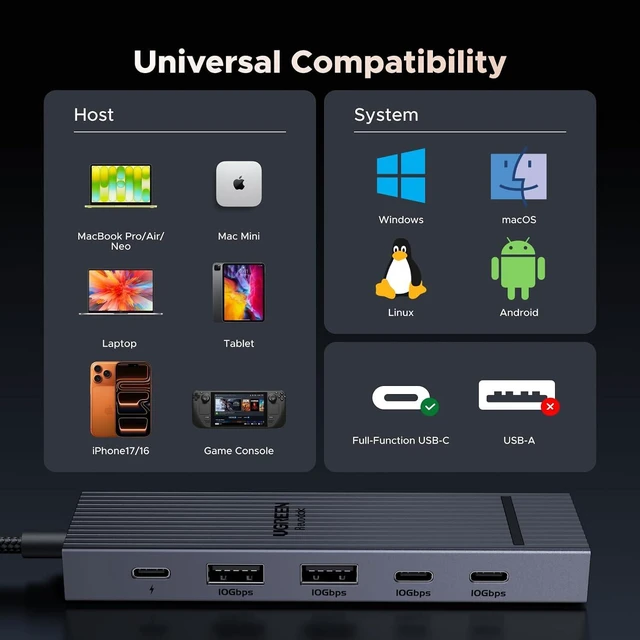
- 6-in-1 10Gbps USB C Hub: Inspire more potential of your laptops USB-C port with two 10 Gbps USB-C 3.2 Gen 2 port, two 10 Gbps USB-A 3.2 Gen 2 ports, 4K 60Hz HDMI and 100W Power Delivery. Ultimate all-in-one dock, works on multiple ports simultaneously
+
+
Overview
Specs
Reviews
Any questions? Our AI mode will help you find out quickly.
Try me now
Product description UGREEN USB C Hubs Revodok 10Gbps USB C Hub Buying Options USB C Hub 5-in-1 Buying Options Mac mini M4 Dock Add to Cart USB C Hub Buying Options USB C Hub with DP Port Buying Options USBC Hub With Screen Lock Add to Cart UGREEN 4K 60Hz USB C Hub Buying Options Customer Reviews 4.4 out of 5 stars 7, 013 4.4 out of 5 stars 407 4.5 out of 5 stars 103 4.2 out of 5 stars 265 4.1 out of 5 stars 500 4.5 out of 5 stars 1, 618 4.5 out of 5 stars 2, 253 Price $ 16.14 $16.
14 $ 15.99 $15. 99 $ 59.99 $59. 99 $ 22.99 $22. 99 $ 20.99 $20. 99 $ 42.94 $42. 94 $ 22.99 $22. 99 Display Port (s) HDMI HDMI / USB C DP HDMI HDMI Max Display Resolution 4K@60Hz 4K@60Hz / 4K@60Hz 4K@60Hz 4K@60Hz 4K@60Hz Max Transfer Speed 10Gbps 10Gbps 10Gbps 10Gbps 10Gbps 10Gbps 10Gbps USB Data Ports 2*USB A+2*USB C USB C 3.2 +2*USB A 2.0 5*USB A +2*USB C 2*USB A+2*USB C 2*USB A 3.2 +USB C 3.2 2*USB A +2*USB C 2*USB A+2*USB C Charging Port PD 100W PD 100W / PD 100W PD 100W PD 100W PD 100W Plug & Play SD/TF Card Reader Gigabit Ethernet × × × × × 1000Mbps × FAQ Q1 How many external monitors can this hub support? A1 It can only support one external monitor.
Q2 What happens when there is no HDMI image output after the product is connected? A2 1) Please make sure that the USB-C interface of the laptop supports the video function; 2) confirm whether the length and specifications of the connected cable meet the requirements; 3) Please adjust the resolution setting, the resolution supported by your monitor may be lower than the highest supported resolution; 4) Please select the correct input signal source (some monitors need to manually select the signal source); 5) You can try to restart the laptop, or re-plug the upstream end Q3 Why am I charging my docking station so slowly, it doesn't reach 100w A3 a.
Please confirm whether the USB-C interface of the laptop supports the charging function. If your computer uses a DC interface, please connect the original adapter. b. When your computer is charging slowly, please use the original adapter of the computer or a charger above 65W.

14 $ 15.99 $15. 99 $ 59.99 $59. 99 $ 22.99 $22. 99 $ 20.99 $20. 99 $ 42.94 $42. 94 $ 22.99 $22. 99 Display Port (s) HDMI HDMI / USB C DP HDMI HDMI Max Display Resolution 4K@60Hz 4K@60Hz / 4K@60Hz 4K@60Hz 4K@60Hz 4K@60Hz Max Transfer Speed 10Gbps 10Gbps 10Gbps 10Gbps 10Gbps 10Gbps 10Gbps USB Data Ports 2*USB A+2*USB C USB C 3.2 +2*USB A 2.0 5*USB A +2*USB C 2*USB A+2*USB C 2*USB A 3.2 +USB C 3.2 2*USB A +2*USB C 2*USB A+2*USB C Charging Port PD 100W PD 100W / PD 100W PD 100W PD 100W PD 100W Plug & Play SD/TF Card Reader Gigabit Ethernet × × × × × 1000Mbps × FAQ Q1 How many external monitors can this hub support? A1 It can only support one external monitor.
Q2 What happens when there is no HDMI image output after the product is connected? A2 1) Please make sure that the USB-C interface of the laptop supports the video function; 2) confirm whether the length and specifications of the connected cable meet the requirements; 3) Please adjust the resolution setting, the resolution supported by your monitor may be lower than the highest supported resolution; 4) Please select the correct input signal source (some monitors need to manually select the signal source); 5) You can try to restart the laptop, or re-plug the upstream end Q3 Why am I charging my docking station so slowly, it doesn't reach 100w A3 a.
Please confirm whether the USB-C interface of the laptop supports the charging function. If your computer uses a DC interface, please connect the original adapter. b. When your computer is charging slowly, please use the original adapter of the computer or a charger above 65W.
Warranty & Returns
Warranty, Returns, And Additional Information
Warranty
- Please contact the Seller directly for warranty information. Warranty information may also be found on the Manufacturer's website.
- CONTACT
Return Policies
- Return for refund within: 30 days
- Return for replacement within: non-replaceable
- This item is covered by CoreDepot Return Policy
Manufacturer Contact Info
- For a directory of all our manufacturers, please click below.
- Manufacturers Directory
LOADING...