Your Browsing History
- Free 30-day Returns
$74.99
Ships from China.
Meet Your Seller
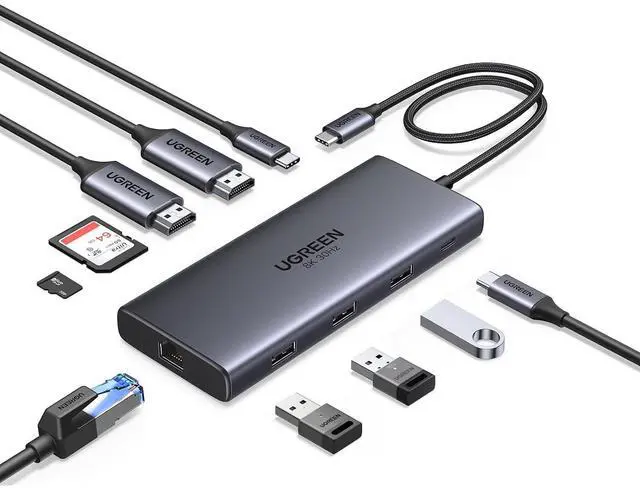
UGREEN USB C Docking Station Dual Monitor, 10-in-1 Laptop Dock with 2 HDMI
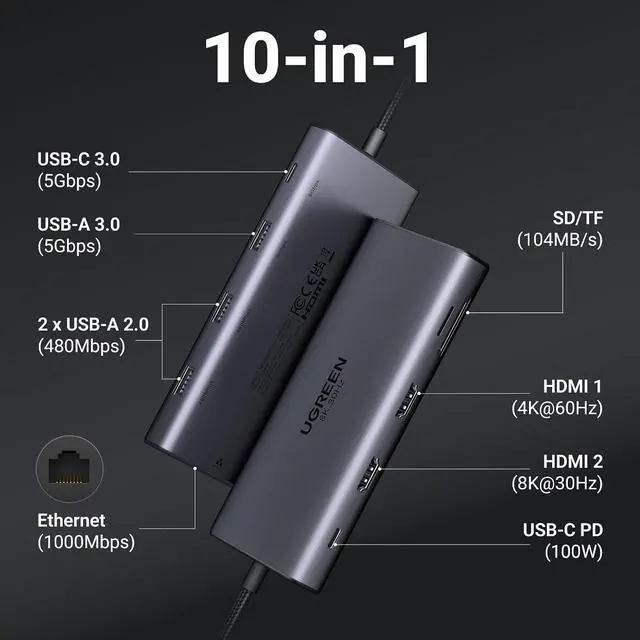
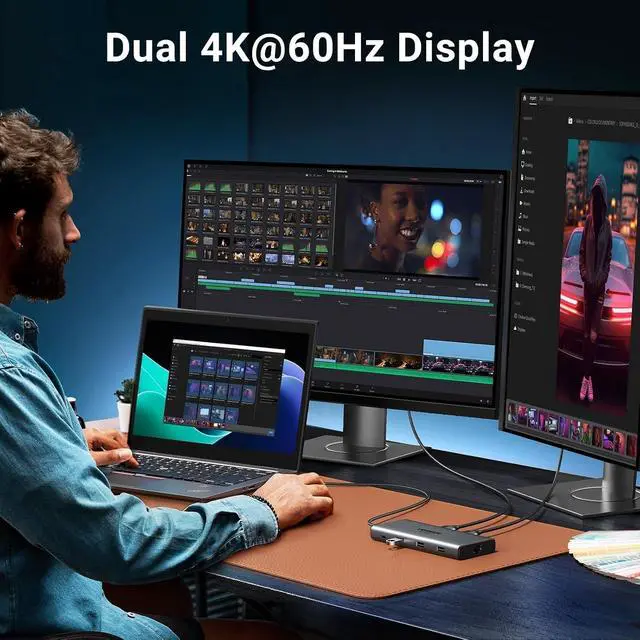
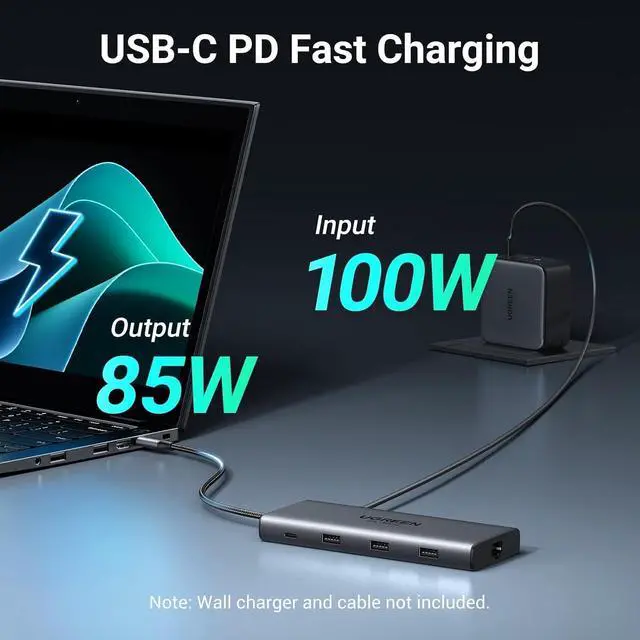
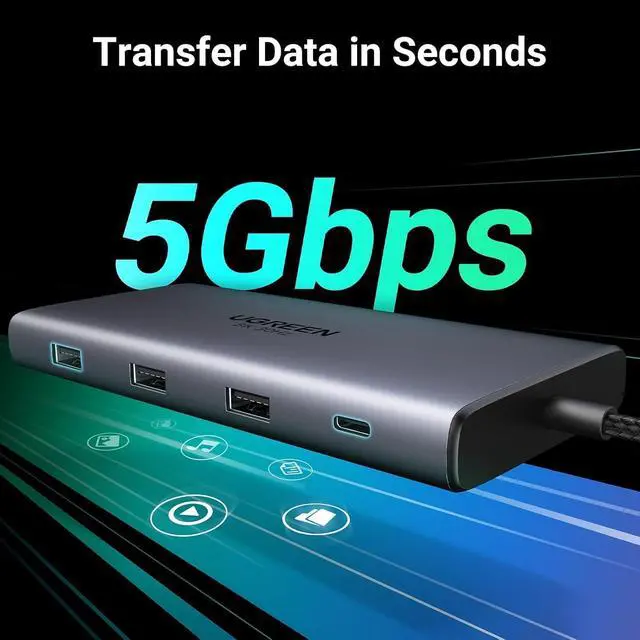
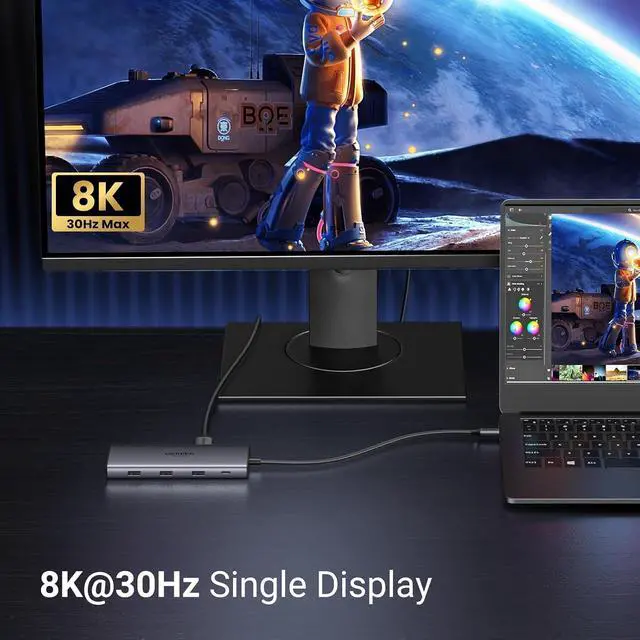
- 10-in-1 USB C Docking Station: Inspire more potential of your laptop's USB-C port with 2xHDMI ports, a 100W USB-C PD port, a 5Gbps USB-C port, a USB A 3.0, 2xUSB A 2.0, RJ45 and SD/Micro SD card reader; Dual 4k@60Hz/Single 8K@30Hz HDMI Docking Station: The Docking Station allows you to connect two displays up to 4K@60Hz or a single screen up to 8K@30Hz via the HDMI 2 connector. Please note that dme to macOS limitations, all docking displays will display the same content when connected to a MacBook; High-Speed Data Transfer: Connecting keyboards, transfer files, movies, and photos at speeds up to 5Gbps via the USB-C data port and USB-A ports. Note: The USB A and C ports do not provide charging capabilities or video output; 100W Power Delivery: The Laptop docking station Supports up to 85W USB C pass-through charging via USB-C PD port, reserves 15W for other interface operation. Additionally, the port only supports charging; it does not facilitate data transfer or video output; Docking Station Card Reader & Ethernet Combo: The USB-C Hub Docking Station Combo has a 1000Mbps Ethernet port that gives you the advantage of ultra-high-speed internet connections.Equipped with SD/TF card reader to solve your card reading needs
+
+
Overview
Specs
Reviews
Any questions? Our AI mode will help you find out quickly.
Try me now
Product description 10 in 1 Multiport Hub PD 100W 5Gbps Data Transfer 1000Mbps Network Aluminum Alloy UGREEN Revodok USB C Docking Stations Revodok Pro 210 Buying Options UGREEN Docking Station Buying Options Revodok Pro Buying Options Revodok 206 Buying Options Revodok Pro 308 Add to Cart UGREEN Docking Station Add to Cart UGREEN Thunderbolt 4 Dock Buying Options Customer Reviews 4.3 out of 5 stars 3, 742 3.4 out of 5 stars 799 4.2 out of 5 stars 3, 056 4.4 out of 5 stars 2, 886 4.3 out of 5 stars 871 4.2 out of 5 stars 953 4.3 out of 5 stars 298 Price $ 39.99 $39.
99 $ 79.99 $79. 99 $ 28.99 $28. 99 $ 35.99 $35. 99 $ 28.99 $28. 99 $ 125.98 $125. 98 $ 179.99 $179. 99 Display Scheme MST 3 Monitors MST MST MST DisplayLink Thunderbolt Display Ports 2 HDMI 2*HDMI+DP 2 HDMI 2*HDMI 2*HDMI+DP 2*HDMI+2*DP 3*TBT 4 Multi-Display
Modes Win: A+B+C, macOS: A+B+B
Win: A+B+C+D, macOS: A+B+B+B
Win: A+B+C, macOS: A+B+B
Win: A+B+C+D, macOS: A+B+B+B
Win: A+B+C, macOS: A+B+C
Win: A+B+C, macOS: A+B+C Maximum Resolution 8K@30Hz 4K@120Hz 4K@60Hz 8K@30Hz 4K@60Hz 4K@60Hz 8K@30Hz USB-C Data Port 1x USB 5Gbps 2x USB 10Gbps 2x USB 10Gbps 1x USB 5Gbps 2x USB 10Gbps 1x USB 10Gbps 3*TBT 4 40Gbps USB-A Data Port 1x USB 5Gbps, 2x USB 2.0 1x USB-A 10Gbps +2xUSB-A 5Gbps 2x USB 10Gbps 2x USB 5Gbps 2x USB 10Gbps 2x USB 10Gbps 3x USB 10Gbps Charging Adapter 100W 140W 100W 100W 100W 100W 140W (Charger Included) Ethernet 1000Mbps Ethernet 10Gbps / / / 1000Mbps Ethernet 1000Mbps Ethernet SD/TF Card Slot 104MB/S 170MB/s / / / / / 3.5 mm Audio / 3.5 mm Audio / / / / /
1. How can I troubleshoot if my monitor cannot display? a. Make sure your laptop's USB-C port supports video output; b. Lower your monitor's resolution or refresh rate; c. Replace another high standard HDMI cable. If the problem cannot be solved, please refer to the electronic manual below.
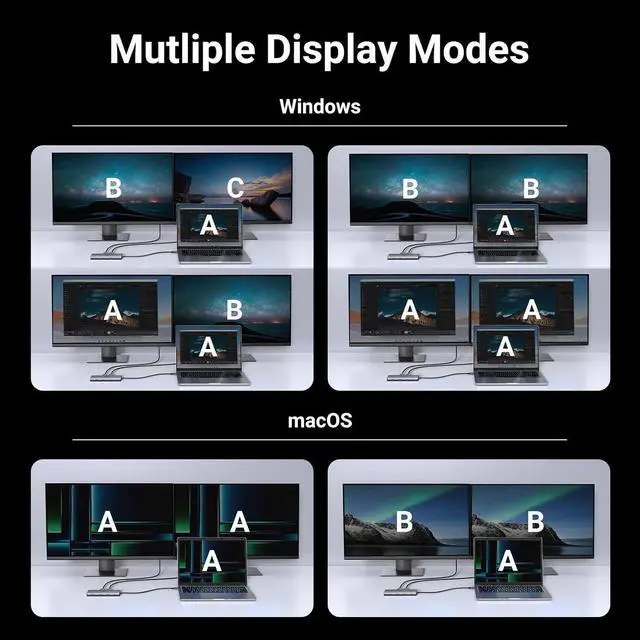
2. When I connect to 2 monitors with Mac, why do both monitors show the same image? Macbooks only support SST mode. In extended mode, two monitors display the same image; Windows supports MST mode. In extended mode, two monitors can display different images (computer processors must be 4th generation or higher, and graphics cards, systems, and external monitors must support DP 1.2 and above)
3. Why can't HDMI 2 reach 8K@30Hz when the laptop is single-display, and why can't dual-display support 4K60Hz? This is related to the video bandwidth output by the laptop. If the output DP signal supports DP 1.4 and DSC compression, then HDMI2 single display can reach 8K@30Hz, and dual display can reach 4K60HZ. If it only supports DP 1.4 but not DSC compression, it can only reach 4K@60Hz, and dual 4K60Hz cannot be achieved.
4. Why can't the laptop be charged through the PD interface or is charging slowly? a. Please confirm whether the USB-C interface of the laptop supports the charging function. If your computer uses a DC interface, please connect the original adapter. b. When your computer is charging slowly, please use the original adapter of the computer or a charger above 65W.
5. Why does the USB-C/A external device disconnect? a. It is recommended that the power of the external device does not exceed 10W. If more than two high-power devices are connected at the same time, it is recommended to plug in the PD charger for power supply first; b. When the product is connected to a wireless mouse and other USB 3.0 devices at the same time, the wireless mouse can be used at a distance of about 0.4 meters; c. If your computer system is Windows 11, please check the laptop power management settings and make sure they are set not to limit performance in battery mode.

99 $ 79.99 $79. 99 $ 28.99 $28. 99 $ 35.99 $35. 99 $ 28.99 $28. 99 $ 125.98 $125. 98 $ 179.99 $179. 99 Display Scheme MST 3 Monitors MST MST MST DisplayLink Thunderbolt Display Ports 2 HDMI 2*HDMI+DP 2 HDMI 2*HDMI 2*HDMI+DP 2*HDMI+2*DP 3*TBT 4 Multi-Display
Modes Win: A+B+C, macOS: A+B+B
Win: A+B+C+D, macOS: A+B+B+B
Win: A+B+C, macOS: A+B+B
Win: A+B+C+D, macOS: A+B+B+B
Win: A+B+C, macOS: A+B+C
Win: A+B+C, macOS: A+B+C Maximum Resolution 8K@30Hz 4K@120Hz 4K@60Hz 8K@30Hz 4K@60Hz 4K@60Hz 8K@30Hz USB-C Data Port 1x USB 5Gbps 2x USB 10Gbps 2x USB 10Gbps 1x USB 5Gbps 2x USB 10Gbps 1x USB 10Gbps 3*TBT 4 40Gbps USB-A Data Port 1x USB 5Gbps, 2x USB 2.0 1x USB-A 10Gbps +2xUSB-A 5Gbps 2x USB 10Gbps 2x USB 5Gbps 2x USB 10Gbps 2x USB 10Gbps 3x USB 10Gbps Charging Adapter 100W 140W 100W 100W 100W 100W 140W (Charger Included) Ethernet 1000Mbps Ethernet 10Gbps / / / 1000Mbps Ethernet 1000Mbps Ethernet SD/TF Card Slot 104MB/S 170MB/s / / / / / 3.5 mm Audio / 3.5 mm Audio / / / / /
1. How can I troubleshoot if my monitor cannot display? a. Make sure your laptop's USB-C port supports video output; b. Lower your monitor's resolution or refresh rate; c. Replace another high standard HDMI cable. If the problem cannot be solved, please refer to the electronic manual below.
2. When I connect to 2 monitors with Mac, why do both monitors show the same image? Macbooks only support SST mode. In extended mode, two monitors display the same image; Windows supports MST mode. In extended mode, two monitors can display different images (computer processors must be 4th generation or higher, and graphics cards, systems, and external monitors must support DP 1.2 and above)
3. Why can't HDMI 2 reach 8K@30Hz when the laptop is single-display, and why can't dual-display support 4K60Hz? This is related to the video bandwidth output by the laptop. If the output DP signal supports DP 1.4 and DSC compression, then HDMI2 single display can reach 8K@30Hz, and dual display can reach 4K60HZ. If it only supports DP 1.4 but not DSC compression, it can only reach 4K@60Hz, and dual 4K60Hz cannot be achieved.
4. Why can't the laptop be charged through the PD interface or is charging slowly? a. Please confirm whether the USB-C interface of the laptop supports the charging function. If your computer uses a DC interface, please connect the original adapter. b. When your computer is charging slowly, please use the original adapter of the computer or a charger above 65W.
5. Why does the USB-C/A external device disconnect? a. It is recommended that the power of the external device does not exceed 10W. If more than two high-power devices are connected at the same time, it is recommended to plug in the PD charger for power supply first; b. When the product is connected to a wireless mouse and other USB 3.0 devices at the same time, the wireless mouse can be used at a distance of about 0.4 meters; c. If your computer system is Windows 11, please check the laptop power management settings and make sure they are set not to limit performance in battery mode.
Warranty & Returns
Warranty, Returns, And Additional Information
Warranty
- Please contact the Seller directly for warranty information. Warranty information may also be found on the Manufacturer's website.
- CONTACT
Return Policies
- Return for refund within: 30 days
- Return for replacement within: non-replaceable
- This item is covered by CoreDepot Return Policy
Manufacturer Contact Info
- For a directory of all our manufacturers, please click below.
- Manufacturers Directory
LOADING...