here!
here!
I’m your shopping assistant for PC builds, upgrades, and everything tech.
Got questions? Ask away!
Start a conversation
here!
I’m your shopping assistant for PC builds, upgrades, and everything tech.
Got questions? Ask away!
Start a conversation





Any questions? Ask CelesteSM will help you find out quickly.


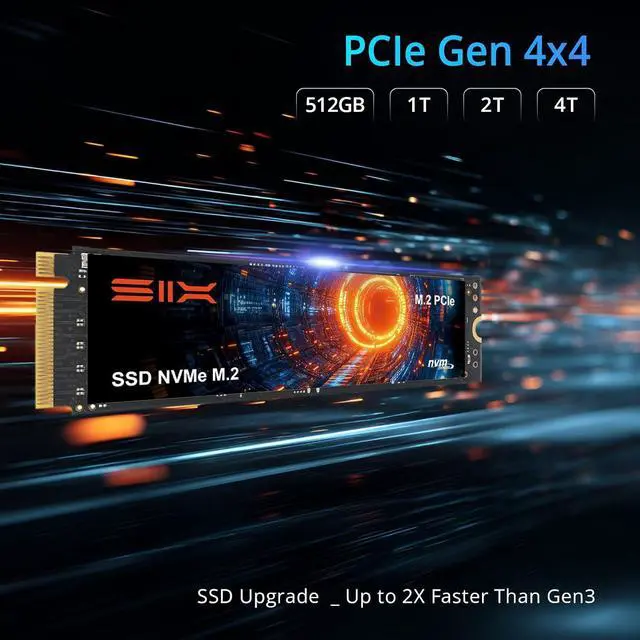
Why would a Gen4 SSD run at only 3000MB/s, roughly the speed of a Gen3 SSD?
This occurs when the NVME M.2 Gen4 SSD is installed in an older PCIe 3.0 M.2 slot. The slot's bandwidth limits the speed to Gen3 levels, which is about 3000MB/s. To achieve full advertised speeds, a PCIe 4.0 (or newer ) M.2 interface is required.
How can I check if my computer supports PCIe Gen4?
Desktops: Press Win+R ? msinfo32? find the motherboard model and search specifications online to confirm further.
Laptops: Please consult the laptop manufacturer's official specifications or support team for this information. or ask SIX Tech Team.
Should I buy this if my PC only has PCIe 3.0?
Yes, it's still an excellent choice. You'll get the fastest speeds possible on your current system, and it's a smart investment that will unlock its full potential when you upgrade to a Gen4 PC in the future.
Is it compatible with a latest PCIe 5.0 slot?
Yes. The SIX X7400 is fully backward compatible with PCIe 5.0 slots. It will perform at its maximum Gen4 speed, providing an excellent experience on the latest platforms.

SIX X15000 - 1TB |
SIX X15000 - 2TB |
SIX X15000 - 4TB |

SIX X4000 - 1TB |

M200 Micro SD for drones |

M100 MicroSD for DailyUse |

M900 MicroSD-for Switch 2 |
|
|---|---|---|---|---|---|---|---|
|
Customer Reviews
|
— | — | — | — | — | — |
—
|
|
Price
|
— | — | — | — | — | — | — |
|
Capacity
|
1TB | 2TB | 4TB | 1TB | 128GB | 128GB | 512GB |
|
Max. Seq. Write Speed
|
13620 MB/s | 14270MB/s | 14350 MB/s | 3400 MB/s | 190MB/s | 100MB/s | 900MB/s |
|
Max. Seq. Read Speed
|
10660 MB/s | 13490MB/s | 13660 MB/s | 2600 MB/s | - | - | - |
|
Dram
|
2GB | 2GB | 4GB | / | - | - | - |
|
Max. Random Read Speed
|
1500K IOPS | 2000K IOPS | 2000K IOPS | 230K IOPS | - | - | - |
|
Max. Random Write Speed
|
1500K IOPS | 1900K IOPS | 2000K IOPS | 390K IOPS | - | - | - |
|
Compatibility
|
full speed on PCIe 5.0 | full speed on PCIe 5.0 | full speed on PCIe 5.0 | full speed on PCIe 3.0 | - | - | - |
|
Note for PCIe 3.0/4.0
|
back compatible, limited speed | back compatible, limited speed | back compatible, limited speed | / | - | - | - |
|
Heatsink
|
Included | Included | Included | Included | - | - | - |
|
Protection Plan
|
5 Years | 5 Years | 5 Years | 5 Years | - | - | - |


Why would a Gen4 SSD run at only 3000MB/s, roughly the speed of a Gen3 SSD?
This occurs when the NVME M.2 Gen4 SSD is installed in an older PCIe 3.0 M.2 slot. The slot's bandwidth limits the speed to Gen3 levels, which is about 3000MB/s. To achieve full advertised speeds, a PCIe 4.0 (or newer ) M.2 interface is required.
How can I check if my computer supports PCIe Gen4?
Desktops: Press Win+R ? msinfo32? find the motherboard model and search specifications online to confirm further.
Laptops: Please consult the laptop manufacturer's official specifications or support team for this information. or ask SIX Tech Team.
Should I buy this if my PC only has PCIe 3.0?
Yes, it's still an excellent choice. You'll get the fastest speeds possible on your current system, and it's a smart investment that will unlock its full potential when you upgrade to a Gen4 PC in the future.
Is it compatible with a latest PCIe 5.0 slot?
Yes. The SIX X7400 is fully backward compatible with PCIe 5.0 slots. It will perform at its maximum Gen4 speed, providing an excellent experience on the latest platforms.
|
SIX X15000 - 1TB |
SIX X15000 - 2TB |
SIX X15000 - 4TB |
SIX X4000 - 1TB |

M200 Micro SD for drones |
M100 MicroSD for DailyUse |
M900 MicroSD-for Switch 2 |
|---|---|---|---|---|---|---|
| Customer Reviews | ||||||
| — | — | — | — | — | — |
—
|
| Price | ||||||
| — | — | — | — | — | — | — |
| Capacity | ||||||
| 1TB | 2TB | 4TB | 1TB | 128GB | 128GB | 512GB |
| Max. Seq. Write Speed | ||||||
| 13620 MB/s | 14270MB/s | 14350 MB/s | 3400 MB/s | 190MB/s | 100MB/s | 900MB/s |
| Max. Seq. Read Speed | ||||||
| 10660 MB/s | 13490MB/s | 13660 MB/s | 2600 MB/s | - | - | - |
| Dram | ||||||
| 2GB | 2GB | 4GB | / | - | - | - |
| Max. Random Read Speed | ||||||
| 1500K IOPS | 2000K IOPS | 2000K IOPS | 230K IOPS | - | - | - |
| Max. Random Write Speed | ||||||
| 1500K IOPS | 1900K IOPS | 2000K IOPS | 390K IOPS | - | - | - |
| Compatibility | ||||||
| full speed on PCIe 5.0 | full speed on PCIe 5.0 | full speed on PCIe 5.0 | full speed on PCIe 3.0 | - | - | - |
| Note for PCIe 3.0/4.0 | ||||||
| back compatible, limited speed | back compatible, limited speed | back compatible, limited speed | / | - | - | - |
| Heatsink | ||||||
| Included | Included | Included | Included | - | - | - |
| Protection Plan | ||||||
| 5 Years | 5 Years | 5 Years | 5 Years | - | - | - |