Your Browsing History
Meet Your Seller
PC Power Button, External Desktop Computer Power Switch Splitter ON Off Reset SW HDD LED PC External Power Supply Button for Motherboard (Aluminum)
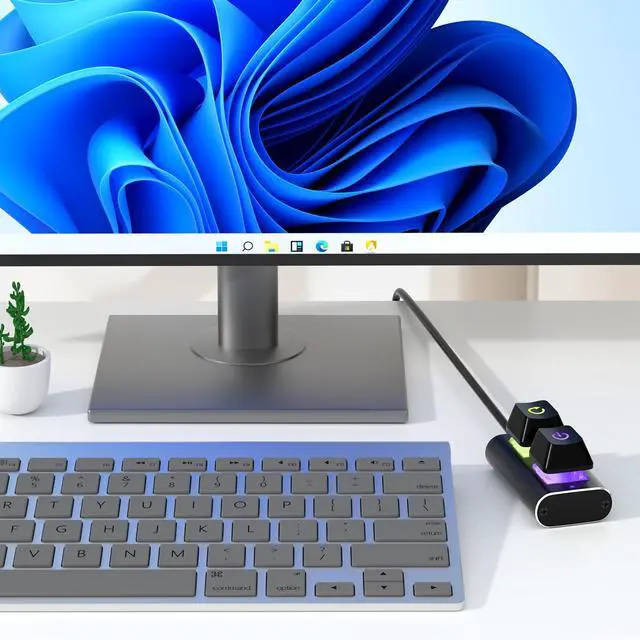
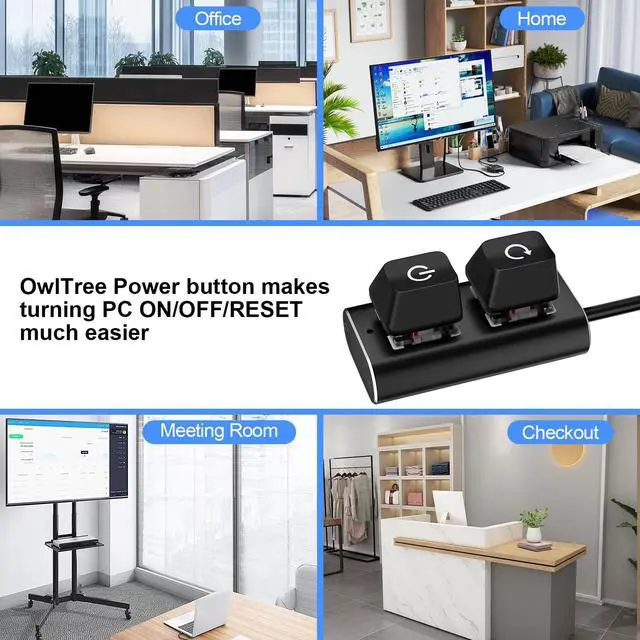
- External Desktop PC Power Switch Ideal for home use, computer labs, gaming lounges, gaming computers, barebone systems, and custom chassis builds. If your PC case is installed in a hard-to-reach area, this external extension button allows you to relocate the power switch for easier reach and more convenient operation.
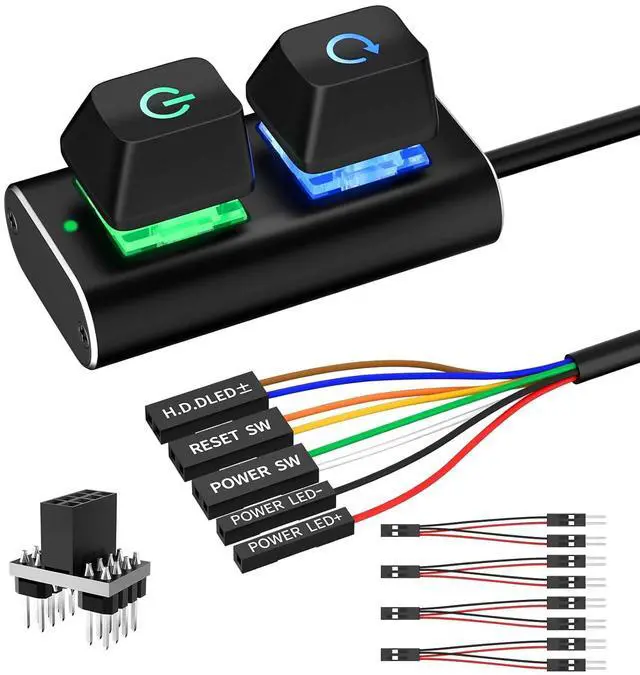
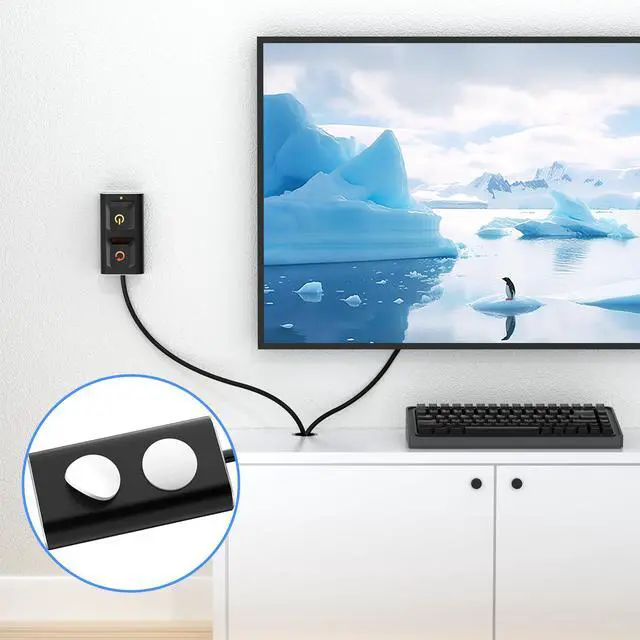
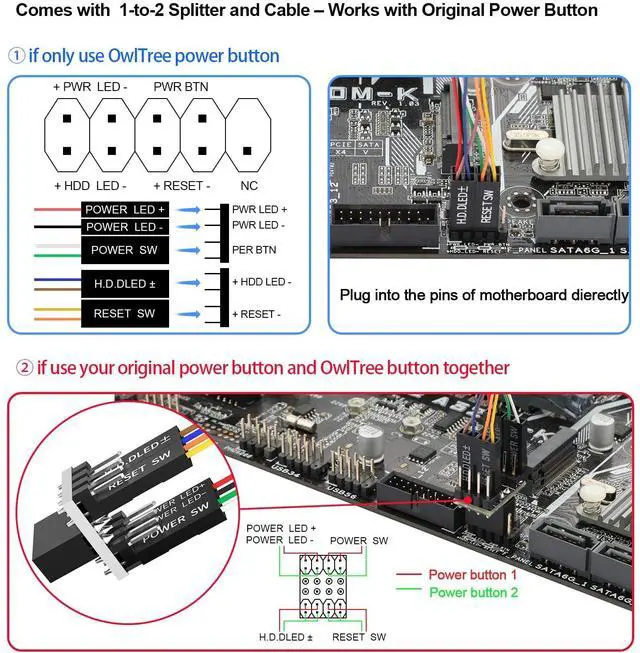
- Easy Installation: Simply connect the POWER SW, RESET SW, POWER LED, and HDD LED cables to the corresponding motherboard Pins, then fix the switch in place with the strong adhesive sticker.
- Replacement Solution for Damaged Chassis Power Button: If your PC cases built-in power button is faulty or broken, this external switch provides a perfect replacement solution.The cables can be easily routed through multiple openings, including:front panel optical drive bay, rear panel fan vent, and back panel expansion slots.
- Comes with 1-to-2 splitter boards and splitter cables: The compact 1-to-2 splitter board enables the power button to work together with your original chassis button. If installation space is limited, you can use the included 1-to-2 splitter cable.
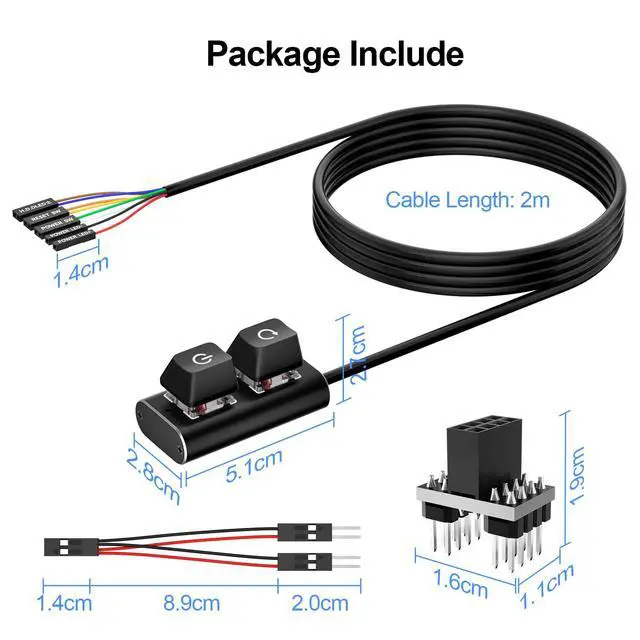
- Package included: 1x External Computer Power Switch ON/OFF/RESET with 2M cable
- 1x 1 to 2 splitter board
- 1x 1 to 2 splitter cable
- 1x adhesive sticker
- 1x installation manual.
+
+
Overview
Specs
Reviews
Any questions? Our AI mode will help you find out quickly.
Try me now
External Desktop PC Power Switch Ideal for home use, computer labs, gaming lounges, gaming computers, barebone systems, and custom chassis builds. If your PC case is installed in a hard-to-reach area, this external extension button allows you to relocate the power switch for easier reach and more convenient operation.
Easy Installation: Simply connect the POWER SW, RESET SW, POWER LED, and HDD LED cables to the corresponding motherboard Pins, then fix the switch in place with the strong adhesive sticker.
Replacement Solution for Damaged Chassis Power Button: If your PC cases built-in power button is faulty or broken, this external switch provides a perfect replacement solution. The cables can be easily routed through multiple openings, including: front panel optical drive bay, rear panel fan vent, and back panel expansion slots.
Comes with 1-to-2 splitter boards and splitter cables: The compact 1-to-2 splitter board enables the power button to work together with your original chassis button. If installation space is limited, you can use the included 1-to-2 splitter cable.
Package included: 1x External Computer Power Switch ON/OFF/RESET with 2M cable
1x 1 to 2 splitter board
1x 1 to 2 splitter cable
1x adhesive sticker
1x installation manual.

Easy Installation: Simply connect the POWER SW, RESET SW, POWER LED, and HDD LED cables to the corresponding motherboard Pins, then fix the switch in place with the strong adhesive sticker.
Replacement Solution for Damaged Chassis Power Button: If your PC cases built-in power button is faulty or broken, this external switch provides a perfect replacement solution. The cables can be easily routed through multiple openings, including: front panel optical drive bay, rear panel fan vent, and back panel expansion slots.
Comes with 1-to-2 splitter boards and splitter cables: The compact 1-to-2 splitter board enables the power button to work together with your original chassis button. If installation space is limited, you can use the included 1-to-2 splitter cable.
Package included: 1x External Computer Power Switch ON/OFF/RESET with 2M cable
1x 1 to 2 splitter board
1x 1 to 2 splitter cable
1x adhesive sticker
1x installation manual.
Warranty & Returns
Warranty, Returns, And Additional Information
Warranty
- Please contact the Seller directly for warranty information. Warranty information may also be found on the Manufacturer's website.
- CONTACT
Return Policies
- Return for refund within: 45 days
- Return for replacement within: 30 days
- This item is covered by TechDen Return Policy
Manufacturer Contact Info
- For a directory of all our manufacturers, please click below.
- Manufacturers Directory
LOADING...