• $124.70
  • Free 45-day Returns
  • Ships from China.
    Sold by TechDen

    Shipped by TechDen

    Price alert
    Shop it at NeweggBusiness.

    Meet Your Seller

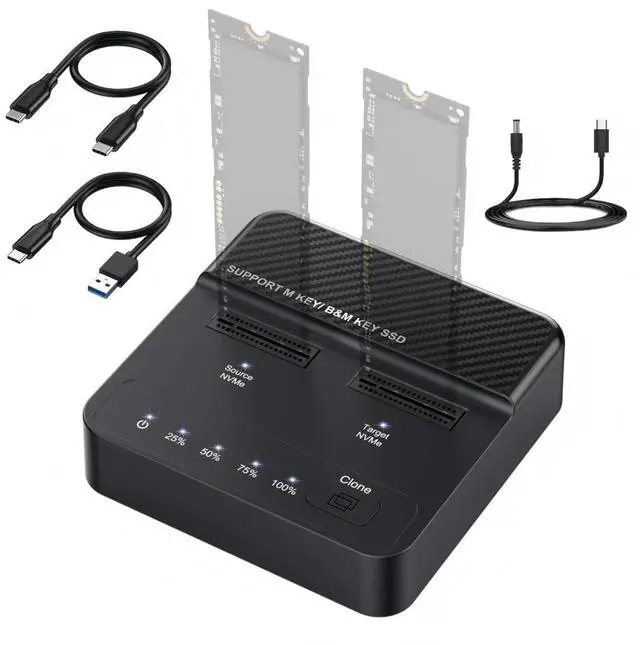
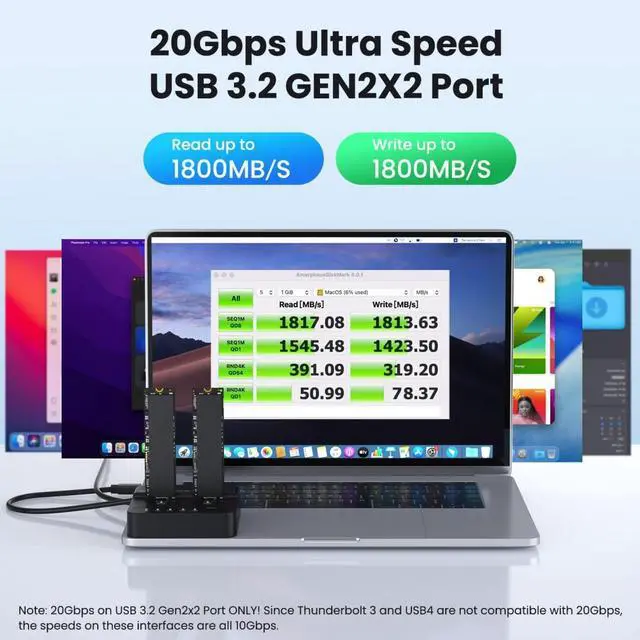
    USB 3.2 Gen 2X2 20Gbps Dual Bay M.2 NVME SSD Cloner Dock Enclosure Adapter for Clone and Read Support One Cllick Offline Clone

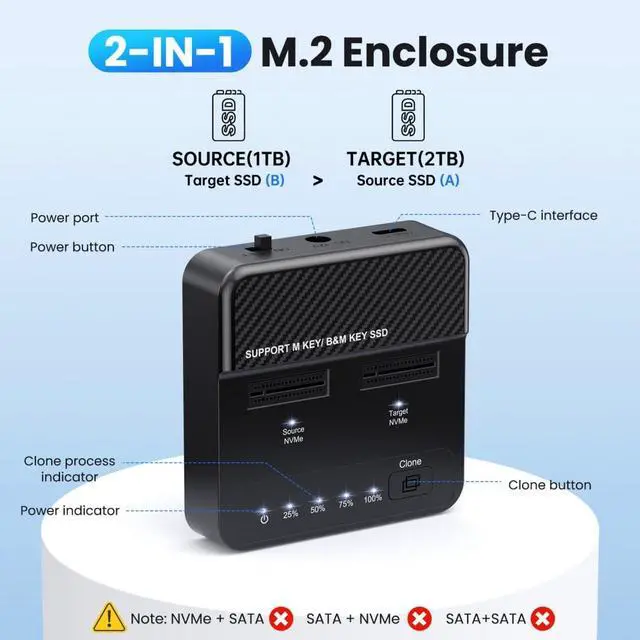
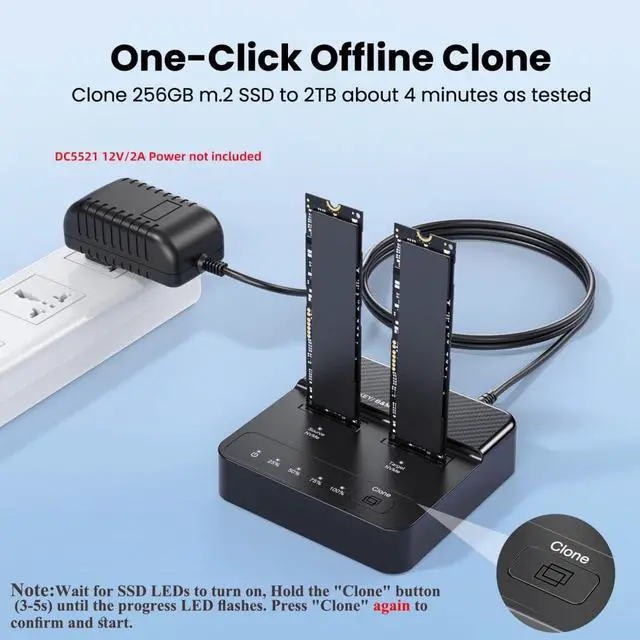
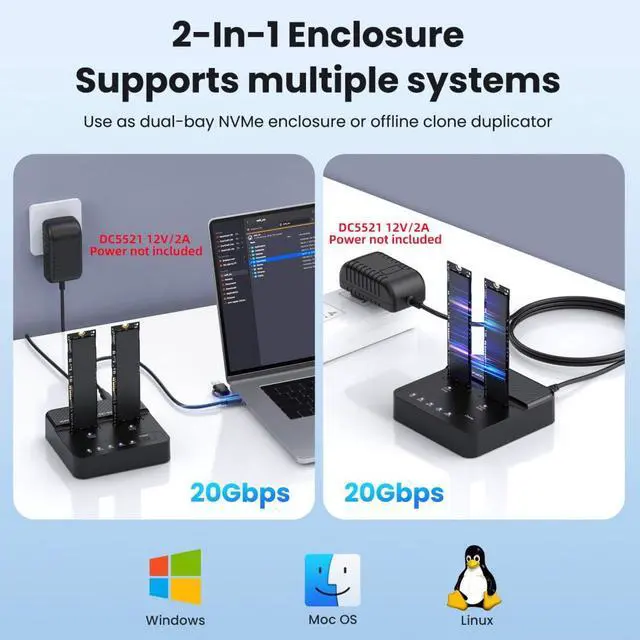
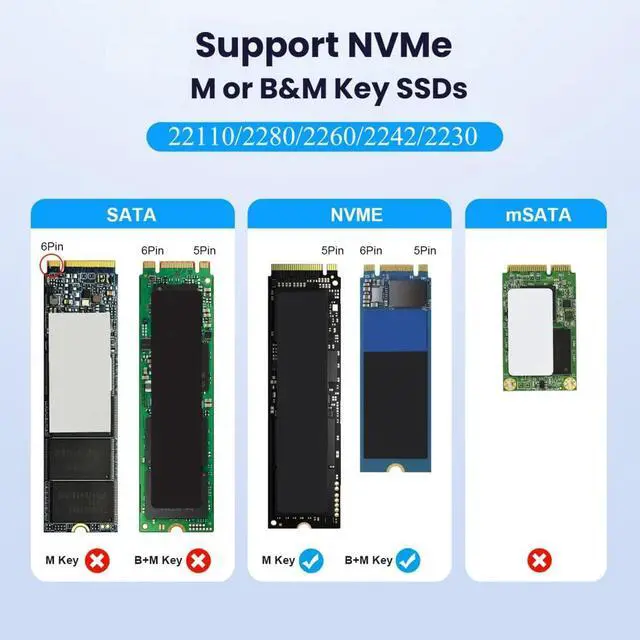
    • 1) The dual-bay M.2 NVMe hard disk enclosure supports M.2 NVMe SSD, high-speed offline cloning, and easy data migration between SSDs without connecting to a computer. (SATA or mSATA interface SSDs are not supported)
    • 2) Note: The longer the USB cable, the more severe the signal attenuation. Therefore, when connecting this product, do not use an overly long USB extension cable or hub. (This product does not come with a power adapter)
    • 3) Note: When using, do not pull out the hard drive directly when the power is on. You should first remove the hard drive from the computer and wait until the hard drive stops spinning before pulling it out. Otherwise, it is easy to cause file damage or loss, and in severe cases, it may even damage the hard disk.
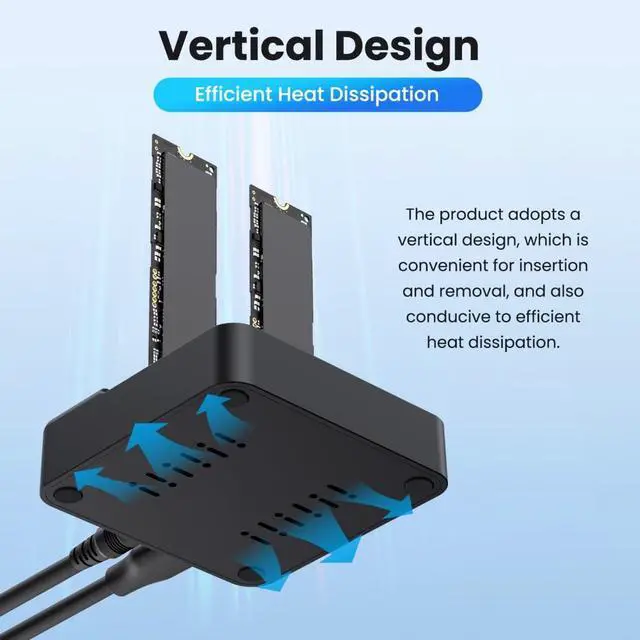
    • 4) Warning: NVMe SSDs generate a lot of heat during use. Therefore, do not touch the SSD while using this product. After use, please wait for the SSD to cool down before touching and removing it. Please be sure to note this.
    • 5) There are detailed instructions and steps in the pictures. Please read them carefully before use. Data loss, damage, or data recovery or extraction caused by product use are not covered by the warranty.

    +
    +
    Overview
    Specs
    Reviews
    avatar

    Any questions? Our AI mode will help you find out quickly.

    1) The dual-bay M. 2 NVMe hard disk enclosure supports M. 2 NVMe SSD, high-speed offline cloning, and easy data migration between SSDs without connecting to a computer. (SATA or mSATA interface SSDs are not supported)
    2) Note: The longer the USB cable, the more severe the signal attenuation. Therefore, when connecting this product, do not use an overly long USB extension cable or hub. (This product does not come with a power adapter)
    3) Note: When using, do not pull out the hard drive directly when the power is on. You should first remove the hard drive from the computer and wait until the hard drive stops spinning before pulling it out. Otherwise, it is easy to cause file damage or loss, and in severe cases, it may even damage the hard disk.
    4) Warning: NVMe SSDs generate a lot of heat during use. Therefore, do not touch the SSD while using this product. After use, please wait for the SSD to cool down before touching and removing it. Please be sure to note this.
    5) There are detailed instructions and steps in the pictures. Please read them carefully before use. Data loss, damage, or data recovery or extraction caused by product use are not covered by the warranty.

    Warranty & Returns

    Warranty, Returns, And Additional Information

    Warranty

    • Please contact the Seller directly for warranty information. Warranty information may also be found on the Manufacturer's website.
    • CONTACT

    Return Policies

    • Return for refund within: 45 days
    • Return for replacement within: 30 days
    • This item is covered by TechDen Return Policy

    Manufacturer Contact Info

    LOADING...