Your Browsing History
Meet Your Seller
Hitoor USB 3.0 Switch 2 Computers Keyboard Mouse Switcher USB A Hub Switches Selector for 2 PC or Laptop Share 3 USB A Ports and 1 USB C Port with Extended Controller
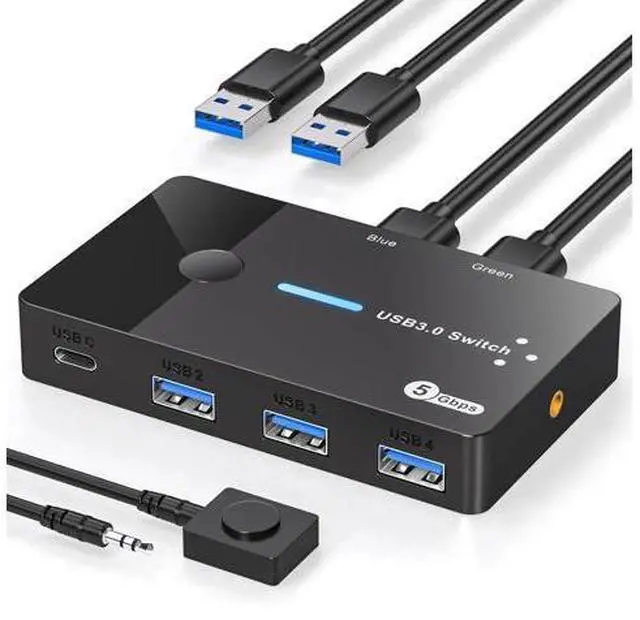
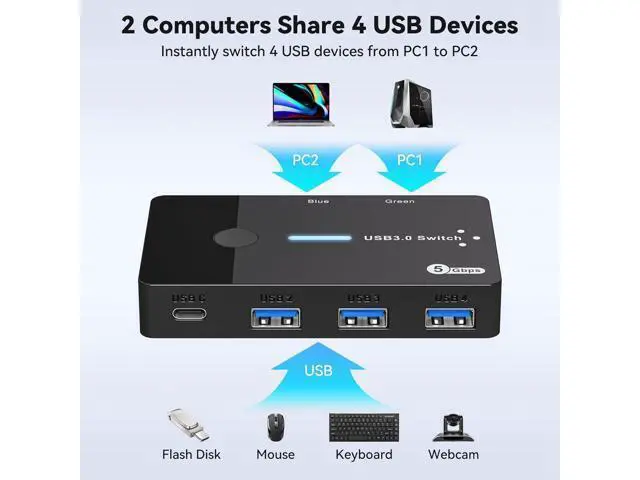
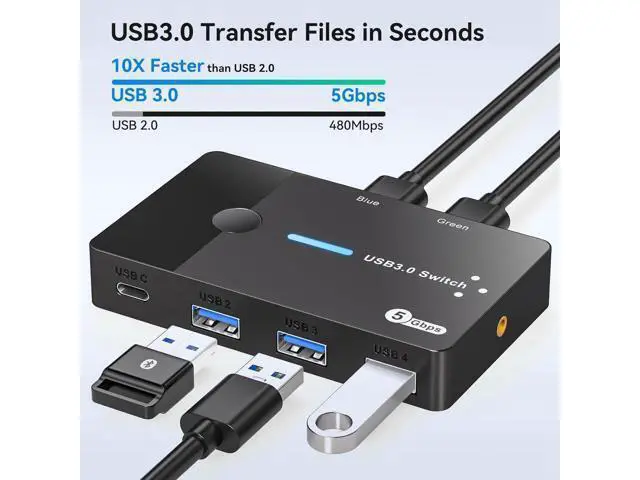
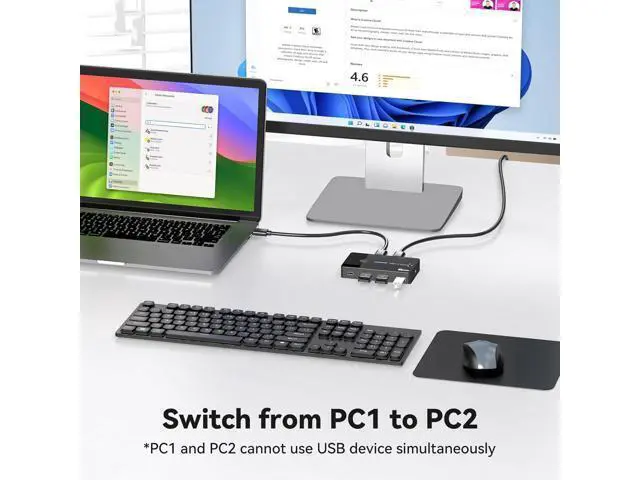
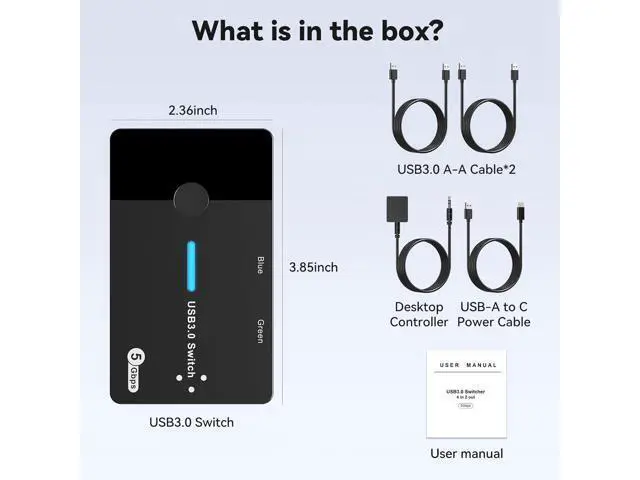
- Read Before Buying: This is a keyboard mouse switch (KM switch), this device does not support monitors (video), it does not have video input like a traditional KVM switch. The USB 3.0 switches must be connected to a power source for effective work(power adapter not included). The USB C port does not output video and can only transfer data.; USB 3.0 Switch 2 in 4 out: USB 3.0 switch supports 2 computers sharing 4 USB devices, not only mice and keyboards, but also printers, USB flash drives or other devices that require USB connection.; Connect USB C & A devices: USB 3.0 switcher provides 3 USB A ports & 1 USB C port, which is a great way to expand your laptop's USB3.0 ports to 3 USBA ports & 1 USBC port; so it's perfectly compatible with peripherals with USBA & USBC ports! C port function: slow charging for mobile phones, expandable to more USB ports with the USB Hub.; 5Gbps Data Transfer / Plug & Play" The USB switcher 2 computers comes with four USB 3.0 ports that support up to 5Gbp data transfer, backward compatible with USB 2.0; Plug and Play, no driver installation required; Lightweight and compact design, Compatible with Windows, MacOS, Chrome OS, and Linux, etc.; Two Switching Modes: Panel Button: You can switch directly by clicking the button on the body of the USB Switch. Desktop Controller: You can hide the USB Switch to make the desktop more tidy and save a lot of space, and then use the Desktop Controller to switch between the 2 computers, which is more convenient

+
+
Overview
Specs
Reviews
Any questions? Our AI mode will help you find out quickly.
Try me now
Read Before Buying: This is a keyboard mouse switch (KM switch), this device does not support monitors (video), it does not have video input like a traditional KVM switch. The USB 3.0 switches must be connected to a power source for effective work (power adapter not included). The USB C port does not output video and can only transfer data.; USB 3.0
Switch 2 in 4 out: USB 3.0 switch supports 2 computers sharing 4 USB devices, not only mice and keyboards, but also printers, USB flash drives or other devices that require USB connection.; Connect USB C & A devices: USB 3.0 switcher provides 3 USB A ports & 1 USB C port, which is a great way to expand your laptop's USB 3.0 ports to 3 USBA ports & 1 USBC port; so it's perfectly compatible with peripherals with USBA & USBC ports!
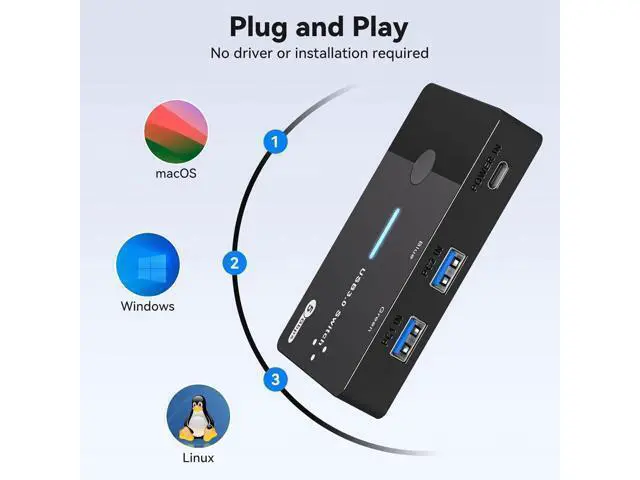
C port function: slow charging for mobile phones, expandable to more USB ports with the USB Hub.; 5Gbps Data Transfer / Plug & Play" The USB switcher 2 computers comes with four USB 3.0 ports that support up to 5Gbp data transfer, backward compatible with USB 2.0; Plug and Play, no driver installation required; Lightweight and compact design, Compatible with Windows, MacOS, Chrome OS, and Linux, etc.;
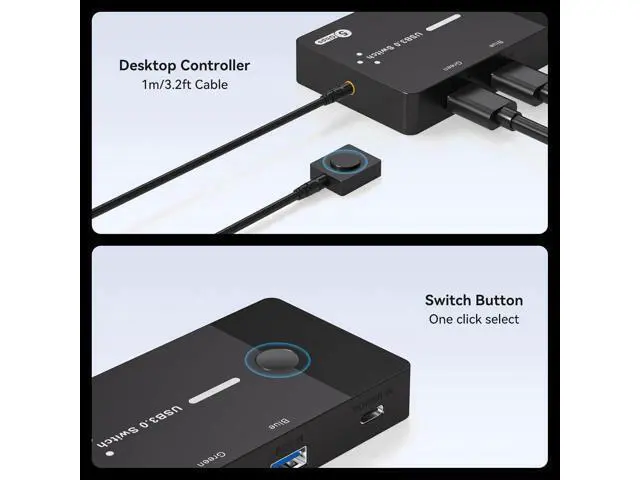
Two Switching Modes: Panel
Button: You can switch directly by clicking the button on the body of the USB Switch.
Desktop Controller: You can hide the USB Switch to make the desktop more tidy and save a lot of space, and then use the Desktop Controller to switch between the 2 computers, which is more convenient
Switch 2 in 4 out: USB 3.0 switch supports 2 computers sharing 4 USB devices, not only mice and keyboards, but also printers, USB flash drives or other devices that require USB connection.; Connect USB C & A devices: USB 3.0 switcher provides 3 USB A ports & 1 USB C port, which is a great way to expand your laptop's USB 3.0 ports to 3 USBA ports & 1 USBC port; so it's perfectly compatible with peripherals with USBA & USBC ports!
C port function: slow charging for mobile phones, expandable to more USB ports with the USB Hub.; 5Gbps Data Transfer / Plug & Play" The USB switcher 2 computers comes with four USB 3.0 ports that support up to 5Gbp data transfer, backward compatible with USB 2.0; Plug and Play, no driver installation required; Lightweight and compact design, Compatible with Windows, MacOS, Chrome OS, and Linux, etc.;
Two Switching Modes: Panel
Button: You can switch directly by clicking the button on the body of the USB Switch.
Desktop Controller: You can hide the USB Switch to make the desktop more tidy and save a lot of space, and then use the Desktop Controller to switch between the 2 computers, which is more convenient
Warranty & Returns
Warranty, Returns, And Additional Information
Warranty
- Please contact the Seller directly for warranty information. Warranty information may also be found on the Manufacturer's website.
- CONTACT
Return Policies
- Return for refund within: 45 days
- Return for replacement within: 30 days
- This item is covered by TechDen Return Policy
Manufacturer Contact Info
- For a directory of all our manufacturers, please click below.
- Manufacturers Directory
LOADING...