

Your Browsing History

Meet Your Seller


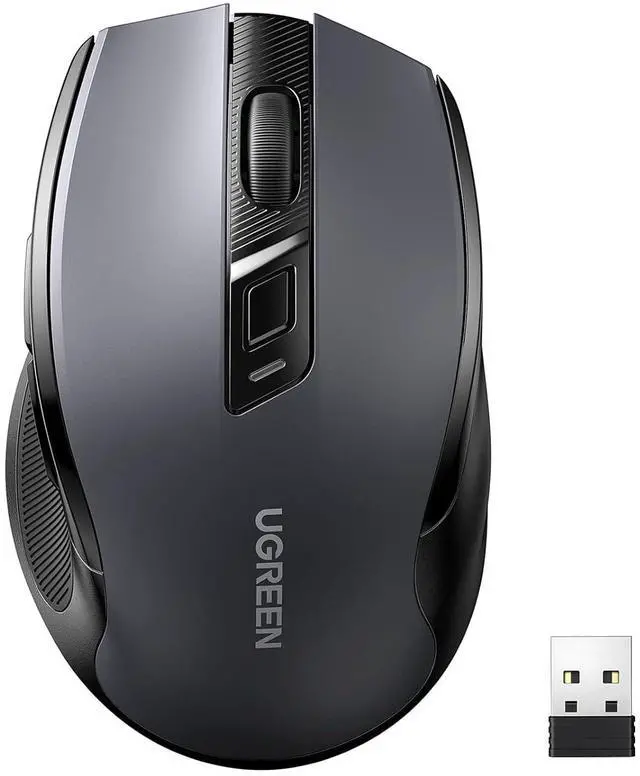





UGREEN Wireless Mouse 2.4G with USB Receiver, 5-Level 4000 DPI 6 Buttons,18 Months Battery Life Cordless Mouse, Ergonomic Computer Mice for Laptop, Computer, PC, MacBook, Chromebook Black
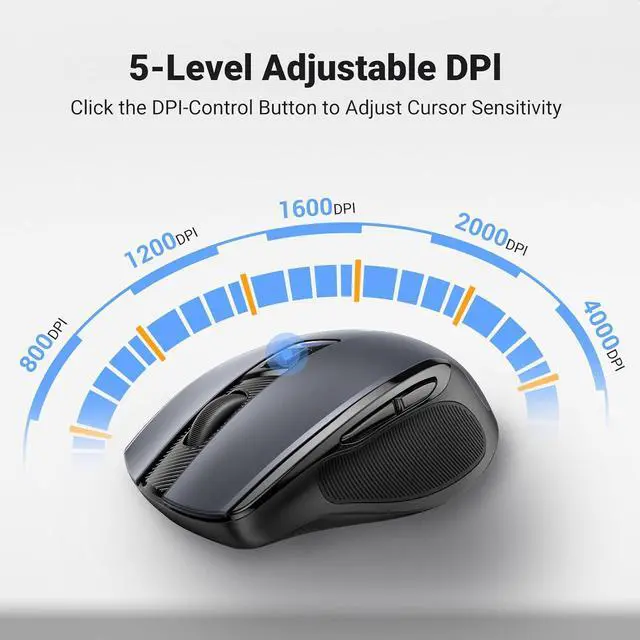
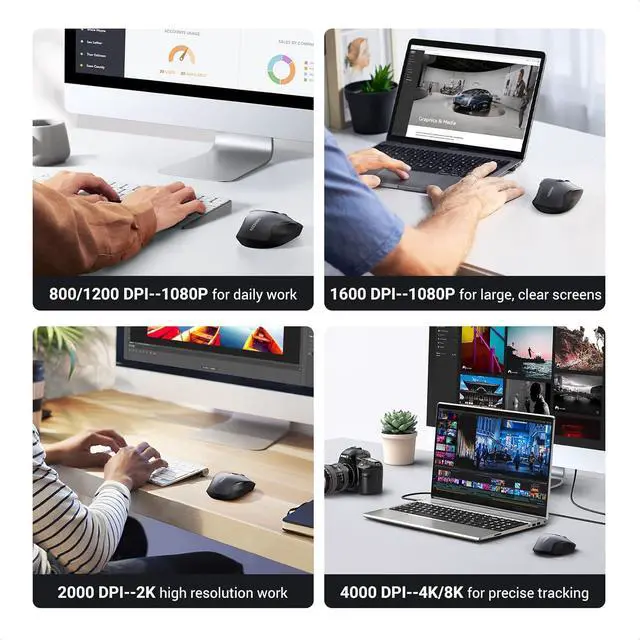
- Full-Size Ergo Mouse: Following the hand's natural curve, soft rubber grips, broad palm area, and sculpted sides for extra grip greatly enhance comfort and relieve hand and wrist strain; 5 Adjustable DPI: UGREEN wireless mouse has 5 adjustable DPI levels (4000/2400/1600/1200/800), you can freely choose the cursor speed to meet various needs of gaming, office, home and more; Ultra Quiet Mouse: This wireless computer mouse for laptops is designed with low noise, which can reduce click sound by 90%, which is super quiet whether clicking a button, scrolling, or moving the mouse, making it an ideal computer mouse for meeting room, library, bedroom; 18-Month Battery: UGREEN wireless mouse has an extended battery life of up to 18 months; Practically eliminating the need for replacement batteries; A smart power-saving chip and an auto-sleep mode extend battery life further (Note: The computer mice are powered by a 1AA battery, not included); Broad Compatibility: Compatible with Windows 7/8.1/10/11/XP, macOS, Linux, Chrome OS, and Android; Works with a laptop, computer, PC, MacBook, Chromebook, tablet, notebook, and more (NOTE: Requires a USB Connection, The USB receiver is stored in the back of the wireless mouse)
+
+
Overview
Specs
Reviews

Any questions? Our AI mode will help you find out quickly.
Try me now
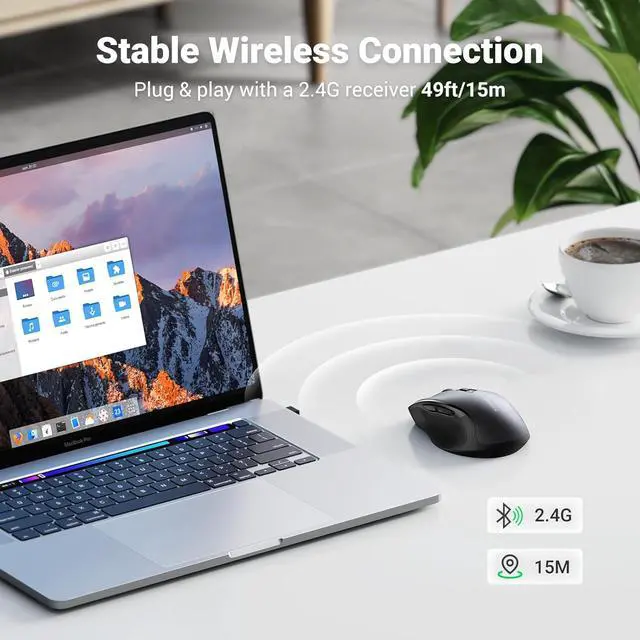
Product description Full-size Design Smooth lines, non-slip sides, comfortable grip, scientific wrist protection. Extremely Smooth Scroll Wheel Provides skin-friendly feel with silicone scroll. Achieves perfect speed and precision. Energy-saving Design Two sleep modes to save power, longer battery life, and wake up when you move. Plug and play Simply remove the receiver on the back, plug into USB port, and connect in seconds. 18-Month Battery The computer mice is powered by a 1AA battery, not included. Ergo Design Smooth Every Operation Auto Sleep Plug & Play Long Battery Life How to adjust mouse sensitivity (default 1600DPI) Click to play video How to switch between Windows system and Mac OS Click to play video 4000 DPI Wide Compatibility UGREEN Wireless Mouse Comparison Table Vertical Mouse Wireless Buying Options Bluetooth Wireless Mouse Buying Options Bluetooth Wireless Mouse Buying Options Bluetooth Wireless Mouse Buying Options Ergonomic Wireless Mouse Buying Options Slim Wireless Mouse Buying Options Keyboard Mouse Combo Buying Options Customer Reviews 4.4 out of 5 stars 2, 875 4.2 out of 5 stars 2, 575 4.2 out of 5 stars 2, 575 4.2 out of 5 stars 2, 575 4.5 out of 5 stars 13, 126 4.6 out of 5 stars 2, 230 4.1 out of 5 stars 99 Price $ 19.99 $19.
99 $ 12.99 $12. 99 $ 9.99 $9. 99 Connectivity BT 5.0 & 2.4G USB BT 5.0 & 2.4G USB BT 5.0 & 2.4G USB BT 5.0 & 2.4G USB 2.4G USB 2.4G USB 2.4G USB DPI Level 1000/16000/2000/4000 1000/1600/2000/4000 1000/1600/2000/4000 1000/1600/2000/4000 800/1200/1600/2000/4000 1000/1600/2000/4000 800/1200/1600/2000/4000 Design Ergonomic Ergonomic Ergonomic Ergonomic Ergonomic Slim Ergonomic Battery Type 18 Months 18 Months 18 Months 18 Months 18 Months 18 Months 18 Months Back/Forward Button Silent Click Why is the scroll wheel oriented differently on a Mac? Macs set the scrolling direction for the mouse and trackpads to natural by default, which is different from Windows OS.
You can follow the below steps to change the Mac mouse scrolling direction.
Step 1: On your Mac, click on the Apple logo from the top.
Step 2: Click System Settings.
Step 3: Next, Click the Mouse option from the side pane.
Step 4: Then, select the "Point and Click" option.
Step 5: Turn on/off the toggle next to Natural Scrolling to change the scrolling direction of the mouse.
99 $ 12.99 $12. 99 $ 9.99 $9. 99 Connectivity BT 5.0 & 2.4G USB BT 5.0 & 2.4G USB BT 5.0 & 2.4G USB BT 5.0 & 2.4G USB 2.4G USB 2.4G USB 2.4G USB DPI Level 1000/16000/2000/4000 1000/1600/2000/4000 1000/1600/2000/4000 1000/1600/2000/4000 800/1200/1600/2000/4000 1000/1600/2000/4000 800/1200/1600/2000/4000 Design Ergonomic Ergonomic Ergonomic Ergonomic Ergonomic Slim Ergonomic Battery Type 18 Months 18 Months 18 Months 18 Months 18 Months 18 Months 18 Months Back/Forward Button Silent Click Why is the scroll wheel oriented differently on a Mac? Macs set the scrolling direction for the mouse and trackpads to natural by default, which is different from Windows OS.
You can follow the below steps to change the Mac mouse scrolling direction.
Step 1: On your Mac, click on the Apple logo from the top.
Step 2: Click System Settings.
Step 3: Next, Click the Mouse option from the side pane.
Step 4: Then, select the "Point and Click" option.
Step 5: Turn on/off the toggle next to Natural Scrolling to change the scrolling direction of the mouse.
Warranty & Returns
Warranty, Returns, And Additional Information
Warranty
- Please contact the Seller directly for warranty information. Warranty information may also be found on the Manufacturer's website.
- CONTACT
Return Policies
- Return for refund within: 30 days
- Return for replacement within: 30 days
- This item is covered by Kepler Forge Return Policy
Manufacturer Contact Info
- For a directory of all our manufacturers, please click below.
- Manufacturers Directory
LOADING...