Your Browsing History
Meet Your Seller
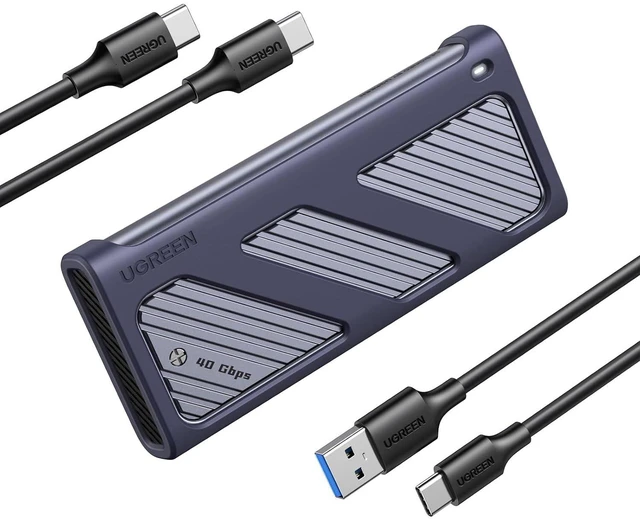
UGREEN 40Gbps M.2 NVMe SSD Enclosure with Cooling Fan&Anti-Drop Cover
Limited time offer, ends 09/19 By Kepler Forge
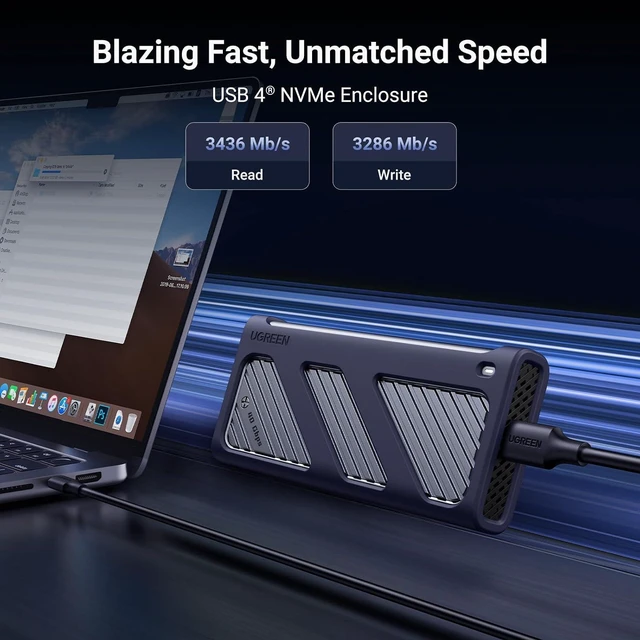
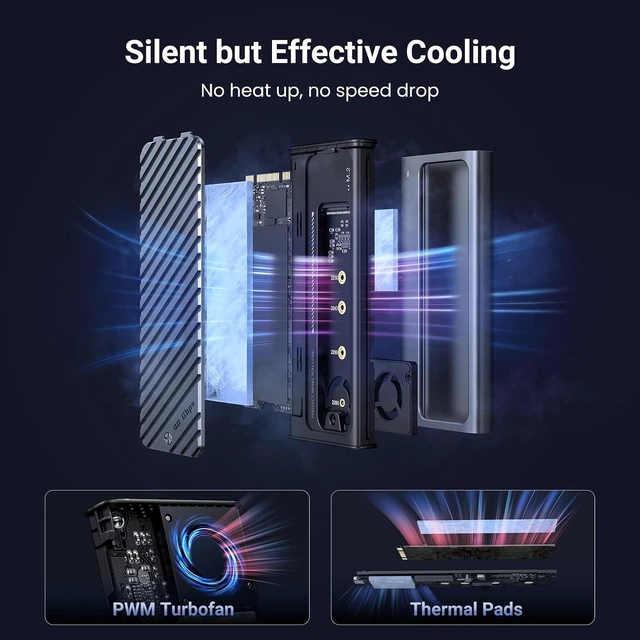
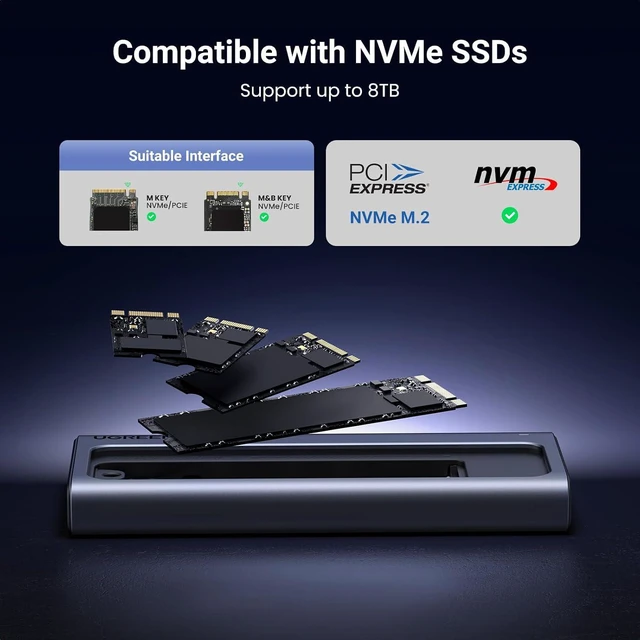
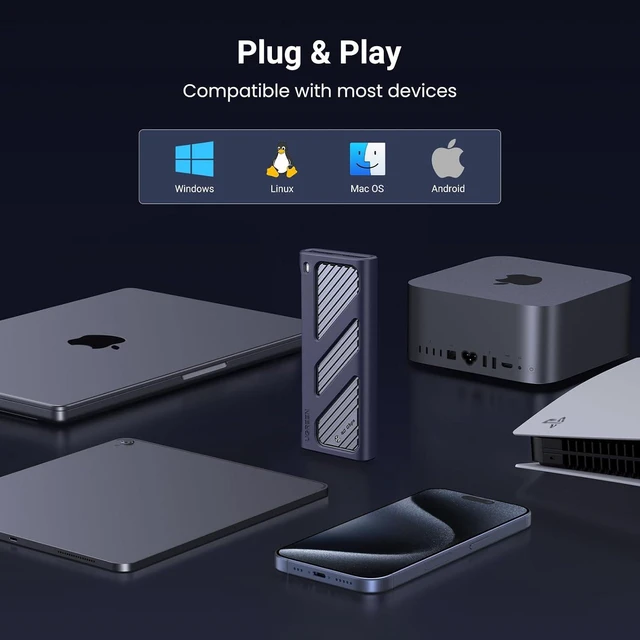
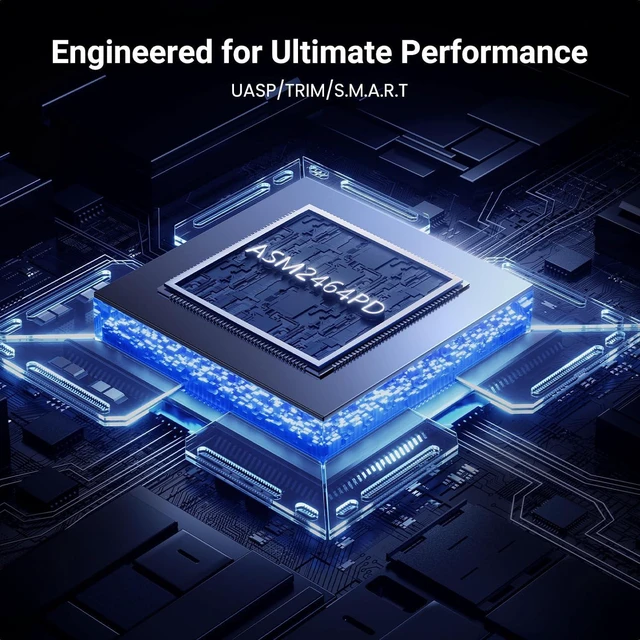
- 40Gbps Fast Transfers: This M2 NVMe enclosure is built-in ASM2464PD chip, the highest theoretical speed for connecting M.2 NVME SSD can reach 40Gbps (the measured read and write speed is about 3600Mbps) this 40Gbps M.2 NVME SSD Enclosure is compatible with USB4/3.2/3.1/3.0/2.0 & Thunderbolt 3/4.; Intelligent Cooling, Peace of Mind in Use: This M.2 SSD Enclosure is equipped with a PWM turbo high-speed fan, which can precisely control the fan speed and automatically adjust it to maintain normal temperatures. This not only protects the hard drive but also extends its lifespan.; Widely Compatible: The 40Gbps Macbook SSD Enclosure is the preferred choice for gamers, video editors, photographers, and office workers. It supports M/B+M key NVMe solid-state drives with a maximum capacity of 8TB. It is compatible with sizes including 2230/2242/2260/2280, and it is suitable for Windows/Mac OS/Linux/Android systems (Note: It does not support SATA NGFF solid-state drives or mSATA solid-state drives.); Secure & Stable Transmission: The 40Gbps nvme enclosure supports UASP and Trim, which achieves the safety and stability of the data transmission. The aluminium case with surrounding silicone cover prevents damage from accidental drops; Easy to Use: Plug and play, no additional power supply required; no driver required.
+
+
Overview
Specs
Reviews
Any questions? Our AI mode will help you find out quickly.
Try me now
Product description UGREEN 40Gbps M. 2 NVMe Enclosure with Cooling Fan USB 4 Enclosure 40Gbps Data Transfer Ultimate Performance 8TB Capacity All-round Protection Excellent thermal conductive material Assist heat dissipation Remove the huge heat generated by the SSD out of the system Exclusive Triple Heat Dissipation Mechanism 1 Aluminum Shell 2 Thermal Pad 3 Cooling Fan Compatible SSD Types Installation Guide Play & Play How to improve the transfer rate on Windows when used with Thunderbolt 4/USB4 ports? 1. The NVM and PD versions of the operating system are relatively old. Please try to update the operating system to the latest version.
2. For Windows users, please select Better performance and enable write cache: Go to Disk Management > Select Properties > Click Policies > Choose Better performance and enable write caching on the device. Why does the enclosure heat up during using? The enclosure uses an aluminum alloy shell with a PWM turbo cooling fan to help transfer heat from the hard drive to the outside to prevent the internal temperature from heating up. The maximum operating temperature of the enclosure is below 60°C, which is a safe range. Why does the read and write speed of the enclosure decrease after running for a while? The maximum transfer rate of the enclosure can reach 40Gbps. High-speed transfer makes the hard disk heat up. If the temperature is too high, the controller of the enclosure and SSD may activate thermal throttling protection, automatically reducing the transfer speed to protect the hardware from damage. Why does the enclosure only reach 10Gbps on Mac mini M4/M4 Pro? The front two USB 3 ports on Mac mini M4/M4 Pro only support up to 10Gbps. To achieve 40Gbps, please connect the enclosure to the TB4/USB 4 ports on the back of the Mac mini.
UGREEN M2 Enclosures 40Gbps M. 2 Enclosure Buying Options 1TB Portable SSD40Gbps Buying Options 1TB Portable SSD80Gbps Add to Cart 80Gbps M. 2 Enclosure Buying Options 40Gbps M. 2 Enclosure Add to Cart 10Gbps M. 2 Enclosure Add to Cart 40Gbps M. 2 Enclosure Buying Options Customer Reviews 4.0 out of 5 stars 521 3.9 out of 5 stars 60 4.0 out of 5 stars 2 4.2 out of 5 stars 328 4.4 out of 5 stars 1, 056 4.6 out of 5 stars 2, 830 4.0 out of 5 stars 1, 246 Price $ 64.99 $64. 99 $ 249.99 $249. 99 $ 499.99 $499. 99 $ 169.99 $169. 99 $ 69.98 $69. 98 $ 32.55 $32. 55 $ 75.99 $75. 99 SSD Included Compatibility NVMe SSDs / / NVMe SSDs NVMe SSDs NVMe SSDs NVMe SSDs Max Transfer Speed 40 Gbps 40 Gbps 80 Gbps 80 Gbps 40 Gbps 10 Gbps 40 Gbps USB Interface USB4 Version 1.0 USB4 Version 1.0 Thunderbolt 5 USB4 Version 2.0 USB4 Version 1.0 USB C 3.2 Gen 2 USB4 Version 1.0 Material Aluminum Aluminum Aluminum Aluminum Aluminum Aluminum Aluminum Max Capacity 8TB 1TB 1TB 8TB 8TB 8TB 8TB Chipset ASM2464PD JHL7440 JHL9480 JHL9480 ASM2464PD JMS583 ASM2464PD Supports SSD Sizes 2230/2242/2260/2280 / / 2280 2230/2242/2260/2280 2230/2242/2260/2280 2230/2242/2260/2280 Cable Included C to C + C to A Build-in-USB 4.0 Cable Thunderbolt 5 Cable C to C C to C C to C + C to A C to C + C to A Silicone Case Plug&Play

2. For Windows users, please select Better performance and enable write cache: Go to Disk Management > Select Properties > Click Policies > Choose Better performance and enable write caching on the device. Why does the enclosure heat up during using? The enclosure uses an aluminum alloy shell with a PWM turbo cooling fan to help transfer heat from the hard drive to the outside to prevent the internal temperature from heating up. The maximum operating temperature of the enclosure is below 60°C, which is a safe range. Why does the read and write speed of the enclosure decrease after running for a while? The maximum transfer rate of the enclosure can reach 40Gbps. High-speed transfer makes the hard disk heat up. If the temperature is too high, the controller of the enclosure and SSD may activate thermal throttling protection, automatically reducing the transfer speed to protect the hardware from damage. Why does the enclosure only reach 10Gbps on Mac mini M4/M4 Pro? The front two USB 3 ports on Mac mini M4/M4 Pro only support up to 10Gbps. To achieve 40Gbps, please connect the enclosure to the TB4/USB 4 ports on the back of the Mac mini.
UGREEN M2 Enclosures 40Gbps M. 2 Enclosure Buying Options 1TB Portable SSD40Gbps Buying Options 1TB Portable SSD80Gbps Add to Cart 80Gbps M. 2 Enclosure Buying Options 40Gbps M. 2 Enclosure Add to Cart 10Gbps M. 2 Enclosure Add to Cart 40Gbps M. 2 Enclosure Buying Options Customer Reviews 4.0 out of 5 stars 521 3.9 out of 5 stars 60 4.0 out of 5 stars 2 4.2 out of 5 stars 328 4.4 out of 5 stars 1, 056 4.6 out of 5 stars 2, 830 4.0 out of 5 stars 1, 246 Price $ 64.99 $64. 99 $ 249.99 $249. 99 $ 499.99 $499. 99 $ 169.99 $169. 99 $ 69.98 $69. 98 $ 32.55 $32. 55 $ 75.99 $75. 99 SSD Included Compatibility NVMe SSDs / / NVMe SSDs NVMe SSDs NVMe SSDs NVMe SSDs Max Transfer Speed 40 Gbps 40 Gbps 80 Gbps 80 Gbps 40 Gbps 10 Gbps 40 Gbps USB Interface USB4 Version 1.0 USB4 Version 1.0 Thunderbolt 5 USB4 Version 2.0 USB4 Version 1.0 USB C 3.2 Gen 2 USB4 Version 1.0 Material Aluminum Aluminum Aluminum Aluminum Aluminum Aluminum Aluminum Max Capacity 8TB 1TB 1TB 8TB 8TB 8TB 8TB Chipset ASM2464PD JHL7440 JHL9480 JHL9480 ASM2464PD JMS583 ASM2464PD Supports SSD Sizes 2230/2242/2260/2280 / / 2280 2230/2242/2260/2280 2230/2242/2260/2280 2230/2242/2260/2280 Cable Included C to C + C to A Build-in-USB 4.0 Cable Thunderbolt 5 Cable C to C C to C C to C + C to A C to C + C to A Silicone Case Plug&Play
Warranty & Returns
Warranty, Returns, And Additional Information
Warranty
- Please contact the Seller directly for warranty information. Warranty information may also be found on the Manufacturer's website.
- CONTACT
Return Policies
- Return for refund within: 30 days
- Return for replacement within: 30 days
- This item is covered by Kepler Forge Return Policy
Manufacturer Contact Info
- For a directory of all our manufacturers, please click below.
- Manufacturers Directory
LOADING...