Your Browsing History
Meet Your Seller
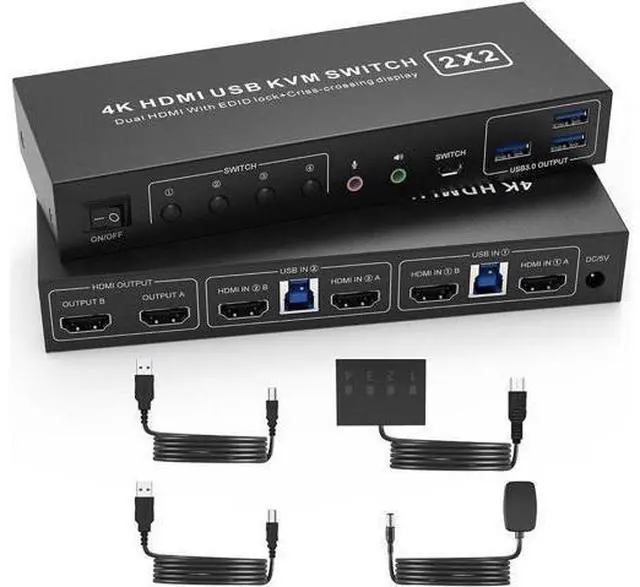
USB 3.0 HDMI KVM Switch 2 Montiors 2 Computers, 4K@60Hz Dual Monitor KVM Switch with 3 USB 3.0 Ports and Audio, 2 Port KVM Switch with Dual Monitor Cross Display for 2 Computers
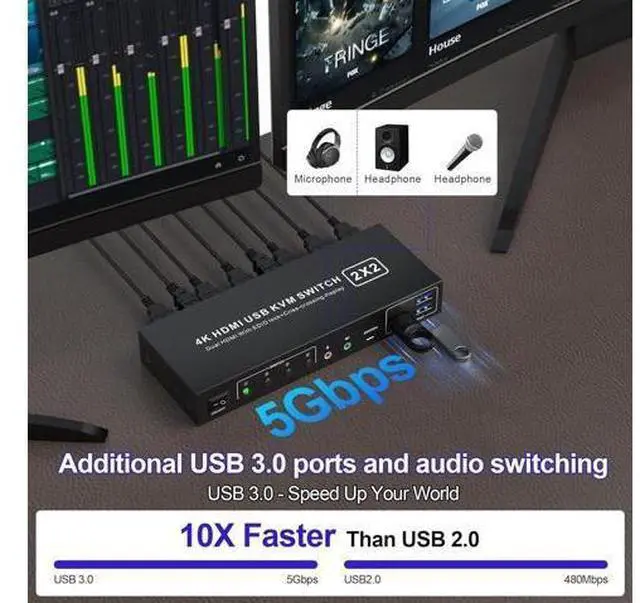
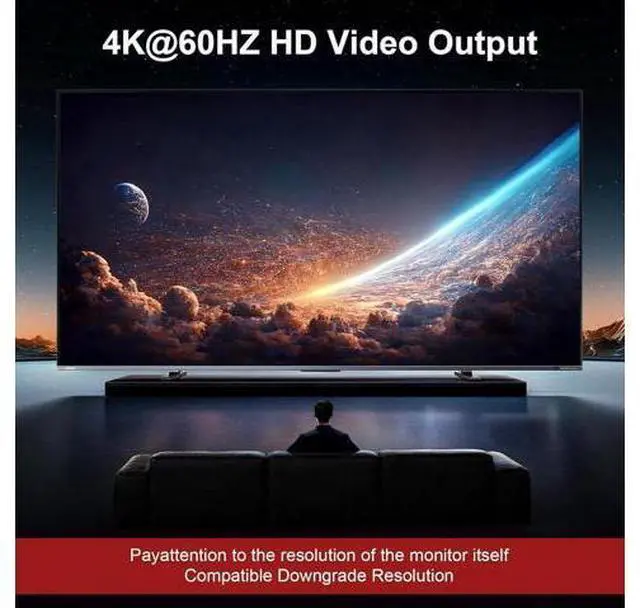
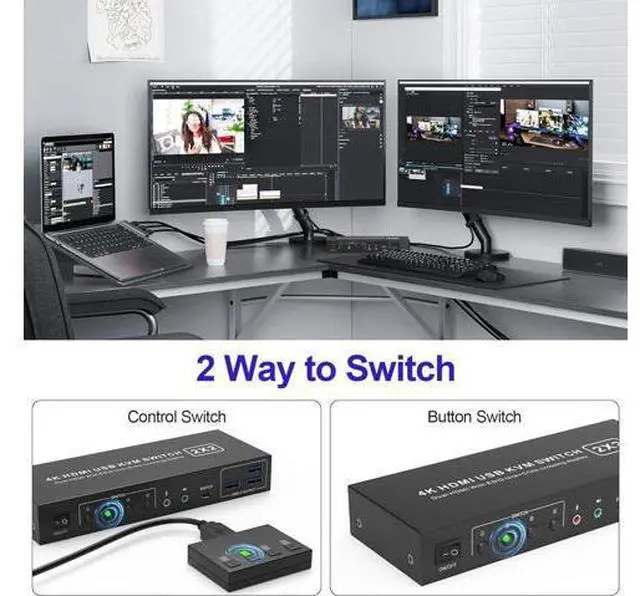
- Dual Monitor KVM Switch: Ideal for access 2 PC with 2 monitors and 1 set of keyboard mouse. You can easily have a dual monitor setup per system or switch it to a single monitor system showing both systems.; Multiple Display Methods: Dual monitors offer more than just output expansion, mirroring, and splicing modes; they also enable cross-display functionality between 2 PCs.; Support Simulation EDID: This kvm switches can simulate the EDID of the display, store the resolution and refresh rate of the display.; 4K 60Hz: Supporting up to 4K@60Hz, and also supports 3D and 1080P@60Hz or other lower resolution (Downward Compatible).; with 3 USB 3.0 Ports: with 3 USB 3.0 ports for sharing keyboard,mouse,printer and other USB devices. USB3.0 data transfer up to 5Gbps; Also supports separate audio and microphone output.; Convenient Switching modes and Wide Compatibility: 1. Toggle selection on front panel; 2. Wired remote switch. Compatible with Windows, Linux, Mac, Unix, Ubuntu, Raspberry etc..
+
+
Overview
Specs
Reviews
Any questions? Our AI mode will help you find out quickly.
Try me now
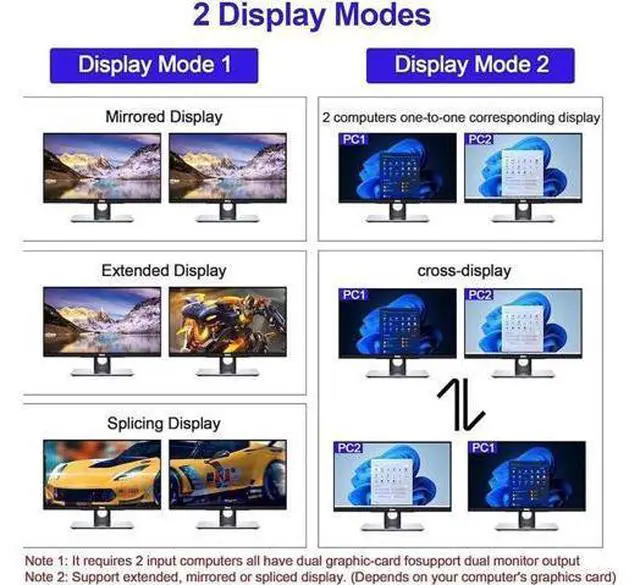
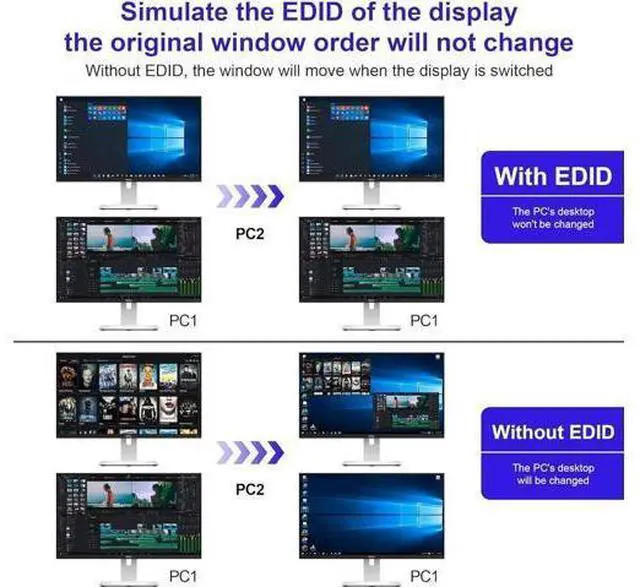
USB 3.0 Dual Monitor HDMI KVM Switch for 2 Computers You can easily have a dual monitor setup per system or a single monitor showing both systems (one on each monitor) Dual monitors output support up to 4K@60Hz for extended, mirrored or spliced display (Depends on your computer's graphics card) With EDID emulators in the extended display mode, keep PCs always have correct information, prevent displays setting change while switching inputs 2
Switching modes: Button switch and wired remote. With extra 3* USB 3.0 and Audio Microphone output Advantages of our dual-channel
KVM: Display
Mode 1: Mirror/Copy Display; Extended Display;
Surround/Splicing Display How to switch:
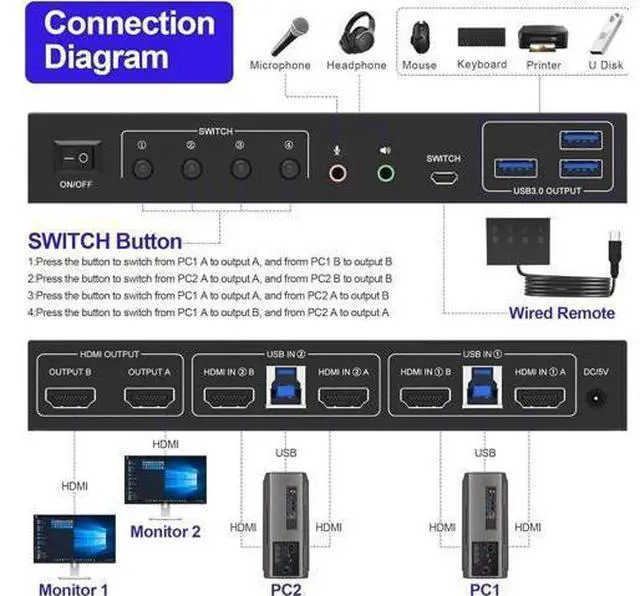
1: Press the button to switch from PC1 A to output A, and frorm PC1 B to output
B 2: Press the button to switch from PC2 A to output A, and frorm PC2 B to output B Display Mode 2: 2 computers one-to-one corresponding display, Criss-crossing
Display How to switch:
3: Press the button to switch from PC1 A to output A, and from PC2 A to output
B 4: Press the button to switch from PC1 A to output B, and from PC2 A to output A Support EDID Lock Screen Dual monitor KVM switch can simulate the EDID of the display, when the monitor is switched between two computers, the original window order will not change.
installation steps:
1. Insert the DC/5V adapter into the KVM;
2. Plug the HDMI cable into the KVM and monitor; (HDMI Output)
3. Plug the HDMI cable and USB cable into the KVM and your computer/laptop (HDMI cables are not in

Switching modes: Button switch and wired remote. With extra 3* USB 3.0 and Audio Microphone output Advantages of our dual-channel
KVM: Display
Mode 1: Mirror/Copy Display; Extended Display;
Surround/Splicing Display How to switch:
1: Press the button to switch from PC1 A to output A, and frorm PC1 B to output
B 2: Press the button to switch from PC2 A to output A, and frorm PC2 B to output B Display Mode 2: 2 computers one-to-one corresponding display, Criss-crossing
Display How to switch:
3: Press the button to switch from PC1 A to output A, and from PC2 A to output
B 4: Press the button to switch from PC1 A to output B, and from PC2 A to output A Support EDID Lock Screen Dual monitor KVM switch can simulate the EDID of the display, when the monitor is switched between two computers, the original window order will not change.
installation steps:
1. Insert the DC/5V adapter into the KVM;
2. Plug the HDMI cable into the KVM and monitor; (HDMI Output)
3. Plug the HDMI cable and USB cable into the KVM and your computer/laptop (HDMI cables are not in
Warranty & Returns
Warranty, Returns, And Additional Information
Warranty
- Please contact the Seller directly for warranty information. Warranty information may also be found on the Manufacturer's website.
- CONTACT
Return Policies
- Return for refund within: 30 days
- Return for replacement within: 30 days
- This item is covered by NovaStar Tech Return Policy
Manufacturer Contact Info
- For a directory of all our manufacturers, please click below.
- Manufacturers Directory
LOADING...