Your Browsing History
Meet Your Seller
Dual Monitor HDMI KVM Switch 2 PCs 2 Monitors, 4K @60Hz HDMI KVM Switch 2 Port Extended Display, HDMI KVM Switch 2 in 2 Out with 3.5mm Audio, Support 4 USB 3.0 Share Keyboard Mouse Printer with Hotkey
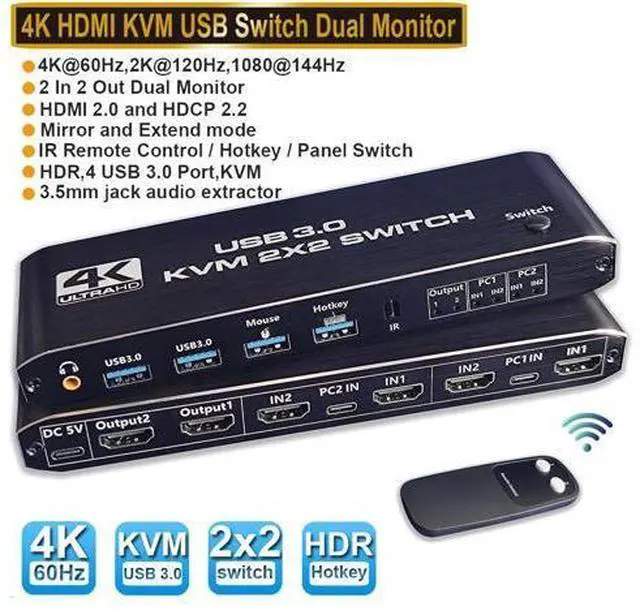
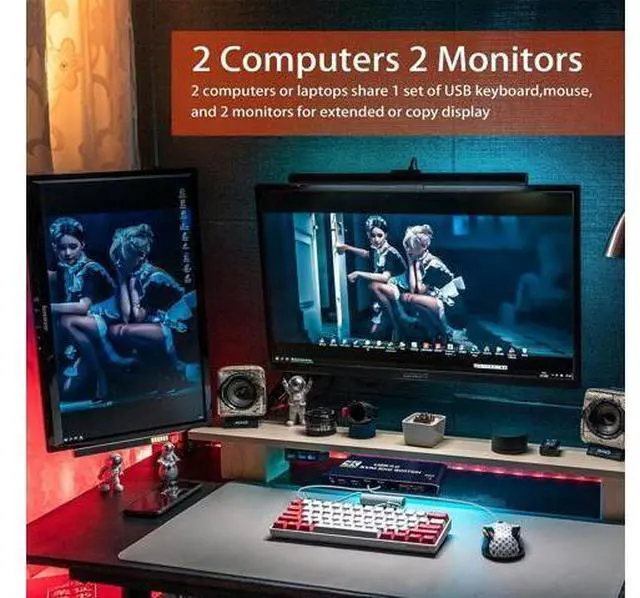
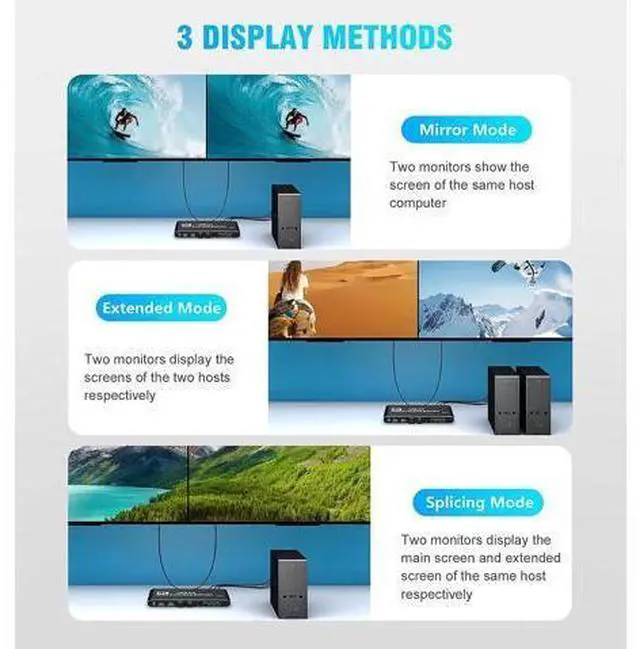
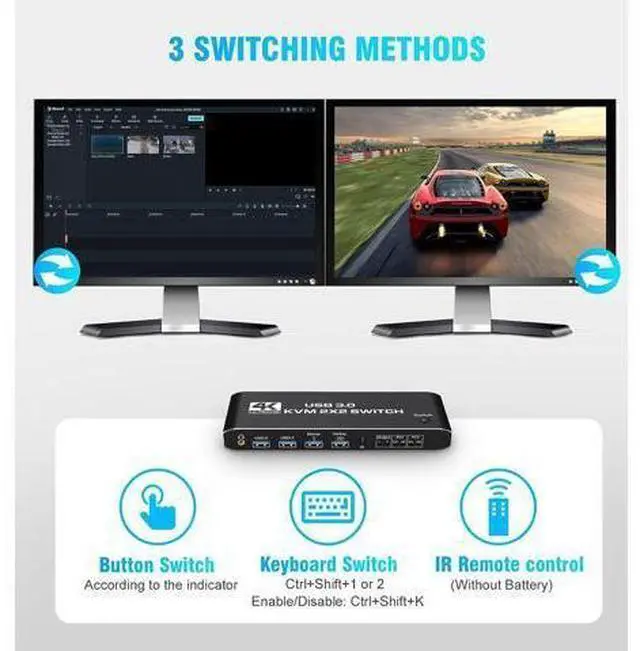
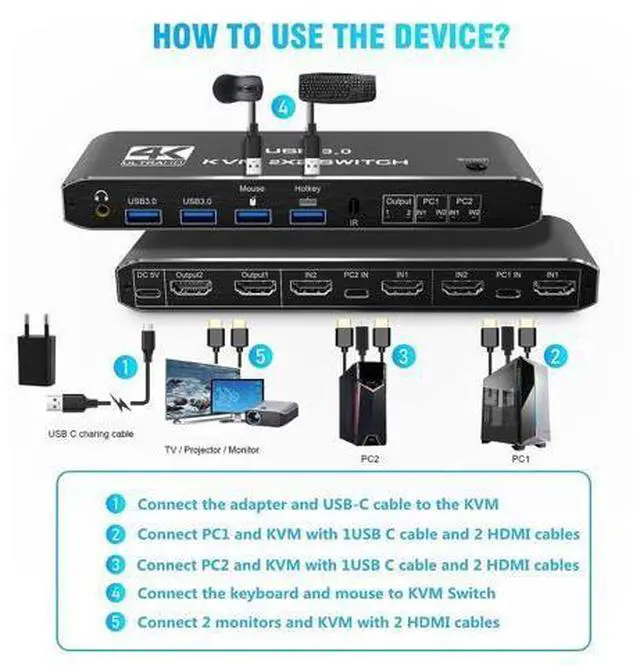
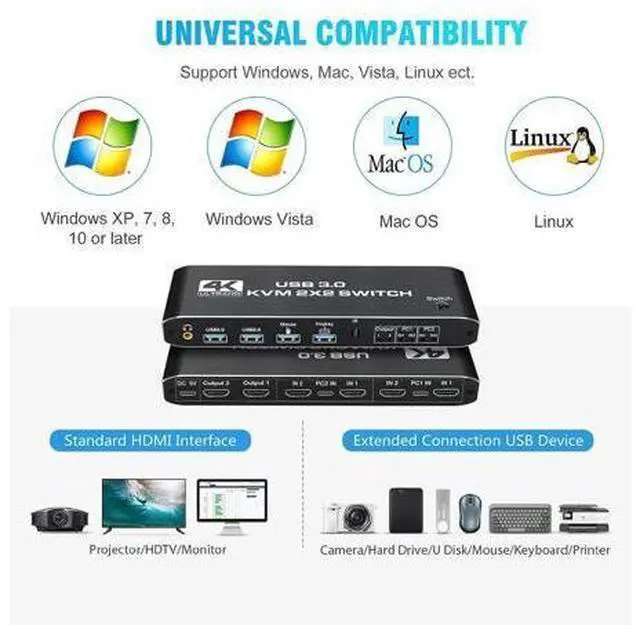
- HDMI KVM Switch 2 In 2 Out USB3.0 4K@60Hz Support 2 Monitors 2 Computers Dual Display Ports With Remote Control HotKey and Audio Warm Tips: 1. The remote control is not equipped with batteries and must be purchased separately. If the remote control is not going to be used for a long time, it is recommended to remove the batteries. 2. Please use a high-quality 19+1 26AWG HDM1 cable, no longer than 5 meters. 3. Please connect the keyboard to the designated USB port, not other USB ports, otherwise the keyboard's hotkey switching function will be lost. Features: Share a set of keyboard, mouse and two HDMI monitors between 2 computers or laptops; Dual monitor output supports up to 4K@60Hz; Dual monitor output supports extended and mirrored display; Compatible with Windows 10/7/2000/XP/Vista, Linux, UNIX, Ubuntu, Fedora, and other systems; Switching modes: push-button switches, remote controls and hotkeys; The ports to which HDMI/USB cables need to be connected are all hidden behind the KVM, so the desk doesn't get cluttered; With additional 2 USB 3.0 and 3.5mm audio output. How to use: 1. Plug in the USB to Type-C cable to power it. 2. Connect PC1 and KVM with 1 USB to Type-C cable and 2 HDM1 cables. 3. Connect PC2 and KVM with a USB to Type-C cable and two HDM1 cables. 4. Connect the keyboard and mouse to the HDMI KVM SWITCH. 5. Connect two monitors and the HDMI KVM SWTCH with two HDM1 cables Features : Share a set of keyboard, mouse and two HDMI monitors between 2 computers or l
+
+
Overview
Specs
Reviews
Any questions? Our AI mode will help you find out quickly.
Try me now
[USB 3.0 HDMI 2.0 KVM Switch 2 PC 2 Monitors] This dual monitor KVM switch allows you to control them with a keyboard, mouse, and 1 or 2 monitors to keep your workspace tidy and efficient. With separate jack audio output.; [Support Ultra HD 4K60Hz] Support 4K@60Hz, YUV
4:4: 4, 3D, 2K/1080P@144Hz backward compatibility. Also works with Ultra Wide Monitor. KVM Switch supports input terminal for connecting 2 PCs with different resolutions.; [with USB 3.0 Port] Plug and Play No Driver Required, 2 USB 2.0 Port for Wireless or Gaming Keyboard Mouse, and 2 USB 3.0 Port for Sharing USB Drives, Scanners, Webcams, etc. The USB 3.0 supports ultra-fast data transfer of up to 5 Gbps and is backward compatible with USB 2.0 / 1.1 devices.; [Convenient Switching Modes & Wide Compatibility]1. Toggle switch on the top; 2. IR remote control; 3.
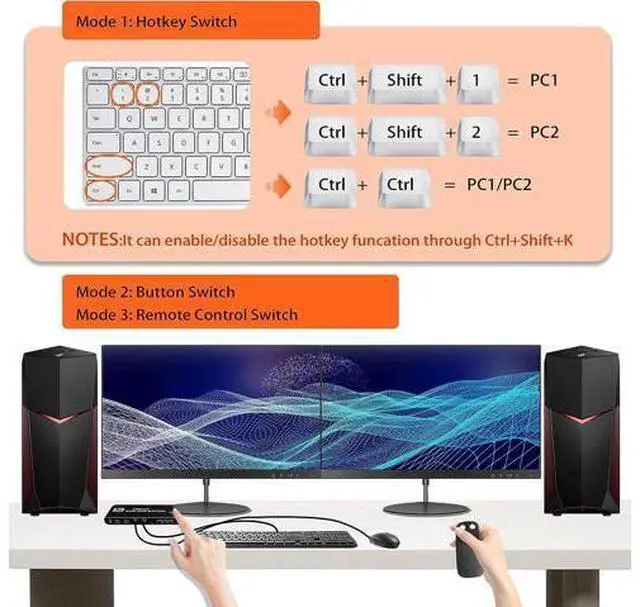
Hotkey switch: Ctrl+Shift+1/2 or double click Ctrl (Can be disabled with Ctrl+Shift+K). Compatible with Windows 10/8/ 8.1 /7/Vista/XP, Mac OS X, Linux, Chrome OS etc..

4:4: 4, 3D, 2K/1080P@144Hz backward compatibility. Also works with Ultra Wide Monitor. KVM Switch supports input terminal for connecting 2 PCs with different resolutions.; [with USB 3.0 Port] Plug and Play No Driver Required, 2 USB 2.0 Port for Wireless or Gaming Keyboard Mouse, and 2 USB 3.0 Port for Sharing USB Drives, Scanners, Webcams, etc. The USB 3.0 supports ultra-fast data transfer of up to 5 Gbps and is backward compatible with USB 2.0 / 1.1 devices.; [Convenient Switching Modes & Wide Compatibility]1. Toggle switch on the top; 2. IR remote control; 3.
Hotkey switch: Ctrl+Shift+1/2 or double click Ctrl (Can be disabled with Ctrl+Shift+K). Compatible with Windows 10/8/ 8.1 /7/Vista/XP, Mac OS X, Linux, Chrome OS etc..
Warranty & Returns
Warranty, Returns, And Additional Information
Warranty
- Please contact the Seller directly for warranty information. Warranty information may also be found on the Manufacturer's website.
- CONTACT
Return Policies
- Return for refund within: 30 days
- Return for replacement within: 30 days
- This item is covered by Nexlly Return Policy
Manufacturer Contact Info
- For a directory of all our manufacturers, please click below.
- Manufacturers Directory
LOADING...