Your Browsing History
Meet Your Seller
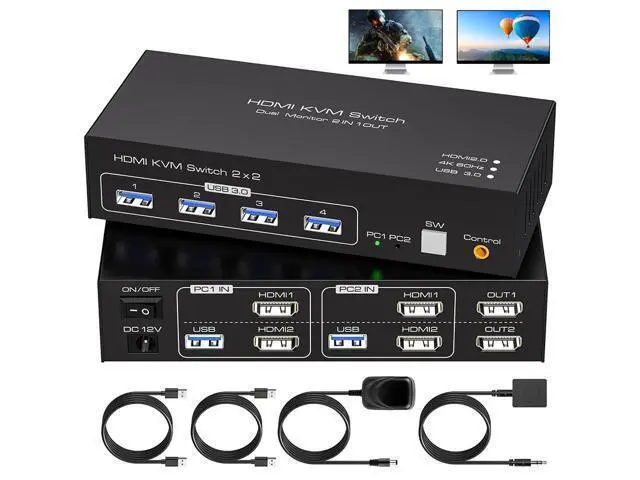
2 Port HDMI Dual Monitor KVM Switch 2 Monitors 2 Computers 4K@60Hz, USB 3.0 KVM Switches for 2 PC or Laptops Share 1 Set of Keyboard Mouse Printer and Scanner Support Extended & Duplicate Mode
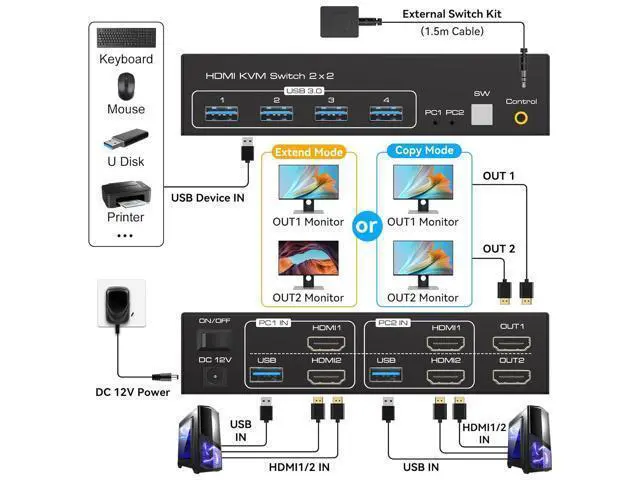
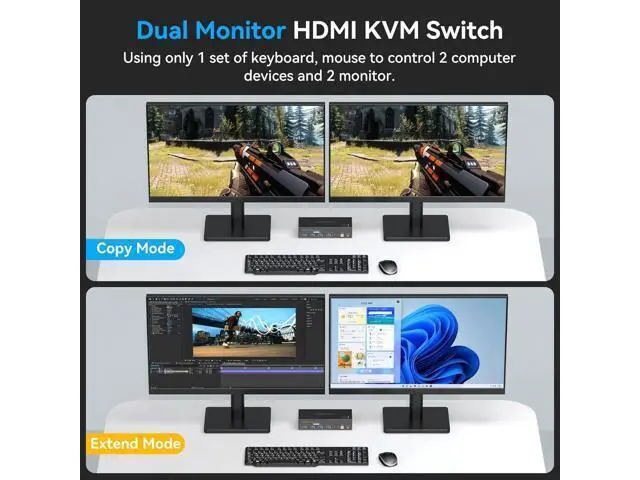
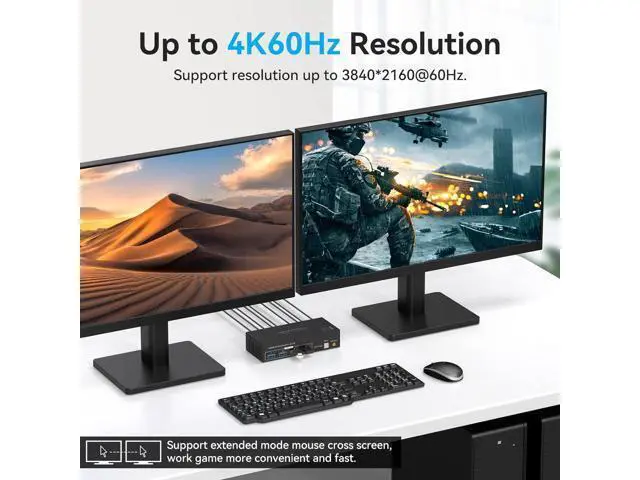
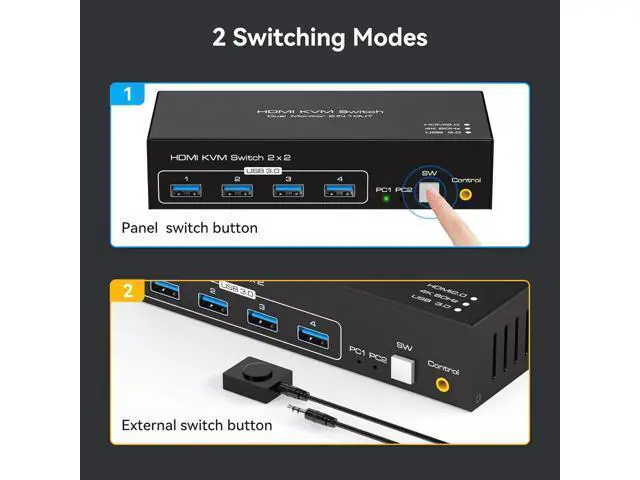
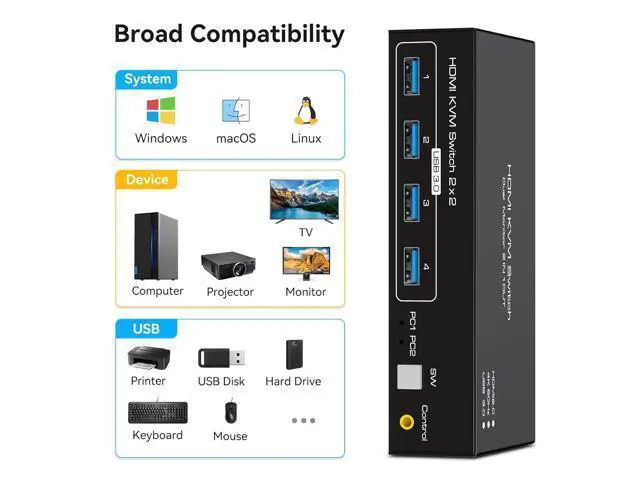
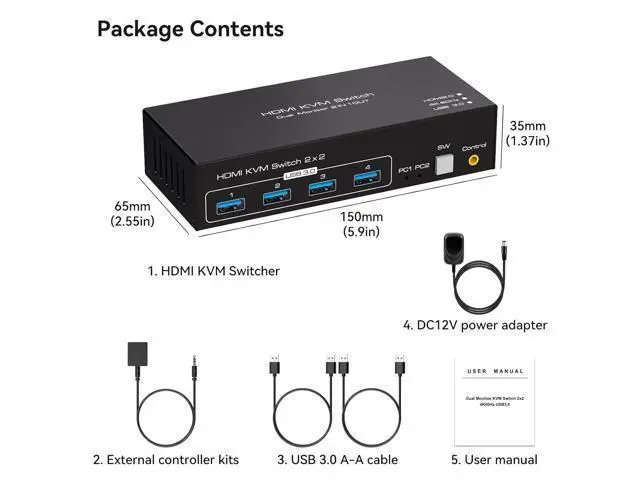
- Dual Monitor KVM Switch HDMI 2 computers share 2 monitor and 4 USB 3.0 device Dual Monitor KVM Switch HDMI 2.0 can connect 2 computer hosts sharing 1 set of keyboard, mouse and 2 monitors. With four USB 3.0 hub ports, a barcode scanner, USB hard drive or other USB device can be connected to the KVM. Supports Windows/Vista/XP and Mac systems, Linux and Unix, plug and play. Supports front panel buttons and external switch buttons to control KVM switching input sources. Supports USB 3.0 transfer rates of up to 5Gbps. Having a dual monitor KVM switch can make your desktop neater and your work more efficient and convenient. KVM Switch HDMI 2 monitors 2 computers supports 2 modes Mode 1: Copy mode (computer host outputs 2 identical screens on 2 displays) Mode 2: Extended mode (computer host outputs 2 different screens on 2 displays) Supports resolutions up to 7680*4320@60Hz, backwards compatible with lower resolutions (e.g. 4K@60Hz, 1080p, etc.) Data transfer rates up to 5Gbps and backward compatibility with USB 2.0 and USB 1.1 devices Supports key switching You can easily and quickly switch between computers with the push of a button on the control panel. A push-button controlled switch extension cable is included for easy switching without having to get up when using it. Support for indicator design LED lights are designed to show active devices so you can clearly see which device is in use. Dual Monitor KVM Switch HDMI 2 computers share 2 monitor and 4 USB 3.0 device Dual Monito
+
+
Overview
Specs
Reviews
Any questions? Our AI mode will help you find out quickly.
Try me now
[KVM Switch 2 PC 2 Monitors] The KVM switches allows 2 computers share 2 monitor and 4 USB devices like mouse keyboard Printer. Support extended and copy display mode.
Extended Mode: PC host in output 2 different images on 2 monitors.
Copy Mode: Computer host outputs 2 identical images on 2 monitors.; [Ultra HD 4K Visuals] with astounding resolution capabilities of up to 4096*2160@60Hz. and fully compatible with backward resolutions such as 4K@30Hz, 1080P, and 720P.; [HDMI KVM USB 3.0 Switch] Has 4 USB 3.0 ports with a data transfer rate up to 5Gbp/s, which is 10x faster than USB 2.0 ports. USB 2.0 devices are compatible. Compatible with Windows/Vista/XP and Mac OS, Linux and Unix.; [Two
Switching Options]Option 1: Using the wired extension button, you can place the KVM outside the work area, making your desktop cleaner and tidier.
Option 2: Just press the white "SW" button next to the indicator light to achieve one-click switching.; [Easy to Use]Plug and play, no software driver required.

Extended Mode: PC host in output 2 different images on 2 monitors.
Copy Mode: Computer host outputs 2 identical images on 2 monitors.; [Ultra HD 4K Visuals] with astounding resolution capabilities of up to 4096*2160@60Hz. and fully compatible with backward resolutions such as 4K@30Hz, 1080P, and 720P.; [HDMI KVM USB 3.0 Switch] Has 4 USB 3.0 ports with a data transfer rate up to 5Gbp/s, which is 10x faster than USB 2.0 ports. USB 2.0 devices are compatible. Compatible with Windows/Vista/XP and Mac OS, Linux and Unix.; [Two
Switching Options]Option 1: Using the wired extension button, you can place the KVM outside the work area, making your desktop cleaner and tidier.
Option 2: Just press the white "SW" button next to the indicator light to achieve one-click switching.; [Easy to Use]Plug and play, no software driver required.
Warranty & Returns
Warranty, Returns, And Additional Information
Warranty
- Please contact the Seller directly for warranty information. Warranty information may also be found on the Manufacturer's website.
- CONTACT
Return Policies
- Return for refund within: 30 days
- Return for replacement within: 30 days
- This item is covered by Nexlly Return Policy
Manufacturer Contact Info
- For a directory of all our manufacturers, please click below.
- Manufacturers Directory
LOADING...