• $159.98
  • Free 30-day Returns
  • Ships from China.
    Sold by GearZap

    Shipped by GearZap

    Price alert
    Shop it at NeweggBusiness.

    Meet Your Seller

    PCI Express 5.0/4.0 M.2 to NVME/Oculink SFF-8612 Adapter for NUC 15 Pro NUC15CRH Built-in Port Upgrade Expansion Adapter

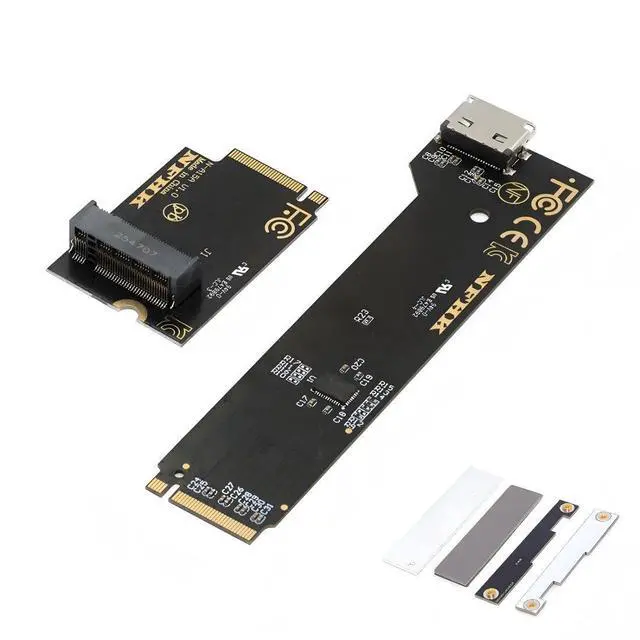
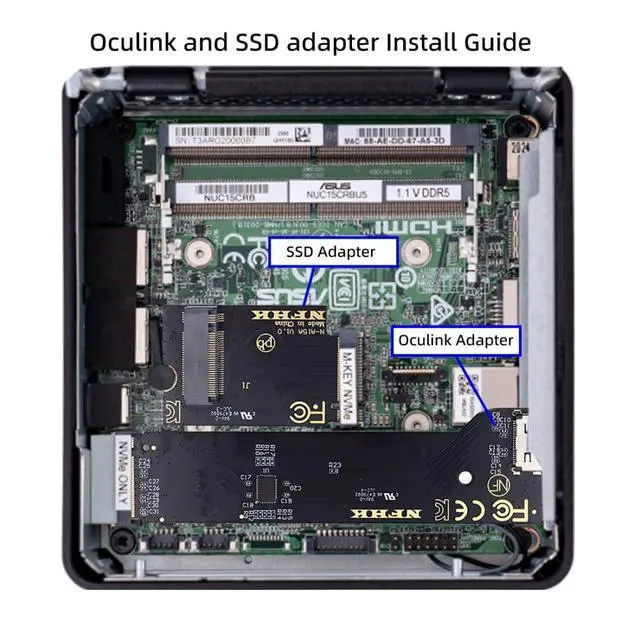
    • 1) Note: The adapter is only compatible with the NUC15 Pro mini PC NUC15CRH. The package includes an Oculink adapter, NVMe SSD adapter, heatsink, baseplate, and front panel.
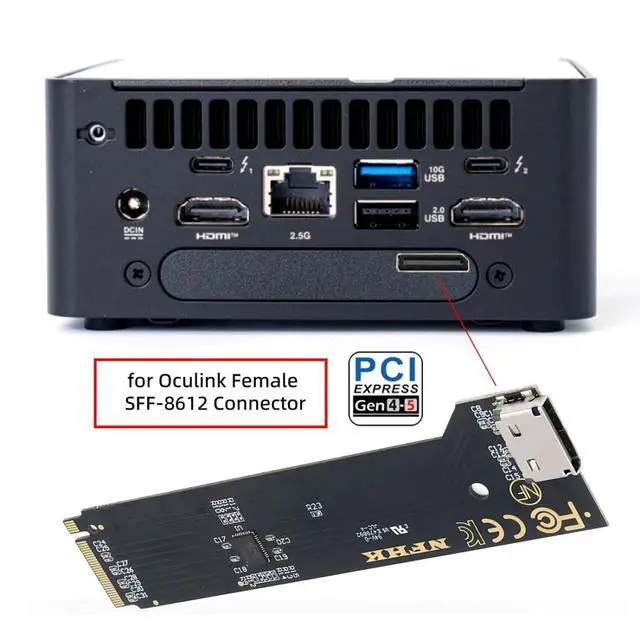
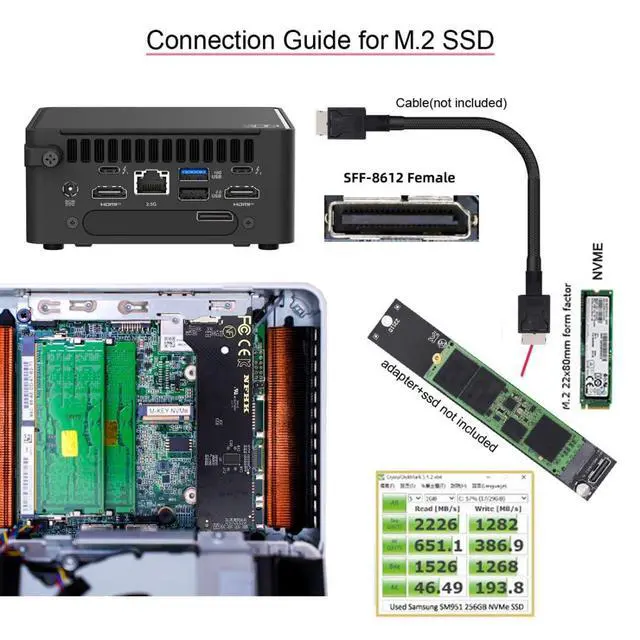
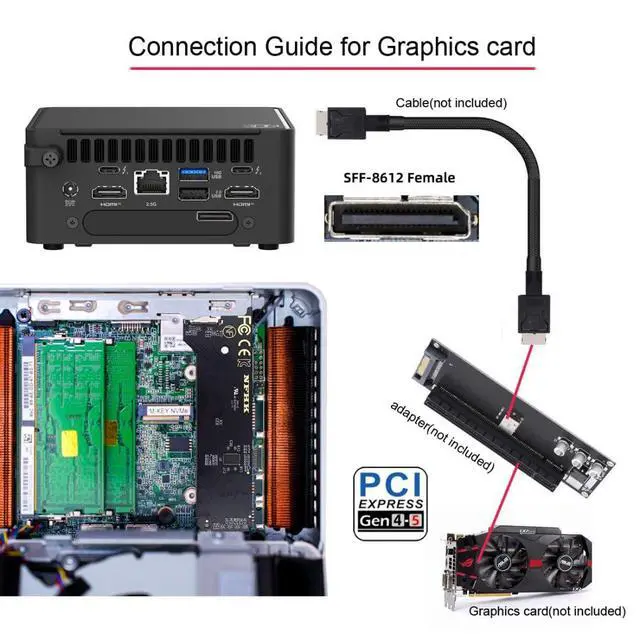
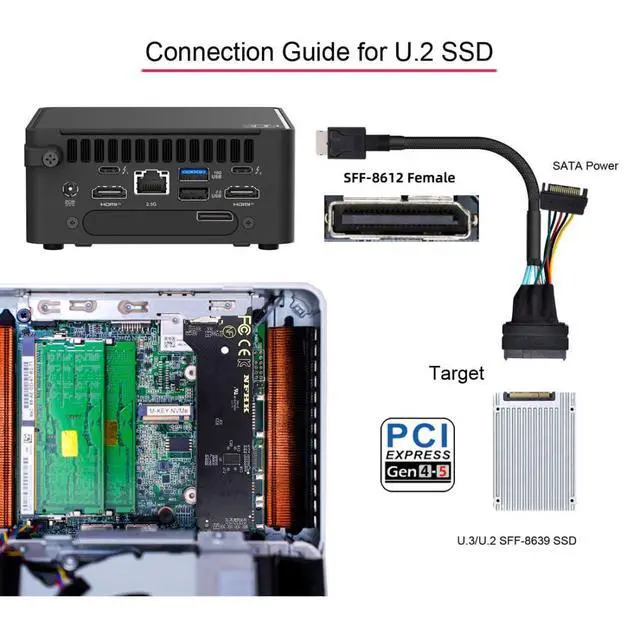
    • 2) The Oculink adapter expands a 2280 M-Key system with an SFF-8612 Oculink interface. For example, it can connect an SSD or external graphics card using an optional cable.
    • 3) The NVME SSD adapter expands a 2242mm M-Key system with an NVMe 2280 interface. This allows connection of an additional 2280mm SSD, and the existing 2280 slot can then be used to connect an Oculink adapter.
    • 4) This card uses the NVMe protocol to transmit PCI Express 5.0/4.0 signals at data transfer rates up to 64Gbps and supports NVM Express (NVMe) 1.2. This makes it suitable for high-performance PCI-E 4.0 SSDs and other PCIe Gen5/Gen4 devices.
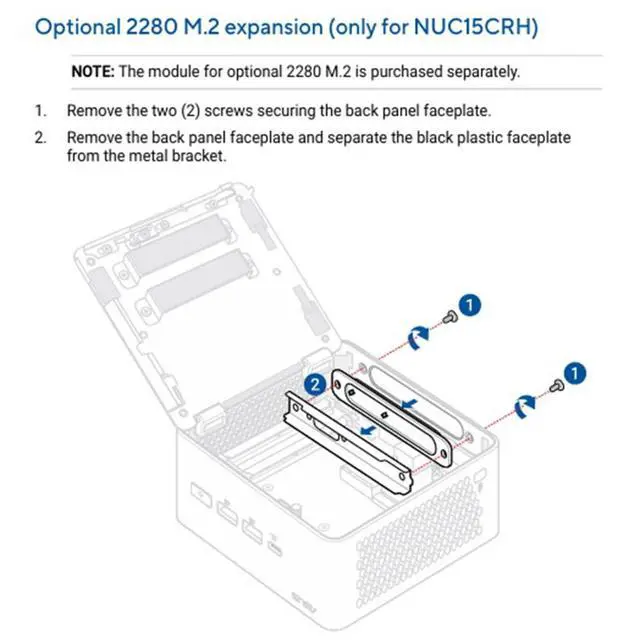
    • 5) Installation steps: 1: Remove the original SSD
    • 2: Install the NVME SSD adapter card
    • 3: Install the Oculink card and NVME SSD
    • 4: Install the front panel.
    +
    +
    Overview
    Specs
    Reviews
    avatar

    Any questions? Our AI mode will help you find out quickly.

    1)
    Note: The adapter is only compatible with the NUC15 Pro mini PC NUC15CRH. The package includes an Oculink adapter, NVMe SSD adapter, heatsink, baseplate, and front panel.
    2) The Oculink adapter expands a 2280 M-Key system with an SFF-8612 Oculink interface. For example, it can connect an SSD or external graphics card using an optional cable.
    3) The NVME SSD adapter expands a 2242mm M-Key system with an NVMe 2280 interface. This allows connection of an additional 2280mm SSD, and the existing 2280 slot can then be used to connect an Oculink adapter.
    4) This card uses the NVMe protocol to transmit PCI Express 5.0 / 4.0 signals at data transfer rates up to 64Gbps and supports NVM Express (NVMe) 1.2. This makes it suitable for high-performance PCI-E 4.0 SSDs and other PCIe Gen5/Gen4 devices.
    5) Installation steps: 1: Remove the original SSD
    2: Install the NVME SSD adapter card
    3: Install the Oculink card and NVME SSD
    4: Install the front panel.

    Warranty & Returns

    Warranty, Returns, And Additional Information

    Warranty

    • Please contact the Seller directly for warranty information. Warranty information may also be found on the Manufacturer's website.
    • CONTACT

    Return Policies

    • Return for refund within: 30 days
    • Return for replacement within: 30 days
    • This item is covered by GearZap Return Policy

    Manufacturer Contact Info

    LOADING...