Your Browsing History
Meet Your Seller
Micro B 1 to 2 USB 3.0 19Pin Front Panel Header Port Multiplier Hub Adapter with USB 3.0 19Pin/USB 3.1 Type E to Micro B Adapter
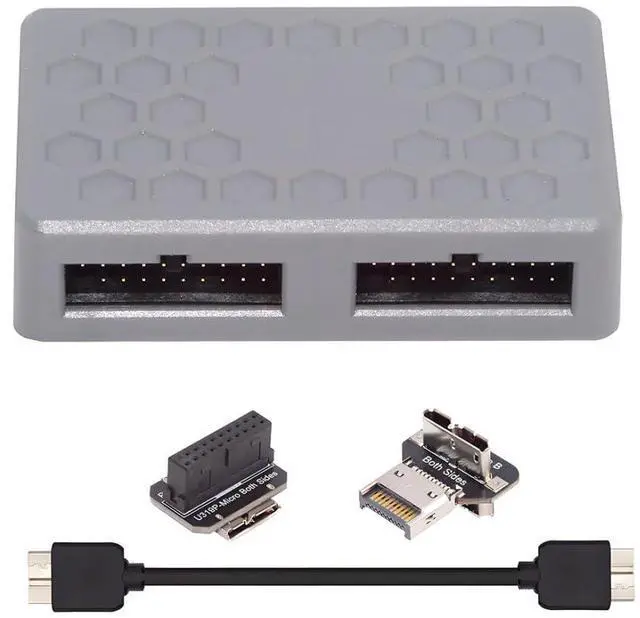
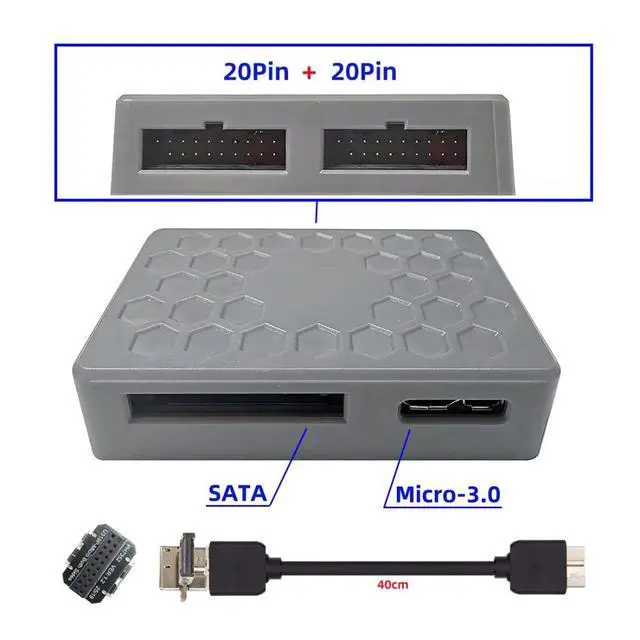
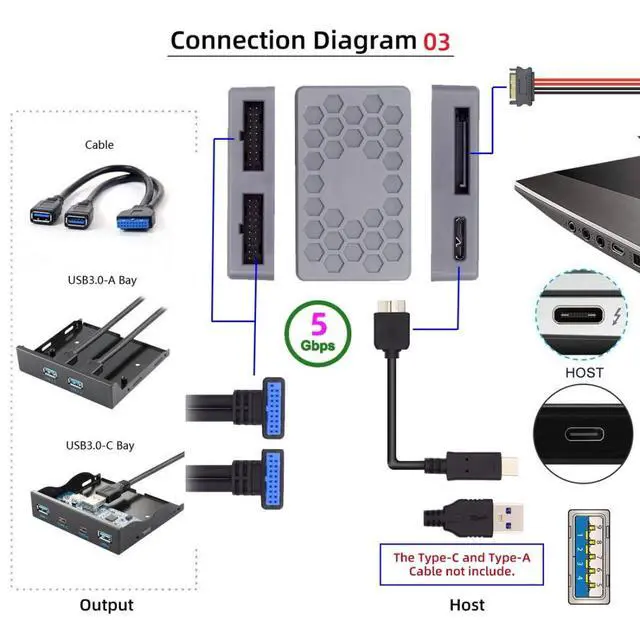
- 1) This interface extender will provide you with two USB 3.0 19-pin ports, speed: USB 3.2 GEN1 5Gbps, you can use them to connect front panels, cables, USB hubs, card readers, etc.
- 2) Note: The SATA 15-pin power cord must be connected when using
- otherwise, the device will not work. (Package does not include SATA power cable)
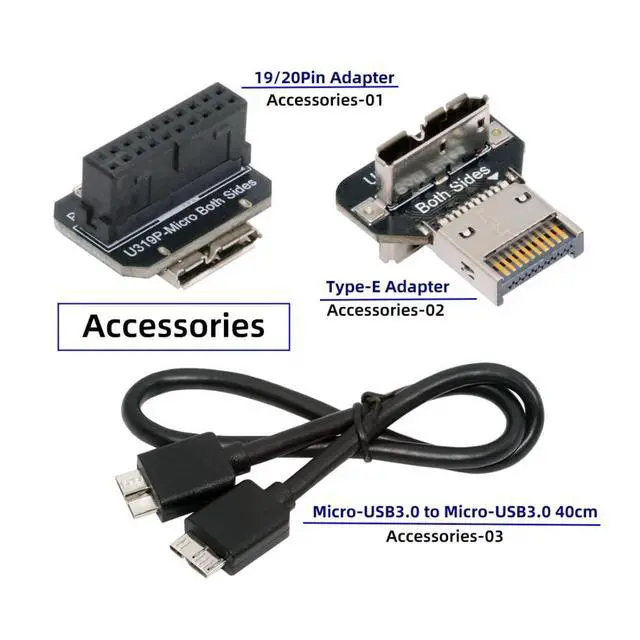
- 3) The package contains a Micro-USB cable, a 19/20pin to dual Micro-B connector, and a TYPE-E to dual Micro-B connector.
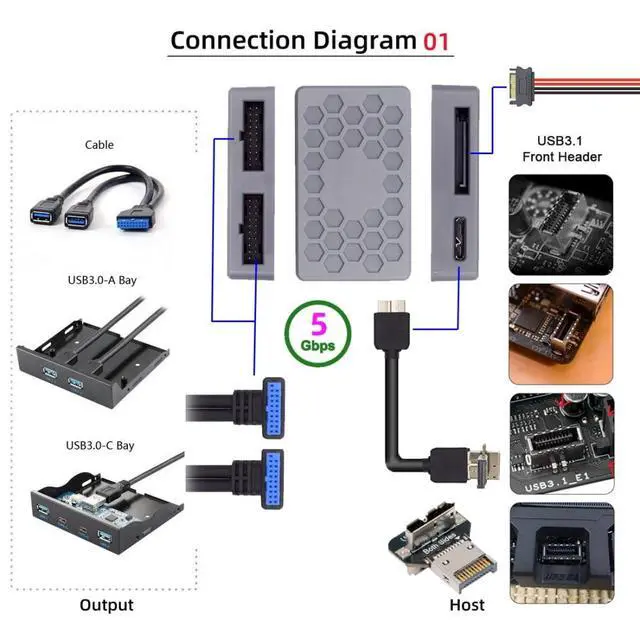
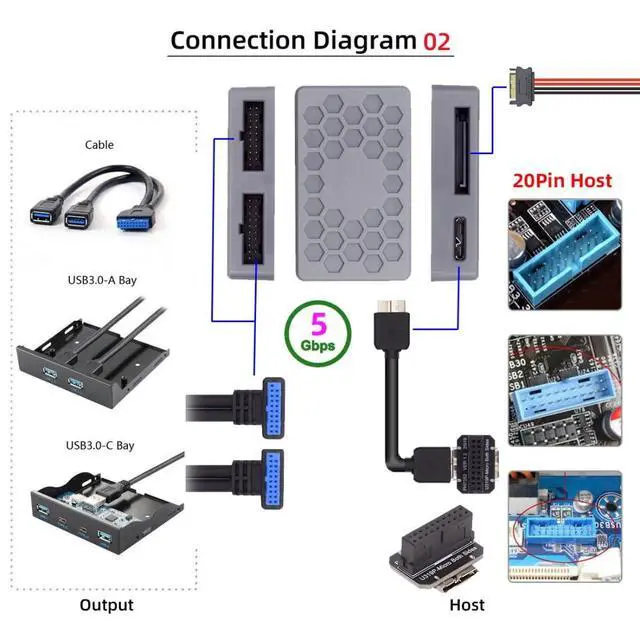
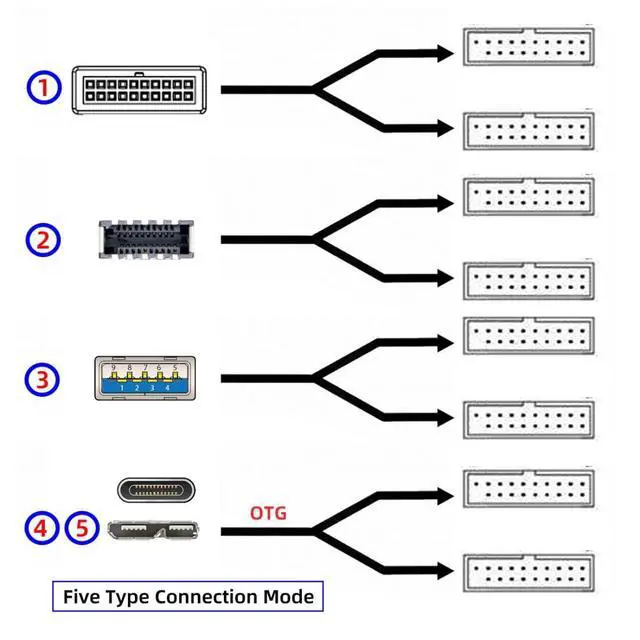
- 4) How to use: Insert the adapter into the 19-pin or Type-E port of the motherboard, and connect it to the Micro-B data port on the adapter card through the Micro-B data cable. (Micro-B cable length 40cm)
- 5) You can also use it via USB A/USB C to Micro-B data cable.(Package does not include USB A/USB C to Micro-B cable)
+
+
Overview
Specs
Reviews
Any questions? Our AI mode will help you find out quickly.
Try me now
1) This interface extender will provide you with two USB 3.0 19-pin ports, speed: USB 3.2 GEN1 5Gbps, you can use them to connect front panels, cables, USB hubs, card readers, etc.
2) Note: The SATA 15-pin power cord must be connected when using
otherwise, the device will not work. (Package does not include SATA power cable)
3) The package contains a Micro-USB cable, a 19/20pin to dual Micro-B connector, and a TYPE-E to dual Micro-B connector.
4) How to use: Insert the adapter into the 19-pin or Type-E port of the motherboard, and connect it to the Micro-B data port on the adapter card through the Micro-B data cable. (Micro-B cable length 40cm)
5) You can also use it via USB A/USB C to Micro-B data cable. (Package does not include USB A/USB C to Micro-B cable)

2) Note: The SATA 15-pin power cord must be connected when using
otherwise, the device will not work. (Package does not include SATA power cable)
3) The package contains a Micro-USB cable, a 19/20pin to dual Micro-B connector, and a TYPE-E to dual Micro-B connector.
4) How to use: Insert the adapter into the 19-pin or Type-E port of the motherboard, and connect it to the Micro-B data port on the adapter card through the Micro-B data cable. (Micro-B cable length 40cm)
5) You can also use it via USB A/USB C to Micro-B data cable. (Package does not include USB A/USB C to Micro-B cable)
Warranty & Returns
Warranty, Returns, And Additional Information
Warranty
- Please contact the Seller directly for warranty information. Warranty information may also be found on the Manufacturer's website.
- CONTACT
Return Policies
- Return for refund within: 30 days
- Return for replacement within: 30 days
- This item is covered by GearZap Return Policy
Manufacturer Contact Info
- For a directory of all our manufacturers, please click below.
- Manufacturers Directory
LOADING...