• $422.45
  • Free 30-day Returns
  • Ships from China.
    Sold by GearZap

    Shipped by GearZap

    Price alert
    Shop it at NeweggBusiness.

    Meet Your Seller

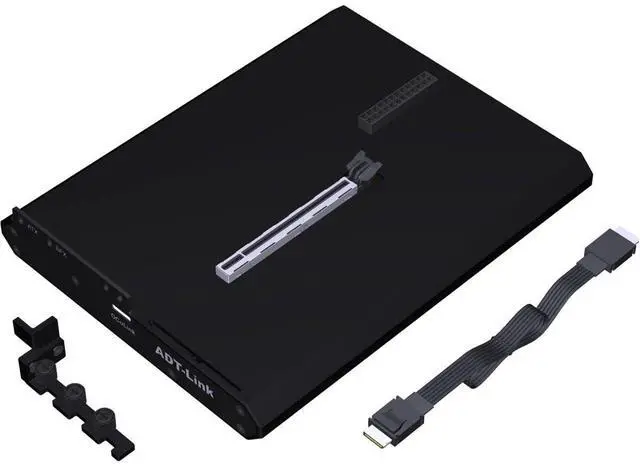
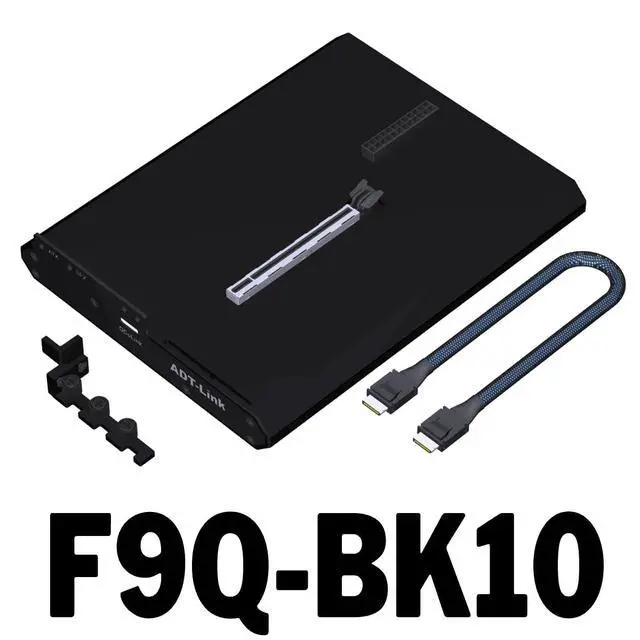
    ADT-F9 OCuLink External GPU Dock PCIe 4.0 x4 64Gbps Built-in Switch & LED Indicators, Includes 50cm Cable Supports Graphics Card & PCIe Devices (F9Q-BK10 with redriver)

    • True PCIe 4.0 x4 Performance Delivers effective bandwidth up to 64Gbps via pure PCIe channel from your motherboards M.2 slot. Perfect for external GPU, high-speed SSD, or other PCIe peripherals with minimal latency and loss.; Two Models Available Choose F9Q-BK10 (with builtin control chip) for enhanced compatibility, or F9B-BK10 (standard version) to fit your budget and setup. Both support plugandplay operation.; Smart Power & Indicator System Features a side pushbutton switch for manual control; the dock can autostart with your PC when used with our adapter board and cable. LED indicators: PSU (power status), Cable (link detection), RESET (startup confirmation) simple diagnostic at a glance.; Comprehensive Cable Included Comes with a 50cm highquality OCuLink extension cable, shielded for stable signal integrity. Nonstandard cables may cause LED anomalies; we recommend using the included cable for best performance.; Important Safety Note OCuLink does NOT support hotplugging. Always power off your computer before turning the dock on/off. The RESET LED will flash once at boot/shutdown; if it stays solid, check the connection or BIOS settings. Normal operation: switch ON, PSU ON, RESET OFF (Cable LED may stay off this does not affect usage).
    +
    +
    Overview
    Specs
    Reviews
    avatar

    Any questions? Our AI mode will help you find out quickly.

    JMT ADT-F9 OCuLink External GPU Dock PCIe 4.0 x4 64Gbps, Supports Graphics Card & PCIe Devices, Built-in Switch & LED Indicators, Includes 50cm Cable Product Description The OCuLink External GPU Dock converts your motherboards NVMe-compatible M. 2 slot (which carries a pure PCIe signal) into a dedicated external PCIe interface. With PCIe 4.0 x4 bandwidth up to 64Gbps, it provides an ultralowloss pathway for external graphics cards, highperformance NVMe -compatible storage, or any standard PCIe device ideal for gaming, AI acceleration, and content creation. Two Configurations to Suit Your Needs F9QBK10 (with chip): Integrates an advanced controller for better handshake with diverse motherboards, ensuring automatic poweron sync.
    F9BBK10 (without chip): A costeffective option for users who are comfortable with manual power management. LED Indicators Status at a Glance PSU (Power) Lights up when the external power supply is active.
    Note: After turning off the power switch, the LED may remain lit briefly due to capacitor discharge this is normal. Cable (Link) Detects proper OCuLink cable connection. If you use a thirdparty cable, this LED may not illuminate, but the dock will still function correctly. RESET (System) Flashes once when the PC boots or shuts down. If it stays constantly on, the dock hasnt initialised please recheck the M. 2 connection and BIOS settings.

    Warranty & Returns

    Warranty, Returns, And Additional Information

    Warranty

    • Please contact the Seller directly for warranty information. Warranty information may also be found on the Manufacturer's website.
    • CONTACT

    Return Policies

    • Return for refund within: 30 days
    • Return for replacement within: 30 days
    • This item is covered by GearZap Return Policy

    Manufacturer Contact Info

    LOADING...