Your Browsing History
Meet Your Seller
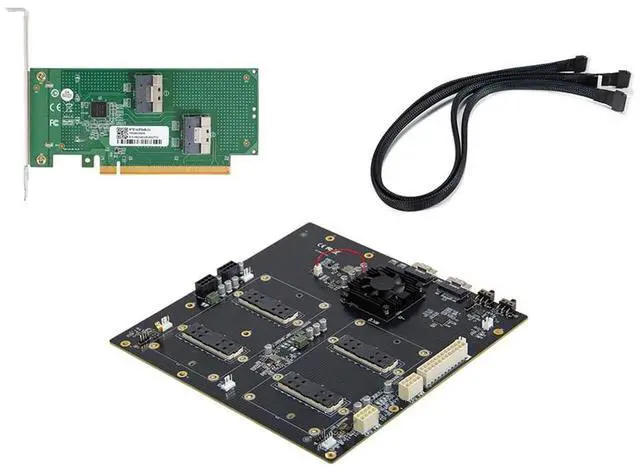
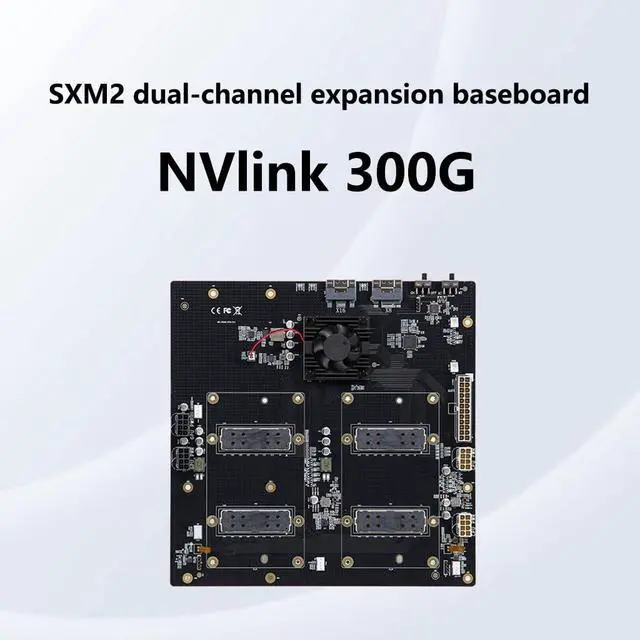
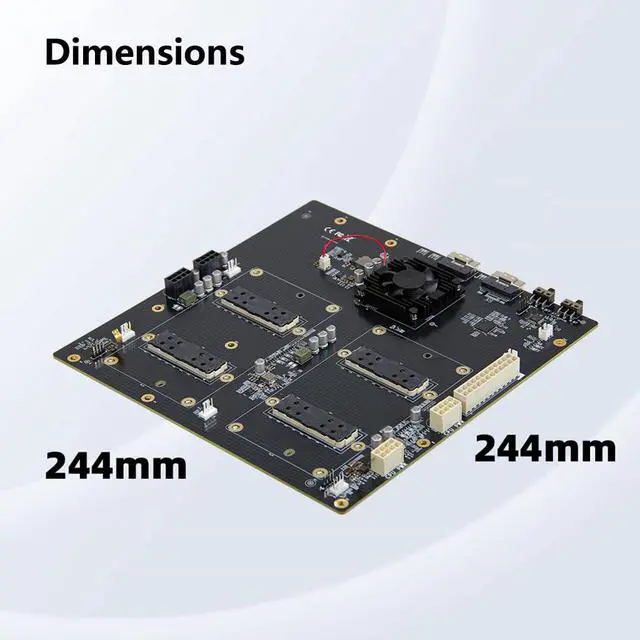
300G NVLink Interconnect Graphics Card Extender Dual-Card Configuration AOM-SXMV Simplified Support AT/MT Mode Compatible with GPU V100 SXM2 (with Internal Kit)
- Item Name: 300G NVLink Interconnect Graphics Card Extender; Features: Dual-Card Configuration, AOM-SXMV Simplified , No need to split.; Power: The 24-pin connector must be connected to a power source. The 2x CPU 8-pin and 2x GPU 8-pin connectors can be combined for power or connected individually. At least two of the four power connectors must be connected.; MTManual Mode: Controls power to the backplate via the ON/OFF DIP switch.; ATAutomatic Mode: Follows the motherboards power status; the backplane powers on when the motherboard powers on and powers off when the motherboard powers off.; ON/OFF DIP Switch: Effective in MT (Manual) mode; controls backplane powerON to power on, OFF to power off.
+
+
Overview
Specs
Reviews
Any questions? Our AI mode will help you find out quickly.
Try me now
JMT 300G NVLink Interconnect Graphics Card Extender Dual-Card Configuration AOM-SXMV Simplified Support AT/MT Mode Compatible with GPU V100 SXM2 No need to split
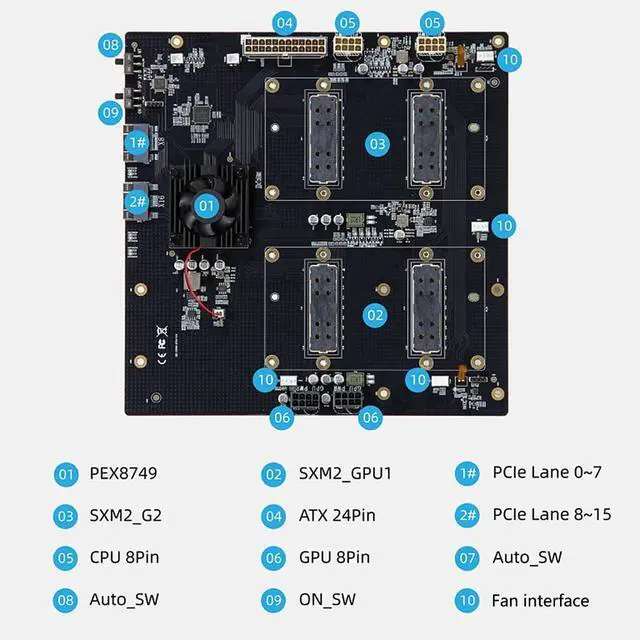
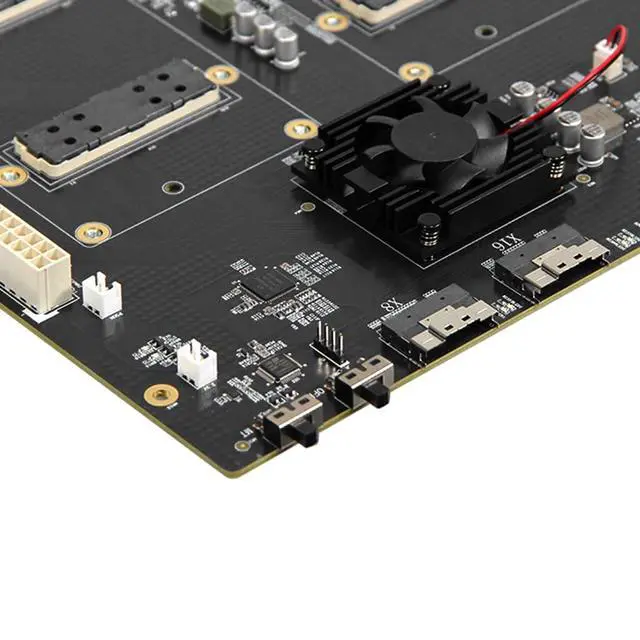
Note: The 24-pin connector must be connected to a power source. The 2x CPU 8-pin and 2x GPU 8-pin connectors can be combined for power or connected individually. At least two of the four power connectors must be connected; you may connect more than two or connect all of them. The two types of power connectors can be mixed and matched.
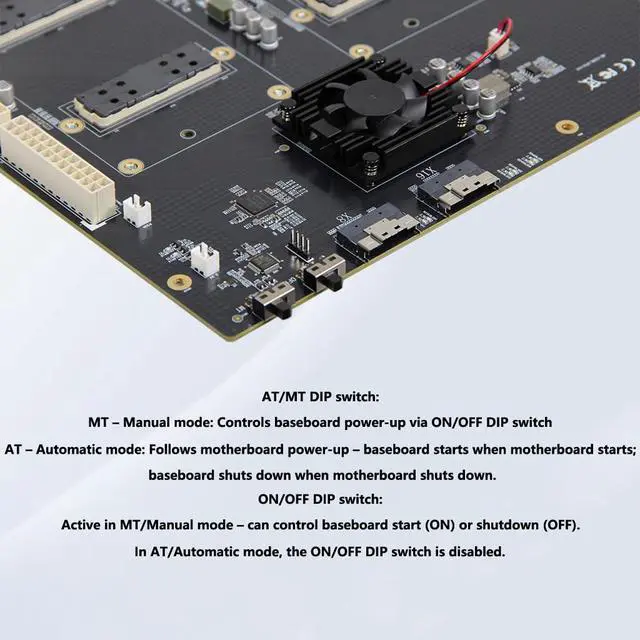
AT/MT DIP Switch: MTManual
Mode: Controls power to the backplate via the ON/OFF DIP switch.
ATAutomatic Mode: Follows the motherboards power status; the backplane powers on when the motherboard powers on and powers off when the motherboard powers off.
ON/OFF DIP Switch: Effective in MT (Manual) mode; controls backplane powerON to power on, OFF to power off. In AT (Automatic) mode, the ON/OFF DIP switch is inactive.

Note: The 24-pin connector must be connected to a power source. The 2x CPU 8-pin and 2x GPU 8-pin connectors can be combined for power or connected individually. At least two of the four power connectors must be connected; you may connect more than two or connect all of them. The two types of power connectors can be mixed and matched.
AT/MT DIP Switch: MTManual
Mode: Controls power to the backplate via the ON/OFF DIP switch.
ATAutomatic Mode: Follows the motherboards power status; the backplane powers on when the motherboard powers on and powers off when the motherboard powers off.
ON/OFF DIP Switch: Effective in MT (Manual) mode; controls backplane powerON to power on, OFF to power off. In AT (Automatic) mode, the ON/OFF DIP switch is inactive.
Warranty & Returns
Warranty, Returns, And Additional Information
Warranty
- Please contact the Seller directly for warranty information. Warranty information may also be found on the Manufacturer's website.
- CONTACT
Return Policies
- Return for refund within: 30 days
- Return for replacement within: 30 days
- This item is covered by GearZap Return Policy
Manufacturer Contact Info
- For a directory of all our manufacturers, please click below.
- Manufacturers Directory
LOADING...