Your Browsing History
Meet Your Seller
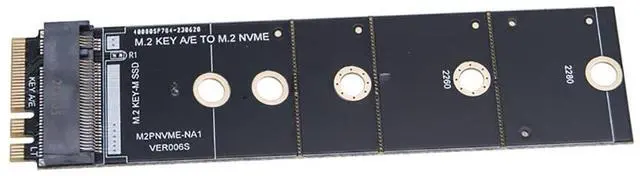
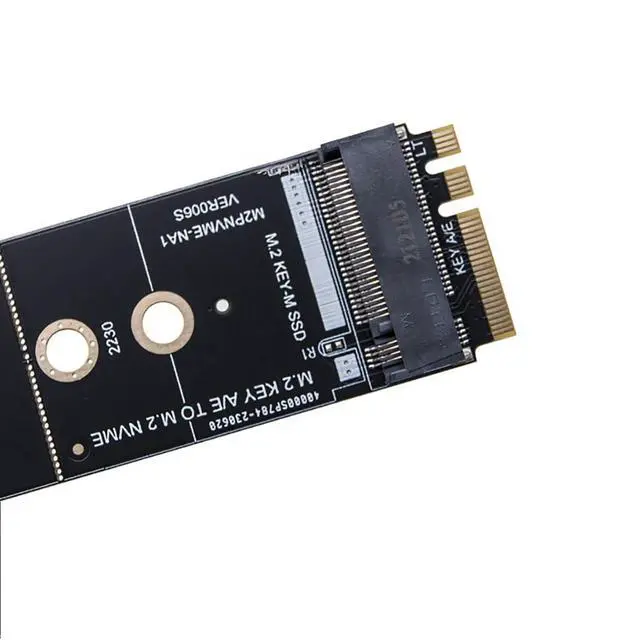
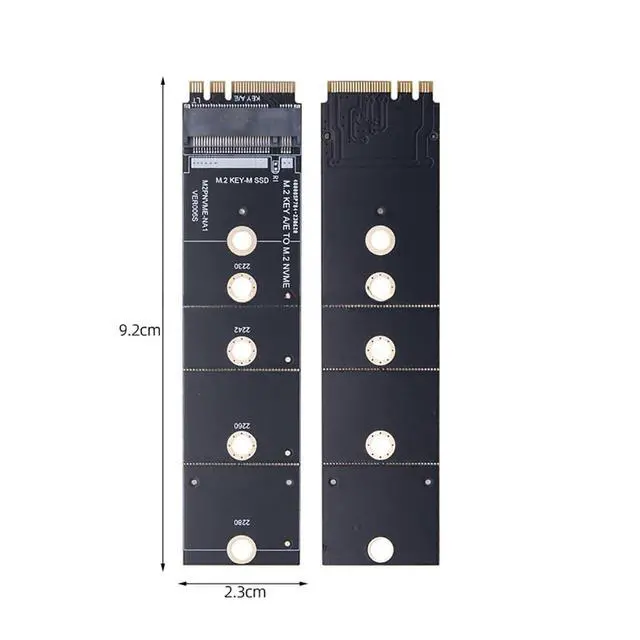
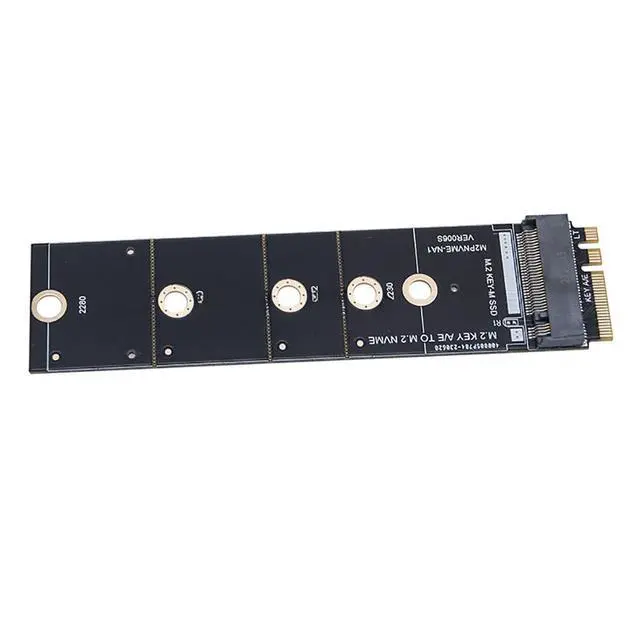
M2 Key A/E to M.2 NVME-Compatible Expansion Card WiFi Interface to M.2 SSD Converter Adapter
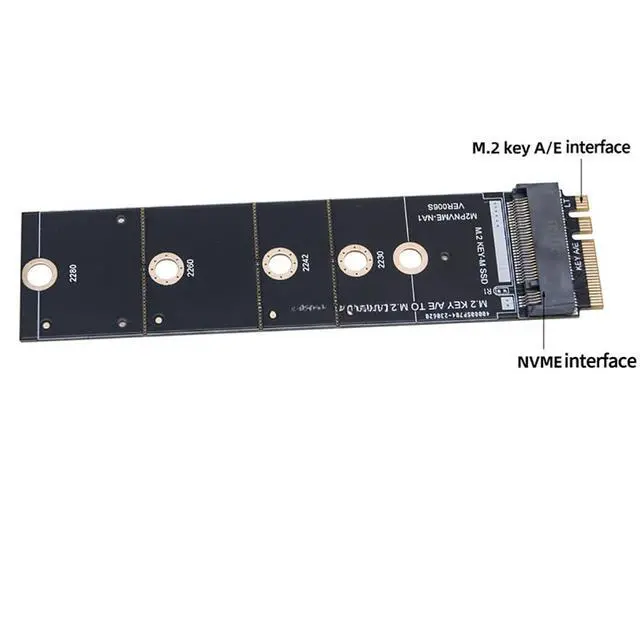
- The adapter card must be pcie protocol card can be used, cnvi protocol can not be used.; After pcie network card transfer, can only use M2 NVME-compatible hard drive, M.2 SATA protocol hard drive can not be used.; This adapter is mainly used to convert the motherboard's m2 WiFi card interface to one that can be used by inserting a nvme-compatible hard drive.; Key A/E is the signal of PCI-E 1x, it can't be full speed with NVME-compatible disc. Under PCI-E 1.0, it is about 100-250M/S, PCI-E 2.0 about 300-400M/S, PCI-E 3.0 about 600-800M/S.; This adapter is only suitable for M.2 KEY-A/E slot interface. Generally this port is plugged into the wireless network card.
+
+
Overview
Specs
Reviews
Any questions? Our AI mode will help you find out quickly.
Try me now
JMT M2 KEY A/E to M. 2 NVME-compatible Expansion Card WIFI Interface to M. 2 SSD Converter
Adapter Product requirements: 1. The adapter card must be pcie protocol card can be used, cnvi protocol can not be used. 2. After pcie network card transfer, can only use M2 NVME-compatible hard drive, M. 2 SATA protocol hard drive can not be used. If you transfer success, please
understand the following knowledge: In¡¤tel6 generation (including 6 generation) processor loaded default BIOS recognition, you can do the system disc to start in¡¤tel4-5 generation motherboards, the use of BIOS without NVME-compatible driver, can not be identified, boot into the system can be done to identify the system, that is, on behalf of the sub-disc can be done to store, can not do the system boot disc. 3. must be tested and used without problems, you can cut the M. 2 adapter PCB board, because the cut affects the secondary sales. 4. Electronic devices are compatible. It is impossible to 100% guarantee that you can use. The adapter card is no chip, it does not affect anything. If you can't use it, then it should be incompatible between your device and the hard drive.
Product Description: This adapter is mainly used to convert the motherboard's m2 WiFi card interface to one that can be used by inserting a nvme-compatible hard drive. There are many kinds of M. 2 slots with the same appearance. This adapter is only suitable for M. 2 KEY-A/E slot interface. Please check if your motherboard is M. 2 KEY-A or E slot before ordering. Generally this port is plugged into the wireless network card (Note that the interface of CNIV can't be used).

Adapter Product requirements: 1. The adapter card must be pcie protocol card can be used, cnvi protocol can not be used. 2. After pcie network card transfer, can only use M2 NVME-compatible hard drive, M. 2 SATA protocol hard drive can not be used. If you transfer success, please
understand the following knowledge: In¡¤tel6 generation (including 6 generation) processor loaded default BIOS recognition, you can do the system disc to start in¡¤tel4-5 generation motherboards, the use of BIOS without NVME-compatible driver, can not be identified, boot into the system can be done to identify the system, that is, on behalf of the sub-disc can be done to store, can not do the system boot disc. 3. must be tested and used without problems, you can cut the M. 2 adapter PCB board, because the cut affects the secondary sales. 4. Electronic devices are compatible. It is impossible to 100% guarantee that you can use. The adapter card is no chip, it does not affect anything. If you can't use it, then it should be incompatible between your device and the hard drive.
Product Description: This adapter is mainly used to convert the motherboard's m2 WiFi card interface to one that can be used by inserting a nvme-compatible hard drive. There are many kinds of M. 2 slots with the same appearance. This adapter is only suitable for M. 2 KEY-A/E slot interface. Please check if your motherboard is M. 2 KEY-A or E slot before ordering. Generally this port is plugged into the wireless network card (Note that the interface of CNIV can't be used).
Warranty & Returns
Warranty, Returns, And Additional Information
Warranty
- Please contact the Seller directly for warranty information. Warranty information may also be found on the Manufacturer's website.
- CONTACT
Return Policies
- Return for refund within: 30 days
- Return for replacement within: 30 days
- This item is covered by GearZap Return Policy
Manufacturer Contact Info
- For a directory of all our manufacturers, please click below.
- Manufacturers Directory
LOADING...