Your Browsing History
Meet Your Seller
USB Bluetooth 5.0 Transmitter Receiver, 4-in-1 Mini Wireless Audio Adapter, 3.5m
Limited time offer, ends 09/06 By GearZap
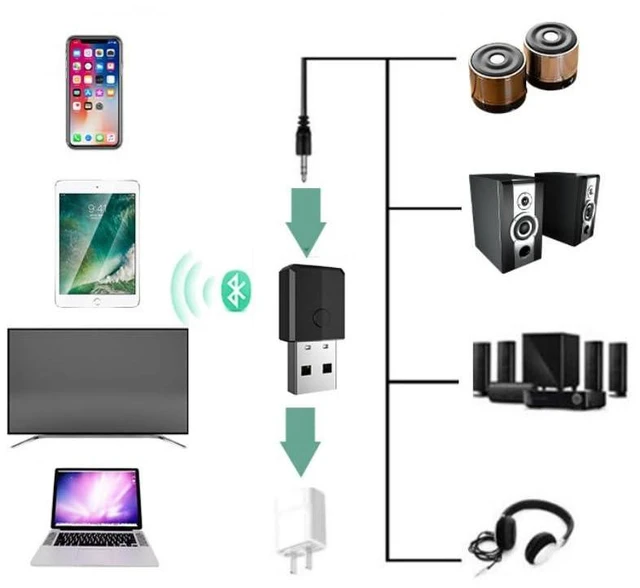
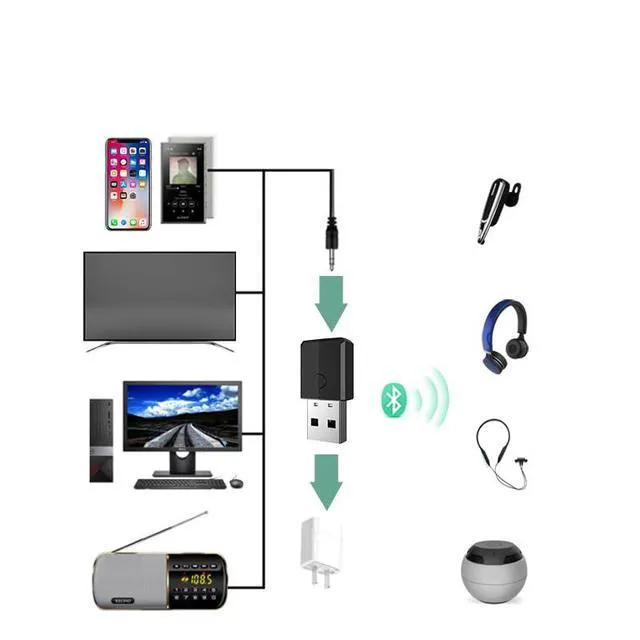
- 1. Bluetooth Transmitter Receiver - Transmitter mode: transmit audio from non-Bluetooth audio sources (TV, PC, CD / DVD player, etc.) to Bluetooth headphones / speakers via 3.5mm audio cable. Receiver mode: transmit audio from Bluetooth audio sources (smart phone, tablet, Bluetooth TV/PC) to non-Bluetooth headphones / speakers / car / home sound system via 3.5mm audio cables
- 2. USB Audio Transmission - Transmitter mode: wirelessly transmit audio from non-Bluetooth PC / PS4 game console to Bluetooth headphones / speakers via USB port. Receiver mode: non-Bluetooth speakers with USB ports can receive audio via USB port now. No 3.5mm audio cable/driver required
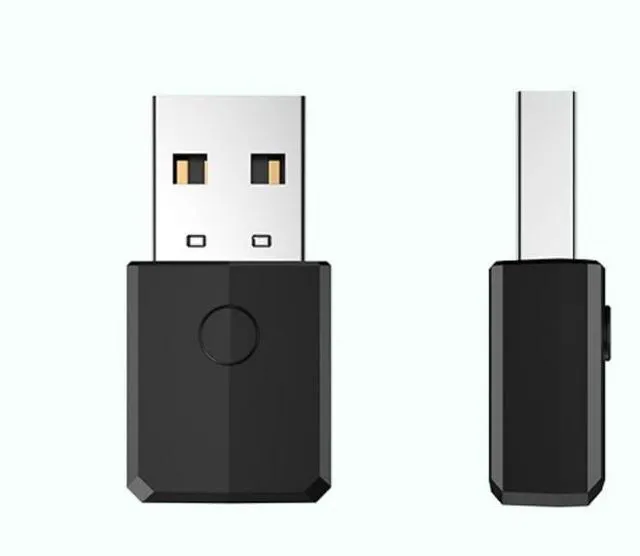
- 3. One Button Switch Mode - Simply press a button to quickly switch transmitter / receiver mode. After the Bluetooth adapter is powered on, red light in TX - Transmitter mode, blue light in RX - Receiver mode
- 4. USB Power Supply - USB has power function. When in use, it must be powered by power device with USB port (such as AC adapter, car charger, laptop). As long as the Bluetooth audio adapter connected with power, you will never worry it will run out of power while listening to music

+
+
Overview
Specs
Reviews
Any questions? Our AI mode will help you find out quickly.
Try me now
1. Bluetooth Transmitter Receiver -
Transmitter mode: transmit audio from non-Bluetooth audio sources (TV, PC, CD / DVD player, etc. ) to Bluetooth headphones / speakers via 3.5 mm audio cable.
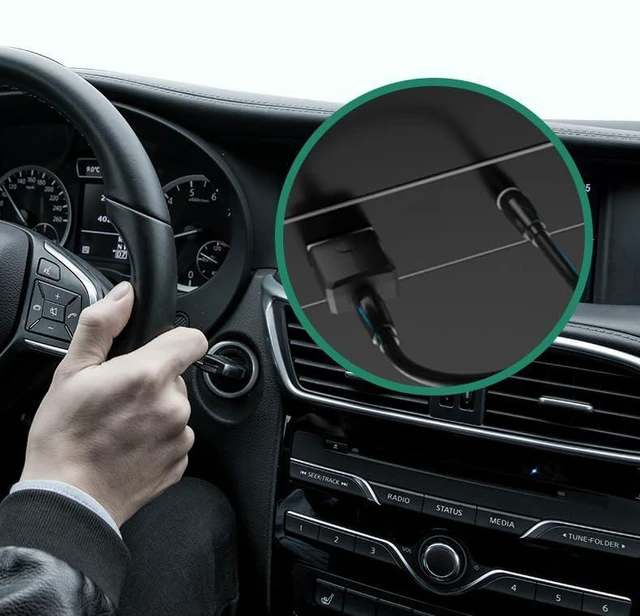
Receiver mode: transmit audio from Bluetooth audio sources (smart phone, tablet, Bluetooth TV/PC) to non-Bluetooth headphones / speakers / car / home sound system via 3.5 mm audio cables
2. USB Audio Transmission -
Transmitter mode: wirelessly transmit audio from non-Bluetooth PC / PS4 game console to Bluetooth headphones / speakers via USB port.
Receiver mode: non-Bluetooth speakers with USB ports can receive audio via USB port now. No 3.5 mm audio cable/driver required
3. One Button Switch Mode - Simply press a button to quickly switch transmitter / receiver mode. After the Bluetooth adapter is powered on, red light in TX - Transmitter mode, blue light in RX - Receiver mode
4. USB Power Supply - USB has power function. When in use, it must be powered by power device with USB port (such as AC adapter, car charger, laptop). As long as the Bluetooth audio adapter connected with power, you will never worry it will run out of power while listening to music
Transmitter mode: transmit audio from non-Bluetooth audio sources (TV, PC, CD / DVD player, etc. ) to Bluetooth headphones / speakers via 3.5 mm audio cable.
Receiver mode: transmit audio from Bluetooth audio sources (smart phone, tablet, Bluetooth TV/PC) to non-Bluetooth headphones / speakers / car / home sound system via 3.5 mm audio cables
2. USB Audio Transmission -
Transmitter mode: wirelessly transmit audio from non-Bluetooth PC / PS4 game console to Bluetooth headphones / speakers via USB port.
Receiver mode: non-Bluetooth speakers with USB ports can receive audio via USB port now. No 3.5 mm audio cable/driver required
3. One Button Switch Mode - Simply press a button to quickly switch transmitter / receiver mode. After the Bluetooth adapter is powered on, red light in TX - Transmitter mode, blue light in RX - Receiver mode
4. USB Power Supply - USB has power function. When in use, it must be powered by power device with USB port (such as AC adapter, car charger, laptop). As long as the Bluetooth audio adapter connected with power, you will never worry it will run out of power while listening to music
Warranty & Returns
Warranty, Returns, And Additional Information
Warranty
- Please contact the Seller directly for warranty information. Warranty information may also be found on the Manufacturer's website.
- CONTACT
Return Policies
- Return for refund within: 30 days
- Return for replacement within: 30 days
- This item is covered by GearZap Return Policy
Manufacturer Contact Info
- For a directory of all our manufacturers, please click below.
- Manufacturers Directory
LOADING...