Your Browsing History
Meet Your Seller
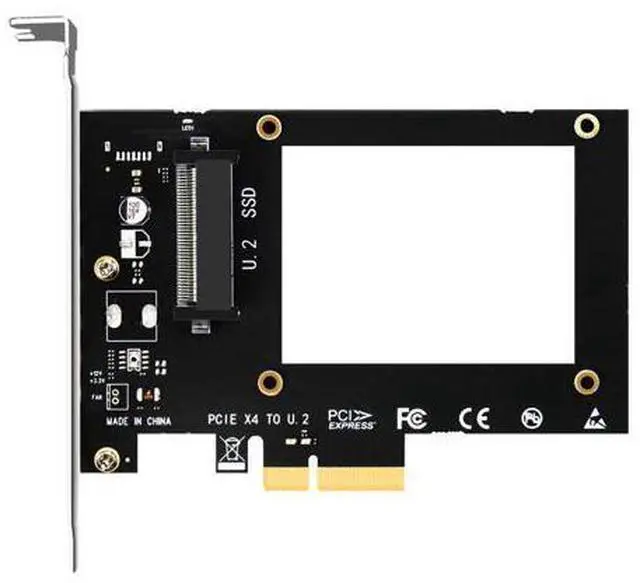
PU11 U.2 to PCIe 4.0 X4 Adapter for 2.5 Inch U.2 SSD, PCIe 4.0 X4 Full Speed
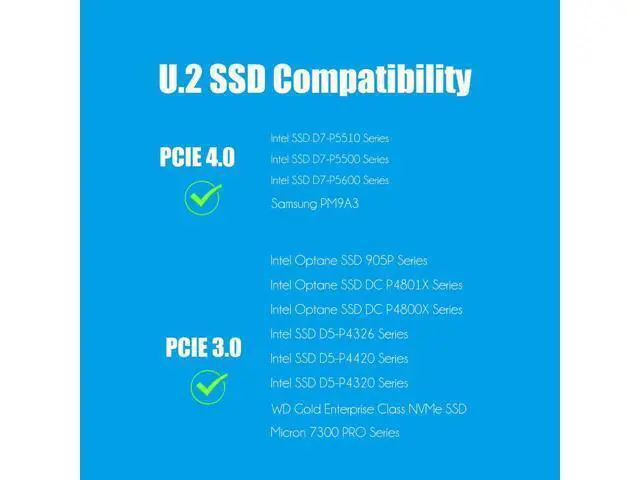
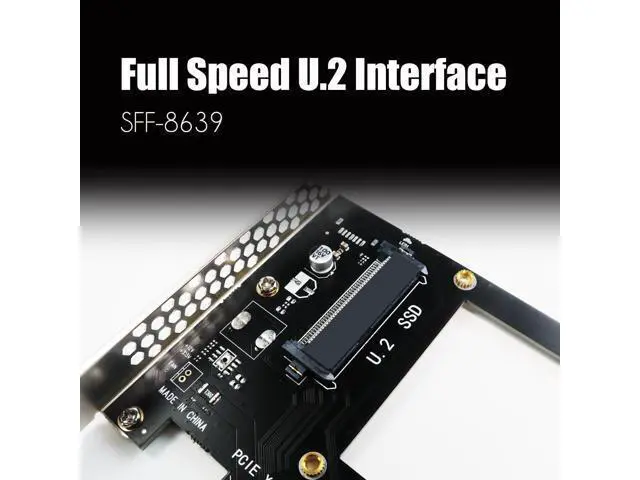
- U.2 to PCIe 4.0 X4 Adapter: It allows you to install a U.2 SSD into the U.2 (SFF-8639) slot by converting one PCIe X4/X8/X16 slot on the motherboard.
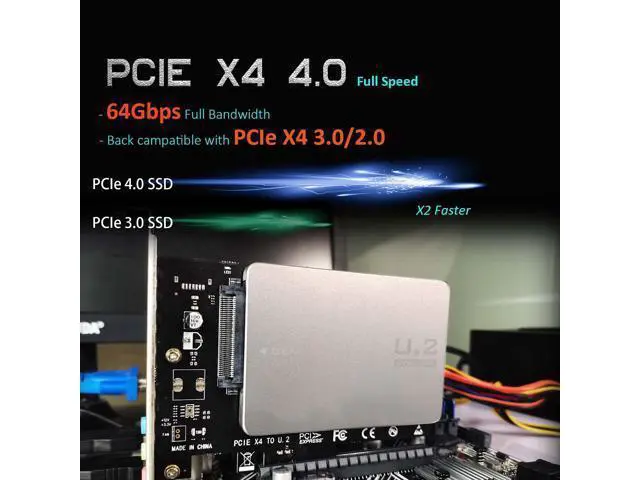
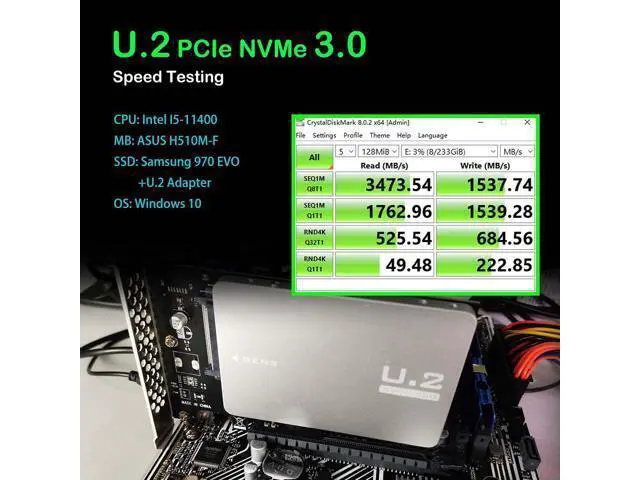
- FCC and CE certified, Highly Reliable, and Stable PCIe X4 Full Speed: The U.2 SSD speed is unaffected, just as if it was installed on the motherboard
- No limit to the capacity of the U.2 SSD: Support 4T/6T
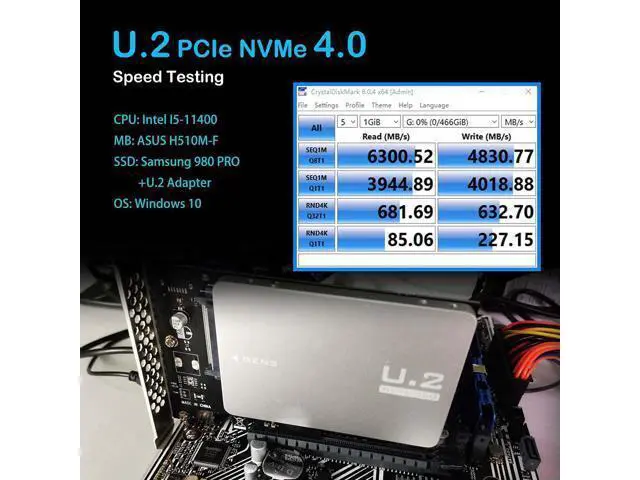
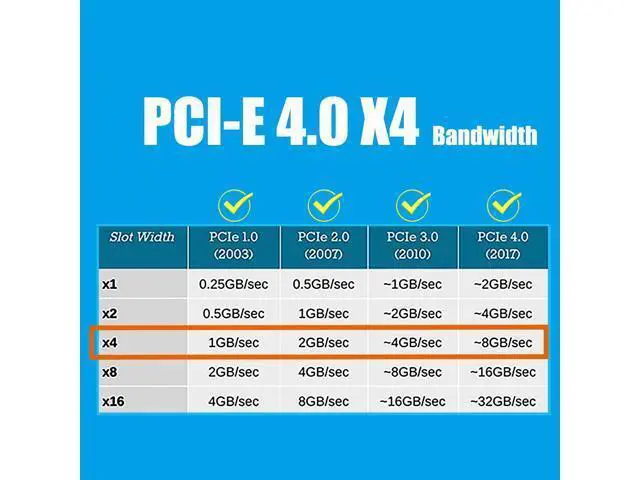
- To reach PCIe 4.0 X4 (64Gbps) full speed, the CPU and motherboard PCIe slot and PCIe M.2 SSD should all be PCIe 4.0 features (Note: PCIe 4.0 is not supported on Intel CPUs below 11th generation)
- Support OS Booting: Reinstall the OS, and set up BIOS/UEFI boot from this M.2 NVMe SSD (Note: Some motherboards are too old to support OS booting. In this case, U.2 SSD can be used as storage disks)
- OS compatibility: Plug-and-play in Windows 11/10/8/Linux/Mac OS (Note: Not support Windows 7). The new U.2 SSD needs to be initialized and formatted before it can be recognized by the computer host.
+
+
Overview
Specs
Reviews
Any questions? Our AI mode will help you find out quickly.
Try me now
U. 2 to PCIe 4.0
X4 Adapter: It allows you to install a U. 2 SSD into the U. 2 (SFF-8639) slot by converting one PCIe X4/X8/X16 slot on the motherboard... FCC and CE certified, Highly Reliable, and
Stable PCIe X4 Full Speed: The U. 2 SSD speed is unaffected, just as if it was installed on the motherboard.. No limit to the capacity of the U.
2 SSD: Support 4T/6T.. To reach PCIe 4.0 X4 (64Gbps) full speed, the CPU and motherboard PCIe slot and PCIe M. 2 SSD should all be
PCIe 4.0 features (Note: PCIe 4.0 is not supported on Intel CPUs below 11th generation)..
Support OS Booting: Reinstall the OS, and set up BIOS/UEFI boot from this M.
2 NVMe SSD (Note: Some motherboards are too old to support OS booting. In this case, U. 2 SSD can be used as storage disks)..
OS compatibility: Plug-and-play in Windows 11/10/8/Linux/Mac
OS (Note: Not support Windows 7). The new U. 2 SSD needs to be initialized and formatted before it can be recognized by the computer host.

X4 Adapter: It allows you to install a U. 2 SSD into the U. 2 (SFF-8639) slot by converting one PCIe X4/X8/X16 slot on the motherboard... FCC and CE certified, Highly Reliable, and
Stable PCIe X4 Full Speed: The U. 2 SSD speed is unaffected, just as if it was installed on the motherboard.. No limit to the capacity of the U.
2 SSD: Support 4T/6T.. To reach PCIe 4.0 X4 (64Gbps) full speed, the CPU and motherboard PCIe slot and PCIe M. 2 SSD should all be
PCIe 4.0 features (Note: PCIe 4.0 is not supported on Intel CPUs below 11th generation)..
Support OS Booting: Reinstall the OS, and set up BIOS/UEFI boot from this M.
2 NVMe SSD (Note: Some motherboards are too old to support OS booting. In this case, U. 2 SSD can be used as storage disks)..
OS compatibility: Plug-and-play in Windows 11/10/8/Linux/Mac
OS (Note: Not support Windows 7). The new U. 2 SSD needs to be initialized and formatted before it can be recognized by the computer host.
Warranty & Returns
Warranty, Returns, And Additional Information
Warranty
- Please contact the Seller directly for warranty information. Warranty information may also be found on the Manufacturer's website.
- CONTACT
Return Policies
- Return for refund within: 30 days
- Return for replacement within: 30 days
- This item is covered by Zhiyi Technology Return Policy
Manufacturer Contact Info
- For a directory of all our manufacturers, please click below.
- Manufacturers Directory
LOADING...