

Your Browsing History
- Free 30-day Returns
$166.93

Meet Your Seller

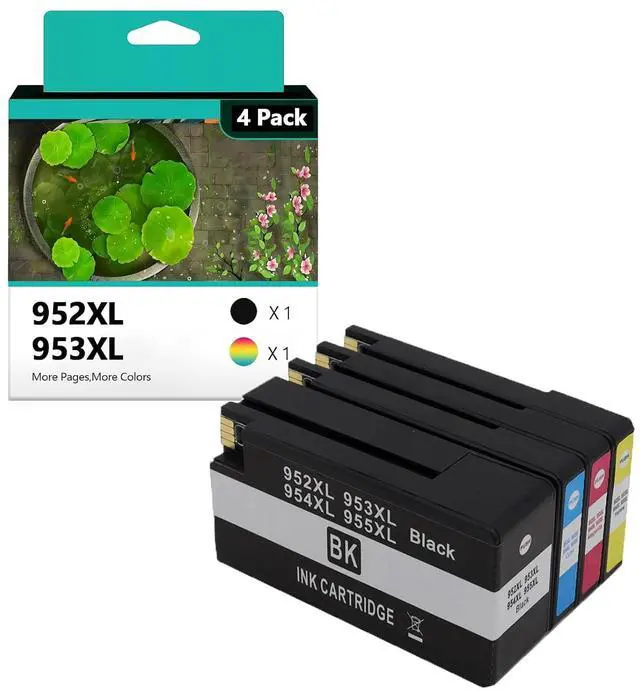
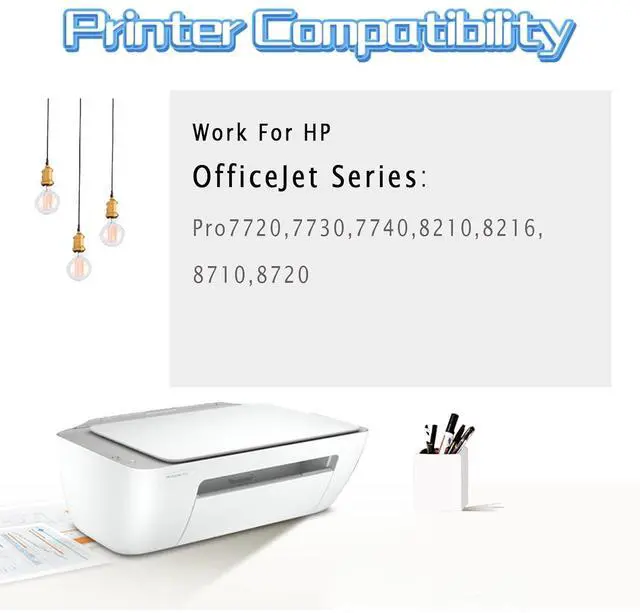






952 953 954 955 Ink Cartridge Replacement Compatible for HP 952XL 953XL 954XL 955XL High Yield Work for HP OfficeJet Pro 7720 7730 7740 8210 8216 8710 8720 Printers Combo Pack
Limited time offer, ends 10/07 By Dazan Technology
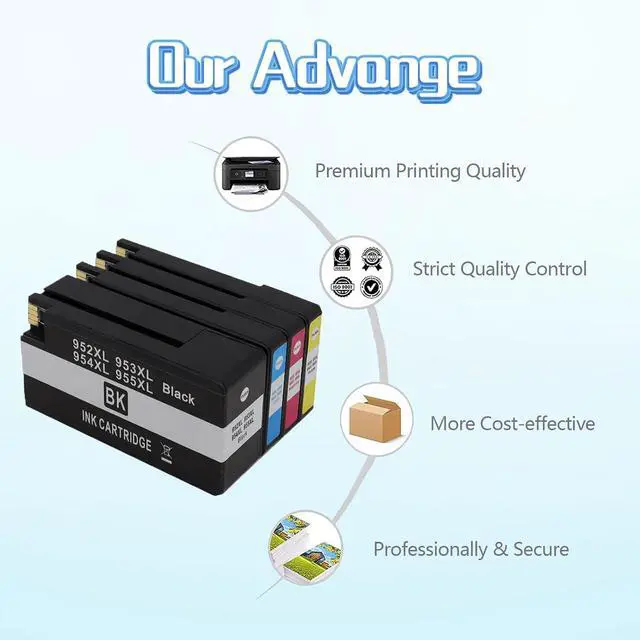
- Compatible with: Compatible for HP Officejet Pro 7720 7730 7740 8210 8216 8710 8720 8725 8730 8740 printers; Higher Yield Work:With its larger ink capacity,Up to 2000 pages for hp ink black, 1600 pages for hp ink color; With Upgraded Chips: Our ink cartridges are equipped with the latest upgraded chips to ensure high compatibility; Environmental Protection:82% of our ink cartridges are manufactured with recycled plastic; Superior Print Quality:this ink cartridge for hp printers print stably by tested, provide outstanding results with clear fonts and realistic images, ensure delivery of sharp text and vivid bright color.
+
+
Overview
Specs
Reviews

Any questions? Our AI mode will help you find out quickly.
Try me now
Compatible with: For HP OfficejetPro 7720 7730 7740 8210 8216 8710 8720 8725 8730 8740 printers
Product Name: 952XL 953XL 954XL 955XLInk Cartridges Replacement CompatibleFor HP Ink Ink volume: Each black ink cartridge can yield up to 2000pages, while each color cartridge yields up to 1600pages. This provides exceptional value for money and reduces the frequency of cartridge replacements.
Superior Print Quality: This ink cartridge for hp printers print stably by tested, provide outstanding results with clear fonts and realistic images, ensure delivery of sharp text and vivid bright color. Each sheet unveils awe-insp.
Installation Guide: 1. Open the ink cartridge compartment door and ensure that the ink holder moves to the center positionlnstall the cartridge intothe corresponding slot 2. Open the inner and outerpackaging of the ink cartridge and remove the ink cartridge 3. Remove the ink cartridge and remove the transparent tape from the cartridge 4. lnsert the color ink cartridge into the printer's color compartment, black lnsert the ink cartridge into the ink compartment 5. Push the ink cartridge into the ink holder until it clicks into place 6. After placing the ink cartridge, close the ink cartridge compartment door Sale Serivice If you have any question, please contact us directly, we will provide high quality after-sales service, to ensure the customer's shopping experience
Note: ·Do not touch the chip or the ink port
Product Name: 952XL 953XL 954XL 955XLInk Cartridges Replacement CompatibleFor HP Ink Ink volume: Each black ink cartridge can yield up to 2000pages, while each color cartridge yields up to 1600pages. This provides exceptional value for money and reduces the frequency of cartridge replacements.
Superior Print Quality: This ink cartridge for hp printers print stably by tested, provide outstanding results with clear fonts and realistic images, ensure delivery of sharp text and vivid bright color. Each sheet unveils awe-insp.
Installation Guide: 1. Open the ink cartridge compartment door and ensure that the ink holder moves to the center positionlnstall the cartridge intothe corresponding slot 2. Open the inner and outerpackaging of the ink cartridge and remove the ink cartridge 3. Remove the ink cartridge and remove the transparent tape from the cartridge 4. lnsert the color ink cartridge into the printer's color compartment, black lnsert the ink cartridge into the ink compartment 5. Push the ink cartridge into the ink holder until it clicks into place 6. After placing the ink cartridge, close the ink cartridge compartment door Sale Serivice If you have any question, please contact us directly, we will provide high quality after-sales service, to ensure the customer's shopping experience
Note: ·Do not touch the chip or the ink port
Warranty & Returns
Warranty, Returns, And Additional Information
Warranty
- Please contact the Seller directly for warranty information. Warranty information may also be found on the Manufacturer's website.
- CONTACT
Return Policies
- Return for refund within: 30 days
- Return for replacement within: 30 days
- This item is covered by Dazan Technology Return Policy
Manufacturer Contact Info
- For a directory of all our manufacturers, please click below.
- Manufacturers Directory
LOADING...