







Getaria is a small town in Spain where is a famous tourist destination. 2007 our founders travel there and deeply attracted by the Delicious food and the music. 2010 our founder starts his own business, and he was reminiscing about the romantic days in Getaria, and that's why Getaria coming.
Now in Getaria company, Enthusiasm, Openness, Courageous is our faith, and we strive to pass this on our products and share it to the whole world.
GUITAR

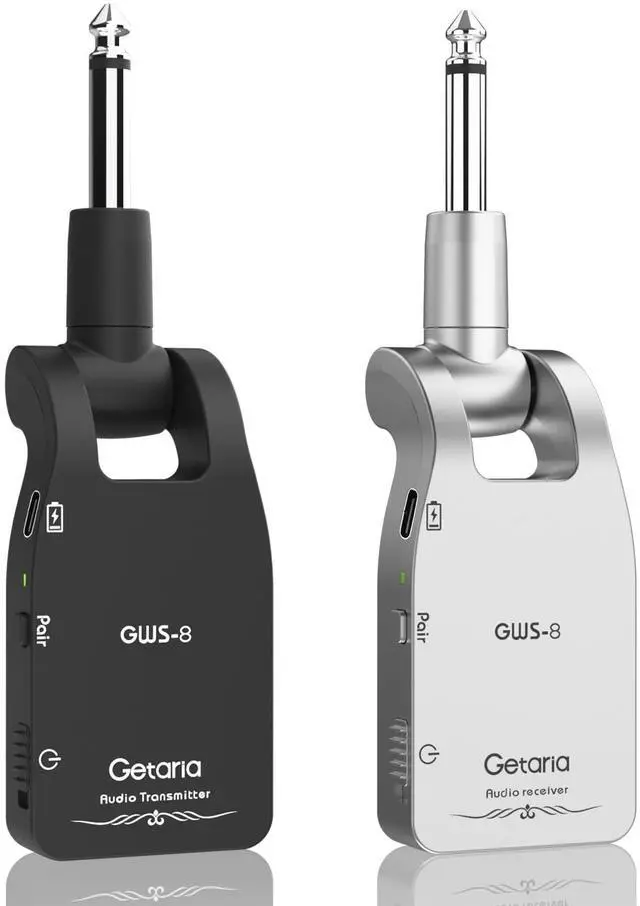
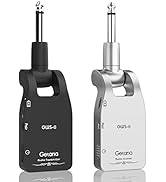
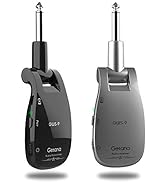
Getaria Upgrade GWS-8 Guitar Wireless transmitter receiver offers a reliable and affordable way to transmit your guitar (or any other electric musical instrument) signal, enabling you to break free from using cables.

Wireless guitar transmitter receiver with an impressive 105dB dynamic range,crystal-clear sampling at 24Bit/48kHz,and a frequency range spanning 20Hz to 20kHz,you can rest assured that the most subtle of nuanceswith regard to your performance are captured and transmitted with the utmost fidelity.


- Product Noise Troubleshooting Guide & Battery Safety Notes
(1)If noise originates from the product itself, check whether internal components have become loose due to impact or dropping.(2)If noise persists in a fixed environment, it is likely interference from other equipment (e.g., wireless microphones, WiFi, TVs). Replacing the product will not resolve this—turn off nearby signal-emitting devices during use.(3)Guitar modifications (pickup replacement, internal circuit changes) may also cause noise.(4)During initial use, inadequate grounding of the amplifier's power supply can induce noise.(5)Proximity between guitar and amplifier may cause feedback mistaken for noise—maintain adequate distance.(6)Incoming/outgoing phone calls may introduce static; audio short circuits in the instrument or amplifier can also cause noise.(7)Low battery in the wireless transmitter/receiver can lead to noise—ensure sufficient charge.(8)For instruments with active pickups, low internal battery power may cause noise—check and replace if needed.(9)Verify proper speaker grounding and ensure transmitter/receiver batteries are not fully depleted.
- Battery & Charging Precautions: • Use only the original charging cable; avoid chargers with excessively high power ratings. • Unplug promptly after charging to prevent overcharging and potential battery swelling. • Avoid usage, charging, or storage in extreme temperatures. • Do not disassemble, impact, or puncture the product. • Dispose of battery-containing products properly and responsibly.
Strange noise while in use?
There is quite strong electromagneticinterference, or thetransmission distance is too far, and thus most communication data islost.Please tryto shorten the transmission distance.
Why does the wireless transceiver not charge after a period of time?
If you don't use it often, please charge it regularly to keep the power. batteries has internal resistance will automatically discharge, result in it does not durability;Please turn off the switch to charge and unplug the cable in time after full.
Why the pairing is successful but there is no sound?
1. Please check if there is any device that affects 2.4GHz, if it may lead to sound cut off, no sound, noise and other phenomena.
2. Please check if the plug is loose? If it is loose, it may have poor contact, which will lead to noise or no sound.
Transmitter and receiver usage time Why is it always the transmitter that consumes power especially fast?
The transmitter is transmitting signals to the receiver all the time, the workload is bigger, so it consumes power very fast, the receiver just receives signals, so it is not equal.
What should I do if I have any product issues?
Please enter your order details and feel free to send message to the seller via your order details, We will solve the problem for you!

Getaria Upgrade GWS-8 Guitar Wireless transmitter receiver offers a reliable and affordable way to transmit your guitar (or any other electric musical instrument) signal, enabling you to break free from using cables.

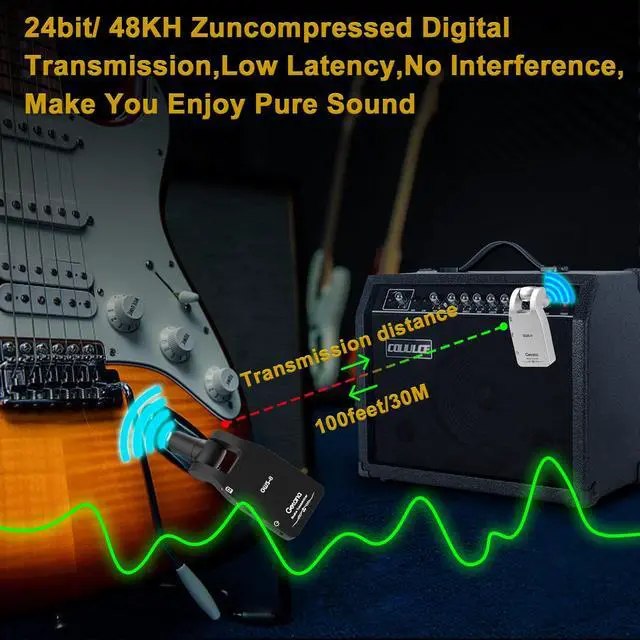
Wireless guitar transmitter receiver with an impressive 105dB dynamic range,crystal-clear sampling at 24Bit/48kHz,and a frequency range spanning 20Hz to 20kHz,you can rest assured that the most subtle of nuanceswith regard to your performance are captured and transmitted with the utmost fidelity.


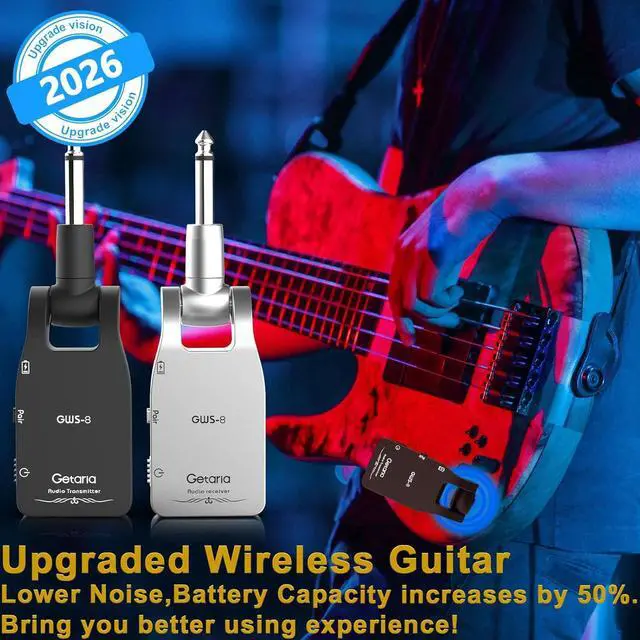
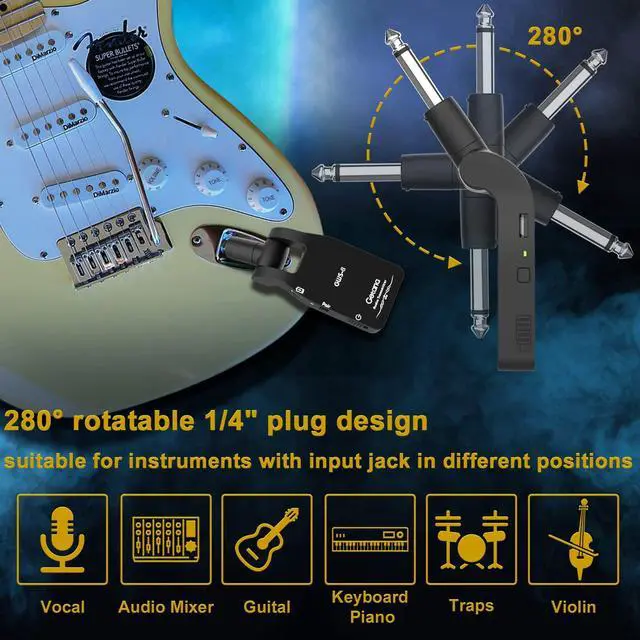
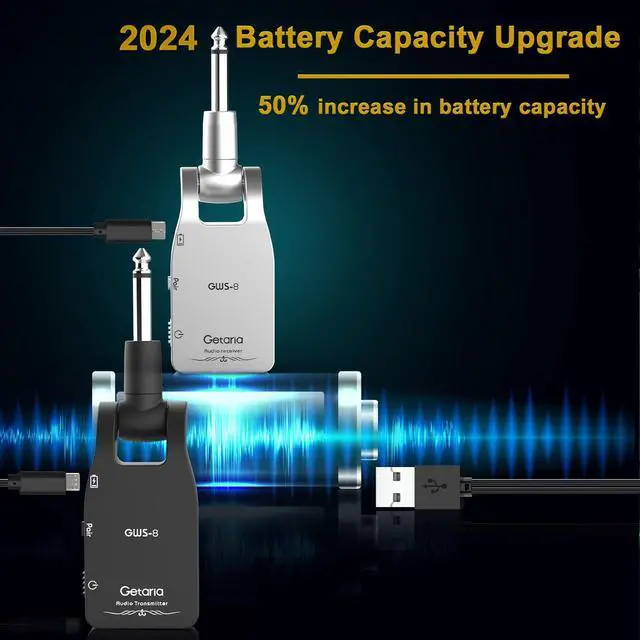
280°1/4" plug design makes it very easy to use,with a transmission distance up to 100ft, afforded the freedom to roam the stage for a truly dynamic performance.And the upgrade of the chip has increased the battery capacity of the GWS-8 by 50%, also has a Y-USB C jack charging cable for convenience!


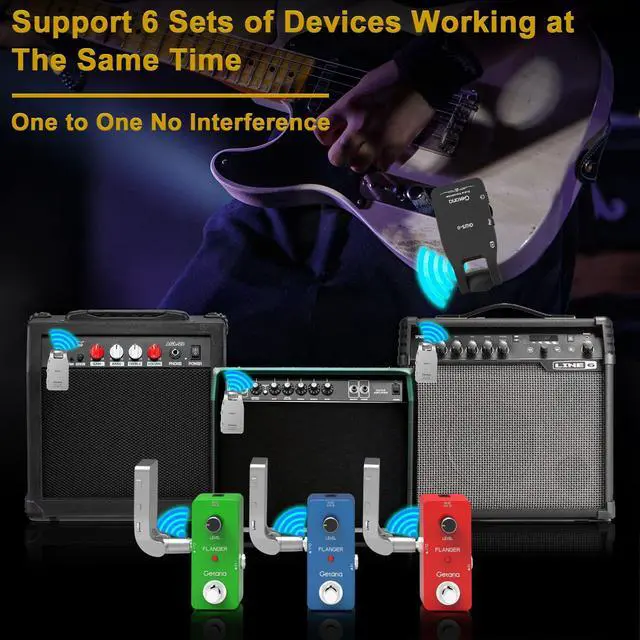
Wireless Guitar Supports 6 sets of devices working at same time, one-to-one and no-interference; and one transmitter can transmit signal to several receivers at the same time also.

- Product Noise Troubleshooting Guide & Battery Safety Notes
(1)If noise originates from the product itself, check whether internal components have become loose due to impact or dropping.(2)If noise persists in a fixed environment, it is likely interference from other equipment (e.g., wireless microphones, WiFi, TVs). Replacing the product will not resolve this—turn off nearby signal-emitting devices during use.(3)Guitar modifications (pickup replacement, internal circuit changes) may also cause noise.(4)During initial use, inadequate grounding of the amplifier's power supply can induce noise.(5)Proximity between guitar and amplifier may cause feedback mistaken for noise—maintain adequate distance.(6)Incoming/outgoing phone calls may introduce static; audio short circuits in the instrument or amplifier can also cause noise.(7)Low battery in the wireless transmitter/receiver can lead to noise—ensure sufficient charge.(8)For instruments with active pickups, low internal battery power may cause noise—check and replace if needed.(9)Verify proper speaker grounding and ensure transmitter/receiver batteries are not fully depleted.
- Battery & Charging Precautions: • Use only the original charging cable; avoid chargers with excessively high power ratings. • Unplug promptly after charging to prevent overcharging and potential battery swelling. • Avoid usage, charging, or storage in extreme temperatures. • Do not disassemble, impact, or puncture the product. • Dispose of battery-containing products properly and responsibly.
Strange noise while in use?
There is quite strong electromagneticinterference, or thetransmission distance is too far, and thus most communication data islost.Please tryto shorten the transmission distance.
Why does the wireless transceiver not charge after a period of time?
If you don't use it often, please charge it regularly to keep the power. batteries has internal resistance will automatically discharge, result in it does not durability;Please turn off the switch to charge and unplug the cable in time after full.
Why the pairing is successful but there is no sound?
1. Please check if there is any device that affects 2.4GHz, if it may lead to sound cut off, no sound, noise and other phenomena.
2. Please check if the plug is loose? If it is loose, it may have poor contact, which will lead to noise or no sound.
Transmitter and receiver usage time Why is it always the transmitter that consumes power especially fast?
The transmitter is transmitting signals to the receiver all the time, the workload is bigger, so it consumes power very fast, the receiver just receives signals, so it is not equal.
What should I do if I have any product issues?
Please enter your order details and feel free to send message to the seller via your order details, We will solve the problem for you!
Getaria is a small town in Spain where is a famous tourist destination. 2007 our founders travel there and deeply attracted by the Delicious food and the music. 2010 our founder starts his own business, and he was reminiscing about the romantic days in Getaria, and that's why Getaria coming.
Now in Getaria company, Enthusiasm, Openness, Courageous is our faith, and we strive to pass this on our products and share it to the whole world.
GUITAR
