





Belows Steps Can Help You Use The Bluetooth Transceiver Better
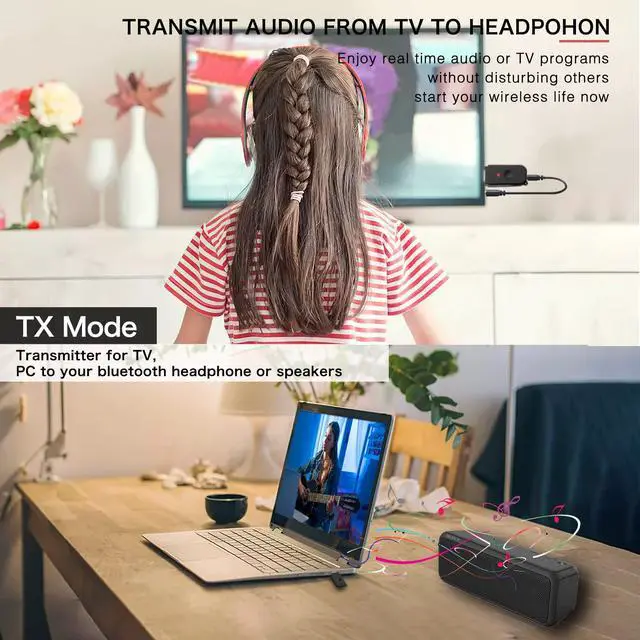
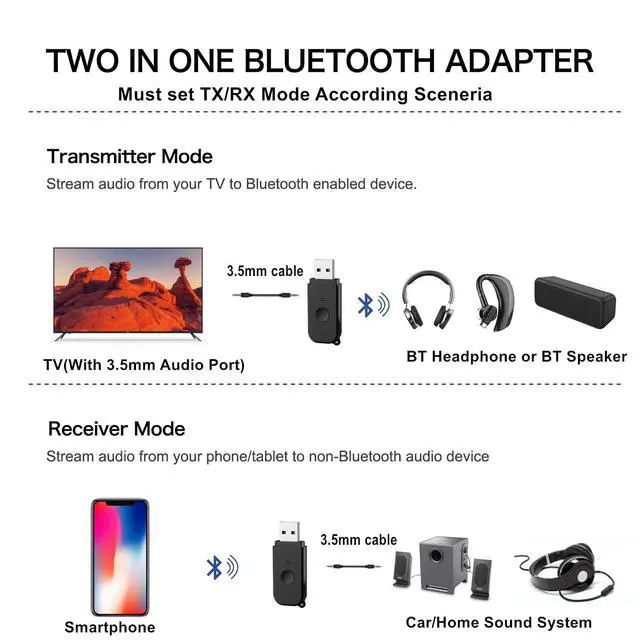
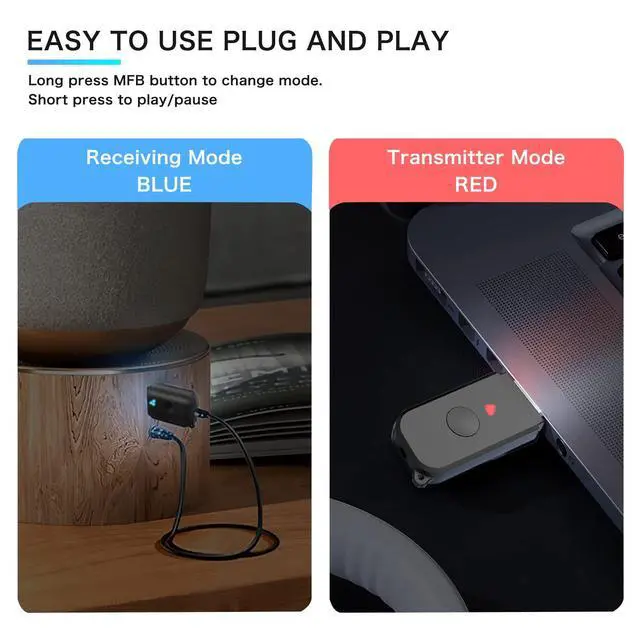
Transmitter mode: (Red light flashes)(for TV sound to Bluetooth headphone or bluetooth speaker)
- 1. Insert the transmitter receiver into the USB port (if your device does not have a USB port. You can use a mobile phone charger or power bank, etc.).
- 2. Then use 3.5mm audio audio cable to connect the product to TV, PC or other devices.
- 3. Turn on your Bluetooth device. The transmitter will automatically search for your Bluetooth receiving device (such as Bluetooth headset, Bluetooth speaker, Bluetooth receiver, etc.).
- 4. The pairing is successfully and you can enjoy your TV now without disturbing others
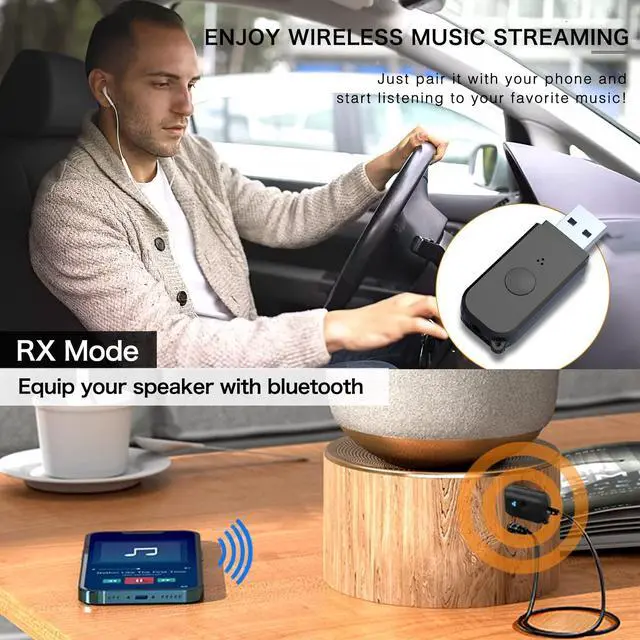
Receiver mode:(Blue light flashes)(for mobile phone or tablet transmit music to non bluetooth home/car sound system)
- 1. Plug the device into the USB port to supply power (such as car charging, power bank, etc.),
- 2. The device light flashes blue quickly, connect the device with your non-Bluetooth audio device with a 3.5MM audio cable
- 3. Turn on the mobile phone Bluetooth, search for Bluetooth devices (H210), click and connect
- 4. The pairing is successful and start to enjoy wireless music.
IMPORTANT NOTES:
- In transmitter mode, if the device is not paired with your Bluetooth Headphone.Make sure your BT headphone is under pairing states.
- USB just powers the device. CAN NOT transfer audio and transfer files. And only one Bluetooth device can be connected in transmitter mode.
- If the sound get stuck or disconnected when playing,make sure it is within the effective distance and there is no obstacle or interference around this adapter.

Upgrad your Home Speaker
Simply plug it into your speaker aux port and usb port for power spply, pair it with your smart phone and start to enjoy your home music party now!

Stream Music to Car Stereo
Simply plug this Bluetooth adpater into your car usb port and the other end to the 3.5mm aux port and pair it with your phone, start to enjoy your wireless music now!

Enjoy the Silence
Benefit from bluetooth audio when exercising, watching Late night TV shows, or simply when you want to keep the entertainment for yourself only or not affect others.

Low Latency
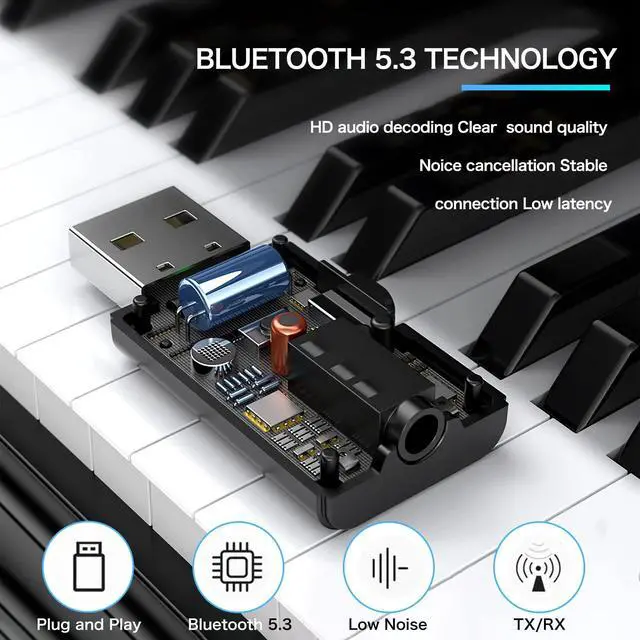
Experience low latency Bluetooth V5.3 technology which eliminates audio delay so you can enjoy rich sound clarity in perfect sync with any video, movie and gaming.

Power By USB
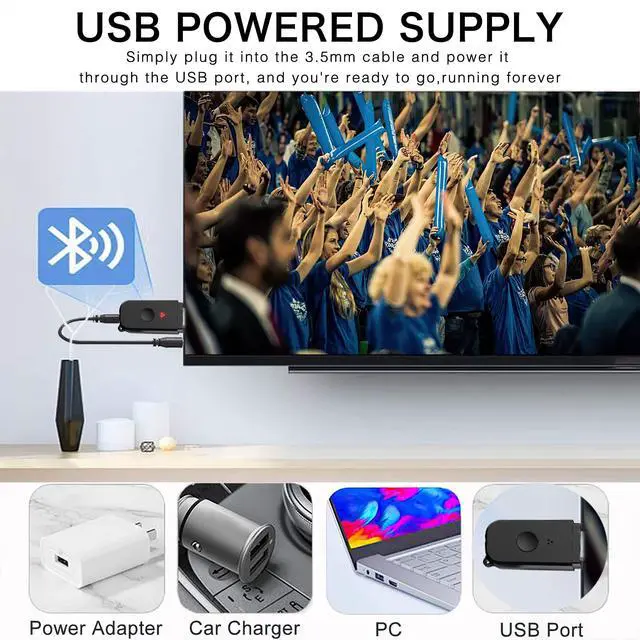
USB 5V power supply, don’t worry about running out of power when listening to music.( Does not support handsfree function). The bluetooth adapter is small, lightweight and easy to carry.

Bluetooth 5.3V
Equipped with latest Bluetooth 5.3 technology, bluetooth usb transmitter would reduce power consumption and offer a fast and stable transmission than bluetooth 5.0.

2-IN-1Bluetooth 5.3 Transmitter & Receiver
- What happens if your want to watch late night TV with your bluetooth headphone without affecting others, but the TV is not capable of bluetooth?
- What happens if you want to pair your smartphone with a home speaker or car speaker to stream audio and create a sound system, but the Home or Car speaker is not capable of bluetooth? Don't Worry! Our New Bluetooth V5.3 adapter can save your from these problem!
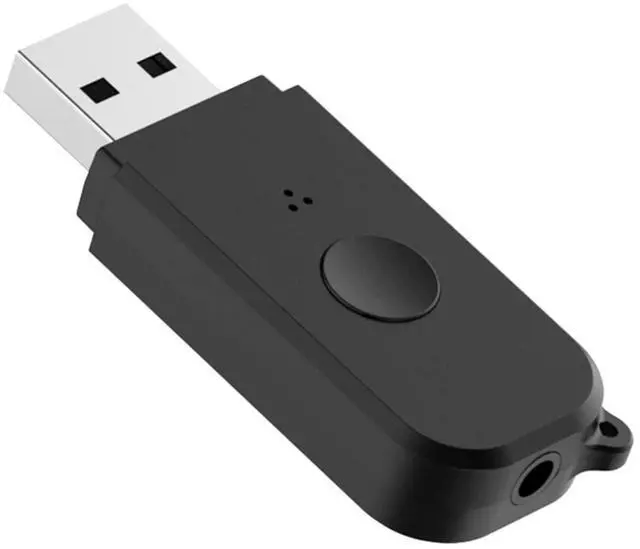
- 3.5mm Bluetooth Transmitter for TV supports both Bluetooth transmitting and receiving, namely TX and RX Mode. In TX mode, bluetooth transmitter connects virtually any TV, PC, or MP4 player to Bluetooth for wireless audio streaming; RX mode adds Bluetooth to an array of non-Bluetooth headphones or speakers to enjoy high-quality audio.

Frequently Asked Questions
1. How to connect with TV?
- 1.Open your Bluetooth headphones or speaker and set it to Bluetooth pairing mode 2.Set the kit to "TX" mode,Long press the button for 3s until you see Red light flashing. Put your BT headphone close to this adapter, then wait for them pairing, pairing is successful if the RED light is solid. 3.Insert the 3.5mm audio cable from the device into the TV's audio output jack.
2. No sound from TV?
- Please ensure that the aux cable is securely plugged into the "AUDIO OUT" or headphone jack on your TV, and confirm that both devices are successfully paired. Then, adjust the TV's sound settings from "TV speaker" to "Audio out."
3. Suddenly stopped working or working unstable?
- Please check if there are any other Bluetooth devices nearby, such as your phone's Bluetooth? Sometimes, the headphones might be occupied by the phone's Bluetooth, causing it to turn off unexpectedly. Please try turning off the Bluetooth on your phone. We've encountered this issue ourselves while using Bluetooth devices; it's a common occurrence with Bluetooth devices.
4. Not work with my TV?
- Please make sure your TV has 3.5mm AUX AUDIO OUT jack or Headphone jack.
5. Can it work as Transmiiter and Receiver at the same time?
- NO, it can work as a Transmitter or as Receiver, As a Bluetooth Transmitter, it can only pair with BT headphone/speaker. As a Receiver, it can only pair with Smartphone or Tablet.



Belows Steps Can Help You Use The Bluetooth Transceiver Better
Transmitter mode: (Red light flashes)(for TV sound to Bluetooth headphone or bluetooth speaker)
- 1. Insert the transmitter receiver into the USB port (if your device does not have a USB port. You can use a mobile phone charger or power bank, etc.).
- 2. Then use 3.5mm audio audio cable to connect the product to TV, PC or other devices.
- 3. Turn on your Bluetooth device. The transmitter will automatically search for your Bluetooth receiving device (such as Bluetooth headset, Bluetooth speaker, Bluetooth receiver, etc.).
- 4. The pairing is successfully and you can enjoy your TV now without disturbing others
Receiver mode:(Blue light flashes)(for mobile phone or tablet transmit music to non bluetooth home/car sound system)
- 1. Plug the device into the USB port to supply power (such as car charging, power bank, etc.),
- 2. The device light flashes blue quickly, connect the device with your non-Bluetooth audio device with a 3.5MM audio cable
- 3. Turn on the mobile phone Bluetooth, search for Bluetooth devices (H210), click and connect
- 4. The pairing is successful and start to enjoy wireless music.
IMPORTANT NOTES:
- In transmitter mode, if the device is not paired with your Bluetooth Headphone.Make sure your BT headphone is under pairing states.
- USB just powers the device. CAN NOT transfer audio and transfer files. And only one Bluetooth device can be connected in transmitter mode.
- If the sound get stuck or disconnected when playing,make sure it is within the effective distance and there is no obstacle or interference around this adapter.
Upgrad your Home Speaker
Simply plug it into your speaker aux port and usb port for power spply, pair it with your smart phone and start to enjoy your home music party now!
Stream Music to Car Stereo
Simply plug this Bluetooth adpater into your car usb port and the other end to the 3.5mm aux port and pair it with your phone, start to enjoy your wireless music now!
Enjoy the Silence
Benefit from bluetooth audio when exercising, watching Late night TV shows, or simply when you want to keep the entertainment for yourself only or not affect others.
Low Latency
Experience low latency Bluetooth V5.3 technology which eliminates audio delay so you can enjoy rich sound clarity in perfect sync with any video, movie and gaming.
Power By USB
USB 5V power supply, don’t worry about running out of power when listening to music.( Does not support handsfree function). The bluetooth adapter is small, lightweight and easy to carry.
Bluetooth 5.3V
Equipped with latest Bluetooth 5.3 technology, bluetooth usb transmitter would reduce power consumption and offer a fast and stable transmission than bluetooth 5.0.
2-IN-1Bluetooth 5.3 Transmitter & Receiver
- What happens if your want to watch late night TV with your bluetooth headphone without affecting others, but the TV is not capable of bluetooth?
- What happens if you want to pair your smartphone with a home speaker or car speaker to stream audio and create a sound system, but the Home or Car speaker is not capable of bluetooth? Don't Worry! Our New Bluetooth V5.3 adapter can save your from these problem!
- 3.5mm Bluetooth Transmitter for TV supports both Bluetooth transmitting and receiving, namely TX and RX Mode. In TX mode, bluetooth transmitter connects virtually any TV, PC, or MP4 player to Bluetooth for wireless audio streaming; RX mode adds Bluetooth to an array of non-Bluetooth headphones or speakers to enjoy high-quality audio.
Frequently Asked Questions
1. How to connect with TV?
- 1.Open your Bluetooth headphones or speaker and set it to Bluetooth pairing mode 2.Set the kit to "TX" mode,Long press the button for 3s until you see Red light flashing. Put your BT headphone close to this adapter, then wait for them pairing, pairing is successful if the RED light is solid. 3.Insert the 3.5mm audio cable from the device into the TV's audio output jack.
2. No sound from TV?
- Please ensure that the aux cable is securely plugged into the "AUDIO OUT" or headphone jack on your TV, and confirm that both devices are successfully paired. Then, adjust the TV's sound settings from "TV speaker" to "Audio out."
3. Suddenly stopped working or working unstable?
- Please check if there are any other Bluetooth devices nearby, such as your phone's Bluetooth? Sometimes, the headphones might be occupied by the phone's Bluetooth, causing it to turn off unexpectedly. Please try turning off the Bluetooth on your phone. We've encountered this issue ourselves while using Bluetooth devices; it's a common occurrence with Bluetooth devices.
4. Not work with my TV?
- Please make sure your TV has 3.5mm AUX AUDIO OUT jack or Headphone jack.
5. Can it work as Transmiiter and Receiver at the same time?
- NO, it can work as a Transmitter or as Receiver, As a Bluetooth Transmitter, it can only pair with BT headphone/speaker. As a Receiver, it can only pair with Smartphone or Tablet.
Headphone stand& Heatsink