here!
I’m your shopping assistant for PC builds, upgrades, and everything tech.
Got questions? Ask away!
Start a conversation
here!
I’m your shopping assistant for PC builds, upgrades, and everything tech.
Got questions? Ask away!
Start a conversation



Any questions? Ask CelesteSM will help you find out quickly.
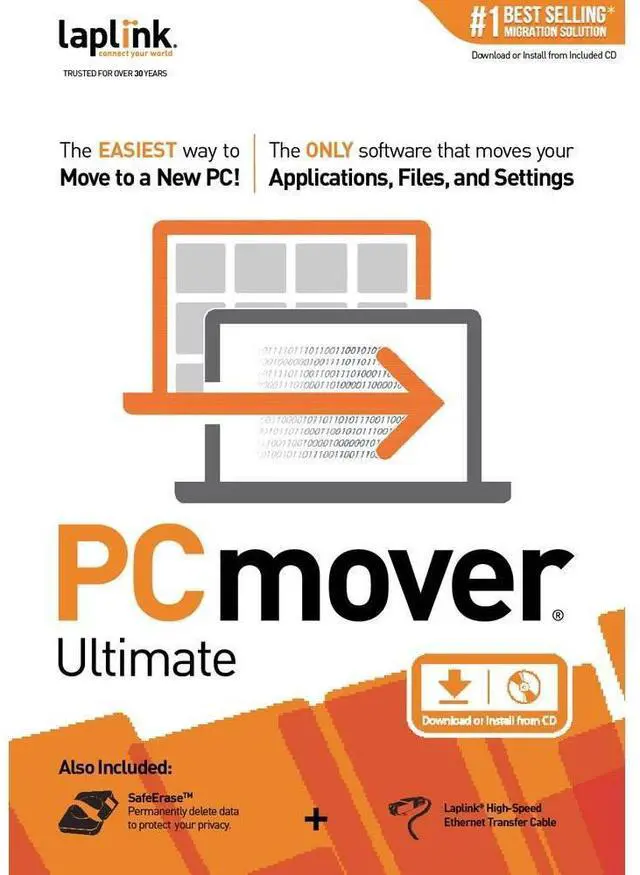
The Easiest Way to Move to a New PC
To use PCmover, simply install it on both your old and new Windows computers, and follow the easy-to-use wizard. When the transfer is complete, your new PC will have the personality and functionality of your old one. Because most transferred applications are installed ready-to-use on the new PC, there's usually no need to find old CDs or previously downloaded applications, serial numbers, or license codes.
PCmover's advanced features also let you choose which applications, files, settings, and users to take with you when you move the data to your new PC. If your computer has multiple users, PCmover gives you the option to transfer some or all of the users. The security information about file ownership and access control is preserved for each user too.
Microsoft's® Windows® 10 no longer includes Windows Easy Transfer, making PCmover the critical solution for saving you time in setup. Laplink's PCmover is the best-selling migration solution and the ONLY one Microsoft® recommends.
Multiple Connection Options and Optimized for Fastest Transfer
PCmover can transfer your PC's data across a network (Wi-Fi or wired), a Laplink Ethernet cable, Laplink USB 2.0 cable, or Laplink Super
Speed USB 3.0 cable. PCmover's auto connection technology will determine the most efficient method for you. Unlike any other migration software, PCmover also supports a direct transfer from an image or an old hard drive. Lastly, a file based transfer using external media is even an option.
While PCmover completes the transfer as fast as possible, the transfer may take several hours depending on various factors: the size of the hard drive (s), the amount of data, the number and size of applications and files, and the connection speed.
Laplink Software, Inc.
For over 35 years, Laplink Software has been a global leader in PC connectivity. Our commitment to the needs of our customers has been the driving force behind all of our product development and has earned Laplink the loyalty and trust of millions of customers worldwide who migrate, transfer, synchronize, share, and remotely access their data.
We want to ensure your holiday shopping this year is hassle-free. That’s why we’re automatically extending our return policies on almost every product! For purchases placed between November 1st, 2026 and December 31, 2026 you will have until January 31, 2027 to return your product.
Laplink PCmover v.11.0 Ultimate is Windows migration software for people moving to a new PC who want to transfer files, settings, users, and many applications from their old computer; it includes an Ethernet cable and is installed on both PCs.
| Attribute | Value |
|---|---|
| Best For | Moving data, files, and applications when setting up or migrating a Windows computer |
| Software Details | Laplink PCmover v.11.0 Ultimate utility software for Windows |
| Package And Physical Details | One item; multicolor; item dimensions 7.75 × 5.31 × 1.37 inches and item package dimensions 7.75 × 5.25 × 1.15 inches; item weight 0.28 pounds and package weight 0.3 pounds |
| Model Identifiers | Model PAFGPCMP0B000PGRTPEN |