





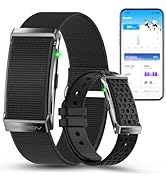
How to turn on my smart wristband and connect it to my phone?
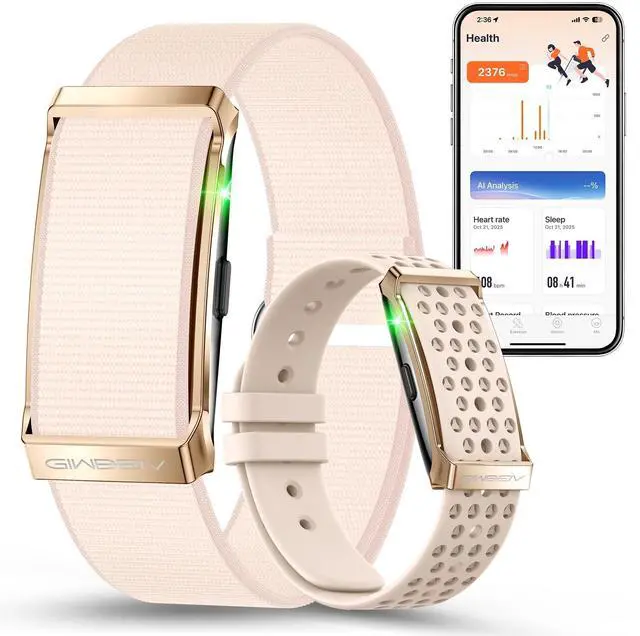
1. Press and hold for 3s to power on. When the button is pressed once: Red light = on (waiting for connection), No light = off.
2. Open the app, find Bluetooth devices starting with "DS10" to connect
3. Press once: green = connected, red = failed
Does the "Q WatchPro" app require any additional charges?
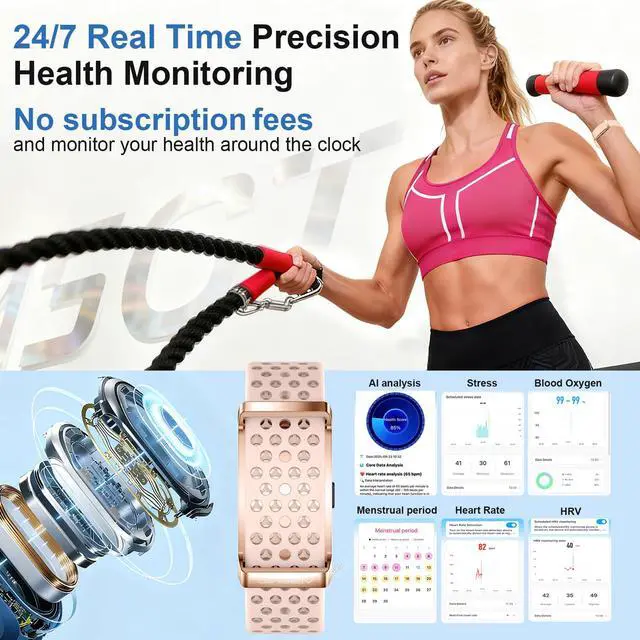
Zero subscriptions---The app we provide is completely free, and all its features are available for lifetime free use
Why Choose Giwbeiv?
3-year w-arranty covers all defects – we cover repair or replacement costs. Enjoy long-term support
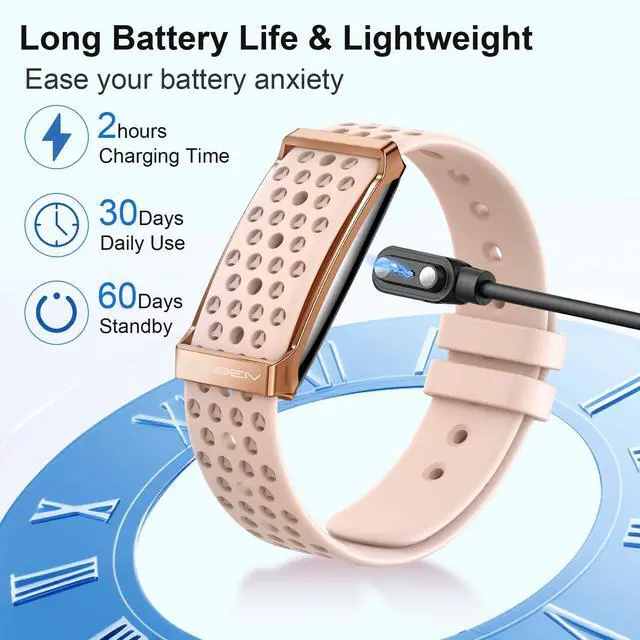
How long does the smart bracelet hold a full charge?
Our smart bracelet offers up to 1 month of battery life on a single charge – no need to stress about running out of power!
What if I have other questions about the smart band?
You can reach out to us at any time to help you solve the problems you encounter, and we will do our best to provide you with a saisfactory solution.


Our commitment to quality is unwavering. Each product undergoes rigorous testing, combining the latest AI advancements with meticulous craftsmanship. From the precision of our smart devices to the reliability of our virtual assistants, we ensure every piece meets the highest standards. Because for us, quality isn’t a choice—it’s a promise to deliver AI solutions you can trust, now and in the future.
How did we get our start?
In a world flooded with tech promises, we understand that what truly matters is how AI fits into your life. Every day, we see you juggling work, family, and personal passions, seeking ways to make each moment more efficient and enjoyable.
What makes our products unique?
1.AI that adapts to YOU, not the other way around.
2.Built with premium materials—tested to last 3x longer than others.
3.Super easy to use—no tech skills needed, ever.
4.Gets smarter over time with free updates.
5.Designed based on real customer feedback, not just tech specs.
Giwbeiv


How to turn on my smart wristband and connect it to my phone?
1. Press and hold for 3s to power on. When the button is pressed once: Red light = on (waiting for connection), No light = off.
2. Open the app, find Bluetooth devices starting with "DS10" to connect
3. Press once: green = connected, red = failed
Does the "Q WatchPro" app require any additional charges?
Zero subscriptions---The app we provide is completely free, and all its features are available for lifetime free use
Why Choose Giwbeiv?
3-year w-arranty covers all defects – we cover repair or replacement costs. Enjoy long-term support
How long does the smart bracelet hold a full charge?
Our smart bracelet offers up to 1 month of battery life on a single charge – no need to stress about running out of power!
What if I have other questions about the smart band?
You can reach out to us at any time to help you solve the problems you encounter, and we will do our best to provide you with a saisfactory solution.
Our commitment to quality is unwavering. Each product undergoes rigorous testing, combining the latest AI advancements with meticulous craftsmanship. From the precision of our smart devices to the reliability of our virtual assistants, we ensure every piece meets the highest standards. Because for us, quality isn’t a choice—it’s a promise to deliver AI solutions you can trust, now and in the future.
How did we get our start?
In a world flooded with tech promises, we understand that what truly matters is how AI fits into your life. Every day, we see you juggling work, family, and personal passions, seeking ways to make each moment more efficient and enjoyable.
What makes our products unique?
1.AI that adapts to YOU, not the other way around.
2.Built with premium materials—tested to last 3x longer than others.
3.Super easy to use—no tech skills needed, ever.
4.Gets smarter over time with free updates.
5.Designed based on real customer feedback, not just tech specs.
Giwbeiv