




Troubleshooting
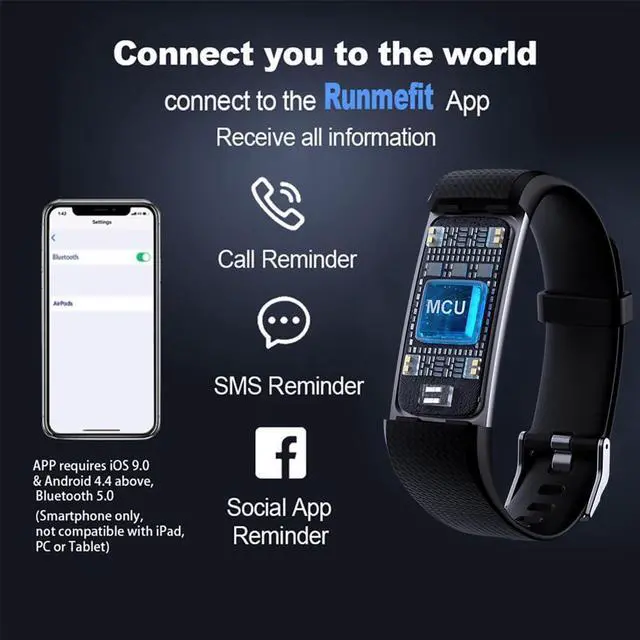
This activity tracker requires iOS 9.0 & Android 4.4 above, Bluetooth 5.0 (Smartphone only, not compatible with iPad, PC or Tablet)
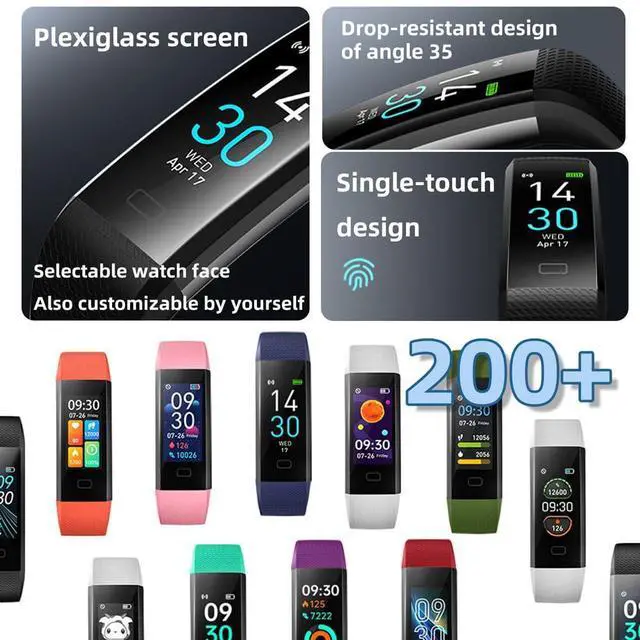
You can get more colors of watch band by Searching: “S5 adjustable wristband 5 color”.
Q1. Why my epekops fitness tracker could not be turn on?
When you get the epekops fitness tracker, long press the touch point(on the bottom of screen, rectangle) for 5 seconds, if it still cannot be turned on, it means that the watch is out of power. Please charge it to activate.
Q2. How to charge the epekops activity tracker?
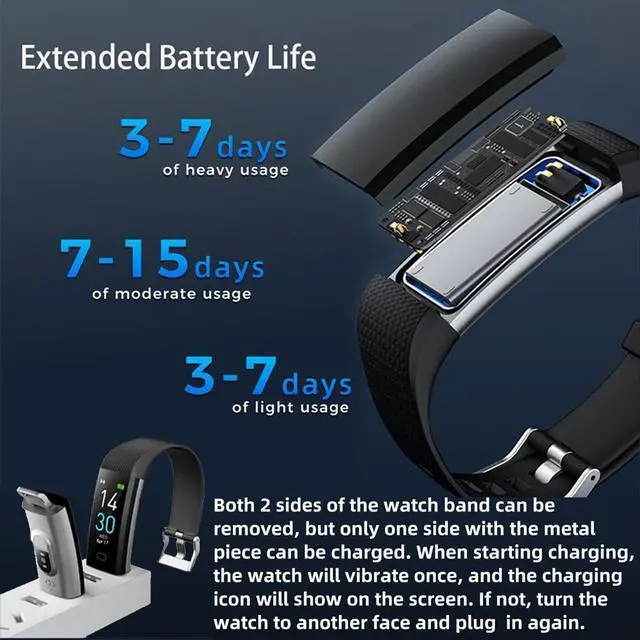
Both 2 sides of watch band can be removed, but only one side with metal piece can be charged. When starting charging, watch will vibrate once, and the charging icon will show on screen. If not, try to rotate the watch body(turn around) to the opposite , then try to insert again.
Q3. How to set the date and time of epekops fitness tracker smart watch?
The epekops fitness tracker will automatically synchronize the time and date with your phone after connection. When the fitness tracker is out of power, there may be an error in [time] when you operate it again. After fully charged, please connect your phone again, it will automatically synchronize the time to the right one.
Q4. Why the notification function not working when I using? How make it work?
Please follow the reminder in app when your FIRST CONNECTION, open all the related authority of app in phone and keep app working in backstage even screen closed. You can also WATCH THE VIDEO: youtu.be/J3oBwv0NmbQ to understand how to use this item clearly. Especially when you got problem about PAIR WATCH WITH PHONE.
Q5. What about the accuracy of step count data?
To ensure the data accuracy, you need wear the watch close to your skin, and the strap should be one finger away from the wrist.
The three-axis accelerometer is used in the wristband, and the error is about 2%, that's normal for deviation. And any kind of fitness tracker counts steps by hand moving when you walking, the step counts data needs some time to update when you walking a while. If you walking less than 20 steps in a period, the step counter would not count. (To reduce the wrong count when you working and sleeping)
Feature & Specification
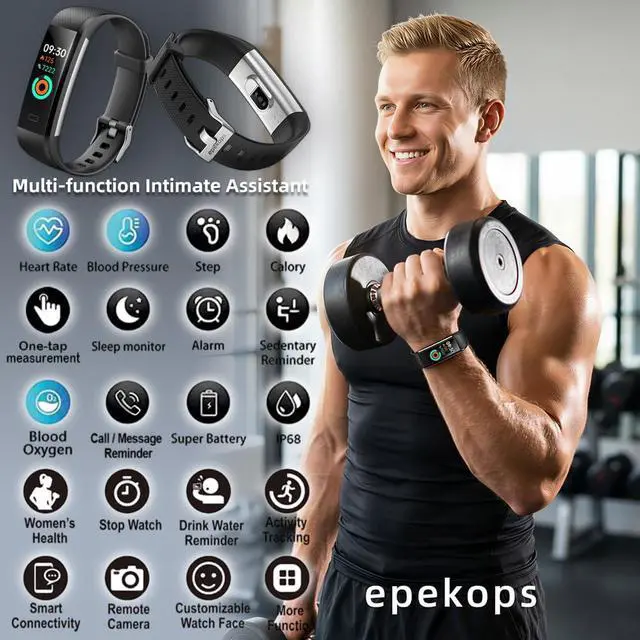
- Blood Pressure /Heart Rate/Other Health Data Test/Sleep Monitor, Sedentary Reminder/Drink Water Reminder
-Customizable Watch Face/Fitness Tracker/Activity Tracker/Female Health Assistant/ MET/Emotional Pressure Monitor
- Smart Watch/Pedometer/Calorie Tracker/Step Counter/Alarm Clock Calendaring/Phone Call/Message Notification.
- Google Fit Supported/Remote Camera Shooting/Raise to wake up screen/Vibratet Find phone
- More to find by yourself! Please enjoy the epekops S5 activity tracker smart watch!
Model: S5 / Bluetooth Version: 5.0 or later / Adapt system: Android 4.4 or above, IOS 9.0 or above
Bluetooth Transmission Distance: 10 Meters (32.8 feet) / Screen size: 0.96 inch
Capacity: 105mAh / Working time: 7-10 days / Standby time: 30days
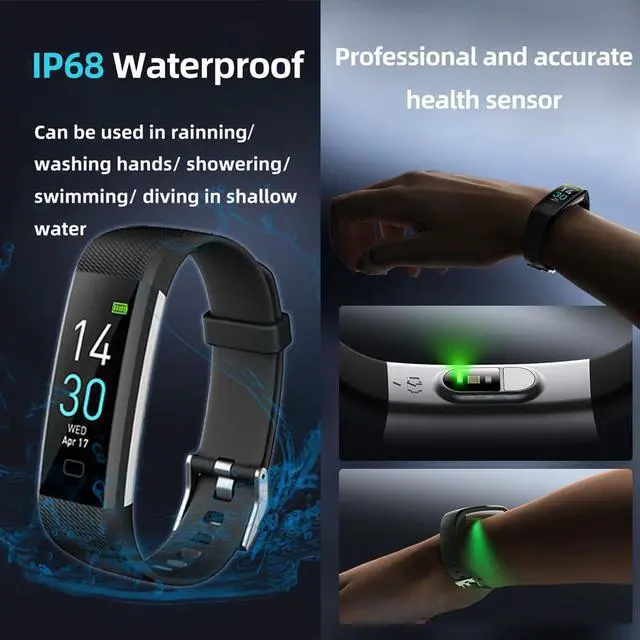
Charging time: 1-2 hours / Weight: 0.84 oz (23.8g.) / Waterproof: IP68 / Band Material: TPU
Troubleshooting
This activity tracker requires iOS 9.0 & Android 4.4 above, Bluetooth 5.0 (Smartphone only, not compatible with iPad, PC or Tablet)
You can get more colors of watch band by Searching: “S5 adjustable wristband 5 color”.
Q1. Why my epekops fitness tracker could not be turn on?
When you get the epekops fitness tracker, long press the touch point(on the bottom of screen, rectangle) for 5 seconds, if it still cannot be turned on, it means that the watch is out of power. Please charge it to activate.
Q2. How to charge the epekops activity tracker?
Both 2 sides of watch band can be removed, but only one side with metal piece can be charged. When starting charging, watch will vibrate once, and the charging icon will show on screen. If not, try to rotate the watch body(turn around) to the opposite , then try to insert again.
Q3. How to set the date and time of epekops fitness tracker smart watch?
The epekops fitness tracker will automatically synchronize the time and date with your phone after connection. When the fitness tracker is out of power, there may be an error in [time] when you operate it again. After fully charged, please connect your phone again, it will automatically synchronize the time to the right one.
Q4. Why the notification function not working when I using? How make it work?
Please follow the reminder in app when your FIRST CONNECTION, open all the related authority of app in phone and keep app working in backstage even screen closed. You can also WATCH THE VIDEO: youtu.be/J3oBwv0NmbQ to understand how to use this item clearly. Especially when you got problem about PAIR WATCH WITH PHONE.
Q5. What about the accuracy of step count data?
To ensure the data accuracy, you need wear the watch close to your skin, and the strap should be one finger away from the wrist.
The three-axis accelerometer is used in the wristband, and the error is about 2%, that's normal for deviation. And any kind of fitness tracker counts steps by hand moving when you walking, the step counts data needs some time to update when you walking a while. If you walking less than 20 steps in a period, the step counter would not count. (To reduce the wrong count when you working and sleeping)
Feature & Specification
- Blood Pressure /Heart Rate/Other Health Data Test/Sleep Monitor, Sedentary Reminder/Drink Water Reminder
-Customizable Watch Face/Fitness Tracker/Activity Tracker/Female Health Assistant/ MET/Emotional Pressure Monitor
- Smart Watch/Pedometer/Calorie Tracker/Step Counter/Alarm Clock Calendaring/Phone Call/Message Notification.
- Google Fit Supported/Remote Camera Shooting/Raise to wake up screen/Vibratet Find phone
- More to find by yourself! Please enjoy the epekops S5 activity tracker smart watch!
Model: S5 / Bluetooth Version: 5.0 or later / Adapt system: Android 4.4 or above, IOS 9.0 or above
Bluetooth Transmission Distance: 10 Meters (32.8 feet) / Screen size: 0.96 inch
Capacity: 105mAh / Working time: 7-10 days / Standby time: 30days
Charging time: 1-2 hours / Weight: 0.84 oz (23.8g.) / Waterproof: IP68 / Band Material: TPU