





Q: How long can the glasses record?
A: The recording time is up to 100 minutes on a full charge. To prevent large HD video files from getting corrupted or lost, the system automatically splits the footage into 3-minute separate clips. For 100 minutes of recording, you’ll get about 34 individual video files total.
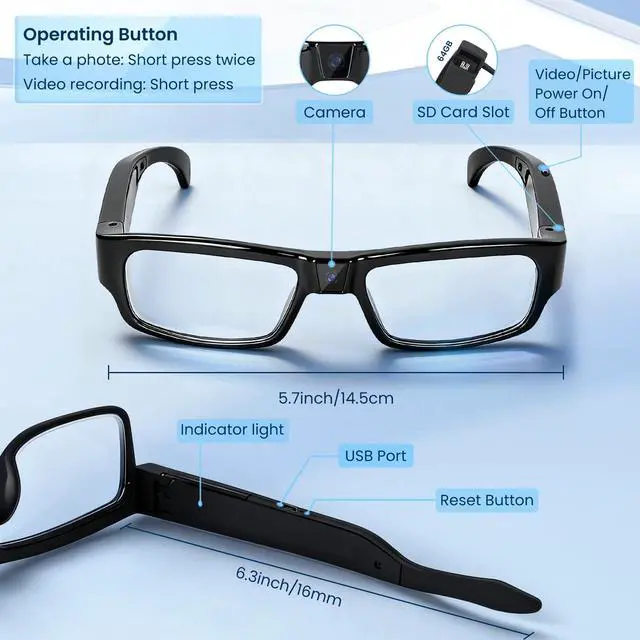
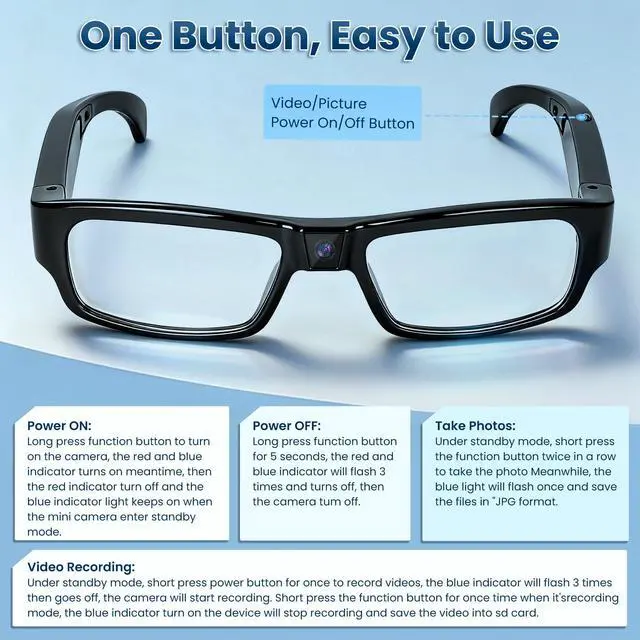
One Button Operation- Video/Picture, Power On/Power Off
- Power ON: Long press function button to turn on the camera, the red and blue indicator turns on meantime, then the red indicator turn off and the blue indicator light keeps on when the mini camera enter standby mode.
- Power OFF: Long press function button for 5 seconds, the red and blue indicator will flash 3 times and turns off, then the camera tum off.
- Take Photos: Under standby mode, short press the function button twice in a row to take the photo Meanwhile, the blue light will flash once and save the files in "JPG format.
- Video Recording: Under standby mode, short press power button for once to record videos, the blue indicator will flash 3 times then goes off, the camera will start recording. Short press the function button for once time when it's recording mode, the blue indicator turn on the device will stop recording and save the video into sd card.
Important Notice 1:
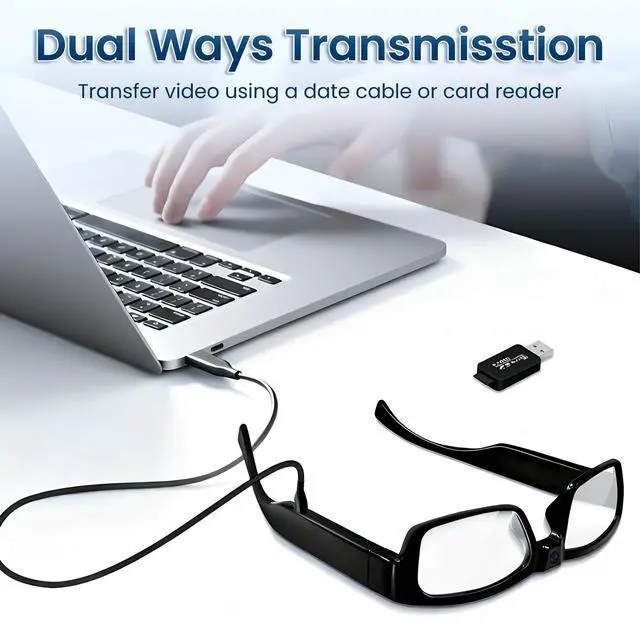
There's no bluetooth or WiFi connectivity, so you are not able to use an app or anything to quickly review or see the pictures/video. until you connect to the computer.


Q: How long can the glasses record?
A: The recording time is up to 100 minutes on a full charge. To prevent large HD video files from getting corrupted or lost, the system automatically splits the footage into 3-minute separate clips. For 100 minutes of recording, you’ll get about 34 individual video files total.
One Button Operation- Video/Picture, Power On/Power Off
- Power ON: Long press function button to turn on the camera, the red and blue indicator turns on meantime, then the red indicator turn off and the blue indicator light keeps on when the mini camera enter standby mode.
- Power OFF: Long press function button for 5 seconds, the red and blue indicator will flash 3 times and turns off, then the camera tum off.
- Take Photos: Under standby mode, short press the function button twice in a row to take the photo Meanwhile, the blue light will flash once and save the files in "JPG format.
- Video Recording: Under standby mode, short press power button for once to record videos, the blue indicator will flash 3 times then goes off, the camera will start recording. Short press the function button for once time when it's recording mode, the blue indicator turn on the device will stop recording and save the video into sd card.
Important Notice 1:
There's no bluetooth or WiFi connectivity, so you are not able to use an app or anything to quickly review or see the pictures/video. until you connect to the computer.