Your Browsing History
Meet Your Seller
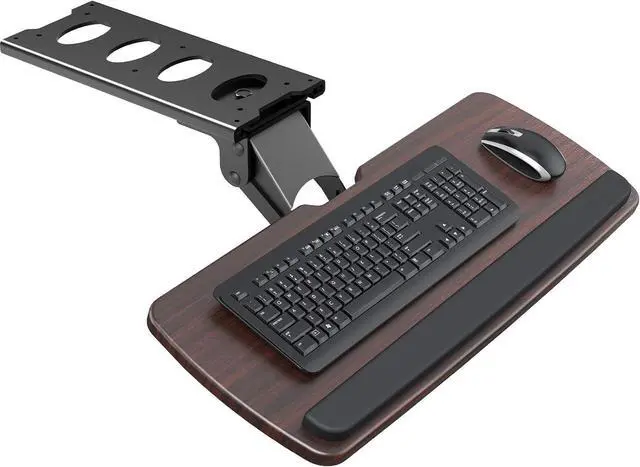
Keyboard Tray Under Desk, 360 Adjustable Ergonomic Sliding Keyboard & Mouse Tray, Under Desk Keyboard Tray Slide Out, Keyboard Holder Under Desk for Typing in Home, Office Work, 25"W x 9.84"D
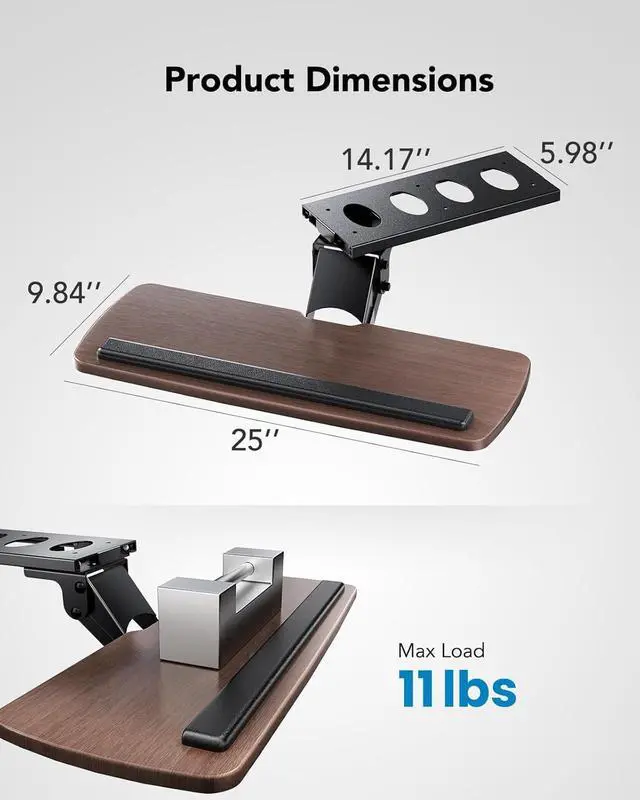
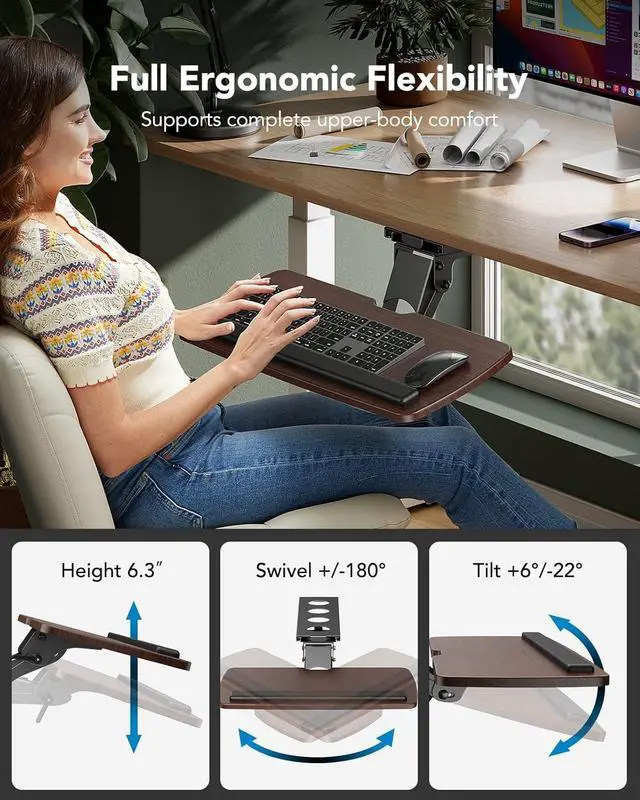
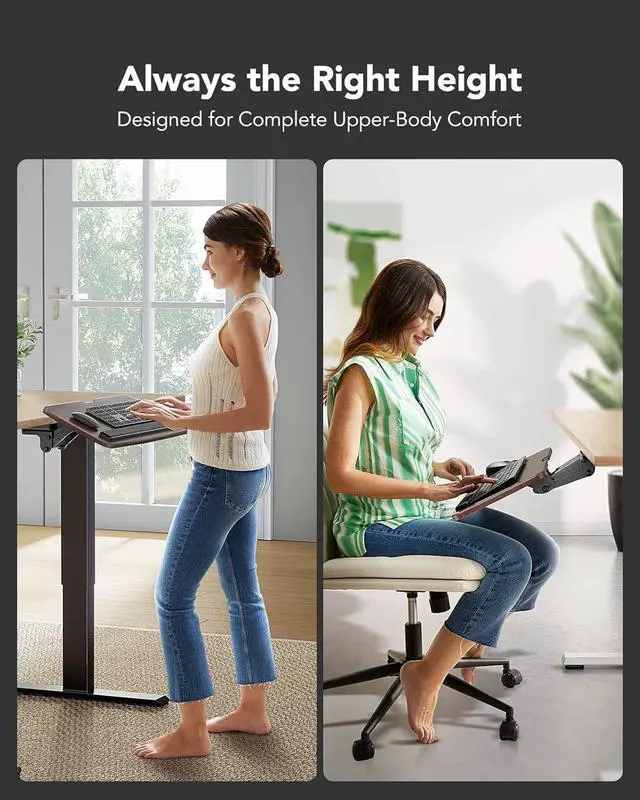
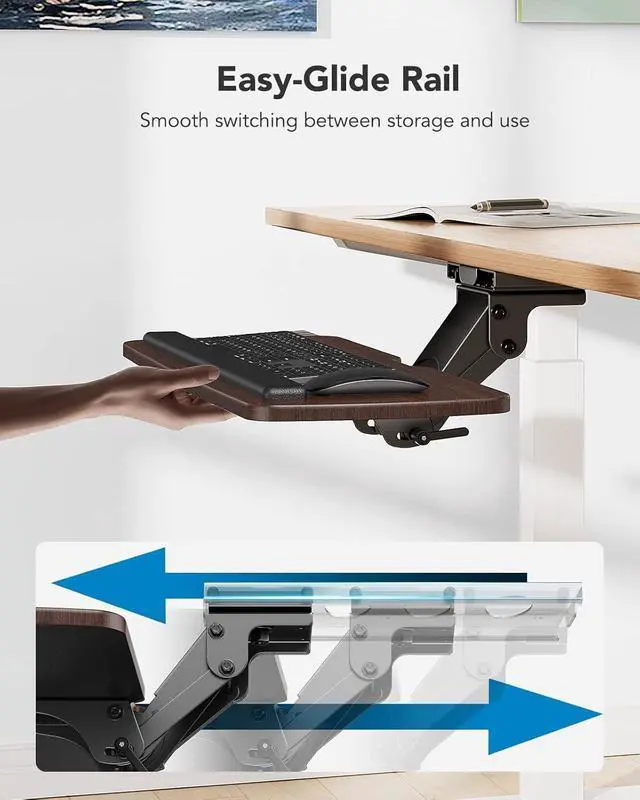
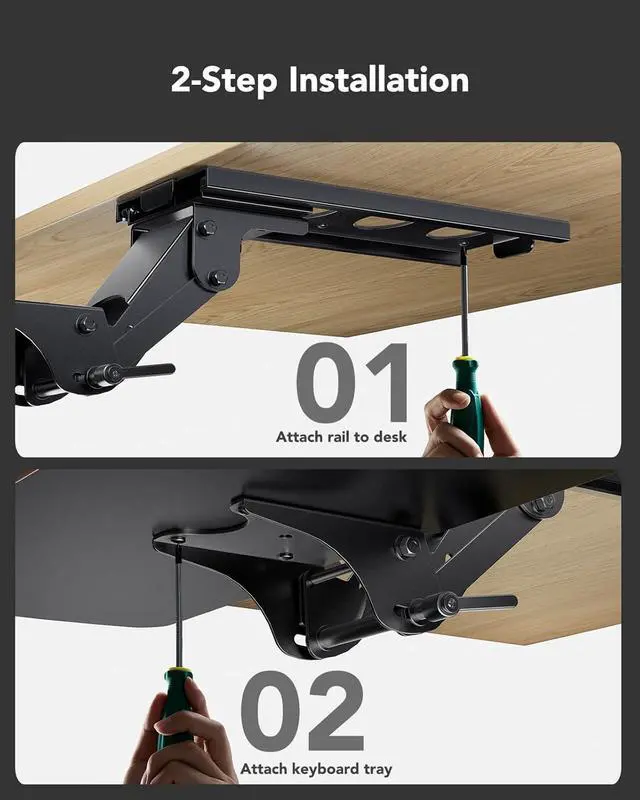
- Large & Practical Size This full-size keyboard tray measures 25" × 9.84" (635 × 250 mm). It is well suited for keyboards measuring approximately 17.3" × 5.5" (440 × 140 mm) or smaller, with extra space for a mouse. Before purchasing, please compare your keyboard dimensions with the tray size and ensure you are comfortable with the remaining space available for mouse use. An included wrist rest offers added comfort during use. (Item weight: 10 lbs.) Full Motion Under Desk Computer Keyboard Platform The platform can rotate left and right 180 degrees. It can also tilt 6 degrees up and 22 degrees down for enhanced comfort. Height Adjustable Keyboard Tray With a total of 6.3 inches of height adjustment, this under desk keyboard tray allows you to sit and stand at your desk and achieve better ergonomics. (When the keyboard tray is adjusted to the lowest, the height of the connector is 7.48".) Save Space Placing the keyboard and the mouse on an ergonomic tray improves comfort and creates additional space on the desktop. When not in use, the sliding keyboard tray tucks away under the desk. Please tighten the knob when typing. (Please loosen the knob first, then adjust the tray to a position parallel to the bottom of the desk and tighten the knob, and the product can be slid and rotated successfully.) Easy Installation All necessary hardware and instructions are provided for assembly. Please confirm that no crossbar under your desk OR at least 14.17" between the desktop ed
+
+
Overview
Specs
Reviews
Any questions? Our AI mode will help you find out quickly.
Try me now
Large & Practical Size This full-size keyboard tray measures 25" × 9.84" (635 × 250 mm). It is well suited for keyboards measuring approximately 17.3" × 5.5" (440 × 140 mm) or smaller, with extra space for a mouse. Before purchasing, please compare your keyboard dimensions with the tray size and ensure you are comfortable with the remaining space available for mouse use. An included wrist rest offers added comfort during use.
(Item weight: 10 lbs. ) Full Motion Under Desk Computer Keyboard Platform The platform can rotate left and right 180 degrees. It can also tilt 6 degrees up and 22 degrees down for enhanced comfort. Height Adjustable Keyboard Tray With a total of 6.3 inches of height adjustment, this under desk keyboard tray allows you to sit and stand at your desk and achieve better ergonomics. (When the keyboard tray is adjusted to the lowest, the height of the connector is 7.48". ) Save Space Placing the keyboard and the mouse on an ergonomic tray improves comfort and creates additional space on the desktop. When not in use, the sliding keyboard tray tucks away under the desk. Please tighten the knob when typing. (Please loosen the knob first, then adjust the tray to a position parallel to the bottom of the desk and tighten the knob, and the product can be slid and rotated successfully. ) Easy Installation All necessary hardware and instructions are provided for assembly. Please confirm that no crossbar under your desk OR at least 14.17" between the desktop edge and crossbar (if the entire keyboard tray must slide under the desk needs at least 16.22" )
, no legs and obstacles on either side of the desk OR at least 25" of width clearance (if the keyboard tray requires rotation needs at least 35.4" ), and minimum desk thickness > 0.6"

(Item weight: 10 lbs. ) Full Motion Under Desk Computer Keyboard Platform The platform can rotate left and right 180 degrees. It can also tilt 6 degrees up and 22 degrees down for enhanced comfort. Height Adjustable Keyboard Tray With a total of 6.3 inches of height adjustment, this under desk keyboard tray allows you to sit and stand at your desk and achieve better ergonomics. (When the keyboard tray is adjusted to the lowest, the height of the connector is 7.48". ) Save Space Placing the keyboard and the mouse on an ergonomic tray improves comfort and creates additional space on the desktop. When not in use, the sliding keyboard tray tucks away under the desk. Please tighten the knob when typing. (Please loosen the knob first, then adjust the tray to a position parallel to the bottom of the desk and tighten the knob, and the product can be slid and rotated successfully. ) Easy Installation All necessary hardware and instructions are provided for assembly. Please confirm that no crossbar under your desk OR at least 14.17" between the desktop edge and crossbar (if the entire keyboard tray must slide under the desk needs at least 16.22" )
, no legs and obstacles on either side of the desk OR at least 25" of width clearance (if the keyboard tray requires rotation needs at least 35.4" ), and minimum desk thickness > 0.6"
Warranty & Returns
Warranty, Returns, And Additional Information
Warranty
- Please contact the Seller directly for warranty information. Warranty information may also be found on the Manufacturer's website.
- CONTACT
Return Policies
- Return for refund within: 30 days
- Return for replacement within: 30 days
- This item is covered by DeJin Store Return Policy
Manufacturer Contact Info
- For a directory of all our manufacturers, please click below.
- Manufacturers Directory
LOADING...