





Wireless HD Display Adappter
Cast Small Screen to Large Screen Wirelessly
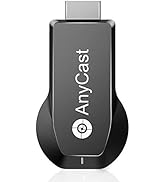
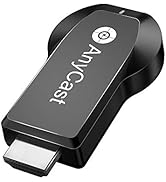
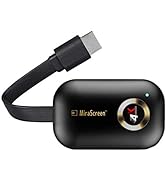
Wireless Screen Cast Adapter
What problem are we solving?
We solve the limitation of a small screen, we are committed to enabling wireless display technology.
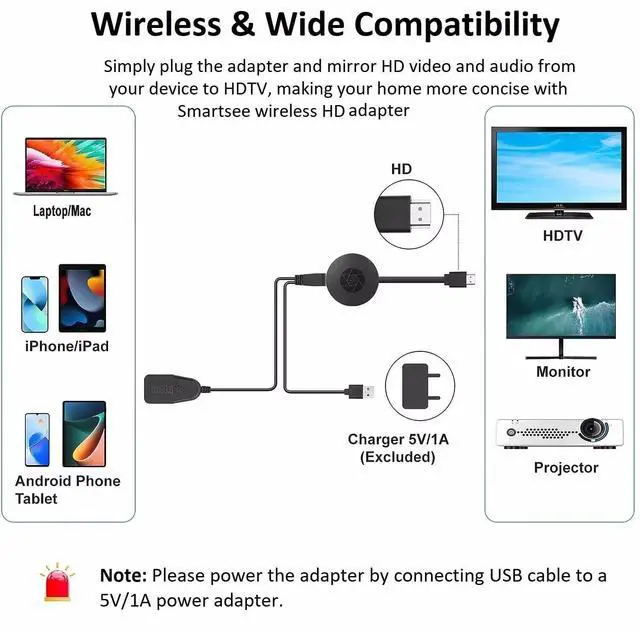
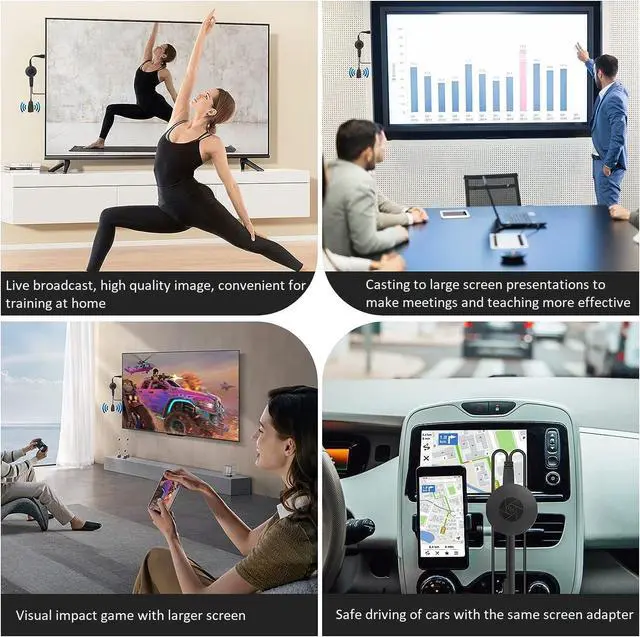
Our wireless display adapter allows you to mirror what’s on your phone’s screen to a bigger screen. Not limited to phone, but also for tablet, laptop, PC to HD TV, projector, monitor, carscreen, etc.
Cast small screen to large screen wirelessly.

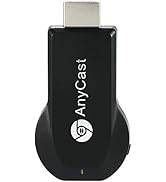
SmartSee Wireless HD Display Adapter is a device to project your Smart Phones / Tablet PC to another big screen devices with HD interface (such as HDTV, Monitor & Projector, etc) through a WiFi connection.
And, it supports popular Screen Share standards, such as Miracast, DLNA, and Airplay.
For iPhones, the screen mirroring feature is called AirPlay.
For Android, the screen mirroring feature is MiraCast protocol, different Android devices have different names about MiraCast. Such as SmartView on Samsung, Wireless Display, Plug to, Multi-Screen, etc.
Moreover, The WiFi Display Receiver has more features such as streaming video, web surfing, photo viewer, Internet video and more, just to enjoy excellent multi-display sharing.
We’ve all watched YouTube videos on a phone or laptop while the TV sat unused across the room. The TV is bigger, and looks better, but connecting to it sometimes just isn’t worth the hassle. So we make an Wireless display adapter which is designed to solve exactly that problem.
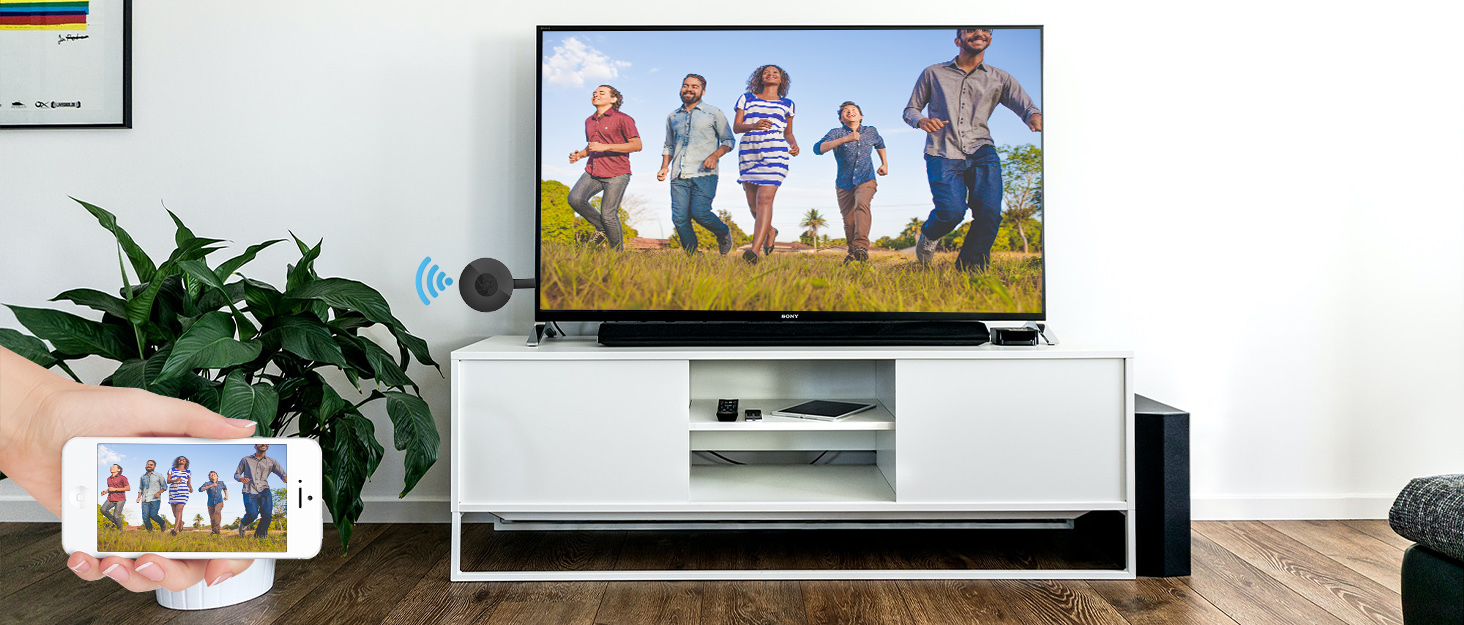
A Wireless Display Adapter allows you to mirror your mobile device's content to any HD screen such as TV screen/projector wirelessly.
Cast small screen to bigger screen.
Wireless Display Adapter - Cast Small Screen to Bigger Screen Wirelessly

SmartSee HD Wireless Display Adapter, 1080P HD Screen Mirroring from iPhone Samsung Android Smartphones Tablets to TV Projector Monitor via HD connection
1. What is a Wireless Display Adapter?
Wireless HD Display Adapter is to small screen to big screen, namely, what you see on your mobile device(smartphone/tablet/windows devices), you can see on a big screen(TV/monitor/projector) via this adapter.
2. Do I need Wireless Display Adapter?
Yes, everywhere.
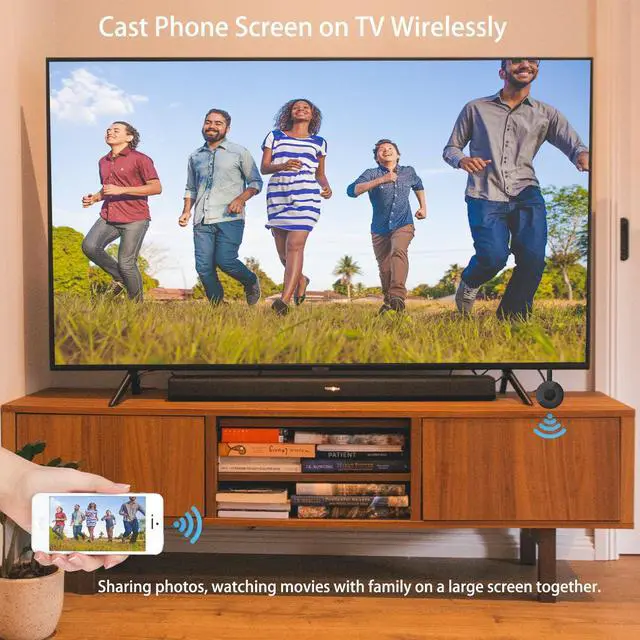
At home: you can mirror your phone/tablet to your TV, no need to stare at the phone alone, watch TV together and free your hands.
At hotel: Setting the TV or TV box is a little troublesome? Just mirror your mobile device to TV or projector by using this item.
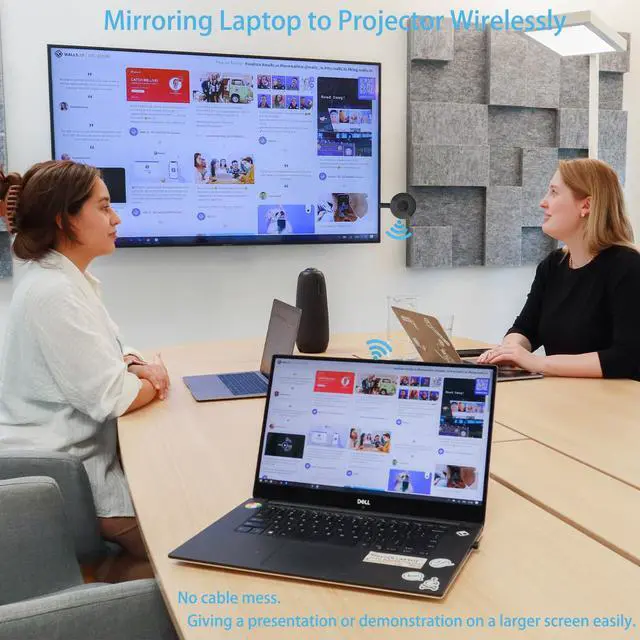
In a meeting room: No need other cables, just connect this item to mirror your tablet pc on your projector wirelessly.
In a classroom: Share your content of courses on big screen wirelessly.
3. How do you use a Wireless Display Adapter?
Pair it to use, no need to download apps.
For iOS Users: Connect it in WiFi list and connect it to your WiFi, then pair it via Airplay to mirror the screen.
For Android Users: Pair it via Miracast to mirror the screen directly. Connected once, screen mirroring directly next time.
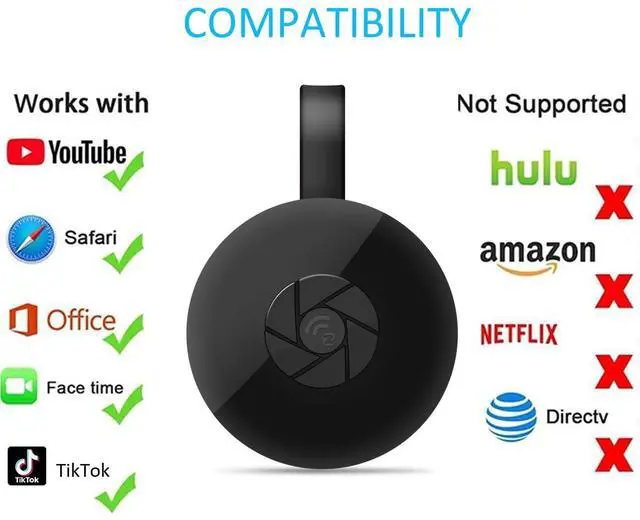
Note:Not compatible with the apps that have protocol protection, such as Netflix/ Video/ HBO go/ Hulu Plus sky go/DIRECTV etc.

Installation of Wireless display adapter
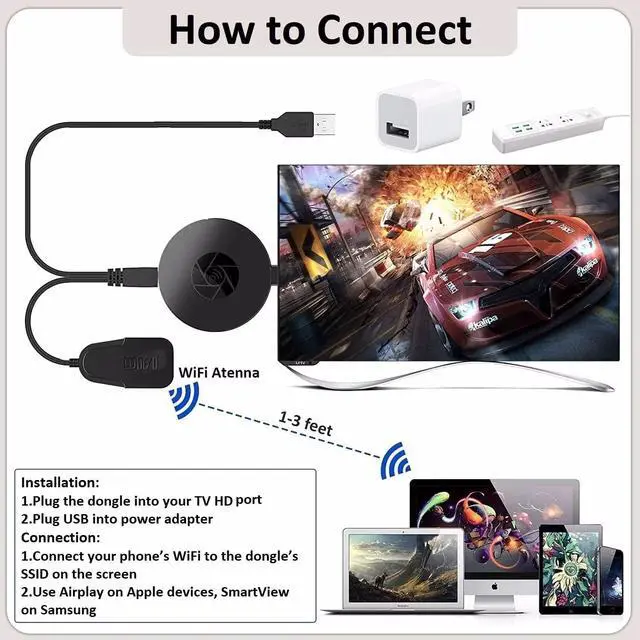
1. Plug MiraScreen dongle into HD port on your TV/projector and switch TV/projector to the right input source.
2. Plug USB cable into an external USB power adapter(power adapter is not inculded).
3. After connection, MiraScreen page shows up on your display now.
Setup/Connection on iOS Devices
Step 1: Pair MiraScreen WiFi with your iOS device.
Step 2: Open a browser and input the ip address: 192.168.203.1 on the very top searching bar, this will open the setting menu, now connect to your WiFi network via Internet.
Step 3: Use Airplay Mirroring to connect to MiraScreen dongle.
Now your iOS device will be casted on your big screen now.
Setup/Connection on Android Devices
Only One Step: Find the Miracast function on your Android device (such as screen mirroring/Miracast/smart view) and connect with the MiraScreen dongle.
Now your Android device will be casted on your big screen now.
Setup/Connection on Windows Devices
Miracast mirroring (available for Windows 8.1 and Windows 10)
Step 1: Press the button on the side of the dongle for switching to Miracast mode.
Step 2: Press short key “Win+P” on your keyboard.
Step 3: Select “Connect to a wireless display”.
Step 4: Select MiraScreen device to connect.
Now your Windows device will be casted on your big screen now.
Wide Usage:
Watch with colleagues in meeting-Mirroring screen to projector, share PPT, mail, documents and other content wirelessly.
Watch with students in classroom-Mirroring screen to big screen, share teaching content wirelessly.
Watch with your family at home-Mirroring screen to TV, share photos, videos, movies wirelessly. Carry it while travelling, share your phone to TV anytime.
Return Notes:
- Returns can be made unconditionally within 30 days.
When returning the goods, please return all the product accessories to the original packaging box, so as not to affect the second sale.
- Rather than returning the product, you prefer to figure out the proper usage?
Get in touch with the SmartSee TEAM.
SmarSee Wirelss Display Adapter is a technical product, it widely supports iOS, Android, Windows devices. Yet iOS, Android, Windows use different wireless protocol, and different protocol results in different connection, namely, connections are different on different devices.
We understand there are thousands different devices, no matter what device you use, only correct connection can reach the point. So once you are not sure about the connection, please check the User Manual. If the User Manual not indicates the connection of your device, please get in touch with SmartSee Team directly, we will tell the exact connection according to your device.
SmartSee Team is always here to support.
 Wireless HD Transmitter and Receiver | 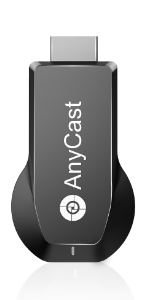 SmartSee Anycast 4K 5G Dual Band Dongle |  SmartSee 4K HD Wireless Display Adapter |  SmartSee 4K 5G Dual Band HD Wireless Display Adapter |  SmartSee Wireless Car Screen Mirroring Box | |
|---|---|---|---|---|---|
| Customer Reviews | — | — | — | — | — |
| Price | — no data | — | — | — | — no data |
| Support WiFi Connection | No Need WiFi Setting. Support Running in dual band 2.4G and 5G network. | Supports all your wireless networks with Wi-Fi 802.11ac (2.4 GHz/5 GHz) | 2.4GHz | Supports all your wireless networks with Wi-Fi 802.11ac (2.4 GHz/5 GHz) | 2.4GHz |
| Support System | Any HD Source | Android 5.0+, IOS 9.0+, Mac OS 10.0+, Windows 8+ | Android 5.0+, IOS 9.0+, Mac OS 10.0+, Windows 8+ | Android 5.0+, IOS 9.0+, Mac OS 10.0+, Windows 8+ | Android 5.0+, IOS 9.0+, Mac OS 10.0+, Windows 8+ |
| Features Support | No content limit. Support Netflix Prime Video, Sky Go, BT Sport, DIRECTV, HULU, Comcast TV, XFINITY, Vudu, Movistar, HBO and more. | Support Airplay/MiraCast Mirroring/DLNA Streaming/Support Google Home app/Chrome Browser Casting | Support Airplay/MiraCast Mirroring/DLNA Streaming/Support Google Home app/Chrome Browser Casting | Support Airplay/MiraCast Mirroring/DLNA Streaming/Support Google Home app/Chrome Browser Casting | Airplay/MiraCast Mirroring/DLNA Streaming |
SmartSee Wireless HD Display Adapter is a device to project your Smart Phones / Tablet PC to another big screen devices with HD interface (such as HDTV, Monitor & Projector, etc) through a WiFi connection.
And, it supports popular Screen Share standards, such as Miracast, DLNA, and Airplay.
For iPhones, the screen mirroring feature is called AirPlay.
For Android, the screen mirroring feature is MiraCast protocol, different Android devices have different names about MiraCast. Such as SmartView on Samsung, Wireless Display, Plug to, Multi-Screen, etc.
Moreover, The WiFi Display Receiver has more features such as streaming video, web surfing, photo viewer, Internet video and more, just to enjoy excellent multi-display sharing.
We’ve all watched YouTube videos on a phone or laptop while the TV sat unused across the room. The TV is bigger, and looks better, but connecting to it sometimes just isn’t worth the hassle. So we make an Wireless display adapter which is designed to solve exactly that problem.
A Wireless Display Adapter allows you to mirror your mobile device's content to any HD screen such as TV screen/projector wirelessly.
Cast small screen to bigger screen.
Wireless Display Adapter - Cast Small Screen to Bigger Screen Wirelessly
SmartSee HD Wireless Display Adapter, 1080P HD Screen Mirroring from iPhone Samsung Android Smartphones Tablets to TV Projector Monitor via HD connection
1. What is a Wireless Display Adapter?
Wireless HD Display Adapter is to small screen to big screen, namely, what you see on your mobile device(smartphone/tablet/windows devices), you can see on a big screen(TV/monitor/projector) via this adapter.
2. Do I need Wireless Display Adapter?
Yes, everywhere.
At home: you can mirror your phone/tablet to your TV, no need to stare at the phone alone, watch TV together and free your hands.
At hotel: Setting the TV or TV box is a little troublesome? Just mirror your mobile device to TV or projector by using this item.
In a meeting room: No need other cables, just connect this item to mirror your tablet pc on your projector wirelessly.
In a classroom: Share your content of courses on big screen wirelessly.
3. How do you use a Wireless Display Adapter?
Pair it to use, no need to download apps.
For iOS Users: Connect it in WiFi list and connect it to your WiFi, then pair it via Airplay to mirror the screen.
For Android Users: Pair it via Miracast to mirror the screen directly. Connected once, screen mirroring directly next time.
Note:Not compatible with the apps that have protocol protection, such as Netflix/ Video/ HBO go/ Hulu Plus sky go/DIRECTV etc.
Installation of Wireless display adapter
1. Plug MiraScreen dongle into HD port on your TV/projector and switch TV/projector to the right input source.
2. Plug USB cable into an external USB power adapter(power adapter is not inculded).
3. After connection, MiraScreen page shows up on your display now.
Setup/Connection on iOS Devices
Step 1: Pair MiraScreen WiFi with your iOS device.
Step 2: Open a browser and input the ip address: 192.168.203.1 on the very top searching bar, this will open the setting menu, now connect to your WiFi network via Internet.
Step 3: Use Airplay Mirroring to connect to MiraScreen dongle.
Now your iOS device will be casted on your big screen now.
Setup/Connection on Android Devices
Only One Step: Find the Miracast function on your Android device (such as screen mirroring/Miracast/smart view) and connect with the MiraScreen dongle.
Now your Android device will be casted on your big screen now.
Setup/Connection on Windows Devices
Miracast mirroring (available for Windows 8.1 and Windows 10)
Step 1: Press the button on the side of the dongle for switching to Miracast mode.
Step 2: Press short key “Win+P” on your keyboard.
Step 3: Select “Connect to a wireless display”.
Step 4: Select MiraScreen device to connect.
Now your Windows device will be casted on your big screen now.
Wide Usage:
Watch with colleagues in meeting-Mirroring screen to projector, share PPT, mail, documents and other content wirelessly.
Watch with students in classroom-Mirroring screen to big screen, share teaching content wirelessly.
Watch with your family at home-Mirroring screen to TV, share photos, videos, movies wirelessly. Carry it while travelling, share your phone to TV anytime.
Return Notes:
- Returns can be made unconditionally within 30 days.
When returning the goods, please return all the product accessories to the original packaging box, so as not to affect the second sale.
- Rather than returning the product, you prefer to figure out the proper usage?
Get in touch with the SmartSee TEAM.
SmarSee Wirelss Display Adapter is a technical product, it widely supports iOS, Android, Windows devices. Yet iOS, Android, Windows use different wireless protocol, and different protocol results in different connection, namely, connections are different on different devices.
We understand there are thousands different devices, no matter what device you use, only correct connection can reach the point. So once you are not sure about the connection, please check the User Manual. If the User Manual not indicates the connection of your device, please get in touch with SmartSee Team directly, we will tell the exact connection according to your device.
SmartSee Team is always here to support.
Wireless HD Transmitter and Receiver | SmartSee Anycast 4K 5G Dual Band Dongle | SmartSee 4K HD Wireless Display Adapter | SmartSee 4K 5G Dual Band HD Wireless Display Adapter | SmartSee Wireless Car Screen Mirroring Box | |
|---|---|---|---|---|---|
| Customer Reviews | — | — | — | — | — |
| Price | — no data | — | — | — | — no data |
| Support WiFi Connection | No Need WiFi Setting. Support Running in dual band 2.4G and 5G network. | Supports all your wireless networks with Wi-Fi 802.11ac (2.4 GHz/5 GHz) | 2.4GHz | Supports all your wireless networks with Wi-Fi 802.11ac (2.4 GHz/5 GHz) | 2.4GHz |
| Support System | Any HD Source | Android 5.0+, IOS 9.0+, Mac OS 10.0+, Windows 8+ | Android 5.0+, IOS 9.0+, Mac OS 10.0+, Windows 8+ | Android 5.0+, IOS 9.0+, Mac OS 10.0+, Windows 8+ | Android 5.0+, IOS 9.0+, Mac OS 10.0+, Windows 8+ |
| Features Support | No content limit. Support Netflix Prime Video, Sky Go, BT Sport, DIRECTV, HULU, Comcast TV, XFINITY, Vudu, Movistar, HBO and more. | Support Airplay/MiraCast Mirroring/DLNA Streaming/Support Google Home app/Chrome Browser Casting | Support Airplay/MiraCast Mirroring/DLNA Streaming/Support Google Home app/Chrome Browser Casting | Support Airplay/MiraCast Mirroring/DLNA Streaming/Support Google Home app/Chrome Browser Casting | Airplay/MiraCast Mirroring/DLNA Streaming |
Wireless HD Display Adappter
Cast Small Screen to Large Screen Wirelessly
Wireless Screen Cast Adapter
What problem are we solving?
We solve the limitation of a small screen, we are committed to enabling wireless display technology.
Our wireless display adapter allows you to mirror what’s on your phone’s screen to a bigger screen. Not limited to phone, but also for tablet, laptop, PC to HD TV, projector, monitor, carscreen, etc.
Cast small screen to large screen wirelessly.