

Your Browsing History


Meet Your Seller
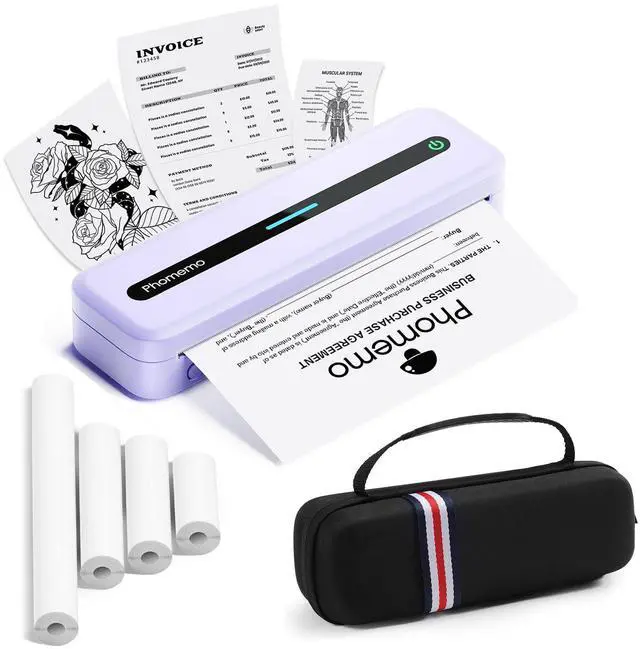


Portable Thermal Printer, Bluetooth Portable Printers Wireless for Travel, M832 Inkless Mobile Printer for Phone Laptop, Support 8.5''x11''/A4/4.33''/3.15''/2.08'' Thermal Paper, with Case
Limited time offer, ends 09/18 By Tecinhblissu
- Portable Printer with Carrying Case: The M832 portable printer features a built-in 2600mAh rechargeable battery, weighs just 1.5lb, and is compact in size. This M832 inkless thermal printer is suitable for use in cars, trucks, during business trips, in small offices, universities, and at home. The wireless portable printer includes a built-in roll paper compartment, eliminating the need to carry printing paper separately. You can print documents, contracts, invoices, delivery orders, bills of lading, boarding passes, study notes, lists, and labels anytime and anywhere. Inkless Printer: Utilizing advanced thermal technology, this compact wireless printer requires no ink, toner, or ribbons, with no issues of clogging or cleaning. Simply use thermal paper for more efficient and cost-effective printing. The M832 portable thermal printer produces black and white prints only; it is not designed for color printing. Supports 5 Printing Sizes & 3 Types of Thermal Paper: This thermal printer accommodates printing on 8.5" X 11" US Letter, A4, 2.08''(53mm), 3.15''(80mm), and 4.33''(110mm) thermal paper. The inkless portable printer supports thermal roll paper, folded thermal paper, and single sheet thermal paper. This wireless thermal printer is well-suited for business travelers, truck drivers, mobile notaries, office workers, students, children, and teachers. Wireless Bluetooth Printer: With the M832 mobile printer, you can print PDFs, Word documents, images, and web content from you
+
+
Overview
Specs
Reviews

Any questions? Our AI mode will help you find out quickly.
Try me now
Portable Printer with
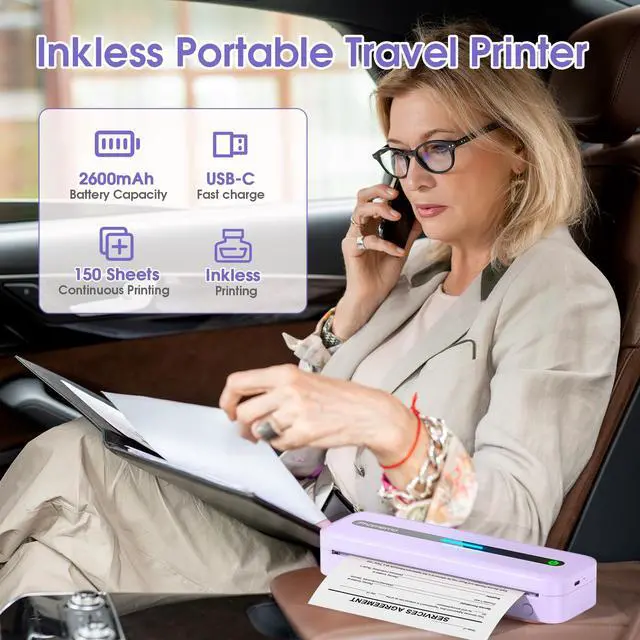
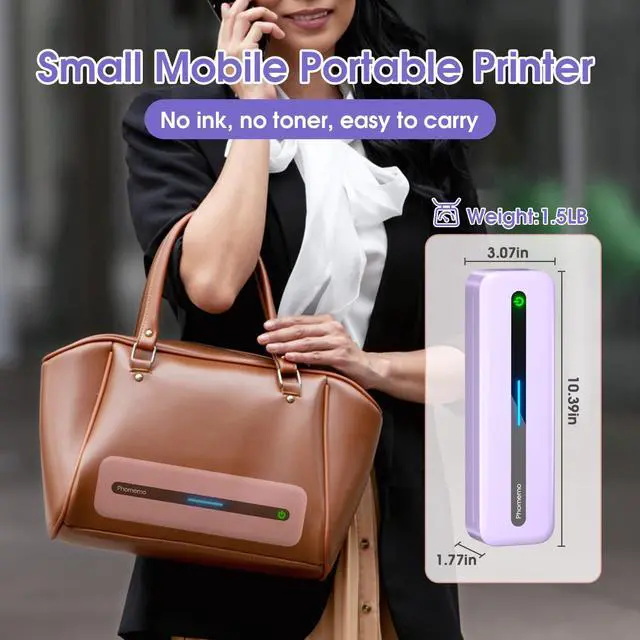
Carrying Case: The M832 portable printer features a built-in 2600mAh rechargeable battery, weighs just 1.5 lb, and is compact in size.
This M832 inkless thermal printer is suitable for use in cars, trucks, during business trips, in small offices, universities, and at home.
The wireless portable printer includes a built-in roll paper compartment, eliminating the need to carry printing paper separately.
You can print documents, contracts, invoices, delivery orders, bills of lading, boarding passes, study notes, lists, and labels anytime and anywhere.
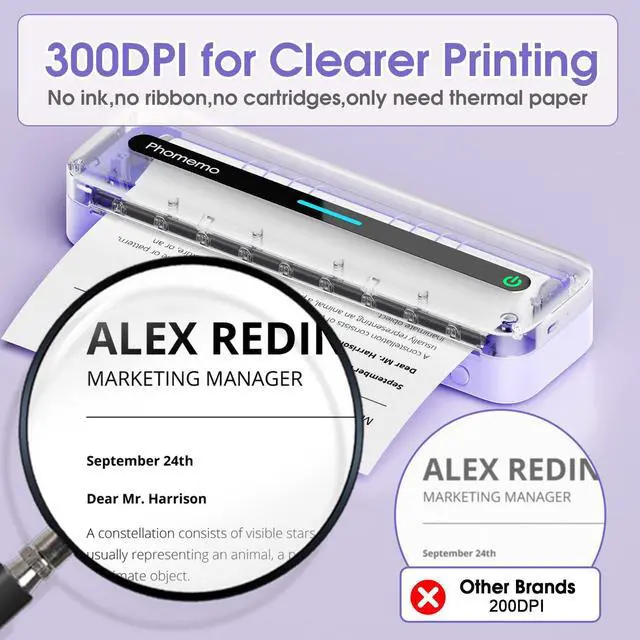
Inkless Printer: Utilizing advanced thermal technology, this compact wireless printer requires no ink, toner, or ribbons, with no issues of clogging or cleaning.
Simply use thermal paper for more efficient and cost-effective printing.
The M832 portable thermal printer produces black and white prints only; it is not designed for color printing.
Supports 5 Printing Sizes & 3 Types of
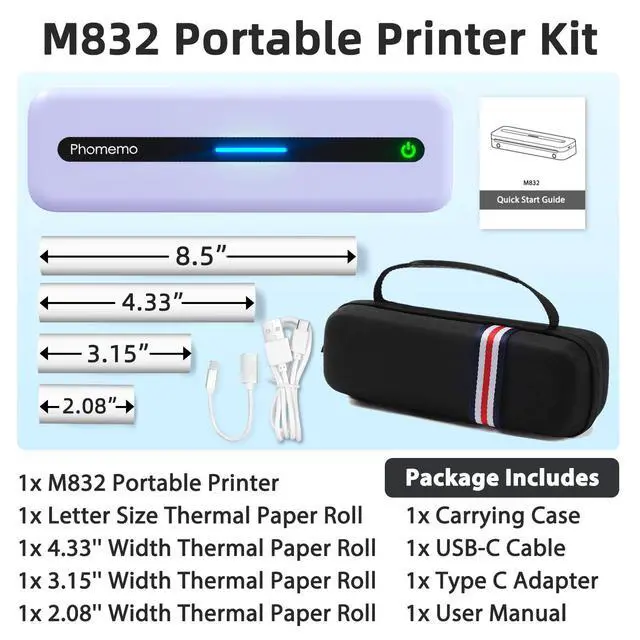
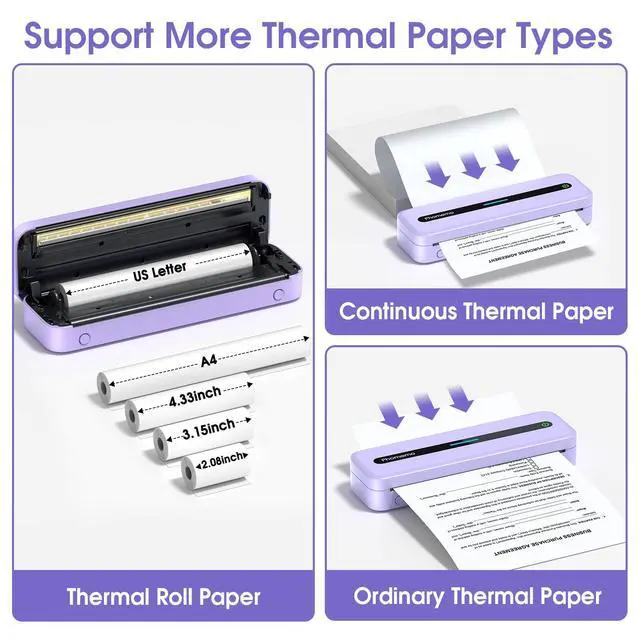
Thermal Paper: This thermal printer accommodates printing on 8.5" X 11" US Letter, A4, 2.08 '' (53mm), 3.15 '' (80mm), and 4.33 '' (110mm) thermal paper.
The inkless portable printer supports thermal roll paper, folded thermal paper, and single sheet thermal paper.
This wireless thermal printer is well-suited for business travelers, truck drivers, mobile notaries, office workers, students, children, and teachers.
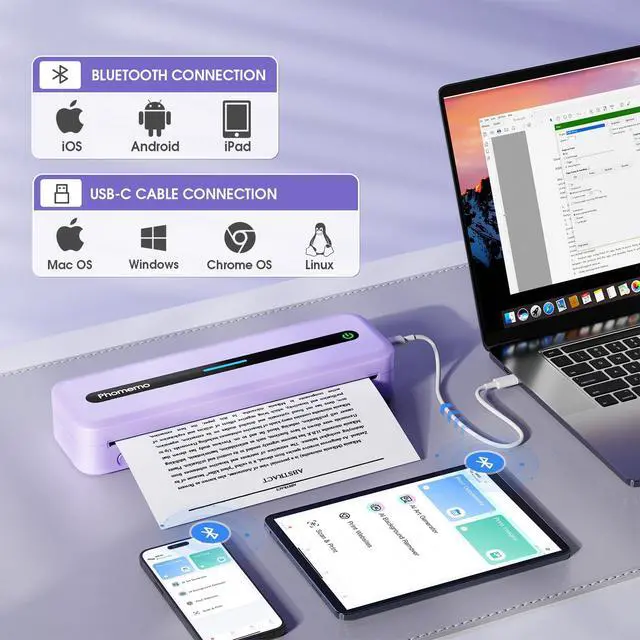
Wireless Bluetooth Printer: With the M832 mobile printer, you can print PDFs, Word documents, images, and web content from your phone at any time and place.
This portable printer works with iPhone, Android Phone, and iPad via Bluetooth connectivity.
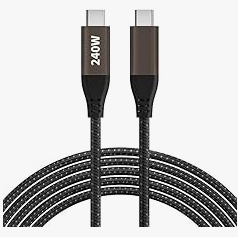
You can also connect your laptop or computer for printing using a USB-C cable.
Rechargeable Wireless Travel Printer & 300DPI Clear Printing: The compact wireless printer incorporates high-definition printing technology, delivering 300DPI clear prints.
It contains a built-in 2600mAh rechargeable battery; the mini printer can produce up to 150 sheets on a full charge, making it an excellent travel companion.
Note: Charge using a 5V 2A charger; avoid using a charger with an output above 5V.
How to Connect Phone or Tablet for Printing:
1.
Download the necessary application.
2.
Turn on the M832 printer and activate Bluetooth on your phone or tablet.
3.
Click the "Printer" icon within the application to search for the M832 printer, then connect to it via Bluetooth through the application.
Then select the paper size and file type to begin printing.
How to Connect Laptop or Computer for Printing:
1.
Download and install the appropriate driver for your computer system.
2.
Connect the M832 printer to your laptop using a USB-TypeC Cable.
3.
Open the document and choose the M832 printer from the printer list to print it.
How to Clean the Print Head: Use alcohol wipes to clean the cutting section of the printer, particularly where black lines appear, to ensure no adhesive residue or foreign objects remain on the print head.
Note: Avoid scratching the print head with any hard objects
Carrying Case: The M832 portable printer features a built-in 2600mAh rechargeable battery, weighs just 1.5 lb, and is compact in size.
This M832 inkless thermal printer is suitable for use in cars, trucks, during business trips, in small offices, universities, and at home.
The wireless portable printer includes a built-in roll paper compartment, eliminating the need to carry printing paper separately.
You can print documents, contracts, invoices, delivery orders, bills of lading, boarding passes, study notes, lists, and labels anytime and anywhere.
Inkless Printer: Utilizing advanced thermal technology, this compact wireless printer requires no ink, toner, or ribbons, with no issues of clogging or cleaning.
Simply use thermal paper for more efficient and cost-effective printing.
The M832 portable thermal printer produces black and white prints only; it is not designed for color printing.
Supports 5 Printing Sizes & 3 Types of
Thermal Paper: This thermal printer accommodates printing on 8.5" X 11" US Letter, A4, 2.08 '' (53mm), 3.15 '' (80mm), and 4.33 '' (110mm) thermal paper.
The inkless portable printer supports thermal roll paper, folded thermal paper, and single sheet thermal paper.
This wireless thermal printer is well-suited for business travelers, truck drivers, mobile notaries, office workers, students, children, and teachers.
Wireless Bluetooth Printer: With the M832 mobile printer, you can print PDFs, Word documents, images, and web content from your phone at any time and place.
This portable printer works with iPhone, Android Phone, and iPad via Bluetooth connectivity.
You can also connect your laptop or computer for printing using a USB-C cable.
Rechargeable Wireless Travel Printer & 300DPI Clear Printing: The compact wireless printer incorporates high-definition printing technology, delivering 300DPI clear prints.
It contains a built-in 2600mAh rechargeable battery; the mini printer can produce up to 150 sheets on a full charge, making it an excellent travel companion.
Note: Charge using a 5V 2A charger; avoid using a charger with an output above 5V.
How to Connect Phone or Tablet for Printing:
1.
Download the necessary application.
2.
Turn on the M832 printer and activate Bluetooth on your phone or tablet.
3.
Click the "Printer" icon within the application to search for the M832 printer, then connect to it via Bluetooth through the application.
Then select the paper size and file type to begin printing.
How to Connect Laptop or Computer for Printing:
1.
Download and install the appropriate driver for your computer system.
2.
Connect the M832 printer to your laptop using a USB-TypeC Cable.
3.
Open the document and choose the M832 printer from the printer list to print it.
How to Clean the Print Head: Use alcohol wipes to clean the cutting section of the printer, particularly where black lines appear, to ensure no adhesive residue or foreign objects remain on the print head.
Note: Avoid scratching the print head with any hard objects
Warranty & Returns
Warranty, Returns, And Additional Information
Warranty
- Please contact the Seller directly for warranty information. Warranty information may also be found on the Manufacturer's website.
- CONTACT
Return Policies
- Return for refund within: 30 days
- Return for replacement within: 30 days
- This item is covered by Tecinhblissu Return Policy
Manufacturer Contact Info
- For a directory of all our manufacturers, please click below.
- Manufacturers Directory
LOADING...