

Your Browsing History


Meet Your Seller



Bluetooth Thermal Shipping Label Printer, Z1-Plus Wireless 4X6 Shipping Label Printer for Small Business Office or Home Support iPhone Android Windows macOS Chrome Amazon Shopify USPS
Limited time offer, ends 09/17 By CoreComp Shop
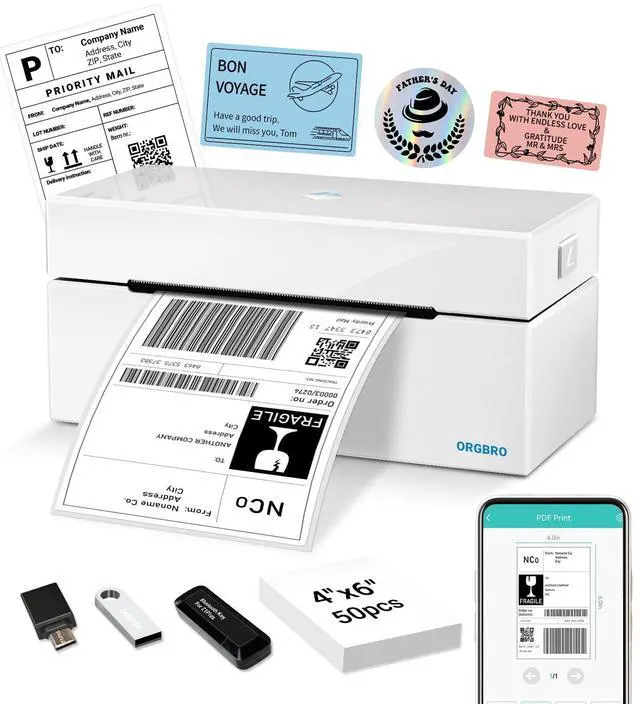
- Go Wireless with Bluetooth: The Z1 Plus shipping label printer offers seamless Bluetooth connectivity for printing from both phones and computers. For iOS and Android devices, simply download the "4Barcode" app for wireless printing. Note: Connection must be established through the "4Barcode" app; direct pairing via device Bluetooth settings is not supported. Users of Windows, Mac OS, Chrome OS, and Linux systems can enjoy wireless printing via the included Bluetooth adapter. Print via Bluetooth Adapter or USB: Enjoy convenient printing with the included Bluetooth adapter. Just plug it into your computer for instant wireless printingno complex setup needed. Print from anywhere within range, ideal for busy offices or warehouse settings. For a stable wired connection, use the included USB cable to link to Windows, Mac OS, Chrome OS, and Linux systems as required. High-Quality Thermal Printing: Achieve professional-grade labels with 203 DPI resolution and a fast 150 mm/s print speed, delivering up to 72 sheets of 4x6 labels per minute. Advanced direct thermal technology requires no ink or tonerjust load thermal labels and begin printing. Compatible with both roll and fanfold labels. Reliably prints over 650,000 shipping labels. Note: Monochrome printing only. Ready For All Platforms: Works with Shopify, ShipStation, USPS, UPS, Endicia, Dazzle,, and more. This thermal label printer is excellent for eCommerce, warehouse, or office labeling tasks. Fits Most Label Sizes: This th
+
+
Overview
Specs
Reviews

Any questions? Our AI mode will help you find out quickly.
Try me now
Go Wireless with
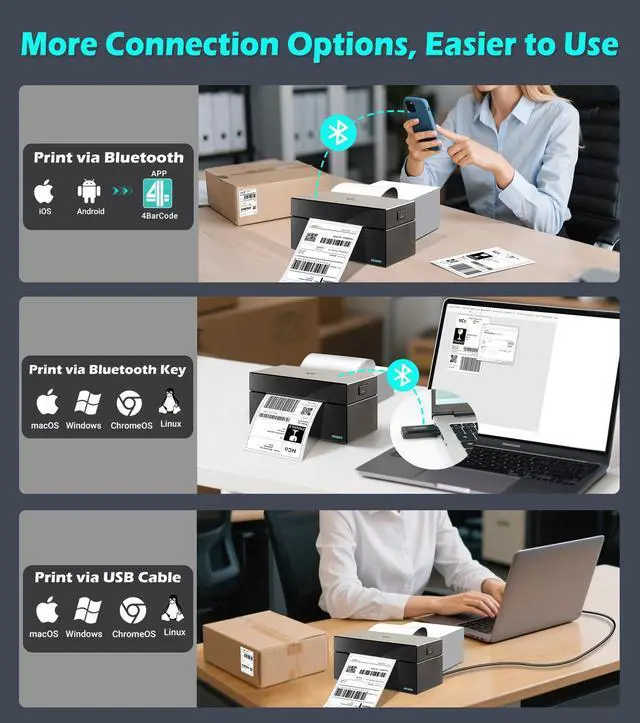
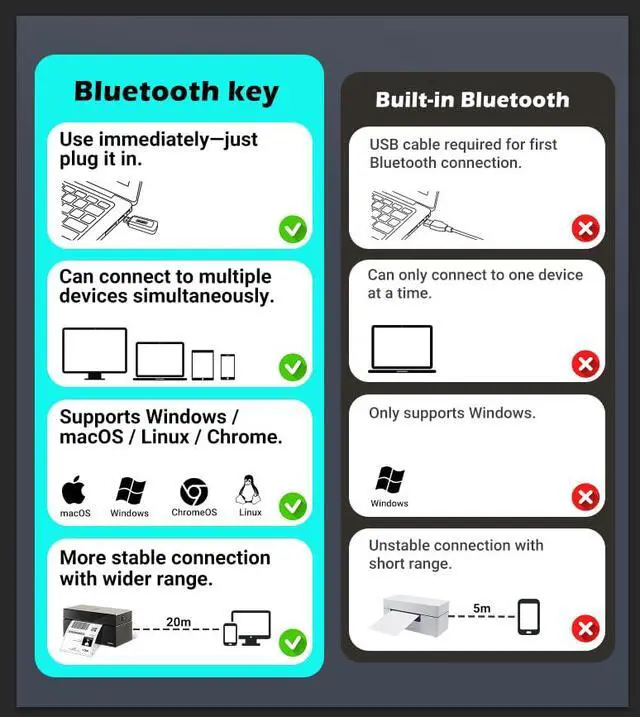
Bluetooth: The Z1 Plus shipping label printer offers seamless Bluetooth connectivity for printing from both phones and computers. For iOS and Android devices, simply download the "4Barcode" app for wireless printing.
Note: Connection must be established through the "4Barcode" app; direct pairing via device Bluetooth settings is not supported. Users of Windows, Mac OS, Chrome OS, and Linux systems can enjoy wireless printing via the included Bluetooth adapter. Print via Bluetooth
Adapter or USB: Enjoy convenient printing with the included Bluetooth adapter. Just plug it into your computer for instant wireless printingno complex setup needed. Print from anywhere within range, ideal for busy offices or warehouse settings. For a stable wired connection, use the included USB cable to link to Windows, Mac OS, Chrome OS, and Linux systems as required.
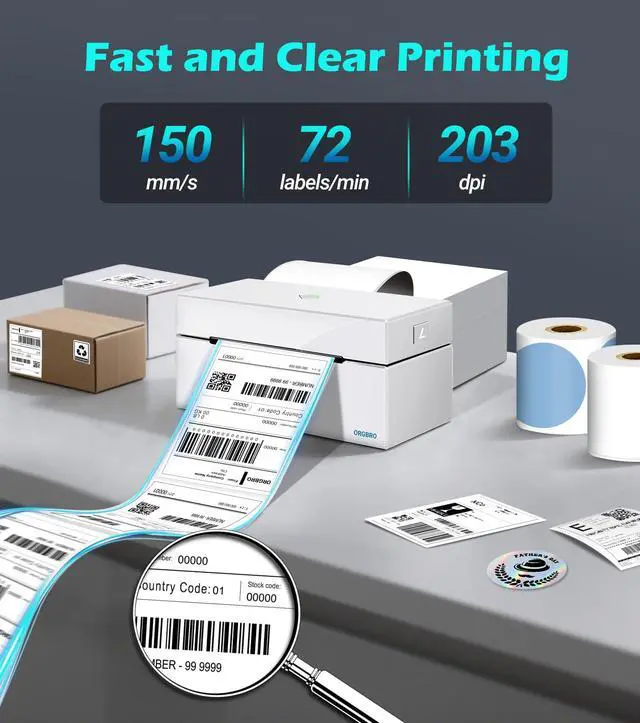
High-Quality Thermal Printing: Achieve professional-grade labels with 203 DPI resolution and a fast 150 mm/s print speed, delivering up to 72 sheets of 4x6 labels per minute. Advanced direct thermal technology requires no ink or tonerjust load thermal labels and begin printing. Compatible with both roll and fanfold labels. Reliably prints over 650, 000 shipping labels.
Note: Monochrome printing only.
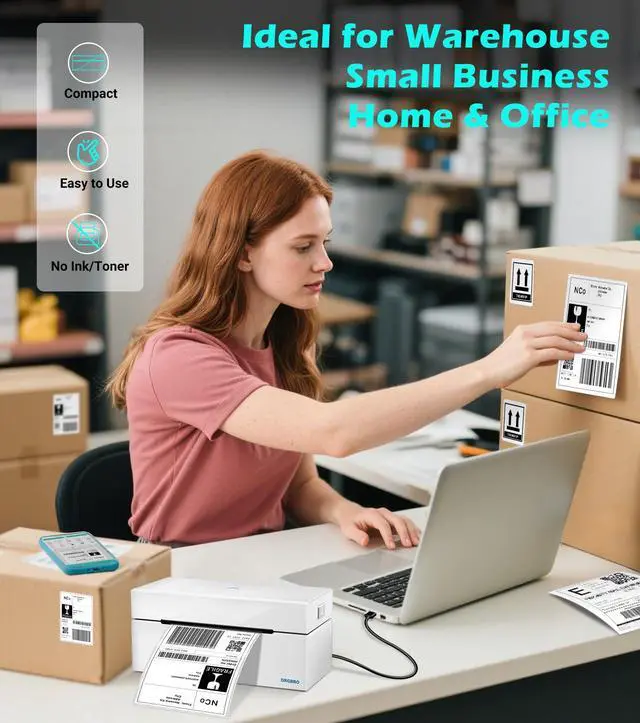
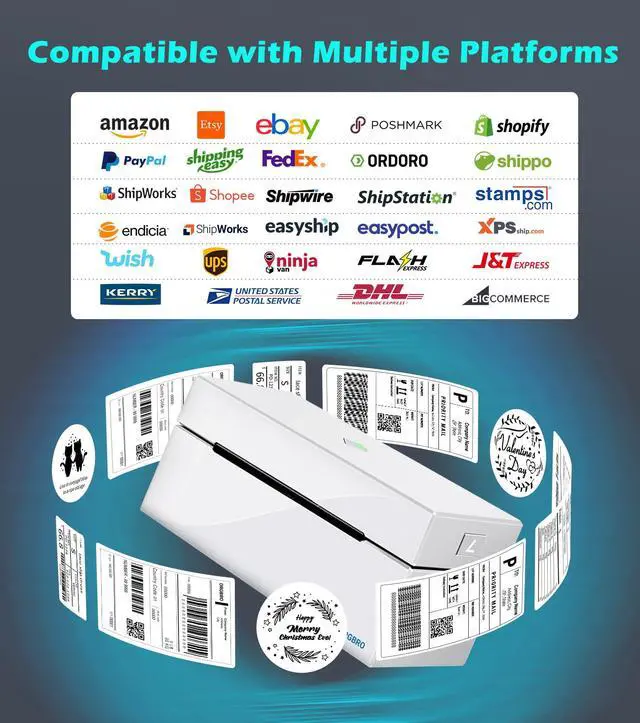
Ready For All Platforms: Works with Shopify, ShipStation, USPS, UPS, Endicia, Dazzle,, and more. This thermal label printer is excellent for eCommerce, warehouse, or office labeling tasks.
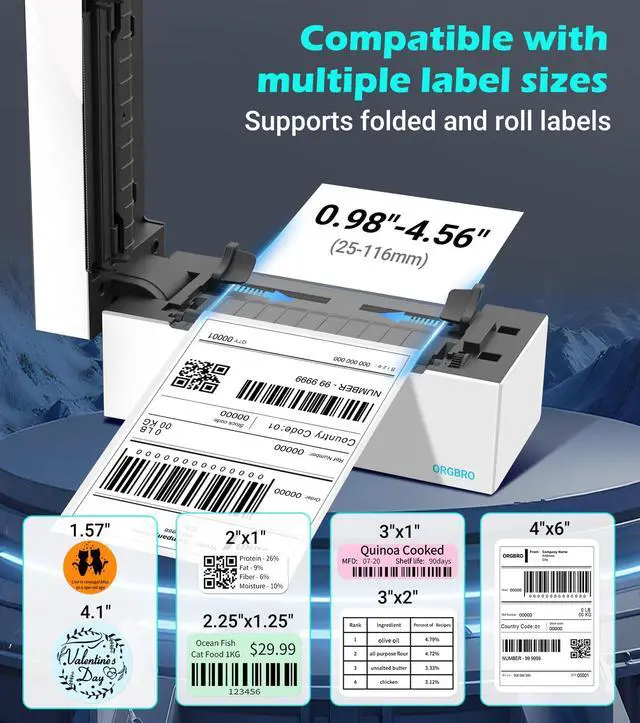
Fits Most Label Sizes: This thermal label printer supports widths from 1" (25mm) to 4.5" (115mm), accommodating various label types, from small product stickers to large shipping labels. Perfect for 4x6 shipping labels, barcode labels, QR code stickers, and more.
Bluetooth Connectivity: Simply download the "4BarCode" app to connect via Bluetooth and instantly access a free library of pre-designed templates. It prints shipping labels and also allows customization of exclusive address labels, unique product labels, barcodes, and QR codes. All features are free.
Attention: Pairing with your phone via Bluetooth must be done through the "4barcode" app. Connect within 30 seconds of double-clicking the printer's paper feed button. If the connection is unsuccessful, double-click the button again and connect
Bluetooth: The Z1 Plus shipping label printer offers seamless Bluetooth connectivity for printing from both phones and computers. For iOS and Android devices, simply download the "4Barcode" app for wireless printing.
Note: Connection must be established through the "4Barcode" app; direct pairing via device Bluetooth settings is not supported. Users of Windows, Mac OS, Chrome OS, and Linux systems can enjoy wireless printing via the included Bluetooth adapter. Print via Bluetooth
Adapter or USB: Enjoy convenient printing with the included Bluetooth adapter. Just plug it into your computer for instant wireless printingno complex setup needed. Print from anywhere within range, ideal for busy offices or warehouse settings. For a stable wired connection, use the included USB cable to link to Windows, Mac OS, Chrome OS, and Linux systems as required.
High-Quality Thermal Printing: Achieve professional-grade labels with 203 DPI resolution and a fast 150 mm/s print speed, delivering up to 72 sheets of 4x6 labels per minute. Advanced direct thermal technology requires no ink or tonerjust load thermal labels and begin printing. Compatible with both roll and fanfold labels. Reliably prints over 650, 000 shipping labels.
Note: Monochrome printing only.
Ready For All Platforms: Works with Shopify, ShipStation, USPS, UPS, Endicia, Dazzle,, and more. This thermal label printer is excellent for eCommerce, warehouse, or office labeling tasks.
Fits Most Label Sizes: This thermal label printer supports widths from 1" (25mm) to 4.5" (115mm), accommodating various label types, from small product stickers to large shipping labels. Perfect for 4x6 shipping labels, barcode labels, QR code stickers, and more.
Bluetooth Connectivity: Simply download the "4BarCode" app to connect via Bluetooth and instantly access a free library of pre-designed templates. It prints shipping labels and also allows customization of exclusive address labels, unique product labels, barcodes, and QR codes. All features are free.
Attention: Pairing with your phone via Bluetooth must be done through the "4barcode" app. Connect within 30 seconds of double-clicking the printer's paper feed button. If the connection is unsuccessful, double-click the button again and connect
Warranty & Returns
Warranty, Returns, And Additional Information
Warranty
- Please contact the Seller directly for warranty information. Warranty information may also be found on the Manufacturer's website.
- CONTACT
Return Policies
- Return for refund within: 30 days
- Return for replacement within: 30 days
- This item is covered by CoreComp Shop Return Policy
Manufacturer Contact Info
- For a directory of all our manufacturers, please click below.
- Manufacturers Directory
LOADING...