

Your Browsing History


Meet Your Seller


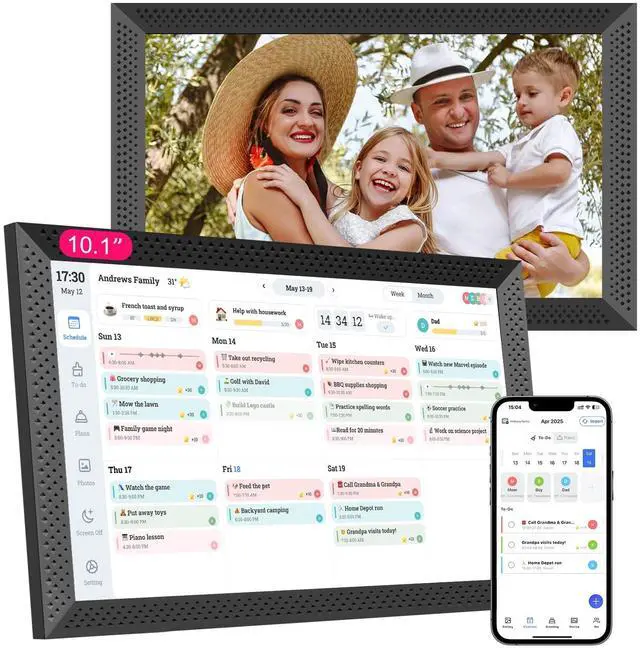


Digital Calendar 10.1 inch, Electronic Calendar for Family Sharing Schedule Interactive Smart Calendars Touch Screen To Do Task Meal Planner for Home Office with Digital Picture Frame
Limited time offer, ends 09/17 By CoreComp Shop
- Easy to use: First, plug it in and follow the instructions to use this electronic family calendar. Then, download the application for your phone, use the time-limited pairing code on the calendar to bind it, and control the smart calendar through your phone. The digital calendar is compatible with third-party calendars and can synchronize events for the past 3 months and the next 6 months in minutes. Organized & On The Go: Color-coded schedules, to-do tasks, and a meal planner keep the whole family organized. This helps the family stay up to date on daily routines and upcoming events at a quick glance. When you are away, you can assign tasks to your little one at home through the mobile app. The family calendar will synchronize and update you. Full Features & Continuous Updates: This 10.1-inch electronic calendar can rotate automatically and supports placement on a desktop or hanging on a wall. You can manually set the brightness to suit different occasions and sleep times. Smart digital calendars are continually improved with new features, and all touch screen calendars automatically receive these latest updates. Interactive Task & Rewards: Parents can create, assign tasks, and set star rewards for their children on this smart interactive calendar. By setting specific chores and linking them to a star rating system, children can earn stars for completing chores, motivating them to complete tasks and earn rewards. Meal Planner & 30-Day Habits Plan: The electronic planner su
+
+
Overview
Specs
Reviews

Any questions? Our AI mode will help you find out quickly.
Try me now
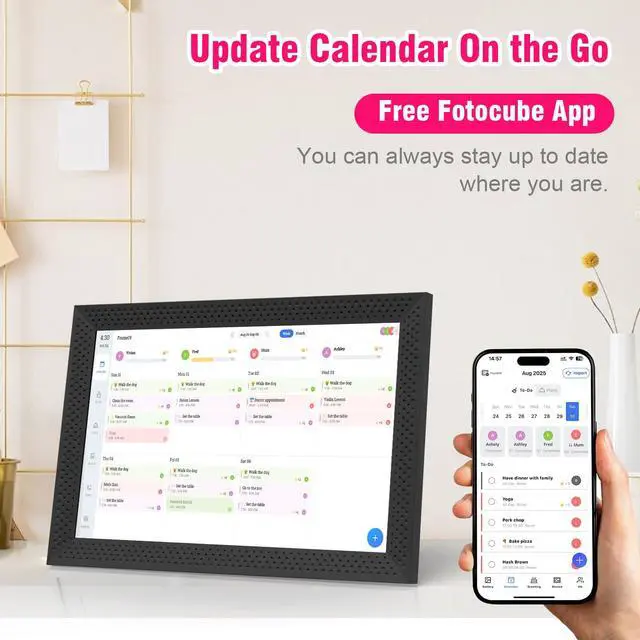
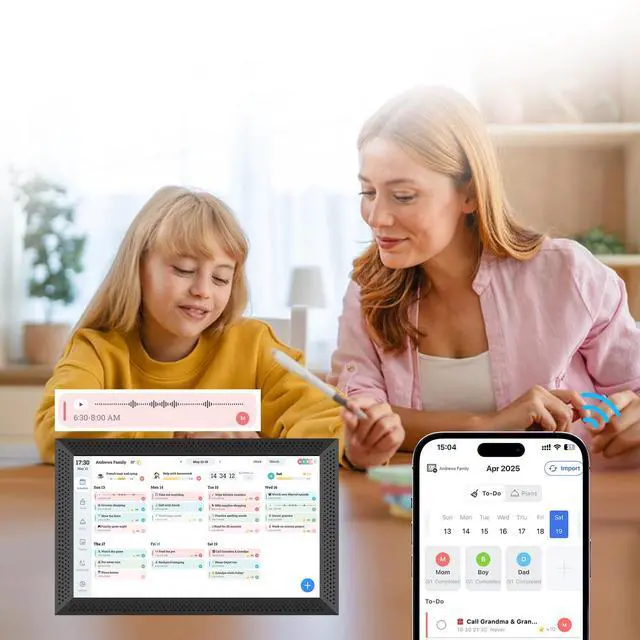
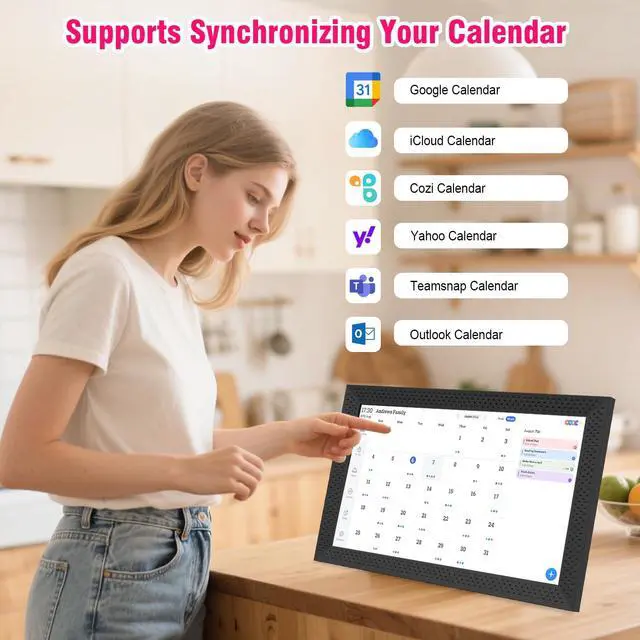
Easy to use: First, plug it in and follow the instructions to use this electronic family calendar. Then, download the application for your phone, use the time-limited pairing code on the calendar to bind it, and control the smart calendar through your phone. The digital calendar is compatible with third-party calendars and can synchronize events for the past 3 months and the next 6 months in minutes.
Organized & On The Go: Color-coded schedules, to-do tasks, and a meal planner keep the whole family organized. This helps the family stay up to date on daily routines and upcoming events at a quick glance. When you are away, you can assign tasks to your little one at home through the mobile app. The family calendar will synchronize and update you.
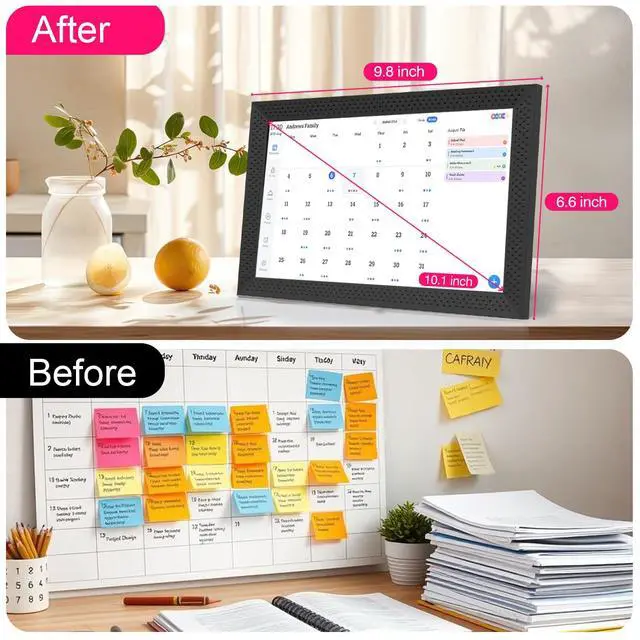
Full Features & Continuous Updates: This 10.1 -inch electronic calendar can rotate automatically and supports placement on a desktop or hanging on a wall. You can manually set the brightness to suit different occasions and sleep times. Smart digital calendars are continually improved with new features, and all touch screen calendars automatically receive these latest updates.
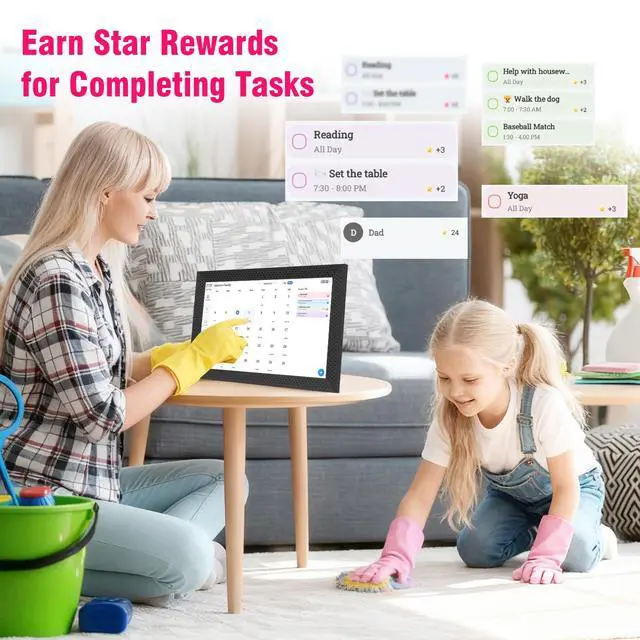
Interactive Task & Rewards: Parents can create, assign tasks, and set star rewards for their children on this smart interactive calendar. By setting specific chores and linking them to a star rating system, children can earn stars for completing chores, motivating them to complete tasks and earn rewards. Meal Planner & 30-Day
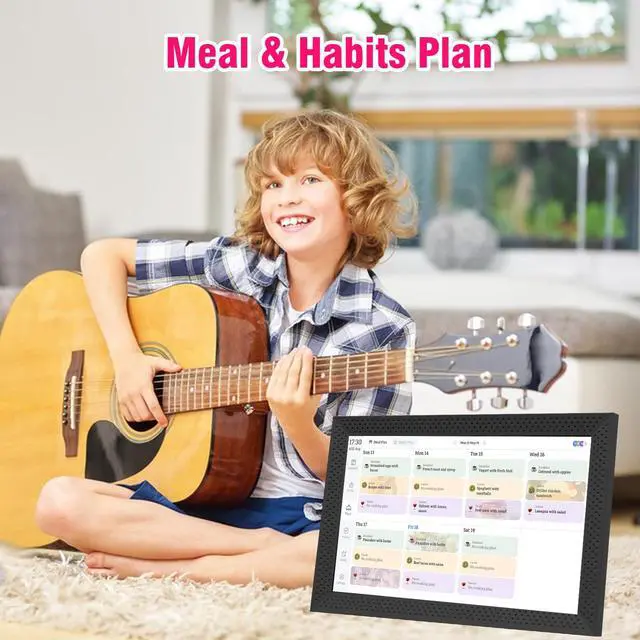
Habits Plan: The electronic planner supports creating daily breakfast, lunch, and dinner menus in advance, eliminating the need to spend time each day on family meal planning. The Habit Plan feature helps you quickly create a 30-day plan for good habits. You can clearly see the progress of each target plan in the planning module. Switchable Digital Picture Frame & Art Gallery: When idle, switch the digital calendar planner into a digital photo frame or art gallery to share and display photos, short videos, and hundreds of famous paintings as a dynamic slideshow
Organized & On The Go: Color-coded schedules, to-do tasks, and a meal planner keep the whole family organized. This helps the family stay up to date on daily routines and upcoming events at a quick glance. When you are away, you can assign tasks to your little one at home through the mobile app. The family calendar will synchronize and update you.
Full Features & Continuous Updates: This 10.1 -inch electronic calendar can rotate automatically and supports placement on a desktop or hanging on a wall. You can manually set the brightness to suit different occasions and sleep times. Smart digital calendars are continually improved with new features, and all touch screen calendars automatically receive these latest updates.
Interactive Task & Rewards: Parents can create, assign tasks, and set star rewards for their children on this smart interactive calendar. By setting specific chores and linking them to a star rating system, children can earn stars for completing chores, motivating them to complete tasks and earn rewards. Meal Planner & 30-Day
Habits Plan: The electronic planner supports creating daily breakfast, lunch, and dinner menus in advance, eliminating the need to spend time each day on family meal planning. The Habit Plan feature helps you quickly create a 30-day plan for good habits. You can clearly see the progress of each target plan in the planning module. Switchable Digital Picture Frame & Art Gallery: When idle, switch the digital calendar planner into a digital photo frame or art gallery to share and display photos, short videos, and hundreds of famous paintings as a dynamic slideshow
Warranty & Returns
Warranty, Returns, And Additional Information
Warranty
- Please contact the Seller directly for warranty information. Warranty information may also be found on the Manufacturer's website.
- CONTACT
Return Policies
- Return for refund within: 30 days
- Return for replacement within: 30 days
- This item is covered by CoreComp Shop Return Policy
Manufacturer Contact Info
- For a directory of all our manufacturers, please click below.
- Manufacturers Directory
LOADING...