





ZAYAUPVL makes notebook batteries & power adapters, selling direct to factories & consumers, skipping middlemen. We prioritize high quality, simplicity & durability. Our batteries fit all computer brands, with stable, safe, reliable performance.
Compatible with Toshiba Satellite Laptop Model:(Ctrl+F to search your model)

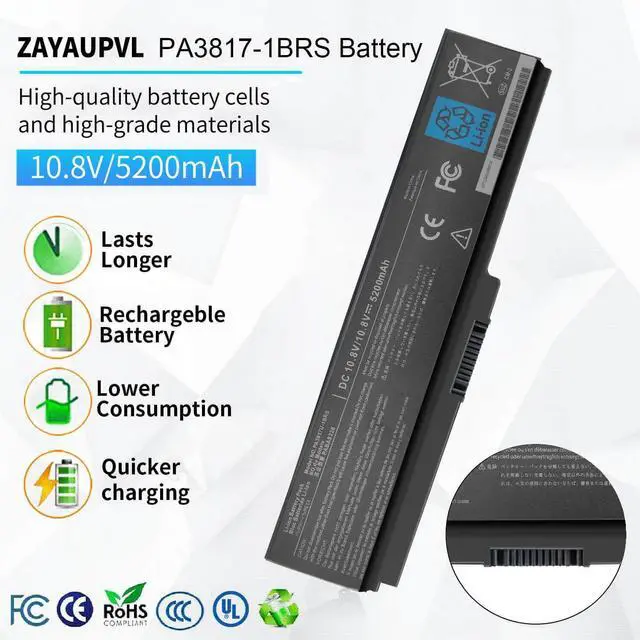
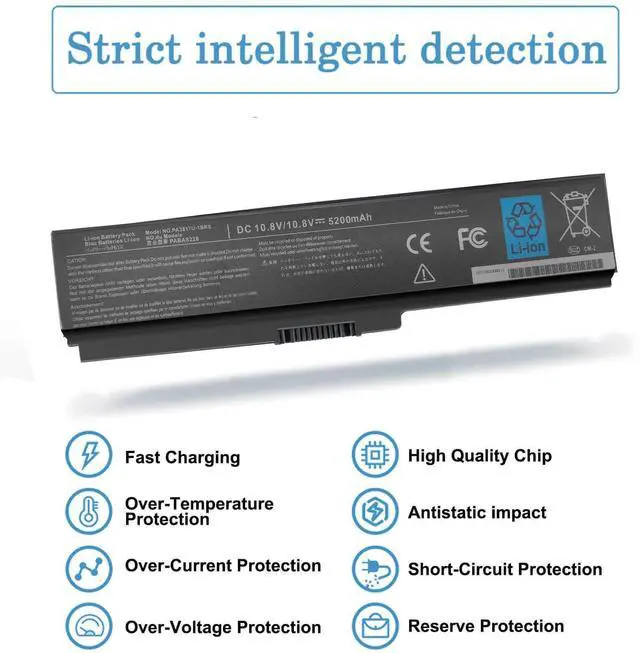
Security and Reliable
- 12 rigorous testing. Deal with accidents calmly.
- Core circuit protection design. Only for efficiency and safety.
- Data and stability. Merged into one.

Fit Perfectly
- Original machine design, OEM experience
- Systematic testing, industry standards met. Real-machine tests, Strict delivery for stability

Top Quality Battery Cells
- A+ cell structure. Excellent discharge curve and low internal resistance. Excellent cell stability. Long cycle life.

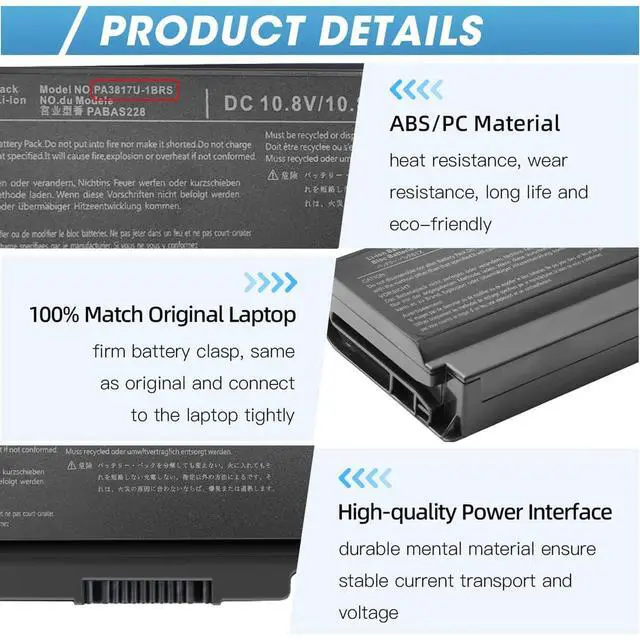
Product Details
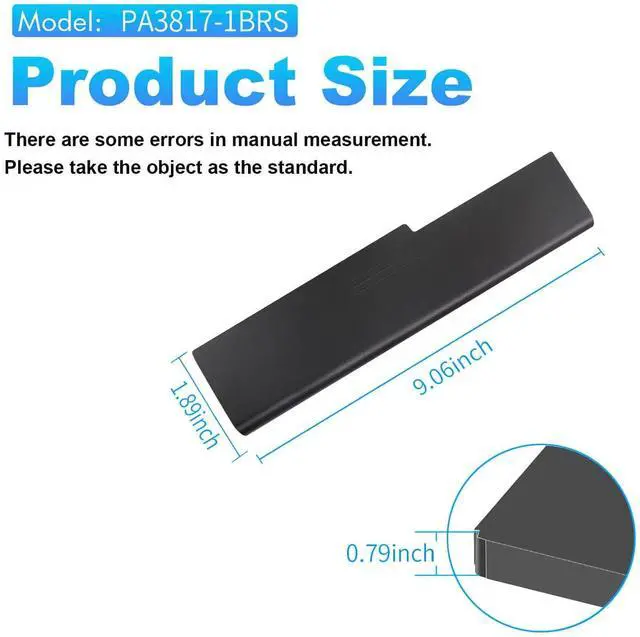
- ABS/PC Material: heat & wear-resistant, durable
- 100% Matches Original Laptop High-Quality Power Interface: stable current & voltage.
Comparison
 PA3817U-1BRS Battery |  PA3714C-1AC3 Charger |  Slim USB C Laptop Charger |  45W Chromebook Charger | |
|---|---|---|---|---|
Customer Reviews | — | — | — | — |
Price | — | — | — | — |
Voltage | 10.8V | Connector Size: 5.5*2.5mm | Connector Size: Type C/USB C | Connector Size: Type C/USB C |
Capacity | 48WH / 5200mAh | Output: 19V 3.42A | Output:20V-2.25A 20V-3.25A | Output:20V-2.25A,12V/3A,15V/3A |
Cells | 6cells | Compatible with Toshiba Laptop | Compatible: All USB C Devices | Compatible: All USB C Devices |
CE/ROHS/UL certified standards | ? | ? | ? | ? |
Long-lasting Battery Life | ? | ? | ? | ? |

There are two ways to choose the right battery. Which two methods are they ?
1. Search battery model: Remove the laptop case to check and confirm the shape of the original battery. (Recommended ?)
2. Search laptop model: Pressing [Window] + [R] key and entering [msinfo32] or [dxdiag]. Click OK to find "System Model".
What do we need to pay attention to using batteries for the first time?
1.The battery must be full charged before first use
2.You need to turn off your laptop and disconnect the power when you install a new battery
2.Do Discharge the new battery use to 5%/7%(not to 0%) and then charge to 95%, and cycle 3-4 times
How should I do if we received the item doesn't work?
Our item has a 12-month replacement and a 60-day money-back . Please contact ZAYAUPVL INC. We will replace it with a new one for free
How should I preserve my laptop battery when I don’t use it?
The ideal preservation method is to charge the battery to about 40%.the battery should be used once a month, which can not only good preservation of the battery but also prevent the battery from being damaged by the complete loss of power
How should I charge my laptop battery?
It is suggested to charge the battery before the power runs out completely. It is best to charge when the remaining power is about 5-10%, and the battery should be charged in a relatively dry place.


ZAYUPVL Inc. is a manufacturer mainly engaged in the business of notebook batteries and power adapters. Cutting out the middlemen, we directly provide goods for factories and consumers. Meanwhile, we carry out strict control over our product quality and offer consumers products with high quality and favorable item. we making our customers feel that their purchase of each time is not just a transaction, but also a joyful experience
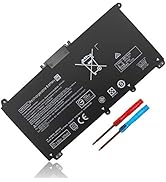
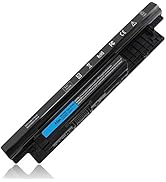
Laptop Battery
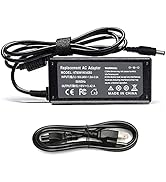
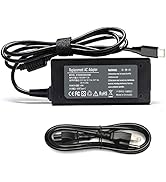
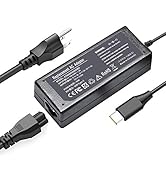
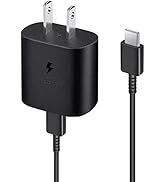
USB-C Charger& Wall charger
What should I do if we received defective items?
1.Within 60 days of purchase, we offer a no-questions-asked return policy. Additionally, for 12 months from the date of purchase, If the product fails, we will replace it with a new one.
2. Please click the button and inquire us. We have warehouses in NY, making sure that you could have a high-quality service.
3. Please be assured that we will take the responsibility for each product we sold.
What do we need to pay attention to using batteries for the first time?
Pls kindly noted that the battery must be full charged before first use!
1.You need to turn off your laptop and disconnect the power
2.Turn the laptop to the back, install a new battery, and fix it with a tool
3.When the computer is turned on, if it is not recognised, it is recommended to update the BIOS settings or please disconnecting the old battery, and holding down the power button for 20 seconds, then connect the new battery
4.Do Discharge the new battery use to 5%/7%(not to 0%) and then charge to 95%, and cycle 3-4 times
How should I preserve my laptop battery when I don’t use it?
The ideal preservation method is to charge the battery to about 40% and then put it in a cool and dry place. About 68 degrees Fahrenheit is the ideal preservation temperature. Of course, the battery should be used once a month, which can not only ensure good preservation of the battery but also prevent the battery from being damaged by the complete loss of power.
Is it normal that sparks appear when connecting the power adapter plug?
If you connect the adapter to the laptop first before connecting the adapter, it is normal to cause sparks during the contact, which can be avoided by the following operations:
(1) Turn off the switch of the power socket first.
(2) Connect the laptop power adapter to the power socket, and then turn on the socket switch.
(3) Connect the DC plug end of the power adapter to the laptop
Is it normal that the laptop adapter heats up?
It’s normal. All laptop charging, including cell phone chargers, cause heat up. Because part of the electrical energy will convert into heat energy, which causes the power supply to heat up. If it is too hot, stop using the charger.

ZAYAUPVL makes notebook batteries & power adapters, selling direct to factories & consumers, skipping middlemen. We prioritize high quality, simplicity & durability. Our batteries fit all computer brands, with stable, safe, reliable performance.
Compatible with Toshiba Satellite Laptop Model:(Ctrl+F to search your model)
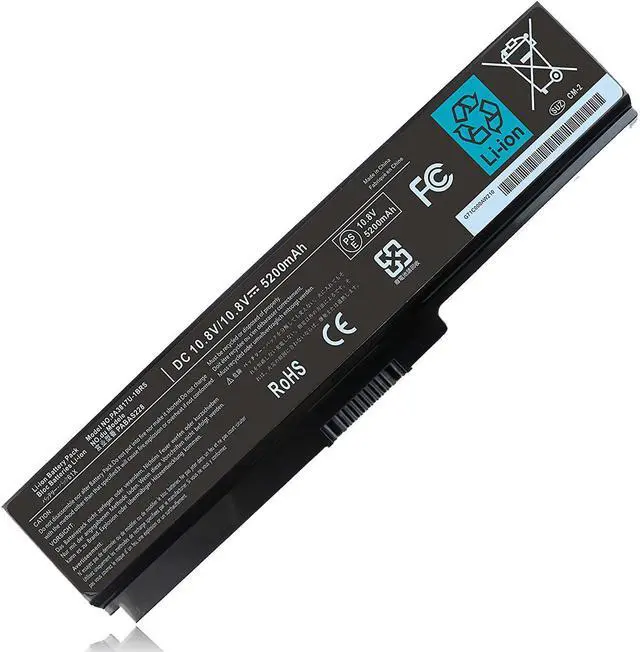
| Specifications: | Voltage: 10.8V; Capacity: 48WH / 5200mAh; Cells: 3-cell; The package also includes 1pcsPA3817U-1BRS battery, 2pcs screwdrivers, and 1pcs instruction; Ships from US Warehouse; Full refunds are available for any reason within 60 days of purchase; If it becomes defective within one year of your purchase, we offer a free exchange |
|---|---|
| Compatible Part Numbers: | PA3817U-1BAS PA3816U-1BRS PA3816U-1BAS PA3817U-1BRS PA3818U-1BRS PA3819U-1BRS PABAS227 PABAS228 PABAS229 PABAS230 |
| Compatible with: | Toshiba Satellite M640 M645 |
| Compatible with: | Toshiba Satellite A600 A660 A660D A655 A655D A665 A665D |
| Compatible with: | Toshiba Satellite C600D C655 C660 C660D C670 C670D C675 C675D, C605 C645 C655 C875D C645-SP4250L C655-S5049 C655-S5512 C655-S5082 C655-S5118 C655-S5123 C655-S5128 C655-S5132 C655-S5206 |
| Compatible with: | Toshiba Satellite C655-S5049 C655-S5082 C655-S5128 C655-S5212 C655-S5061 C655-S5225 C655-S5206 C655-S5123 C655-S5137 C655-S5512 C675-S7106 L645-S4102 L645D-S4056 L655-S5096 L655-S5150 L655-S5155 L745-S4210 L600-15S L600D-07B L700D-T10W L700-T10R L700 -T11B P745-S4102 P745-S4320 M645-S4070 L775D-S7340 |
| Compatible with: | Toshiba Satellite L600 L600D L630 L635 L640 L640D L645 L645D L650 L650D L655 L655D L670 L670D L675 L675D |
| Compatible with: | Toshiba Satellite L700 L700D L730 L735 L735D L740 L745 L745D L750 L750D L755 L755D L770 L770D L775 L775D |
| Compatible with: | Toshiba Satellite P740 P740D P745 P745D P750 P750D P755 P755D P770 P770D P775 P775D |
| Compatible with: | Toshiba Satellite M505 M640 M645 M645-S4045 M645-S4050 M645-S4070 M645-S4115 M645-S4070 |
| Compatible with: | Toshiba Satellite C655-S5212 C655-S5225 C655-S5301 C655-S5305 C655D-S5136 C655D-S5200 C675-S7106 C655-S5501 C655-S5503 C655-S5504 C655-S5512 |
| Compatible with: | Toshiba Satellite P750 P750D P755 P770 P745-S4102 P745-S4217 P745-S4320 P755-S5120 P755-S5182 P755-S5184 P755-S5215 P755-S5262 |
| Compatible with: | Toshiba Satellite P755-S5272 P755-S5274 P755-S5320 P755-S5385 P755-S5387 P755-S5390 P755-S7320 P775-S7320 P745-S4320 |
| Compatible with: | Toshiba Satellite L645 L645D L655 L655D L675 L675D L645-S4102 L645D-S4056 |
| Compatible with: | Toshiba Satellite L655-S5096 L655-S5150 L655-S5155 L655-S5096 L655-S5098 L655-S5101 L655-S5115 L655-S5146 L655-S5150 L655-S5156 L655-S5157 L655-S5158 L675-S7018 L675-S7048 L675-S7108 L675-S7110 L655-S5153 L655-S5154 |
| Compatible with: | Toshiba Satellite L750 L750D L750-171 L750-1DM L750-1DQ L750-1DR L750-1DU L750-1DV L750-1EK L750-BT4N22 L750D L750D/009 |
Security and Reliable
- 12 rigorous testing. Deal with accidents calmly.
- Core circuit protection design. Only for efficiency and safety.
- Data and stability. Merged into one.
Fit Perfectly
- Original machine design, OEM experience
- Systematic testing, industry standards met. Real-machine tests, Strict delivery for stability
Top Quality Battery Cells
- A+ cell structure. Excellent discharge curve and low internal resistance. Excellent cell stability. Long cycle life.
Product Details
- ABS/PC Material: heat & wear-resistant, durable
- 100% Matches Original Laptop High-Quality Power Interface: stable current & voltage.
Comparison
PA3817U-1BRS Battery | PA3714C-1AC3 Charger | Slim USB C Laptop Charger | 45W Chromebook Charger |
|---|---|---|---|
| Customer Reviews | |||
| — | — | — | — |
| Price | |||
| — | — | — | — |
| Voltage | |||
| 10.8V | Connector Size: 5.5*2.5mm | Connector Size: Type C/USB C | Connector Size: Type C/USB C |
| Capacity | |||
| 48WH / 5200mAh | Output: 19V 3.42A | Output:20V-2.25A 20V-3.25A | Output:20V-2.25A,12V/3A,15V/3A |
| Cells | |||
| 6cells | Compatible with Toshiba Laptop | Compatible: All USB C Devices | Compatible: All USB C Devices |
| CE/ROHS/UL certified standards | |||
| ? | ? | ? | ? |
| Long-lasting Battery Life | |||
| ? | ? | ? | ? |

There are two ways to choose the right battery. Which two methods are they ?
1. Search battery model: Remove the laptop case to check and confirm the shape of the original battery. (Recommended ?)
2. Search laptop model: Pressing [Window] + [R] key and entering [msinfo32] or [dxdiag]. Click OK to find "System Model".
What do we need to pay attention to using batteries for the first time?
1.The battery must be full charged before first use
2.You need to turn off your laptop and disconnect the power when you install a new battery
2.Do Discharge the new battery use to 5%/7%(not to 0%) and then charge to 95%, and cycle 3-4 times
How should I do if we received the item doesn't work?
Our item has a 12-month replacement and a 60-day money-back . Please contact ZAYAUPVL INC. We will replace it with a new one for free
How should I preserve my laptop battery when I don’t use it?
The ideal preservation method is to charge the battery to about 40%.the battery should be used once a month, which can not only good preservation of the battery but also prevent the battery from being damaged by the complete loss of power
How should I charge my laptop battery?
It is suggested to charge the battery before the power runs out completely. It is best to charge when the remaining power is about 5-10%, and the battery should be charged in a relatively dry place.
ZAYUPVL Inc. is a manufacturer mainly engaged in the business of notebook batteries and power adapters. Cutting out the middlemen, we directly provide goods for factories and consumers. Meanwhile, we carry out strict control over our product quality and offer consumers products with high quality and favorable item. we making our customers feel that their purchase of each time is not just a transaction, but also a joyful experience
Laptop Battery
USB-C Charger& Wall charger
What should I do if we received defective items?
1.Within 60 days of purchase, we offer a no-questions-asked return policy. Additionally, for 12 months from the date of purchase, If the product fails, we will replace it with a new one.
2. Please click the button and inquire us. We have warehouses in NY, making sure that you could have a high-quality service.
3. Please be assured that we will take the responsibility for each product we sold.
What do we need to pay attention to using batteries for the first time?
Pls kindly noted that the battery must be full charged before first use!
1.You need to turn off your laptop and disconnect the power
2.Turn the laptop to the back, install a new battery, and fix it with a tool
3.When the computer is turned on, if it is not recognised, it is recommended to update the BIOS settings or please disconnecting the old battery, and holding down the power button for 20 seconds, then connect the new battery
4.Do Discharge the new battery use to 5%/7%(not to 0%) and then charge to 95%, and cycle 3-4 times
How should I preserve my laptop battery when I don’t use it?
The ideal preservation method is to charge the battery to about 40% and then put it in a cool and dry place. About 68 degrees Fahrenheit is the ideal preservation temperature. Of course, the battery should be used once a month, which can not only ensure good preservation of the battery but also prevent the battery from being damaged by the complete loss of power.
Is it normal that sparks appear when connecting the power adapter plug?
If you connect the adapter to the laptop first before connecting the adapter, it is normal to cause sparks during the contact, which can be avoided by the following operations:
(1) Turn off the switch of the power socket first.
(2) Connect the laptop power adapter to the power socket, and then turn on the socket switch.
(3) Connect the DC plug end of the power adapter to the laptop
Is it normal that the laptop adapter heats up?
It’s normal. All laptop charging, including cell phone chargers, cause heat up. Because part of the electrical energy will convert into heat energy, which causes the power supply to heat up. If it is too hot, stop using the charger.