




 here!
here!
I’m your shopping assistant for PC builds, upgrades, and everything tech.
Got questions? Ask away!
Start a conversation
here!
I’m your shopping assistant for PC builds, upgrades, and everything tech.
Got questions? Ask away!
Start a conversation
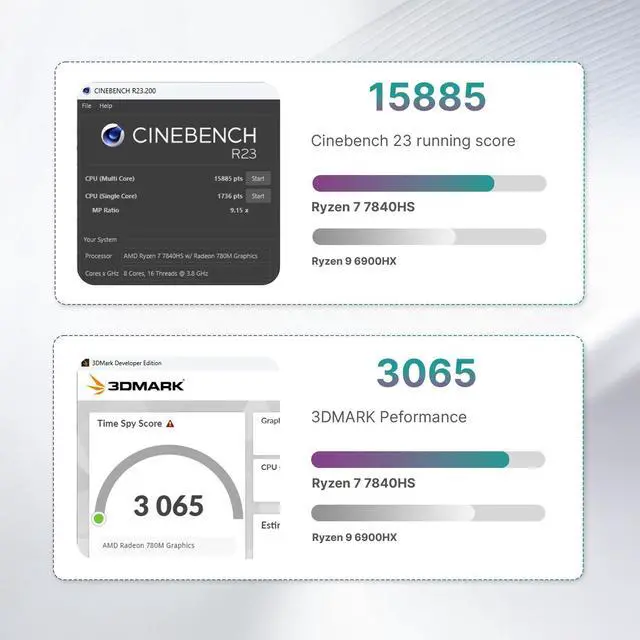
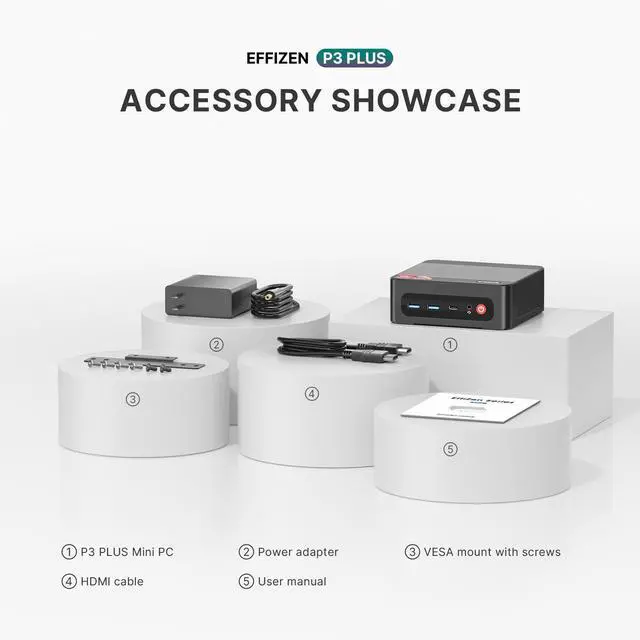



Any questions? Ask CelesteSM will help you find out quickly.


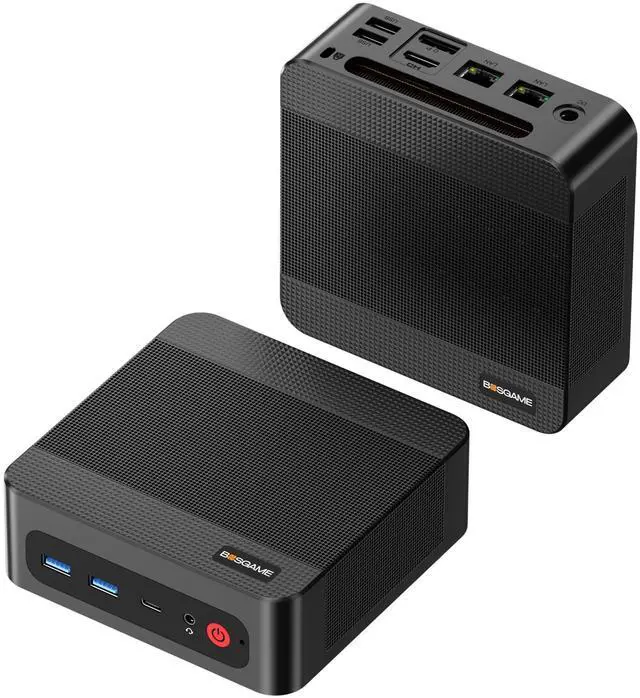
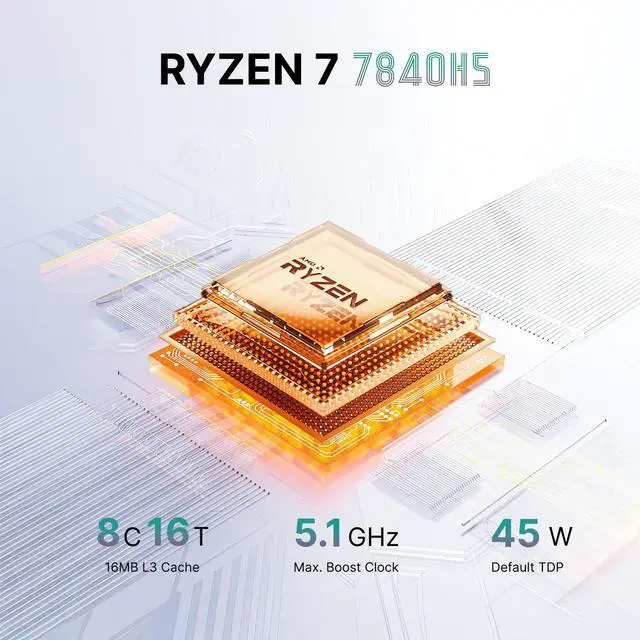
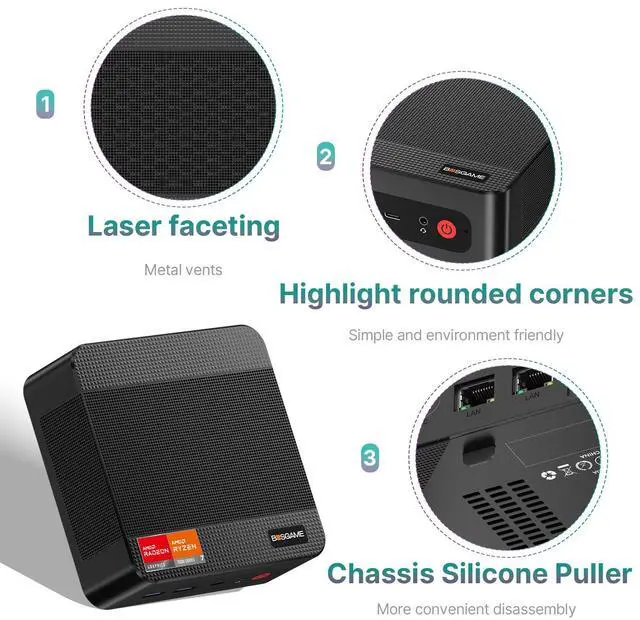
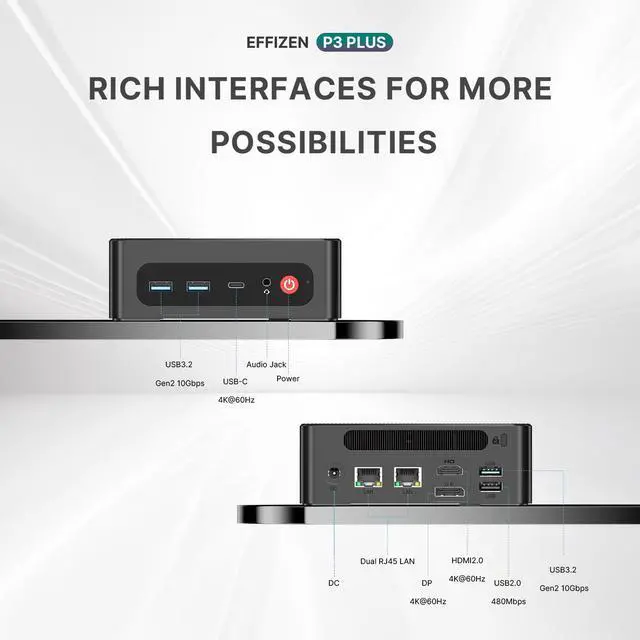
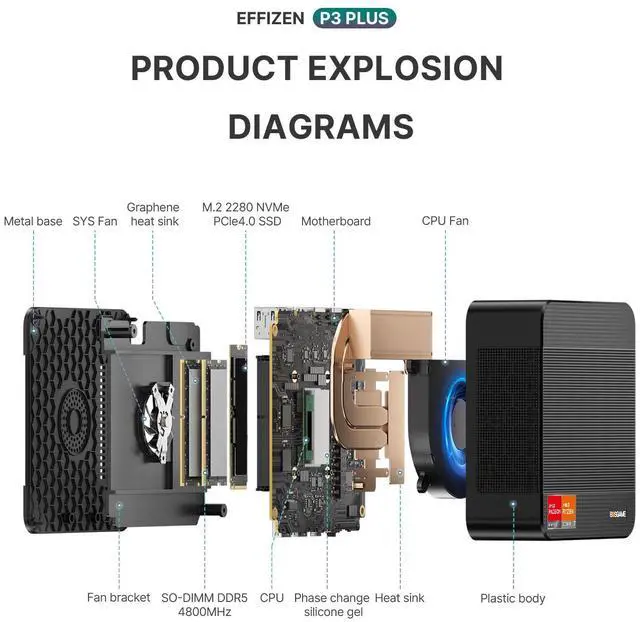
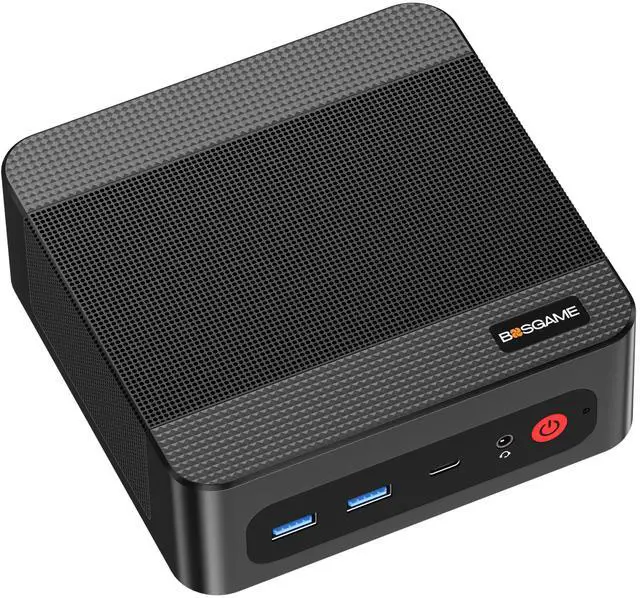
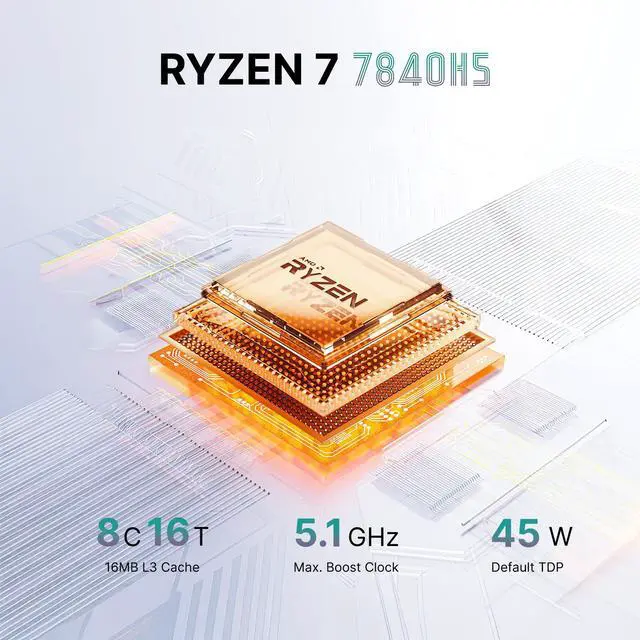
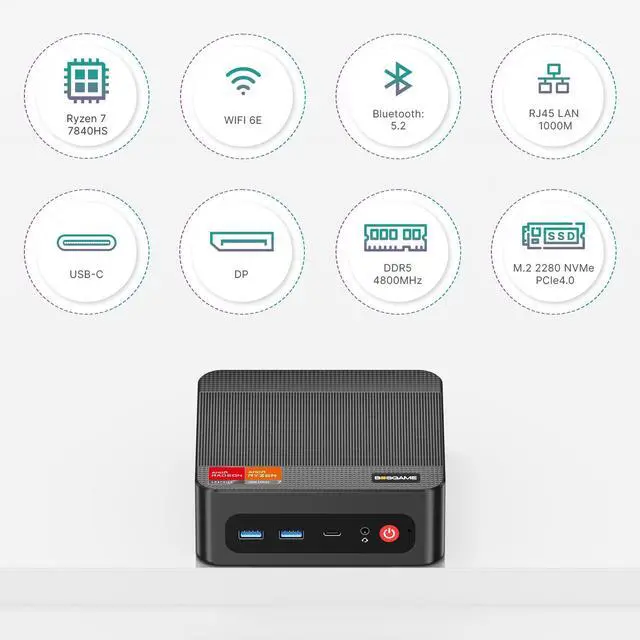
The BOSGAME P3 Plus is a compact Windows 11 Pro mini PC with a Ryzen 7 7840HS, 16GB DDR5, 1TB PCIe 4.0 SSD, and Radeon 780M graphics, making it a strong fit for office users, home productivity, coding, and multitasking setups that benefit from up to three 4K displays.
| Attribute | Value |
|---|---|
| Best For | Compact office or home desktop for multitasking and multimedia workflows — suited to users who need a small-footprint PC with a Ryzen 7 APU, integrated Radeon graphics, 16GB DDR5 and 1TB storage; product listing indicates multi-monitor (triple 4K) support for enhanced productivity |
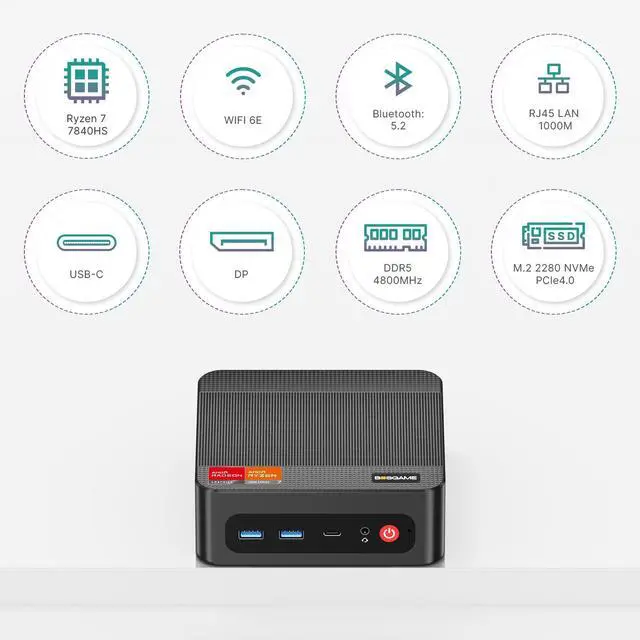
| Processor | AMD Ryzen 7 7840HS |
| Graphics | AMD Radeon 780M integrated graphics |
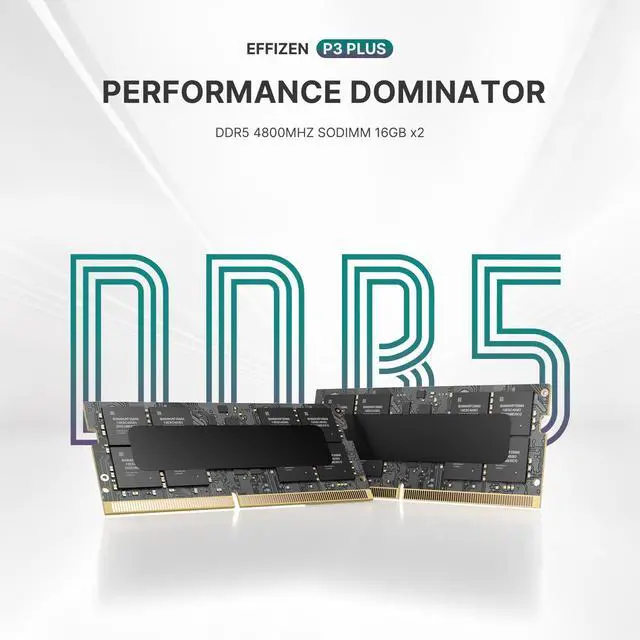
| Memory And Storage | 16GB DDR5 RAM paired with a 1TB SSD |
| Operating System | Windows 11 Pro |
| Power And Power Supply | DC 19V, 6.3A power input |
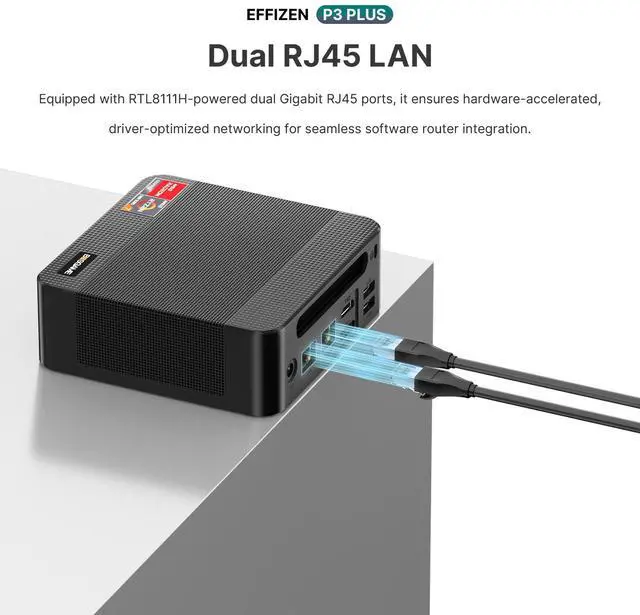
| Wired And Wireless Networking | 1 Gbps Ethernet; Wi‑Fi 6E (802.11 a/b/g/n/ac/ax); Bluetooth 5.2 |
| Audio Setup | Stereo (2-channel) audio |
| Physical And Display | Black mini PC — no built-in display (headless) |
| Model Identifiers | BOSGAME |
Q: Should I choose this Ryzen 7 7840HS mini PC or a Ryzen 7 8845HS mini PC?
A: Choose this BOSGAME P3 Plus when price and overall value matter more than having the newer AMD refresh. The Ryzen 7 7840HS and Ryzen 7 8845HS are both 8-core, 16-thread Zen 4 chips with Radeon 780M graphics, and review data and community comparisons consistently describe the performance gap as small in typical mini PC use. An 8845HS model makes more sense if it is priced similarly or if you specifically want the newer Ryzen AI positioning; otherwise, a 7840HS system is usually the more practical buy.
Q: Is this 7840HS mini PC worth it over a cheaper Ryzen 5 mini PC for office and home use?
A: Choose this model over a lower-tier Ryzen 5 mini PC if you want more headroom for multitasking, heavier browser workloads, creative apps, or occasional gaming on integrated graphics. The Ryzen 7 7840HS combines 8 cores and Radeon 780M graphics, which is a meaningful step up from common Ryzen 5 mini PC configurations that usually trade down on CPU and iGPU performance. A Ryzen 5 option is still reasonable for basic office, streaming, and light productivity if the savings are substantial.
Q: How does this Ryzen 7 7840HS mini PC compare with older Ryzen 7 6800H mini PCs?
A: This BOSGAME system is the better choice if you want a newer platform with stronger integrated graphics and better long-term performance headroom. Compared with Ryzen 7 6800H mini PCs, the Ryzen 7 7840HS moves from Zen 3+ to Zen 4 and from Radeon 680M to Radeon 780M. Reviews and CPU comparisons generally show the 7840HS delivering a modest CPU uplift and a more noticeable graphics improvement, which matters more for light gaming, emulation, and GPU-accelerated tasks.
Q: Should I buy this AMD mini PC or an Intel mini PC for triple-4K office setup and light gaming?
A: Choose this AMD model if you want one compact PC for both productivity and meaningfully stronger integrated graphics. The Ryzen 7 7840HS includes Radeon 780M graphics, and AMD positions it as a higher-performance integrated graphics solution than typical Intel P-series Iris Xe systems from the same era. For office work alone, either AMD or Intel can fit a multi-display setup, but the AMD option is usually the safer choice if you also care about casual gaming, emulation, or GPU-assisted creative tasks.
Q: Is this a better fit than a smaller low-power mini PC if portability and quiet everyday use matter most?
A: Choose this BOSGAME P3 Plus if you want more desktop-like performance in a compact system and do not need the smallest or lowest-power form factor. A lower-power mini PC can be the better fit for very light workloads, near-silent operation, or simple travel-friendly setups. This 7840HS system is the better match when you want faster app response, more multitasking capacity, dual LAN, and enough integrated graphics performance to handle more than basic office tasks.
Q: Is this mini PC a good choice for office work, meetings, web apps, and multitasking?
A: Yes. For office work, video meetings, browser-heavy workflows, and general multitasking, this configuration is a strong fit. The Ryzen 7 7840HS is an 8-core/16-thread processor, 16GB DDR5 is enough for typical productivity use, and the 1TB PCIe 4.0 SSD gives fast boot and app load times. The main limitation is that it is still a mini PC with integrated graphics, so it is better suited to productivity and light creative work than demanding 3D or high-end editing workloads.
Q: Can it run two or three monitors for productivity?
A: Yes. Based on the provided product data, this model supports triple 4K display output, so it is well suited to dual-monitor and triple-monitor desk setups for spreadsheets, browser windows, communication tools, and document work. For buyers choosing between mini PCs, display support is a common decision point, and this model is stronger than basic mini PCs that only target one or two displays.
Q: Who is this mini PC best for?
A: It is best for users who want a compact desktop for office work, home use, remote work, digital signage, multi-monitor productivity, or a small always-on workstation. It also makes sense for users who value dual LAN and Wi-Fi 6E for stable networking. It is less ideal for buyers who want an all-in-one experience with a built-in screen, battery, keyboard, or mouse, since mini PCs still require external peripherals.
Q: Is it worth buying as a travel work device?
A: Only if your idea of travel means moving a small desktop between fixed workspaces. A mini PC is compact and easy to pack, but it still needs external power, a monitor, and input devices. For travel professionals who need to work anywhere, a laptop is usually the better fit. For users who regularly move between home, office, and a second desk with monitors already available, this kind of mini PC can work well.
Q: What are the main trade-offs versus a similar mini PC from GEEKOM or Minisforum?
A: The core trade-off is usually not basic capability but feature depth and headroom. This BOSGAME configuration already covers the main buyer requirements: Ryzen 7 performance, Radeon 780M graphics, 16GB RAM, 1TB SSD, triple-4K support, dual LAN, and Wi-Fi 6E. Comparable GEEKOM or Minisforum models may offer newer Ryzen variants, USB4, more RAM in the box, or higher-end display or networking options, but they often cost more. A buyer should choose this BOSGAME model when value and productivity features matter more than chasing the newest platform or premium expansion options.
Q: Is the BOSGAME P3 Plus worth buying for everyday work and general home use?
A: Yes, if you want a compact Windows mini PC with strong CPU performance, fast storage, and support for multiple monitors. The Ryzen 7 7840HS and 16GB DDR5 are a good fit for office work, web apps, media, light creative tasks, and multitasking. The main trade-off is that BOSGAME is a lesser-known brand, so buyers often weigh the hardware value against mixed confidence in long-term support.
Q: Is the BOSGAME P3 Plus good for gaming?
A: It is suitable for light gaming, emulation, and older or less demanding PC games, but it is not the best choice for high-end AAA gaming. The Radeon 780M integrated graphics are one of the stronger iGPUs in this class, but performance is still limited compared with a desktop graphics card. Buy it for compact all-around use with some gaming, not as a dedicated gaming PC.
Q: Who is the BOSGAME P3 Plus most suitable for?
A: It is most suitable for users who want a small desktop for productivity, a home office, media use, or a multi-monitor setup without needing a separate GPU. Its triple-display support, dual LAN, Wi‑Fi 6E, and Windows 11 Pro make it practical for desks where space, connectivity, and low power draw matter more than maximum graphics performance.
Q: What are the main trade-offs of buying the BOSGAME P3 Plus instead of a better-known mini PC brand?
A: The main advantage is price-to-spec value. The main trade-offs are weaker brand recognition, less consistent owner feedback on support, and more uncertainty around long-term reliability than with established mini PC brands. If after-sales service and warranty experience are a top priority, that may matter as much as the hardware itself.
Q: Can the BOSGAME P3 Plus replace a laptop or older desktop for most people?
A: Yes, for users whose main tasks are browsing, office work, streaming, video calls, and light content creation. It can replace an older desktop or a docked laptop setup if you already use external monitors and peripherals. It is a less suitable replacement if you need portability, battery power, or stronger dedicated-graphics performance.




![BOSGAME E5 Mini PC [Dual 2.5GLAN], AMD Ryzen 3 5300U Processor(4C/8T, up to 3.8GHz) with 16GB DDR4 1TB SSD, Supports 4K Triple Display/BT5.0/WiFi 5](https://c1.neweggimages.com/ProductImageCompressAll100/BWE9S2512240DWVT779.jpg "BOSGAME E5 Mini PC [Dual 2.5GLAN], AMD Ryzen 3 5300U Processor(4C/8T, up to 3.8GHz) with 16GB DDR4 1TB SSD, Supports 4K Triple Display/BT5.0/WiFi 5")
