here!
I’m your shopping assistant for PC builds, upgrades, and everything tech.
Got questions? Ask away!
Start a conversation
here!
I’m your shopping assistant for PC builds, upgrades, and everything tech.
Got questions? Ask away!
Start a conversation



Any questions? Ask CelesteSM will help you find out quickly.
|
CPU |
AMD Ryzen 3 5300U, 4C/8T, up to 3.8GHz |
|---|---|
|
Memory |
16GB DDR4 3200MHz SODIMM(Dual-channel, Included); Max 64GB |
|
Internal Slot |
|
|
Video Output |
HDMI 2.0 ×1, DP ×1, USB-C ×1 (up to 4K@60Hz) |
|
Other Functions |
Auto Power ON, Wake On Lan, PXE |
|
Graphics |
AMD Radeon Graphics (Max Frequency 1500MHz) |
|---|---|
|
Storage |
|
|
Connectivity |
|
|
Package Included |
|
|
Operating System |
|


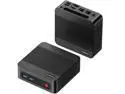
BOSGAME E5 Mini PC is a compact and high-performance solution tailored for professionals. Powered by the AMD Ryzen 3 5300U processor (4 cores/8 threads, up to 3.8GHz) and pre-installed with Windows 11 Pro, it ensures seamless multitasking for productivity, business applications, and online learning. With 16GB DDR4 RAM (expandable up to 64GB) and a 512GB NVMe SSD, the E5 delivers rapid boot times and ample storage, while dual SODIMM and M.2 slots provide flexible upgrade options. Enjoy advanced networking with dual 2.5GbE LAN ports and WiFi 5, making it ideal for home servers, firewalls, NAS, and virtualization. The integrated AMD Radeon Graphics supports triple 4K@60Hz displays via HDMI 2.0, DisplayPort, and USB-C, enabling efficient multitasking and immersive visuals. Additional features include a full-function USB-C port with data, video, and PD 3.0 support, efficient cooling, and whisper-quiet operation. The BOSGAME E5 Mini PC combines performance, versatility, and reliability in a sleek, modern design.
The BOSGAME E5 is a compact Windows 11 Pro mini PC with an AMD Ryzen 3 5300U processor, 16GB RAM, and a 512GB NVMe SSD. It is suitable for home office work, web browsing, media playback, multitasking, and light productivity, with performance suited to everyday computing rather than demanding gaming or professional workloads.
| Attribute | Value |
|---|---|
| Best For | Home-office users needing a compact mini desktop for everyday productivity, triple-display workspaces, 4K video playback, and wired or wireless networking |
Q: Is the BOSGAME E5 Ryzen 3 5300U better than an Intel N100 mini PC?
A: Choose the BOSGAME E5 when you expect heavier multitasking, frequent browser tabs, office applications, or light CPU-based productivity. Its Ryzen 3 5300U has 4 cores and 8 threads, while Intel N100 systems typically use 4 cores and 4 threads, and comparative benchmarks generally favor the 5300U for multi-threaded workloads. Choose an N100 mini PC when lower power consumption, quieter operation, or efficient 4K media playback is the higher priority. The BOSGAME E5 also provides 16GB of RAM, triple-display support, and dual 2.5GbE ports in this configuration, but connectivity varies by N100 model.
Q: Should I buy the BOSGAME E5 Ryzen 3 5300U or pay more for a Ryzen 5 5500U mini PC?
A: Buy the BOSGAME E5 for web browsing, office work, streaming, remote work, and light productivity where 4 cores and 8 threads are sufficient. Choose a Ryzen 5 5500U mini PC when you regularly compile software, edit photos or video, run virtual machines, or perform other sustained multi-core tasks. The Ryzen 5 5500U has 6 cores and 12 threads compared with the 5300U's 4 cores and 8 threads, plus a stronger integrated graphics configuration, so the higher-tier system provides more performance headroom. The BOSGAME E5 is the more practical choice when its lower cost and included 16GB RAM and 512GB NVMe SSD meet your workload.
Q: Is the BOSGAME E5 a good upgrade from an older Ryzen 3 4300U mini PC?
A: The BOSGAME E5 is a worthwhile upgrade when you need smoother multitasking, because the Ryzen 3 5300U supports simultaneous multithreading with 4 cores and 8 threads, while the older Ryzen 3 4300U has 4 cores and 4 threads. The upgrade is most noticeable with many browser tabs, office applications running together, and other workloads that use multiple threads. It is a smaller upgrade for basic browsing, email, and video playback, so owners of a functioning 4300U system may gain more from additional RAM or storage unless they also need the E5's triple-display output, dual 2.5GbE networking, or Windows 11 Pro configuration.
Q: Should I choose the BOSGAME E5 or a laptop if I care about portability?
A: Choose the BOSGAME E5 for a compact fixed workstation, multi-monitor desk setup, or home-office computer; choose a laptop when you need an integrated screen, keyboard, battery, and operation away from a desk. The E5 is easier to place behind a monitor or carry between fixed workspaces, and its HDMI, DisplayPort, and USB-C video outputs support up to three displays according to the product listing. A laptop is the more complete portable solution because the BOSGAME E5 still requires a separate monitor, keyboard, mouse, and power connection.
Q: Can this mini PC run three monitors at the same time?
A: Yes. It supports up to three independent 4K displays at 60Hz through HDMI 2.0, DisplayPort, and USB Type-C. Use compatible cables and confirm that the USB Type-C monitor or adapter supports video output.
Q: Is this a good mini PC for office work, video meetings, note-taking, and multitasking?
A: Yes. The Ryzen 3 5300U, 16GB of RAM, and 512GB NVMe SSD are suitable for web browsing, email, documents, spreadsheets, online meetings, note-taking, and typical home-office multitasking. It does not include a built-in display, webcam, keyboard, or mouse, so those accessories must be available separately.
Q: Is this mini PC practical for travel or a temporary work setup?
A: It is practical to move between locations because of its compact mini-PC design, but it is less convenient than a laptop for travel. You still need a monitor or portable display, keyboard, mouse, and power connection wherever you use it.
Q: Can the memory and storage be upgraded later?
A: Yes. The DDR4 memory can be expanded from the installed 16GB up to 64GB, subject to compatible modules. Storage can also be expanded: the system includes a 512GB M.2 2280 NVMe SSD and an additional M.2 slot for another compatible drive.
Q: Is this mini PC suitable for gaming?
A: It is better suited to office work, streaming, web use, and light productivity than demanding modern gaming. Its integrated AMD Radeon graphics can handle casual or less-intensive games, but users seeking high graphics settings, high frame rates, or advanced 3D workloads should choose a system with a dedicated graphics card.
Q: Is the BOSGAME E5 worth buying for basic home and office use?
A: It is a reasonable budget choice for web browsing, streaming, office software, multitasking, and Linux dual-boot use when priced competitively. The Ryzen 3 5300U is an older 4-core/8-thread processor, so it is better suited to everyday workloads than demanding creation or gaming.
Q: Who is the BOSGAME E5 suitable for?
A: It is suitable for home-office users, students, media playback, programming, lightweight multitasking, and compact desktop setups. Its triple-display support and 16GB RAM are useful for productivity, while the integrated Radeon graphics limit it to light gaming and less demanding applications.
Q: Is the BOSGAME E5 good for gaming or emulation?
A: It can handle light gaming and some emulation, but it is not a future-proof gaming system. It may suit older games, less demanding strategy or simulation titles, and some PlayStation 2 emulation, but newer games should not be expected to run well without reduced settings.
Q: Is the BOSGAME E5 suitable for a home lab, router, or small server?
A: It is a practical option for lightweight home-lab workloads because it has dual 2.5GbE ports, two M.2 storage positions, and a 4-core/8-thread processor. It can suit networking experiments, storage, game servers, or general Linux services, but users should verify software-specific requirements such as hardware video transcoding.
Q: What are the main trade-offs of choosing the BOSGAME E5?
A: The main trade-offs are the older Ryzen 3 5300U platform, limited integrated graphics, and uncertainty about brand support compared with more established mini-PC brands. Community discussions also mention that some units may use a single 16GB memory module, which can reduce integrated-graphics performance; buyers should confirm the exact configuration and consider reinstalling Windows for security.