here!
I’m your shopping assistant for PC builds, upgrades, and everything tech.
Got questions? Ask away!
Start a conversation
here!
I’m your shopping assistant for PC builds, upgrades, and everything tech.
Got questions? Ask away!
Start a conversation



Any questions? Ask CelesteSM will help you find out quickly.
|
CPU |
AMD Ryzen AI 9 HX 470,12C/24T,Up to 5.2GHz |
|---|---|
|
GPU |
AMD RadeonTM 890M |
|
Memory |
32GB DDR5 SODIMM(Dual-channel, Included); Max 256GB |
|
Storage |
1TB M.2 2280 NVMe PCle4.0 x4 SSD(pre-installed),two additional M.2 slot for expansion |
|
Connectivity |
Dual 2.5G LAN |
|
Operating System |
Windows 11 Pro |
|
Package Included |
1x Mini PC, 1x Power adapter, 1x VESA mount with screws, 1x HDMI cable, 1x User Manual |


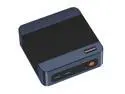
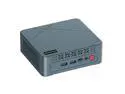
The BOSGAME VTA-439 is a compact Windows 11 Pro mini PC with an AMD Ryzen AI 9 HX 470, Radeon 890M graphics, 32GB DDR5 memory, and a 1TB NVMe SSD, suited to users who want strong everyday computing and local AI features in a small desktop.
| Attribute | Value |
|---|---|
| Best For | Compact desktop use for local AI workloads and general productivity, with Ryzen AI processing and integrated Radeon graphics |
| Processor And AI Capabilities | AMD Ryzen AI 9 HX 470 with built-in XDNA 2 NPU, 55 TOPS of NPU performance, and 86 TOPS total AI compute; Copilot+ PC ready |
| Graphics | Integrated AMD Radeon 890M graphics with a maximum graphics frequency of 3100 MHz |
| Memory Configuration | 32GB DDR5 at 5600 MT/s, with 2 memory slots total and 1 available |
| Storage | 1TB SSD |
| Wired And Wireless Networking | Two RJ-45 ports with 2.5 Gbps LAN, plus Wi-Fi 7 and Bluetooth 5.4 |
| Operating System | Windows 11 Pro |
| Brand | BOSGAME |
Q: For local AI work, should I choose the BOSGAME VTA-439 or M5?
A: Choose the BOSGAME M5 for memory-intensive local AI workloads: its Ryzen AI Max+ 395 configuration is offered with 96GB or 128GB of unified memory and Radeon 8060S graphics. Choose the VTA-439 if you want a Ryzen AI 9 HX 470 mini PC with two upgradeable SO-DIMM slots, three M.2 SSD slots, and dual 2.5GbE LAN.
Q: BOSGAME VTA-439 vs M6 HX370: which should I pick?
A: Choose the VTA-439 if you want BOSGAME’s Ryzen AI 9 HX 470 configuration: it boosts up to 5.2GHz, compared with up to 5.1GHz for the M6’s Ryzen AI 9 HX 370, and its Radeon 890M graphics are specified at up to 3.1GHz versus 2.9GHz for the M6. Both models are listed with 32GB DDR5 memory, a 1TB SSD, and Radeon 890M graphics.
Q: Should I get the BOSGAME VTA-439 or VTI-490 for a multi-drive workstation?
A: The VTA-439 is the fit for a workstation setup that prioritizes storage and memory expansion: it has three M.2 SSD slots, two upgradeable DDR5 SO-DIMM slots, and dual 2.5GbE LAN. The VTI-490 is configured with 64GB LPDDR5X memory, a 1TB SSD, Intel Core Ultra X7 358H, and dual 2.5GbE/10GbE networking.
Q: Can this mini PC run multiple monitors?
A: Yes. The product information lists support for up to four independent displays, with HDMI, DisplayPort 1.4, USB4, and USB-C outputs. It also specifies up to 8K at 60Hz over USB4; confirm your monitor and cable support the desired resolution and refresh rate.
Q: Can I upgrade the RAM or storage later?
A: The product information lists two DDR5 memory slots, with one available, and three M.2 SSD slots. It comes with 32GB of RAM and a 1TB SSD; the listing advertises support for up to 256GB of memory. Check the manual for compatible parts and the exact limits before upgrading.
Q: Is it suitable for everyday office work and video meetings?
A: Yes. Its Ryzen AI 9 HX 470 processor, 32GB of RAM, 1TB SSD, and Windows 11 Pro are suitable for common office tasks, multitasking, and video-call software. The supplied package does not list a webcam, microphone, or monitor, so you may need to provide those separately.
Q: Is it suitable for gaming or GPU-heavy creative work?
A: It has integrated Radeon 890M graphics and an OCuLink port for connecting an external GPU. That makes it expandable for graphics-heavy work, but the listed configuration does not include a discrete graphics card. For demanding games or rendering, plan on an external GPU and check the requirements of your specific applications.
Q: Is the VTA-439 a good fit for local AI workloads?
A: It has a Ryzen AI 9 HX 470 with a 55-TOPS NPU and 32GB of RAM, and its memory can be upgraded. That makes it worth considering for local AI use, but 32GB may limit larger models; check the memory requirements of the models you plan to run.
Q: Is its upgradeable RAM an advantage over other HX 470 mini PCs?
A: Potentially. The VTA-439 uses replaceable DDR5 memory, so capacity can be increased later; some competing systems use faster soldered memory that cannot be upgraded. The choice is between upgrade flexibility and the possible performance benefit of faster memory, especially for graphics-heavy or memory-bandwidth-sensitive tasks.
Q: Have owners reported any issues to consider before buying?
A: One VTA-439 owner reported a DisplayPort handshake problem with a monitor that worked with another computer, and said they had not yet tested the system under heavy load. This is an individual report, not evidence of a widespread fault; confirm your display connection works during the return period.