here!
here!
I’m your shopping assistant for PC builds, upgrades, and everything tech.
Got questions? Ask away!
Start a conversation
here!
I’m your shopping assistant for PC builds, upgrades, and everything tech.
Got questions? Ask away!
Start a conversation


| Brand | BOSGAME |
|---|
| Form Factor | Mini PC |
|---|---|
| Memory | 8GB |
| Storage | 256GB |
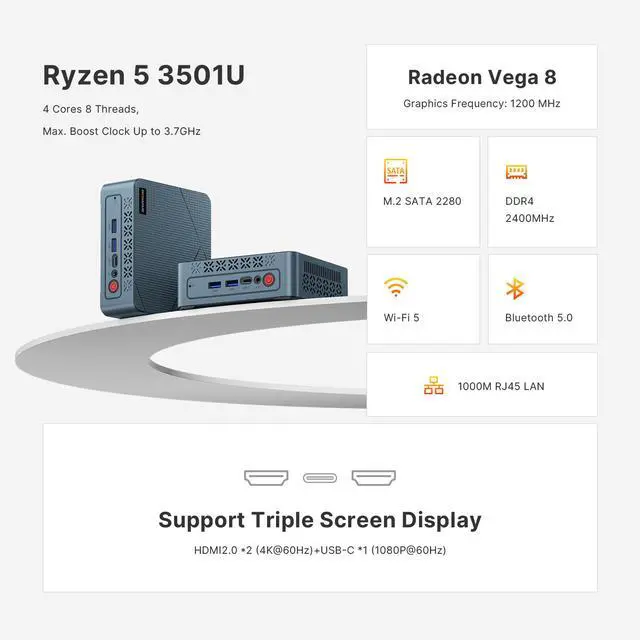
| Graphics | Radeon Vega 8 Graphics(Max Graphics Frequency 1200MHz) |
| Operating System | Windows 11 Pro |
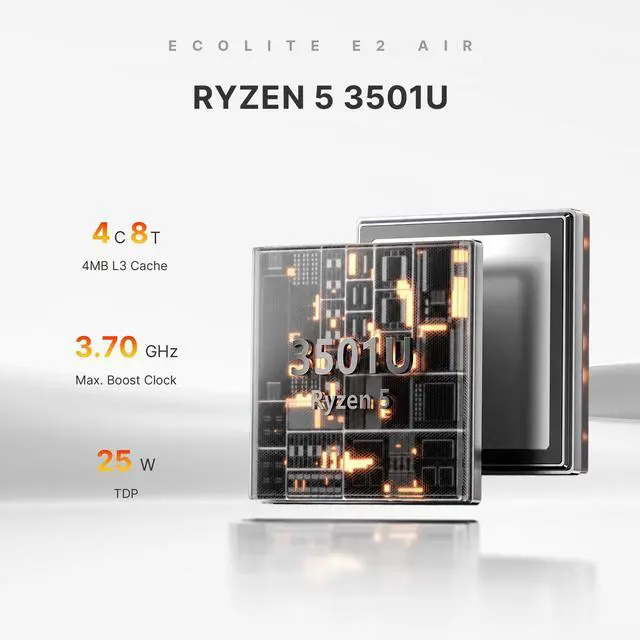
| CPU Name | AMD Ryzen 5 3501U |
|---|
| GPU/VGA Type | Radeon Vega 8 Graphics (Max Graphics Frequency 1200MHz) |
|---|
| Memory Capacity | 8GB DDR4 |
|---|---|
| Memory Speed | 2400MT/s |
| Memory Slot (Total) | 2 |
| Memory Slot (Available) | 1 |
| SSD | 256GB SSD |
|---|
| LAN Speed | 1000 Mbps |
|---|---|
| WLAN | 802.11 a/b/g/n/ac |
| WiFi Generation | Wi-Fi 5 |
| Bluetooth | Bluetooth 5.0 |
| RJ45 | 1 port |
|---|
| First Listed on Newegg | August 02, 2026 |
|---|
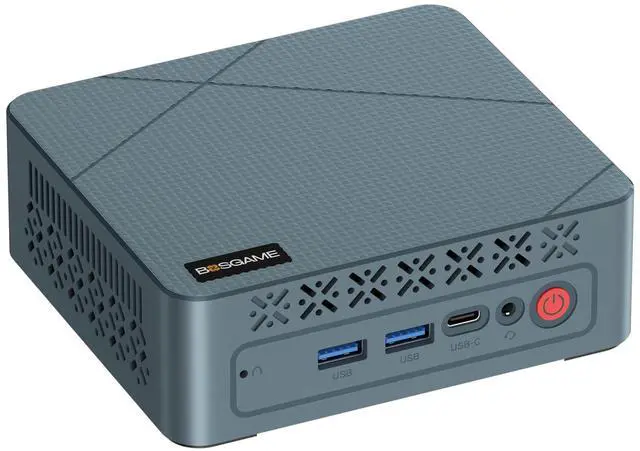
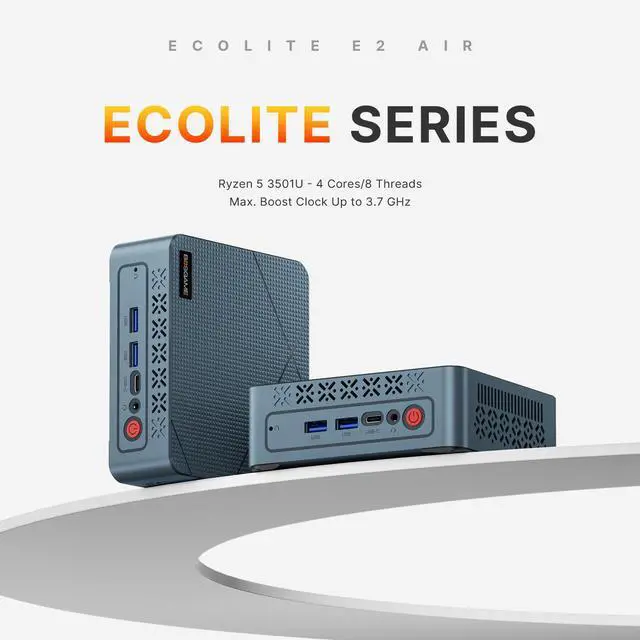
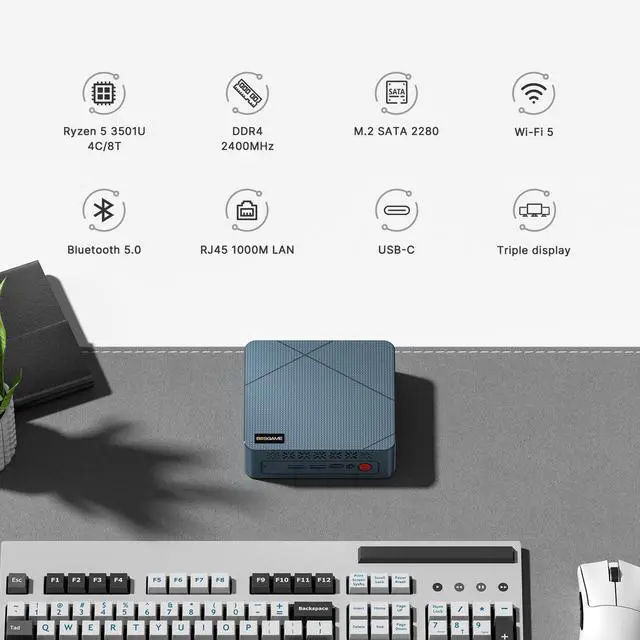
The BOSGAME E2 Air is a compact Windows 11 Pro mini PC with an AMD Ryzen 5 3501U, 8GB DDR4 RAM, 256GB SSD, and Radeon Vega 8 graphics, built for home offices, student work, and everyday multitasking across up to three displays.
Q: Should I buy this BOSGAME E2 Air or an Intel N100 mini PC for everyday use?
A: Choose the BOSGAME E2 Air if you want stronger older Ryzen-class multitasking and better integrated graphics for light gaming, emulation, or heavier browser use. Choose an Intel N100 mini PC if your priority is newer entry-level efficiency, basic web and office work, and media playback in a lower-power system. In published comparison data, Ryzen 5 3500U-class CPUs are close to N100 in overall CPU results, while community discussions and mini PC reviews commonly treat the Ryzen option as the better fit when graphics capability matters more than power efficiency.
Q: Is this BOSGAME E2 Air a better buy than a cheaper mini PC with a Ryzen 3 or Intel N95/N97-class chip?
A: This BOSGAME model is the better choice when you expect heavier multitasking, more browser tabs, or light GPU-assisted workloads. Its Ryzen 5 3501U uses 4 cores and 8 threads with Vega 8 graphics, which is a step up from many lower-tier budget mini PCs that focus on basic office and streaming tasks. A cheaper Ryzen 3, N95, or N97 system can still be the right fit for email, web, and signage use, but this BOSGAME configuration is the more practical option if you want extra headroom without moving into a higher-priced performance tier.
Q: Should I choose this BOSGAME E2 Air or spend more for a Ryzen 5 5625U mini PC?
A: Choose the BOSGAME E2 Air if your goal is a lower-cost mini PC for office work, remote work, web apps, and multi-monitor productivity. Spend more for a Ryzen 5 5625U mini PC if you want a more modern CPU platform with 6 cores and 12 threads, which professional benchmark databases and product listings consistently position above Ryzen 5 3500U-class systems for sustained multitasking and longer-term performance headroom. The main trade-off is value now versus more CPU lifespan for demanding use.
Q: Is Ryzen 5 3501U meaningfully different from Ryzen 5 3500U in other mini PCs?
A: Not in a way that should change a buying decision. External CPU references identify Ryzen 5 3501U as effectively the same class as Ryzen 5 3500U, with the same 4-core, 8-thread layout and Vega 8 graphics. If you are comparing this BOSGAME unit to another mini PC labeled Ryzen 5 3500U, the more important differences are usually RAM capacity, SSD size, cooling, ports, and whether memory is upgradeable.
Q: Is this mini PC better for a desk setup or should I get a laptop instead?
A: Choose this BOSGAME mini PC for a fixed desk setup where you want a small footprint, Ethernet, multiple USB ports, and support for up to three displays. Choose a laptop if portability, battery power, webcam integration, and work-away-from-desk flexibility matter more. For home office and light business use, mini PC discussions commonly frame systems like this as a good fit when the machine will stay connected to monitors and peripherals most of the time.
Q: Is this mini PC good for office work, Zoom, web browsing, and everyday multitasking?
A: Yes for basic to moderate office use. The Ryzen 5 3501U is a 4-core/8-thread processor, and the included 8GB RAM plus 256GB SSD should handle email, browser tabs, spreadsheets, video meetings, and document work well. The main trade-off is headroom: 8GB RAM is adequate for light multitasking, but users who keep many tabs, large spreadsheets, or multiple business apps open at once may want to upgrade memory.
Q: Can it run three monitors, and is that useful for work?
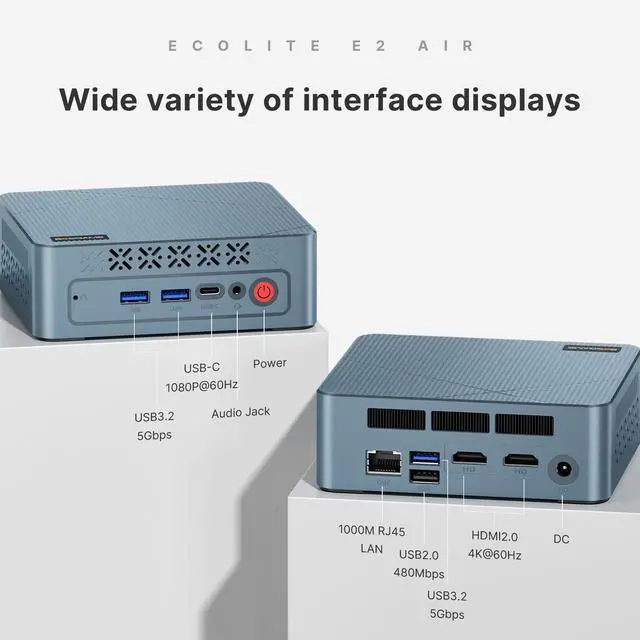
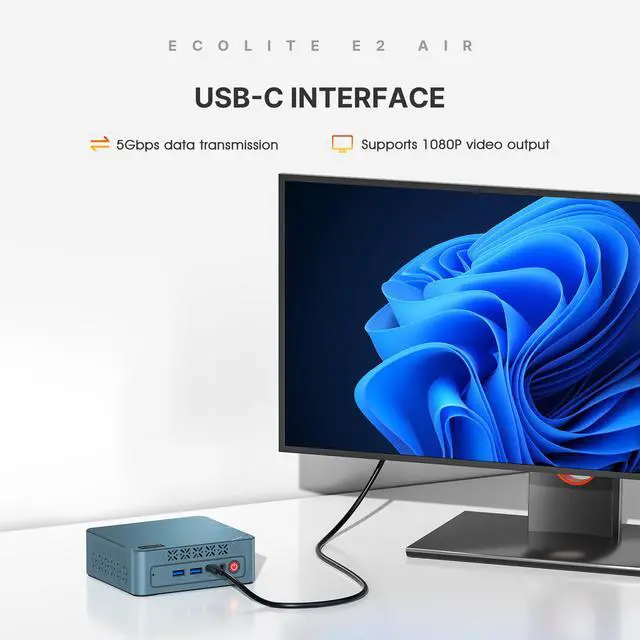
A: Yes, if you use the ports as specified: this model lists dual HDMI 2.0 outputs at up to 4K 60Hz plus USB-C video output at up to 1080p 60Hz for a third display. That makes it suitable for spreadsheet work, dashboards, trading layouts, and multitasking across several windows. The trade-off is that triple-display support depends on using the correct display-capable USB-C path and compatible cables or adapters.
Q: Is this worth buying as a compact desk or travel work PC?
A: It can make sense if you want a very small Windows desktop that is easy to move between home, office, or temporary setups, but it is not a laptop replacement because you still need external power, a monitor, keyboard, and mouse. It is best for users who value small size and already have peripherals. The trade-off versus a laptop is lower portability in real use, even though the box itself is compact.
Q: Who is this mini PC suitable for, and who should skip it?
A: It is suitable for home office users, students, front-desk setups, digital signage, and anyone who needs a small Windows 11 Pro desktop for routine productivity. It is less suitable for buyers who want modern AAA gaming, heavy video editing, large creative workloads, or long-term performance headroom without upgrades. The integrated Radeon Vega 8 graphics are fine for media, desktop work, and light older games, but not a strong choice for demanding graphics workloads.
Q: What are the main trade-offs versus a newer 16GB mini PC alternative?
A: The BOSGAME E2 Air should be enough for basic productivity, but compared with newer mini PCs that start with 16GB RAM, 512GB storage, newer Wi-Fi, and newer processors, it offers less multitasking margin and less storage from the start. Its advantage is being a simpler, lower-spec option for everyday office tasks. If you expect heavier multitasking or want a longer upgrade runway, a 16GB/512GB class mini PC is the safer choice.
Q: Is the BOSGAME E2 Air a good buy for basic work and everyday desktop use?
A: Yes, if your main use is office work, web browsing, video calls, media playback, and light multitasking. The Ryzen 5 3501U, 8GB DDR4, and 256GB SSD are enough for routine productivity, but this configuration is still entry-level by current mini PC standards. It is a practical fit for budget desktop use, not for heavier creative workloads or demanding multitasking.
Q: Is the BOSGAME E2 Air good for gaming?
A: Only for light or older games, and usually at low settings. Radeon Vega 8 can handle casual gaming and some esports titles, but this is not a strong choice for modern AAA gaming. If gaming is a priority, a newer mini PC with a stronger integrated GPU is a better long-term buy.
Q: Who is the BOSGAME E2 Air most suitable for?
A: It is best suited to budget buyers who want a compact Windows desktop for home office use, streaming, remote access, kiosk-style setups, or a simple secondary PC. It makes more sense for fixed desk or TV use than for power users, creators, or anyone expecting workstation-class performance.
Q: What are the main trade-offs of buying the BOSGAME E2 Air instead of a newer mini PC?
A: The main trade-offs are older CPU/GPU performance, only 8GB RAM in this listing, limited 256GB storage, Wi-Fi 5 instead of newer wireless standards, and weaker gaming headroom. Community discussions also raise the usual budget mini PC concerns around cooling, noise, and long-term reliability. The upside is small size and enough performance for basic desktop tasks.
Q: Can the BOSGAME E2 Air be upgraded later with more RAM or storage?
A: RAM is more upgrade-friendly than storage. The provided specs show two memory slots with one available, so adding memory should be the simplest upgrade path. Storage expansion is less clear from community discussion: some users specifically ask about adding a second SSD or 2.5-inch drive, which suggests buyers should confirm internal expansion options before purchase rather than assume them.


![BOSGAME E5 Mini PC [Dual 2.5GLAN], AMD Ryzen 3 5300U Processor(4C/8T, up to 3.8GHz) with 16GB DDR4 1TB SSD, Supports 4K Triple Display/BT5.0/WiFi 5](https://c1.neweggimages.com/ProductImageCompressAll125/BWE9S2512240DWVT779.jpg "BOSGAME E5 Mini PC [Dual 2.5GLAN], AMD Ryzen 3 5300U Processor(4C/8T, up to 3.8GHz) with 16GB DDR4 1TB SSD, Supports 4K Triple Display/BT5.0/WiFi 5")