here!
here!
I’m your shopping assistant for PC builds, upgrades, and everything tech.
Got questions? Ask away!
Start a conversation
here!
I’m your shopping assistant for PC builds, upgrades, and everything tech.
Got questions? Ask away!
Start a conversation



Any questions? Ask CelesteSM will help you find out quickly.
|
CPU |
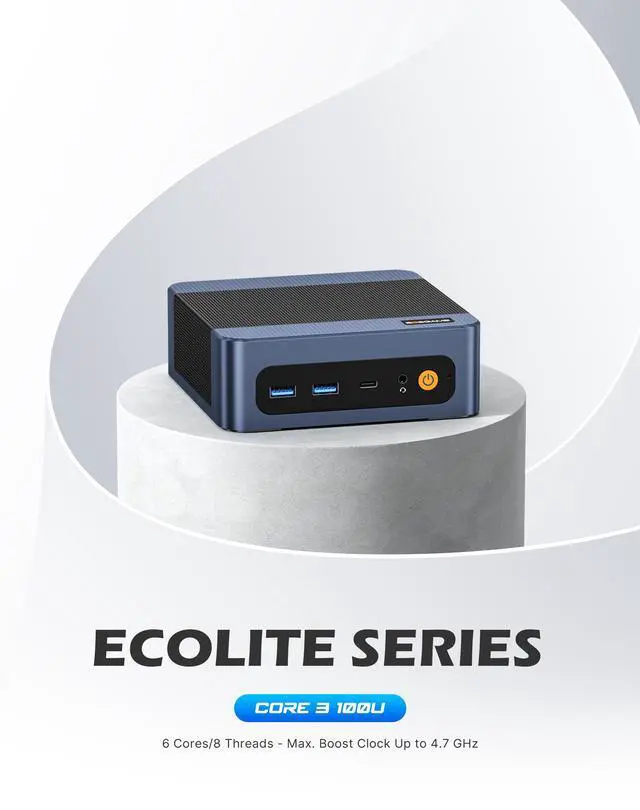
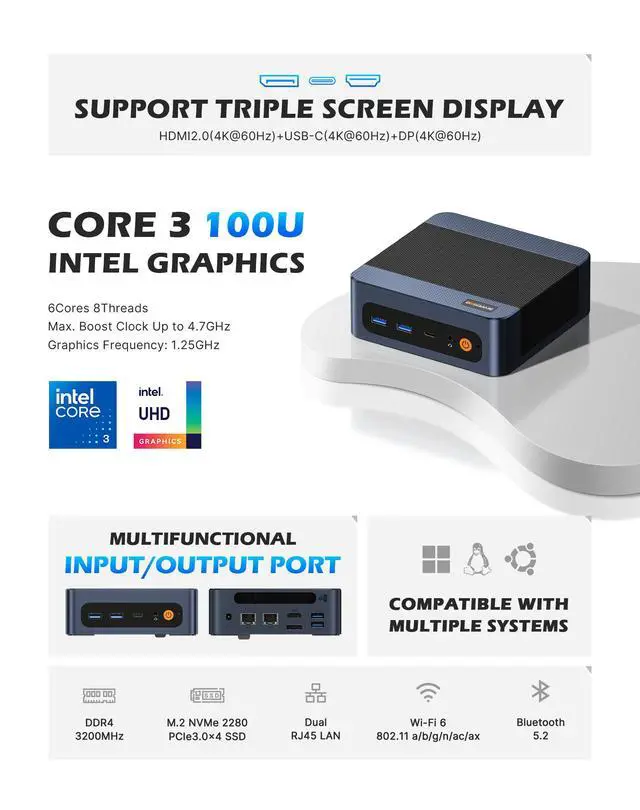
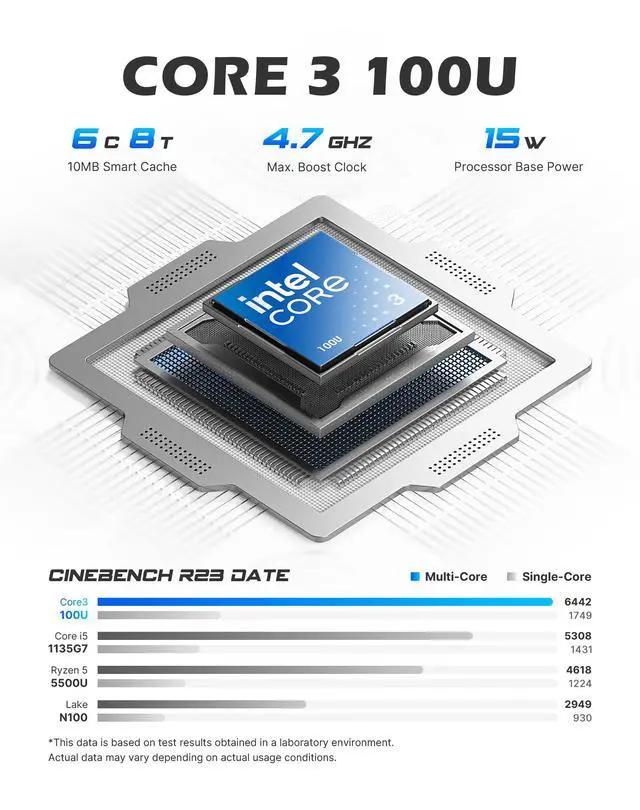
Intel Core 3 100U |
|---|---|
|
Memory |
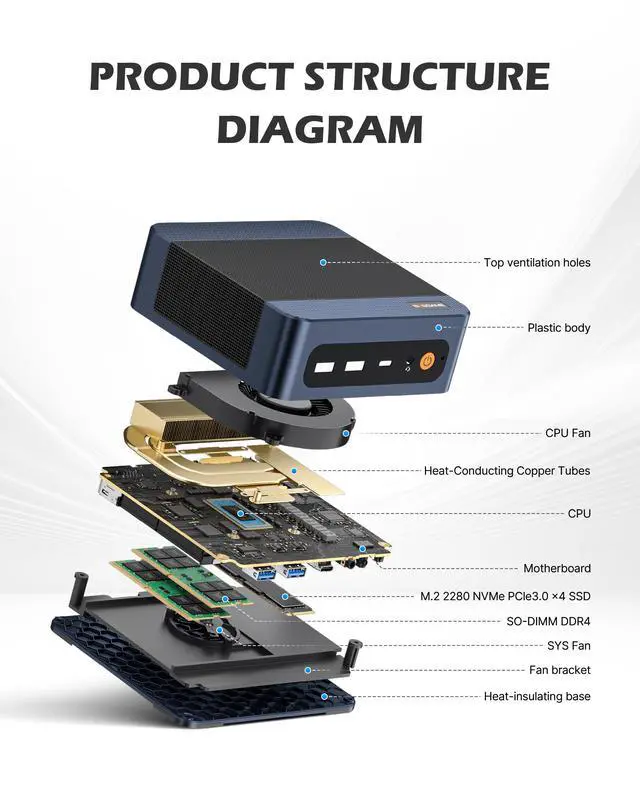
16GB DDR4 3200MT/s SODIMM(Dual-channel, Included); Max 64GB |
|
Storage |
512GB M.2 2280 NVMe PCIe 3.0 x4 SSD (pre-installed); one additional M.2 slot for expansion |
|
Internal Slot |
2x SO-DIMM Slot, 2x M.2 PCIe3.0 x4 SSD Slot |
|
Connectivity |
Dual LAN |
|
Video Output |
HDMI2.0 x1, DP x1 ,USB Type-C x1 (4K@60Hz) |


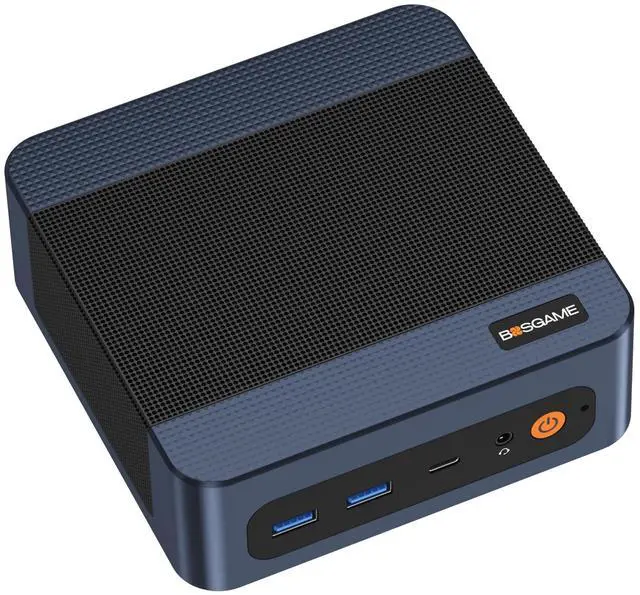
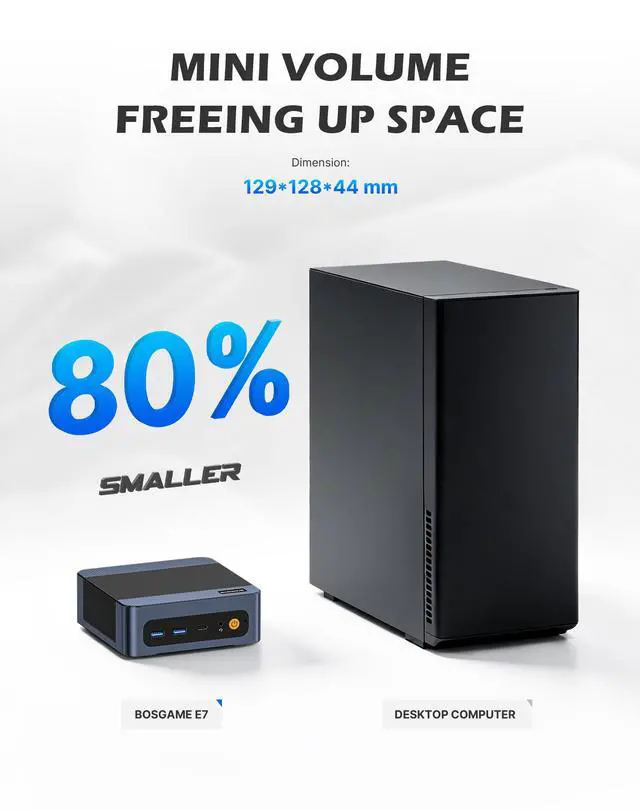
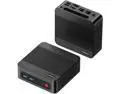
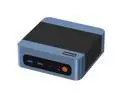
The BOSGAME E7 is a compact Windows 11 Pro mini PC for business users, home offices, and multitaskers who need solid everyday performance, dual LAN networking, and support for up to three 4K displays in a space-saving desktop.
Q: Should I buy the BOSGAME E7 with Core 3 100U or a cheaper Intel N100 mini PC?
A: Choose the BOSGAME E7 if you expect heavier multitasking, more browser tabs, office work across multiple displays, or plan to upgrade memory and storage later. The Core 3 100U has 6 cores and 8 threads, while the Intel N100 is a 4-core, 4-thread entry chip with single-channel memory support, so N100 systems are generally aimed at lighter office, signage, streaming, or basic server use. Community discussion around mini PCs also commonly treats Core 3 100U systems as the step up from N100 when users want more CPU headroom without moving into higher-priced performance tiers.
Q: Is the BOSGAME E7 a better fit than an ASUS NUC 14 Pro with the same Core 3 100U?
A: Pick the BOSGAME E7 if dual Ethernet is part of the plan, such as firewall, soft-router, NAS gateway, or network-segmented office use. Pick the ASUS NUC 14 Pro if you value a more premium platform with Thunderbolt 4, newer I/O, and broader enterprise-style positioning. With the same Core 3 100U, the buying decision is usually about connectivity and platform features rather than a major CPU difference.
Q: Should I choose this Core 3 100U mini PC or move up to a Core Ultra 5 mini PC?
A: Choose the BOSGAME E7 if your main workloads are office apps, web work, remote desktop, digital signage, home lab tasks, or multi-display productivity and you do not need stronger integrated graphics or on-chip AI features. Move up to a Core Ultra 5 mini PC if you want noticeably more CPU throughput, a much stronger Arc-class iGPU, Thunderbolt-heavy expansion, or newer AI/NPU capabilities. In practice, Core Ultra 5 systems are a better fit for users balancing compact size with more demanding creative, developer, or accelerated workloads.
Q: Is 16GB RAM on the BOSGAME E7 enough, or should I look for a 32GB mini PC instead?
A: The included 16GB is the practical starting point for general business use, web-heavy multitasking, and triple-display office setups. A 32GB configuration makes more sense if you plan to run virtual machines, larger datasets, developer tools, Docker stacks, or longer-term multitasking growth. Because the BOSGAME E7 has two SODIMM slots and supports up to 64GB, it fits buyers who want to start at 16GB and upgrade only if their workload expands.
Q: Is the BOSGAME E7 better for portability-focused use or for a fixed desk setup?
A: The BOSGAME E7 is better matched to a fixed desk or networked workstation setup than to portability-first use. Its strengths are the compact desktop format, triple 4K display support, dual LAN, upgradeable RAM, and extra SSD expansion. If you need something that moves between rooms, meetings, or travel often, a laptop is the more practical choice; if you want a small always-connected desktop with more ports and upgrade flexibility than a laptop dock setup, the E7 is the better fit.
Q: Is this a good mini PC for office work, web apps, meetings, and general business use?
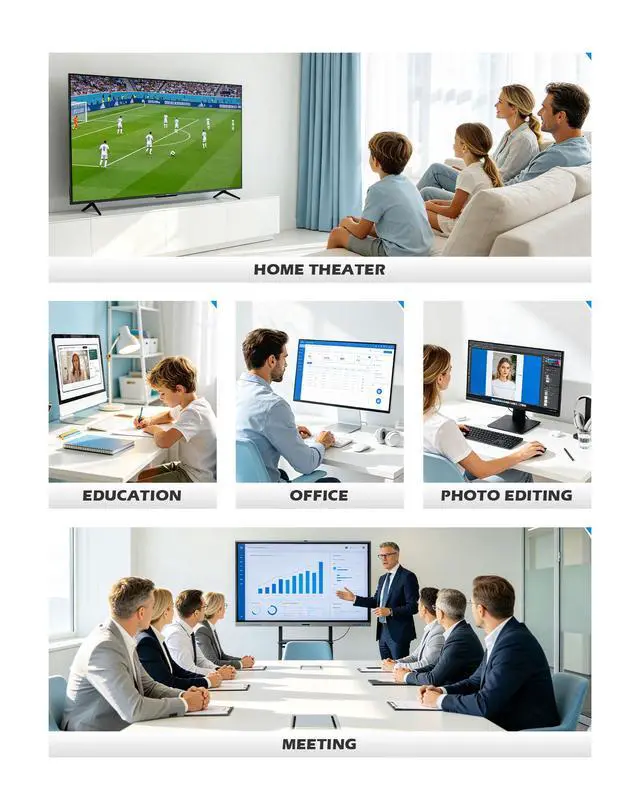
A: Yes. This configuration is well suited for office workloads such as Microsoft 365, browser-based work, video meetings, email, bookkeeping, and light multitasking. The main reasons are the Intel Core 3 100U processor, 16GB RAM, NVMe SSD storage, and Windows 11 Pro. The main trade-off is graphics headroom: it is a productivity mini PC, not a gaming or heavy 3D workstation.
Q: Can it run multiple monitors well for trading, dashboards, or multitasking?
A: Yes. This model is a strong fit if you want several screens for spreadsheets, dashboards, browser tabs, communications tools, or light content work. Based on the provided specs, it supports three independent 4K displays at 60Hz through HDMI, DisplayPort, and USB-C. The trade-off is that multi-display support helps productivity, but it does not turn the system into a high-end graphics or gaming machine.
Q: Who is this mini PC best for?
A: It is best for buyers who want a compact desktop for home office work, front-desk or back-office tasks, remote administration, digital signage, light media use, or a simple network appliance setup. The dual Gigabit LAN ports make it more suitable than many basic mini PCs for firewall, router, NAS-adjacent, or redundancy-focused network roles. It is less suitable for buyers who need strong gaming performance, heavy video editing, or discrete-GPU class graphics.
Q: Is it worth buying as a travel work device?
A: It can work as a travel desktop, but only for the right setup. A mini PC is easy to pack and carry, but unlike a laptop it still needs external power, a display, and input devices at the destination. That makes it practical for temporary desks, hotel monitor setups, trade shows, or moving between offices, but less convenient than a laptop for true on-the-go work.
Q: What are the main trade-offs versus a laptop or a more powerful mini PC?
A: Compared with a laptop, this mini PC usually gives you better port selection and desk flexibility, but it does not include a screen, battery, keyboard, or trackpad. Compared with a higher-end mini PC, the trade-off is graphics and heavy workload performance: the Core 3 100U and Intel integrated graphics are appropriate for mainstream productivity, but not ideal for advanced gaming, large creative workloads, or demanding local AI tasks. In return, it should be a better fit for efficient everyday computing and network-focused use cases than many entry models with only one LAN port.
Q: Is this a good fit for office work and multi-monitor productivity?
A: Yes. Based on its Intel Core 3 100U, 16GB RAM, 512GB NVMe SSD, and support for three 4K displays, this model fits typical office, browser-based, document, and multitasking workloads better than entry-level N100/N150 mini PCs. It is a stronger choice if you want a compact desktop for workstations with multiple monitors, but it is still an integrated-graphics system rather than a workstation-class PC.
Q: Who is this mini PC most suitable for?
A: It is most suitable for users who need a small Windows desktop for home office work, web apps, remote work, light business use, digital signage, or a space-saving multi-display setup. The dual LAN ports also make it more relevant than basic mini PCs for networking, lab, router, or small server-style use cases where two wired connections matter.
Q: Can it replace a full-size desktop for everyday use?
A: For everyday computing, usually yes. Its CPU, memory capacity, Windows 11 Pro, and storage expansion make it reasonable as a compact replacement for an older office tower or basic home desktop. The trade-off is that upgrade flexibility, cooling headroom, and graphics performance are still more limited than on a larger desktop.
Q: What are the main trade-offs before buying this BOSGAME mini PC?
A: The main trade-offs are typical of value-focused mini PCs: limited gaming performance from Intel integrated graphics, less thermal and upgrade headroom than a full desktop, and mixed buyer confidence around support and long-term brand reliability. It makes more sense for productivity and light infrastructure roles than for demanding gaming or heavy GPU workloads.
Q: Is it worth buying if I want a mini PC for gaming too?
A: Only if gaming is a secondary need. This configuration is better aligned with office work, media, and general desktop use than with modern 3D gaming. Intel integrated graphics can handle basic visuals and light workloads, but buyers focused on gaming usually look for a stronger AMD Radeon 780M-class iGPU or a larger desktop with discrete graphics.


![BOSGAME E5 Mini PC [Dual 2.5GLAN], AMD Ryzen 3 5300U Processor(4C/8T, up to 3.8GHz) with 16GB DDR4 1TB SSD, Supports 4K Triple Display/BT5.0/WiFi 5](https://c1.neweggimages.com/ProductImageCompressAll125/BWE9S2512240DWVT779.jpg "BOSGAME E5 Mini PC [Dual 2.5GLAN], AMD Ryzen 3 5300U Processor(4C/8T, up to 3.8GHz) with 16GB DDR4 1TB SSD, Supports 4K Triple Display/BT5.0/WiFi 5")