here!
here!
I’m your shopping assistant for PC builds, upgrades, and everything tech.
Got questions? Ask away!
Start a conversation
here!
I’m your shopping assistant for PC builds, upgrades, and everything tech.
Got questions? Ask away!
Start a conversation



Any questions? Ask CelesteSM will help you find out quickly.
|
CPU |
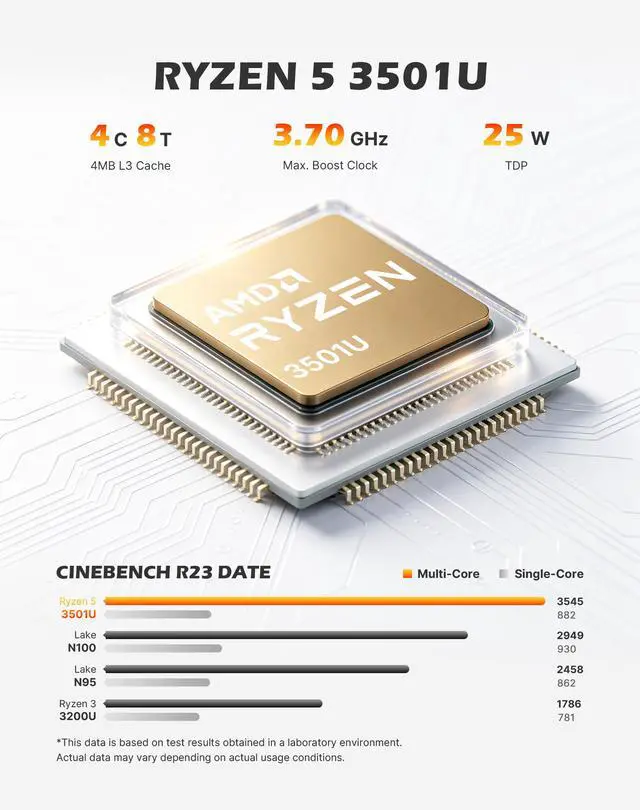
AMD Ryzen 5 3501U(4C/8T) |
|---|---|
|
Graphics |
Radeon Vega 8 Graphics(Max Graphics Frequency 1200MHz) |
|
Memory |
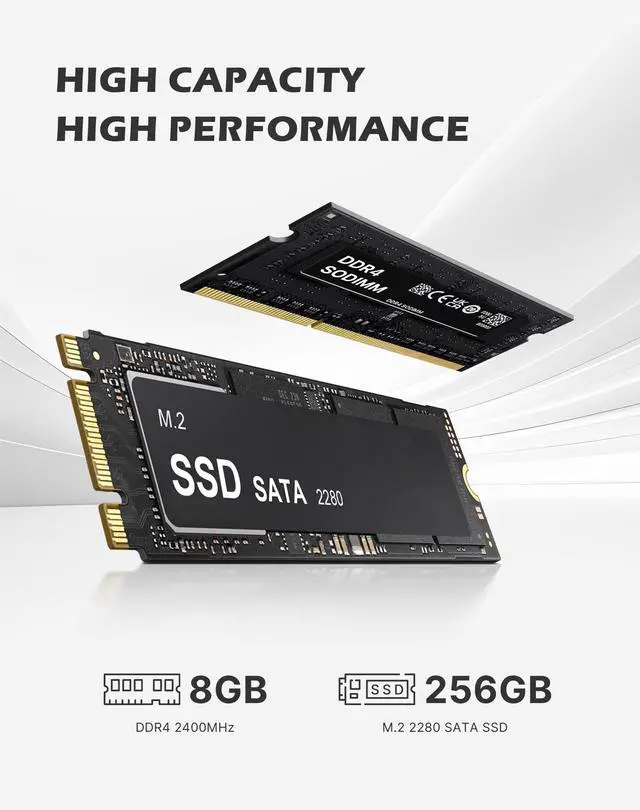
8GB DDR4 2400MT/s SODIMM(Dual-channel, Included); Max 32GB |
|
Storage |
256GB M.2 2280 SATA SSD |
|
Connectivity |
WiFi-5 (802.11 a/b/g/n/ac); Bluetooth 5.0 |
|
Video Output |
HDMI2.0 x2 (4K@60Hz) |
|
Package Included |
1x Mini PC, 1x Power adapter, 1x VESA mount with screws, 1x HDMI cable, 1x User Manual |


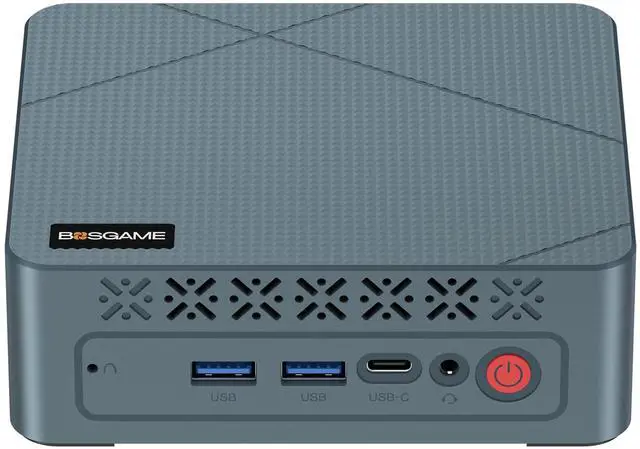
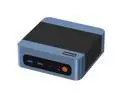
The BOSGAME E2 Plus is a compact Windows 11 Pro mini PC with an AMD Ryzen 5 3501U, 8GB DDR4, and 256GB SSD, designed for home offices, students, and business users who need smooth everyday productivity, web work, and multi-monitor 4K desk setups in a space-saving desktop.
Q: Is this BOSGAME Ryzen 5 mini PC a better fit than an Intel N100 mini PC?
A: Choose this BOSGAME model over a typical Intel N100 mini PC when you want more multitasking headroom and stronger integrated graphics for light creative work, emulator use, or older games. The Ryzen 5 3500U has 4 cores and 8 threads with Radeon Vega 8 graphics, while the N100 is commonly positioned as a lower-power option for basic office tasks and media playback. In practice, N100 systems are usually the better fit for very light use and efficiency-focused setups, while a 3500U system makes more sense if you expect heavier browser workloads, more apps open at once, or better GPU capability.
Q: Should I choose this Ryzen 5 3500U mini PC over a Ryzen 3 3200U mini PC?
A: Yes, this BOSGAME configuration is the better choice if you want a more capable everyday mini PC. The Ryzen 5 3500U moves from 2 cores and 4 threads on the Ryzen 3 3200U to 4 cores and 8 threads, and it also uses Radeon Vega 8 instead of Vega 3 graphics. That makes the 3500U the better fit for heavier multitasking, more responsive general use, and light graphics work. A Ryzen 3 3200U model is mainly the value option for basic browsing and office tasks.
Q: Is a newer Ryzen 5 5500U or 5560U mini PC worth it over this model?
A: Move up to a Ryzen 5 5500U or 5560U mini PC if you want a more modern long-term option for heavier productivity, better efficiency, and more performance headroom. Community buying advice around budget mini PCs often treats Ryzen 5000 U-series systems as the stronger step-up once prices are close. This BOSGAME 3500U model still makes sense when price is the priority and your workload is mostly office apps, web use, streaming, and light multitasking.
Q: Should I buy this mini PC for a multi-monitor office setup or look for a more performance-focused mini PC?
A: Choose this BOSGAME model if your priority is a compact office PC with triple-display support, Windows 11 Pro, and enough CPU and GPU capability for documents, web apps, video playback, and general multitasking. Look for a higher-tier mini PC instead if your workload includes sustained photo or video editing, heavier developer workloads, newer games, or demanding virtualization. The 3500U is positioned as a practical mainstream mobile processor, so it fits productivity-first setups better than performance-first ones.
Q: Is 8GB RAM on this model enough, or should I look for a 16GB mini PC instead?
A: This 8GB version is suitable for basic home office use, web browsing, streaming, and light multitasking. A 16GB configuration is the better comparison choice if you keep many tabs open, use heavier business apps, or want more performance consistency from integrated graphics, especially because Ryzen Vega graphics benefit from system memory configuration. In other words, choose this model for lighter workloads and lower upfront cost, and choose 16GB if you want better headroom.
Q: Is this mini PC good for everyday office work, web browsing, meetings, and 4K video?
A: Yes. Based on its Ryzen 5 3501U processor, 8GB DDR4 RAM, 256GB SSD, and Windows 11 Pro, this model is suited to routine productivity tasks such as browser-based work, Microsoft Office, video calls, and media playback. The main trade-off is headroom: 8GB RAM and a 256GB SSD are adequate for light-to-moderate workloads, but less ideal for heavier multitasking, large local files, or creative apps.
Q: Can it run multiple monitors well?
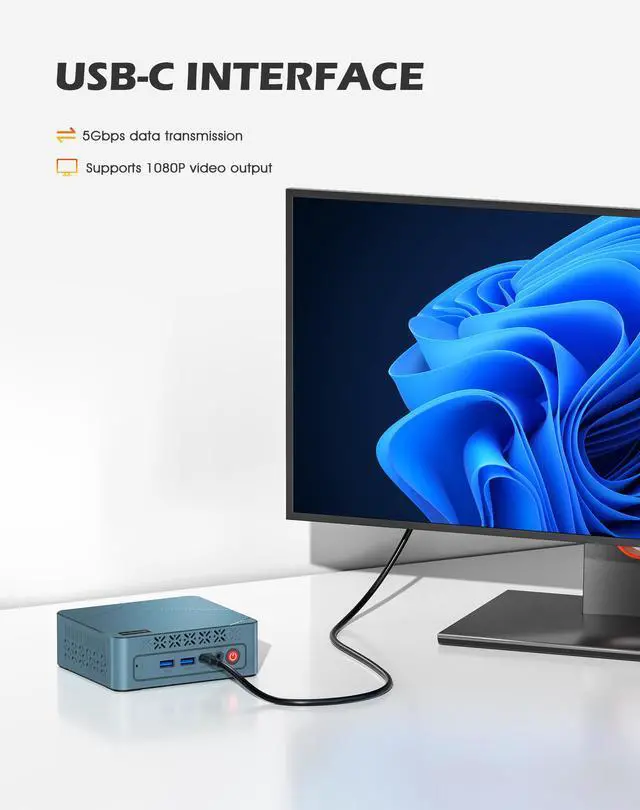
A: Yes, if your use case is productivity rather than demanding graphics work. This BOSGAME model supports up to three displays through 2 HDMI 2.0 ports and 1 USB-C output. That makes it a practical fit for spreadsheets, dashboards, coding, and general multitasking. One limitation is that the USB-C output is listed at 1080p at 60Hz, so the triple-display setup is not the same as three full 4K 60Hz outputs.
Q: Is it a good choice as a compact travel or space-saving work PC?
A: It is a reasonable choice if you want a very small desktop that is easy to move between rooms, desks, or temporary work setups. It makes more sense as a compact stationary PC than as a true travel computer, because you still need external power, a monitor, and peripherals. In practice, it is better for small offices, dorms, hot desks, and clean multi-monitor setups than for frequent carry-on travel.
Q: Who is this mini PC best suited for?
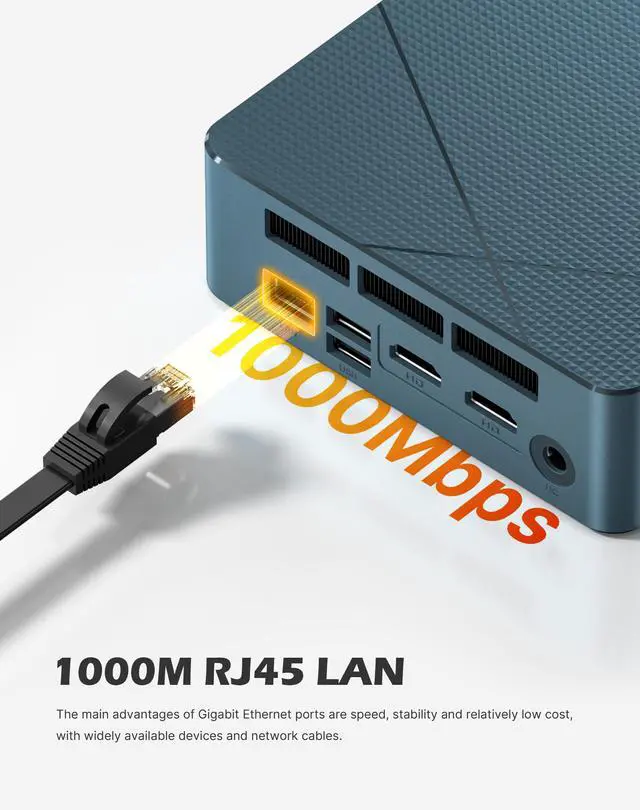
A: It is best suited for users who want an affordable Windows 11 Pro desktop for office work, browsing, remote work, digital signage, or a multi-monitor productivity setup. It is less suitable for buyers who expect newer connectivity standards like Wi-Fi 6, faster Ethernet than 1GbE, more than 8GB RAM out of the box, or stronger performance for gaming, video editing, and heavier creative workloads.
Q: What are the main trade-offs versus a newer mini PC alternative?
A: The main trade-off is value versus modern specs. This BOSGAME unit covers the basics with Ryzen 5, 8GB RAM, 256GB SSD, Windows 11 Pro, and triple-display support, but newer alternatives in the same category often add 16GB RAM, larger SSDs, faster LAN, and newer wireless standards. If your workload is light and price matters most, this spec can be enough. If you want longer-term headroom, newer models with more memory and storage are the safer buy.
Q: Is the BOSGAME E2 Plus a good fit for basic work and everyday home use?
A: Yes for basic productivity. The Ryzen 5 3501U, 8GB RAM, and 256GB SSD are suitable for web browsing, office apps, video calls, media playback, and light multitasking. It makes more sense as a compact home-office or study PC than as a high-performance workstation. The main limitation is the 8GB memory, which can feel tight if you keep many browser tabs or heavier apps open.
Q: Is it worth buying if I want a low-cost mini PC with multiple monitors?
A: It can be worth buying if your priority is price, small size, and multi-display office use. Based on the listed specs, it supports up to three displays and has the ports needed for a practical desk setup. The trade-off is that this class of mini PC is better for office work and media than for demanding creative or gaming workloads, and value depends heavily on price versus better-equipped 16GB alternatives.
Q: Can the BOSGAME E2 Plus handle gaming or heavier graphics work?
A: Only light gaming and older or less demanding titles. Radeon Vega 8 integrated graphics are fine for basic graphics use, emulation, and casual gaming at reduced settings, but this is not a strong choice for modern AAA gaming, sustained 3D workloads, or GPU-heavy creative work. Buyers should treat gaming as a secondary use, not the main reason to choose this model.
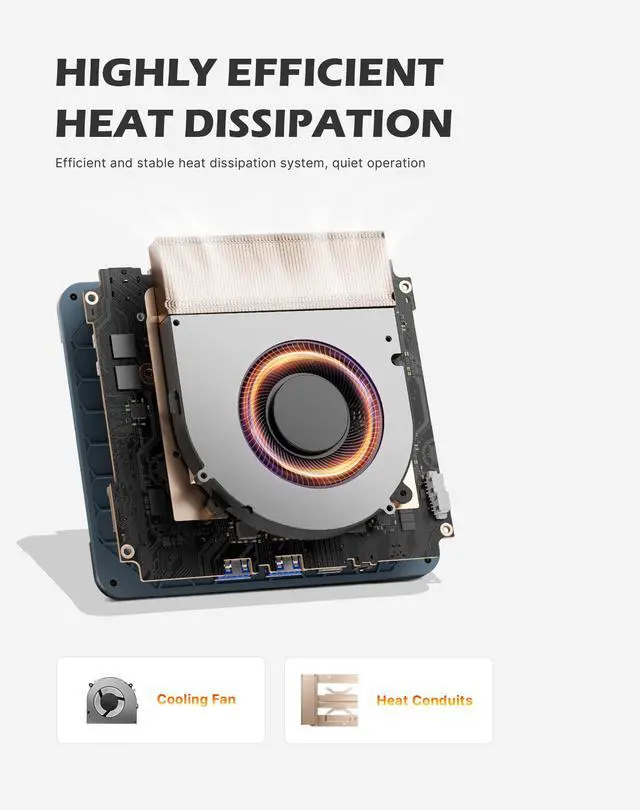
Q: What are the main trade-offs of choosing this BOSGAME mini PC over a better-known brand?
A: The main trade-offs are thermals, long-term confidence, and support consistency. Reddit discussions around BOSGAME mini PCs show mixed owner feedback: some users report acceptable build quality and good value, while others mention heat, isolated failures, or weaker support experiences. In practice, this makes the E2 Plus easier to recommend for budget-conscious buyers with light workloads than for buyers who prioritize long-term reliability above all else.
Q: Who is this mini PC best suited for, and who should skip it?
A: It is best suited for users who want a compact Windows PC for office work, study, web use, streaming, and a multi-monitor desk setup. It is less suitable for users who need heavier multitasking, large local storage, high-end gaming, or stronger reliability assurances out of the box. Those users should look for a mini PC with at least 16GB RAM, more storage, and a stronger cooling and support reputation.


![BOSGAME E5 Mini PC [Dual 2.5GLAN], AMD Ryzen 3 5300U Processor(4C/8T, up to 3.8GHz) with 16GB DDR4 1TB SSD, Supports 4K Triple Display/BT5.0/WiFi 5](https://c1.neweggimages.com/ProductImageCompressAll125/BWE9S2512240DWVT779.jpg "BOSGAME E5 Mini PC [Dual 2.5GLAN], AMD Ryzen 3 5300U Processor(4C/8T, up to 3.8GHz) with 16GB DDR4 1TB SSD, Supports 4K Triple Display/BT5.0/WiFi 5")