here!
I’m your shopping assistant for PC builds, upgrades, and everything tech.
Got questions? Ask away!
Start a conversation
here!
I’m your shopping assistant for PC builds, upgrades, and everything tech.
Got questions? Ask away!
Start a conversation



Any questions? Ask CelesteSM will help you find out quickly.
|
CPU |
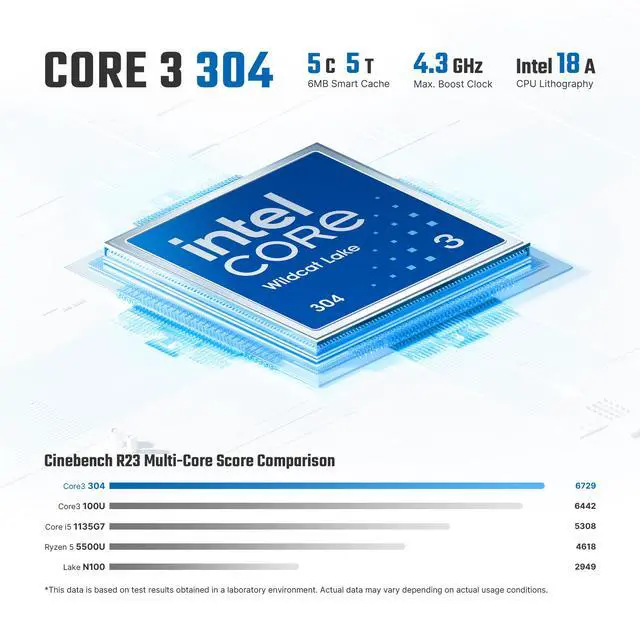
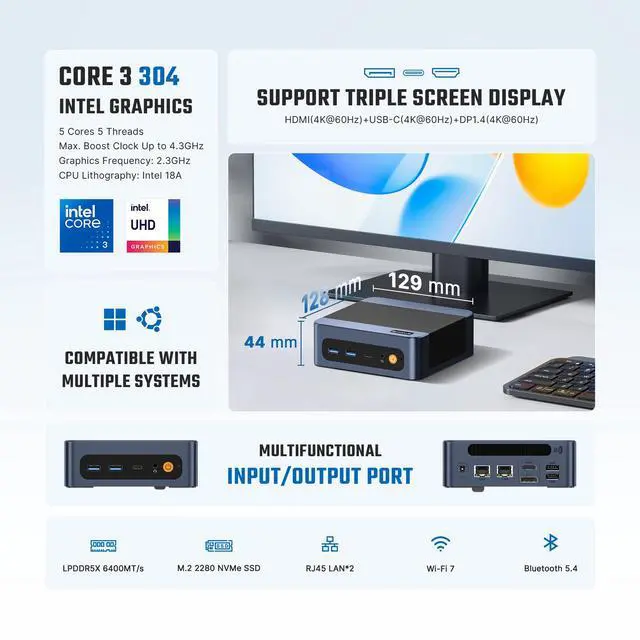
Intel Core 3 304 (5 Cores/5 Threads, up to 4.3GHz) |
|---|---|
|
Graphics |
Intel Graphics (Graphics Max Dynamic Frequency 2.3 GHz) |
|
Memory |
12GB LPDDR5 6400MT/s onborad |
|
Storage |
512GB M.2 2280 NVMe PCIe3.0x2 SSD (Included) |
|
Connectivity |
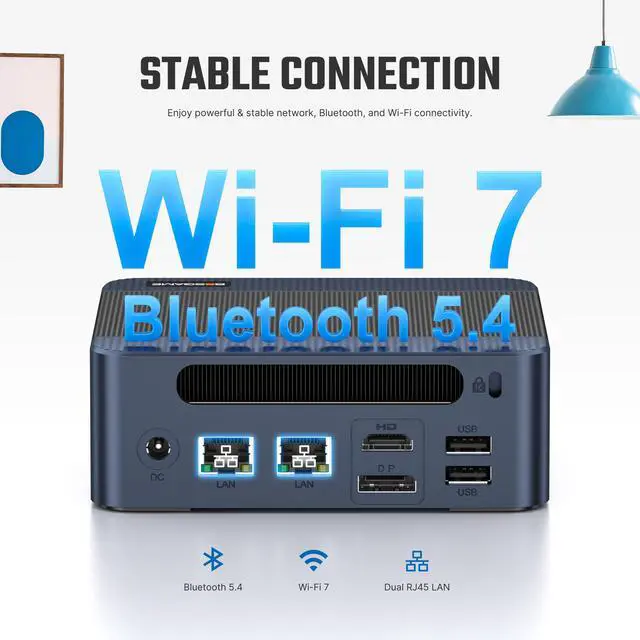
RJ45 LAN x2,Bluetooth 5.4,Wi-Fi 7 |
|
Package Included |
1x Mini PC, 1x Power adapter, 1x VESA mount with screws, 1x HDMI cable, 1x User Manual |
|
Operating System |
Windows 11 Pro (Pre-installed),Ubuntu (Supported) |


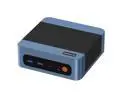
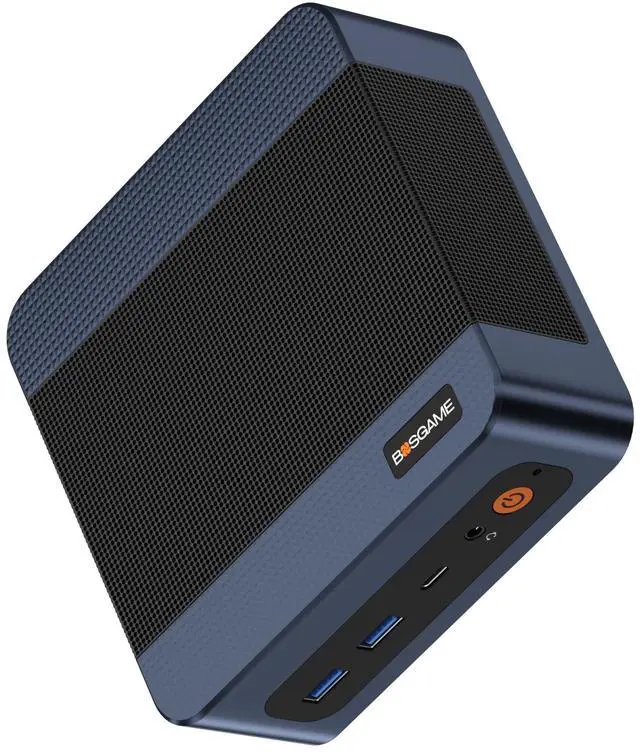
The BOSGAME E6 ECO is a Windows 11 Pro mini PC with an Intel Core 3 304 processor, 12GB LPDDR5X memory, and a 512GB NVMe SSD, suited to everyday productivity, web browsing, and streaming in a compact setup.
| Attribute | Value |
|---|---|
| Best For | Compact desktop computing for everyday multitasking, with wired networking suited to NAS or home-server setups |
| Processor And Graphics | Intel Core 3 processor 304 with integrated Intel Graphics |
| Memory | 12GB LPDDR5X memory running at 6400MT/s |
| Storage | 512GB M.2 2280 NVMe PCIe 3.0 x2 SSD |
| Networking | Wi-Fi 7 (802.11 a/b/g/n/ac/ax/be), Bluetooth 5.4, and two Gigabit Ethernet ports |
| Operating System And Power | Windows 11 Pro with a 64.98W power supply |
| Model Identifiers | BOSGAME E6 ECO Mini PC |
Q: BOSGAME E6 ECO or M6 HX370 for a mini PC?
A: Choose the BOSGAME E6 ECO for everyday office work, browsing, media playback, Wi-Fi 7, and a three-display setup. Choose the M6 HX370 when you want a higher-performance configuration: it has a 12-core/24-thread Ryzen AI 9 HX 370, Radeon 890M graphics, 32GB DDR5 memory, and a 1TB SSD.
Q: BOSGAME E6 ECO or E5 for a home-office mini PC?
A: Choose the E6 ECO if you want the Intel Core 3 304 platform, 12GB LPDDR5X memory, 512GB NVMe storage, and Wi-Fi 7. The BOSGAME E5 is listed with a Ryzen 3 5300U and a 8GB/256GB configuration, making it a different option for buyers comparing that specific memory and storage setup.
Q: BOSGAME E6 ECO or E4 Air for a compact three-monitor setup?
A: Both models support triple-display output. Choose the E6 ECO for its Core 3 304 processor, 12GB LPDDR5X memory, 512GB NVMe SSD, and Wi-Fi 7. The E4 Air is listed with a Ryzen 5 3500U, 8GB memory, and a 256GB SATA SSD.
Q: Can it run three 4K monitors at once?
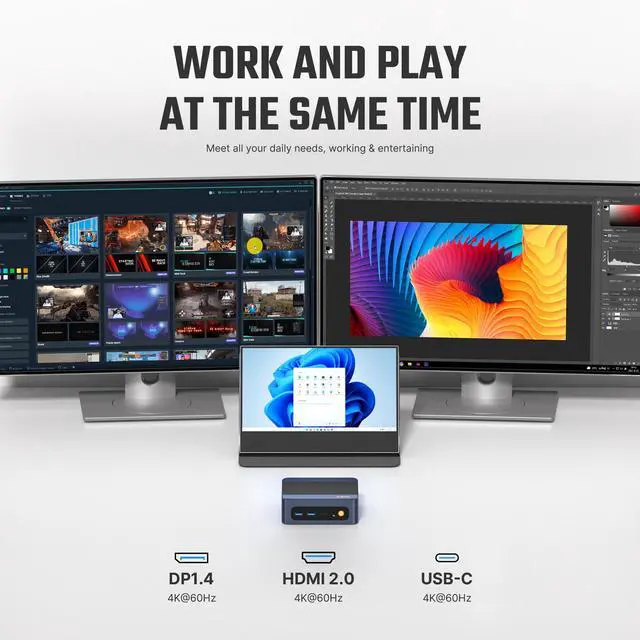
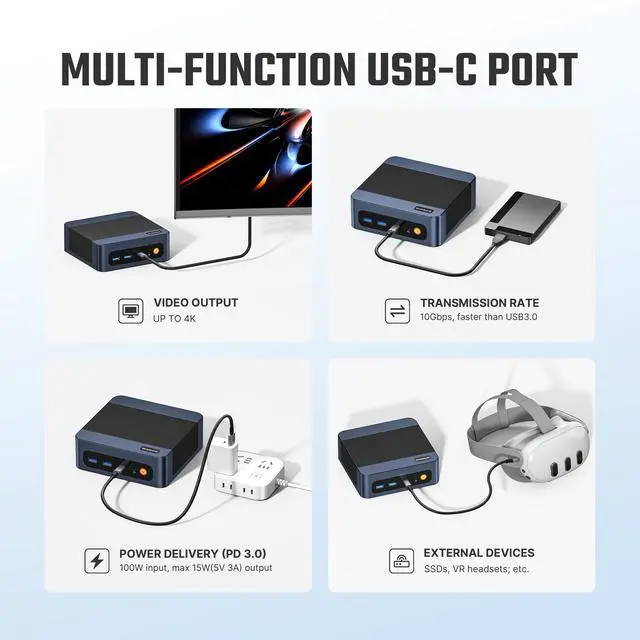
A: Yes. The E6 ECO is specified to support three independent 4K displays through its HDMI, DisplayPort, and USB-C ports. The USB-C display connection and each monitor’s cable must support the intended setup.
Q: Is it suitable for office work, video meetings, and multitasking?
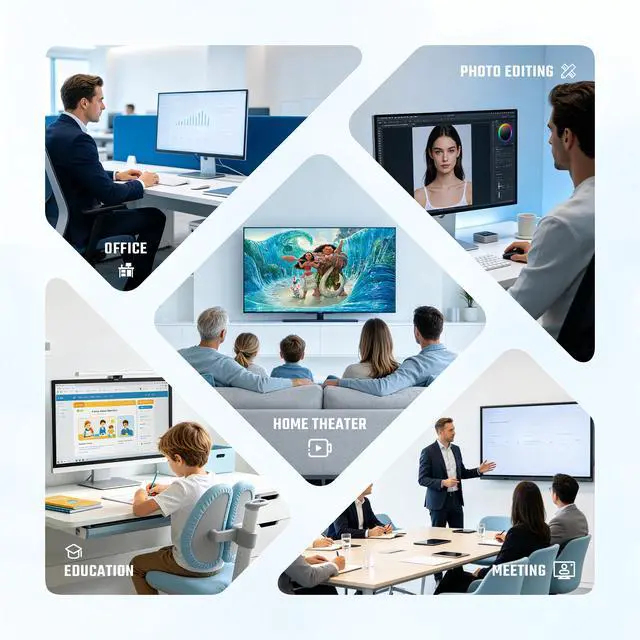
A: It is suited to everyday office work, browsing, streaming, and multitasking, with Windows 11 Pro, a 5-core Intel Core 3 304 processor, and 12GB of memory. It is a mini desktop, so plan on using a separate monitor, keyboard, mouse, and any meeting peripherals you need.
Q: Can I use it as a travel work computer?
A: It can be moved between workspaces as a compact desktop, but it is not a standalone laptop: it needs external power, a display, and input devices. It makes most sense for travel between locations where those accessories are available.
Q: Can I add more storage later?
A: The E6 ECO includes a 512GB NVMe SSD and is specified with an extra M.2 slot for storage expansion. The listing does not specify the maximum supported capacity, so confirm drive compatibility before buying an additional SSD.
Q: Is the BOSGAME E6 ECO suitable for everyday work and multitasking?
A: It is suited to routine office work, web browsing, streaming, and light editing. Its 12GB of memory may limit heavier multitasking, and the review testing found it less suitable for demanding video-encoding work.
Q: Can the BOSGAME E6 ECO handle gaming?
A: It can run some older or lighter games, but it is not a gaming-focused PC. Review testing showed games running at low settings, often at 720p; performance will depend on the title.
Q: Can the BOSGAME E6 ECO run Linux and home-server software?
A: Yes. A YouTube test ran Ubuntu on the E6 ECO and demonstrated Docker and Jellyfin. The product also has two Gigabit Ethernet ports, which may suit basic wired home-server setups.
Q: Is the BOSGAME E6 ECO a good choice for video editing or encoding?
A: It may suit light editing, but it is a limited choice for demanding video work. Review testing characterized CPU video encoding as slow and advised against using it for Premiere projects above 1080p.