







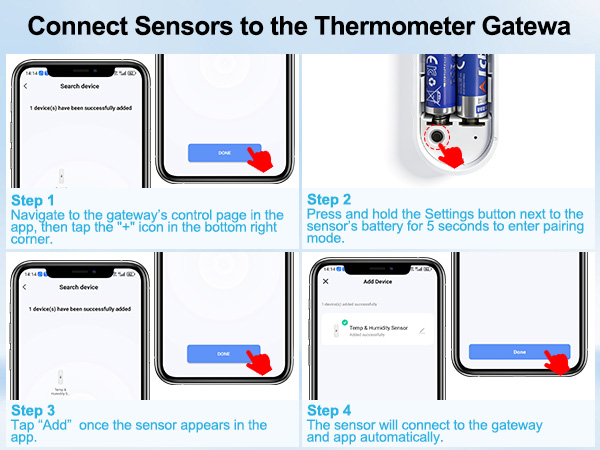
Why do sensors placed side by side show significant differences in temperature and humidity readings?
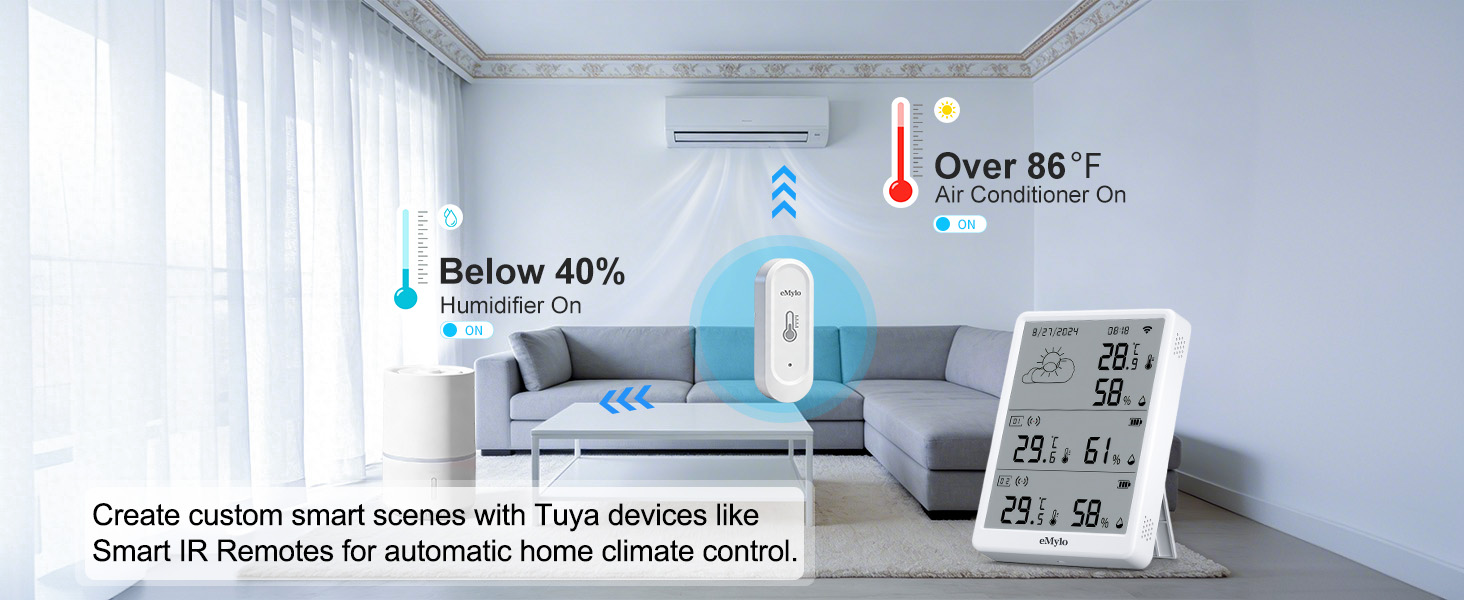
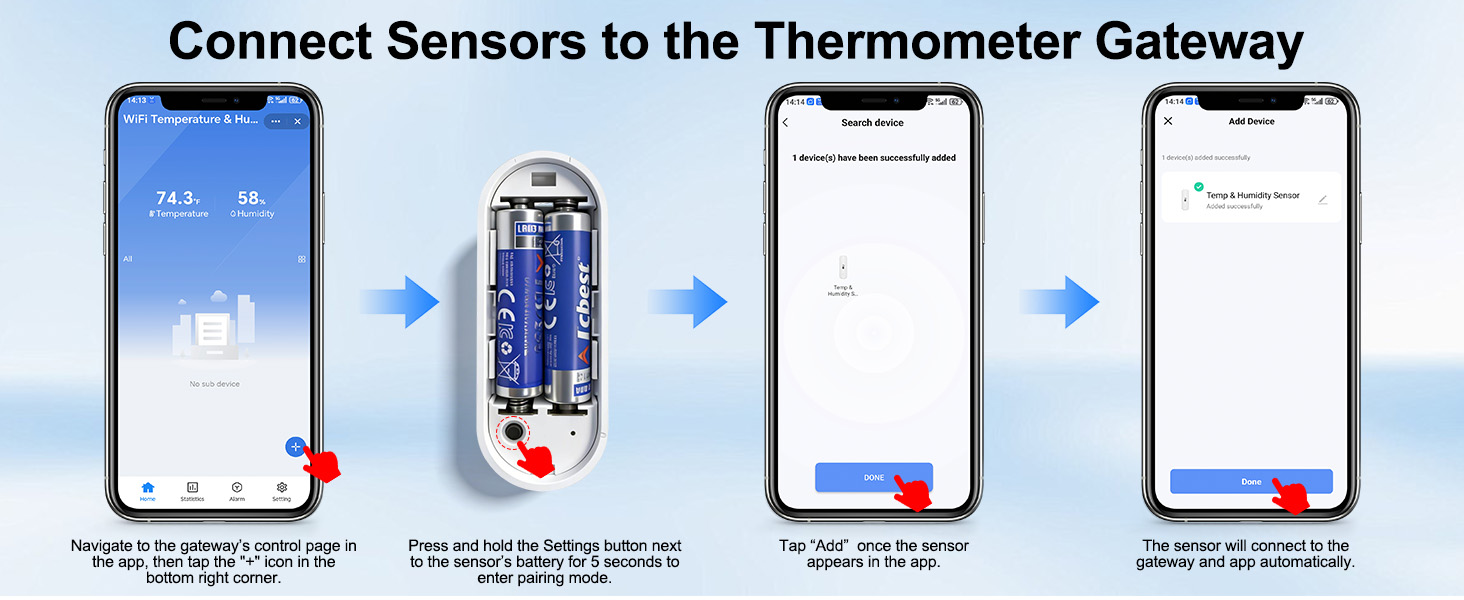
Due to the first connection or reconnection,the sensors require time to refresh and upload data,resulting in significant differences in temperature & humidity among the sensors. The temperature & humidity data will be synchronized in about 1 minutes.
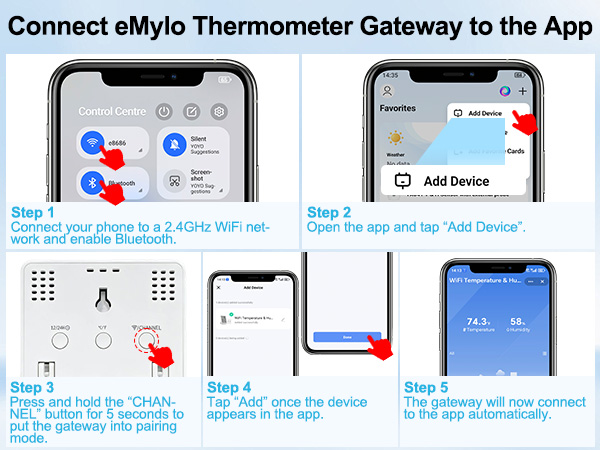
Why won’t my thermometer gateway connect to Wi-Fi?
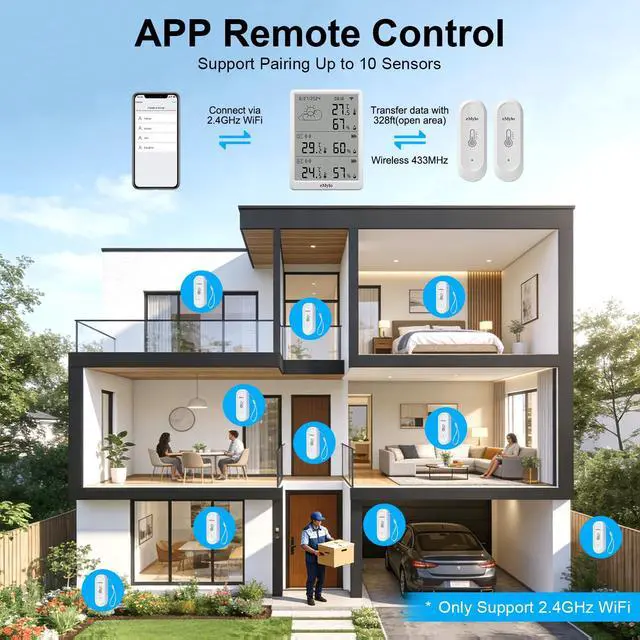
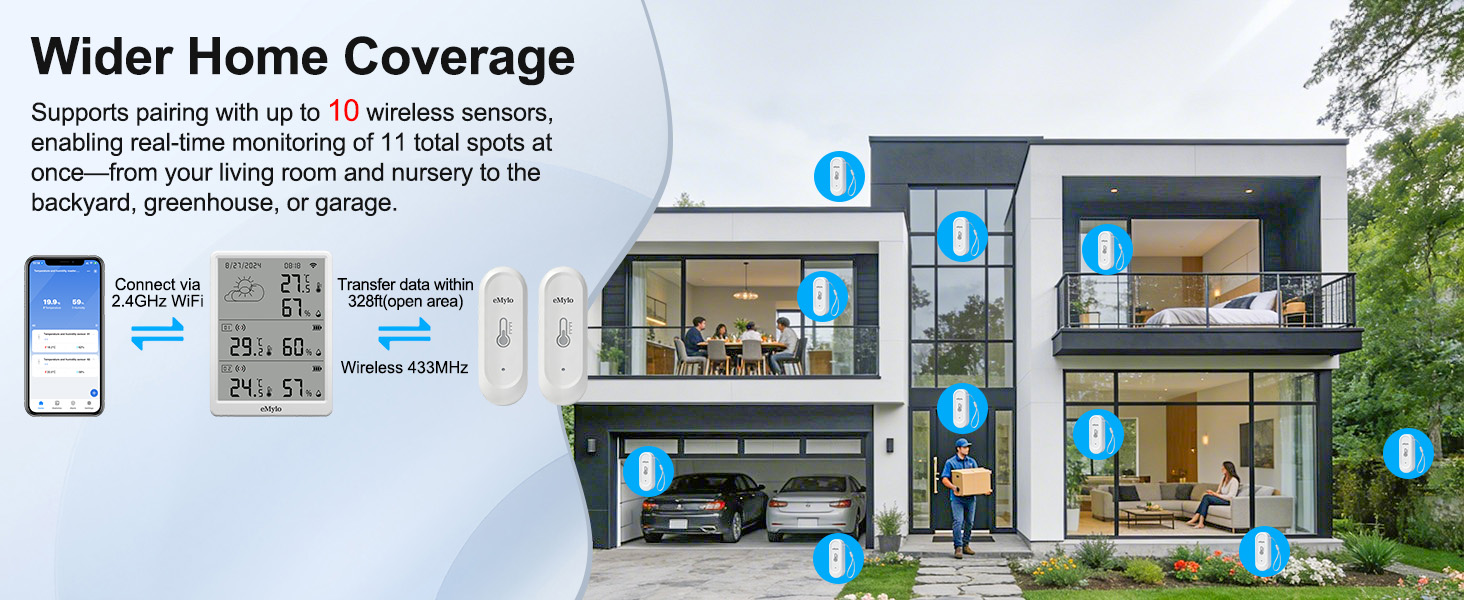
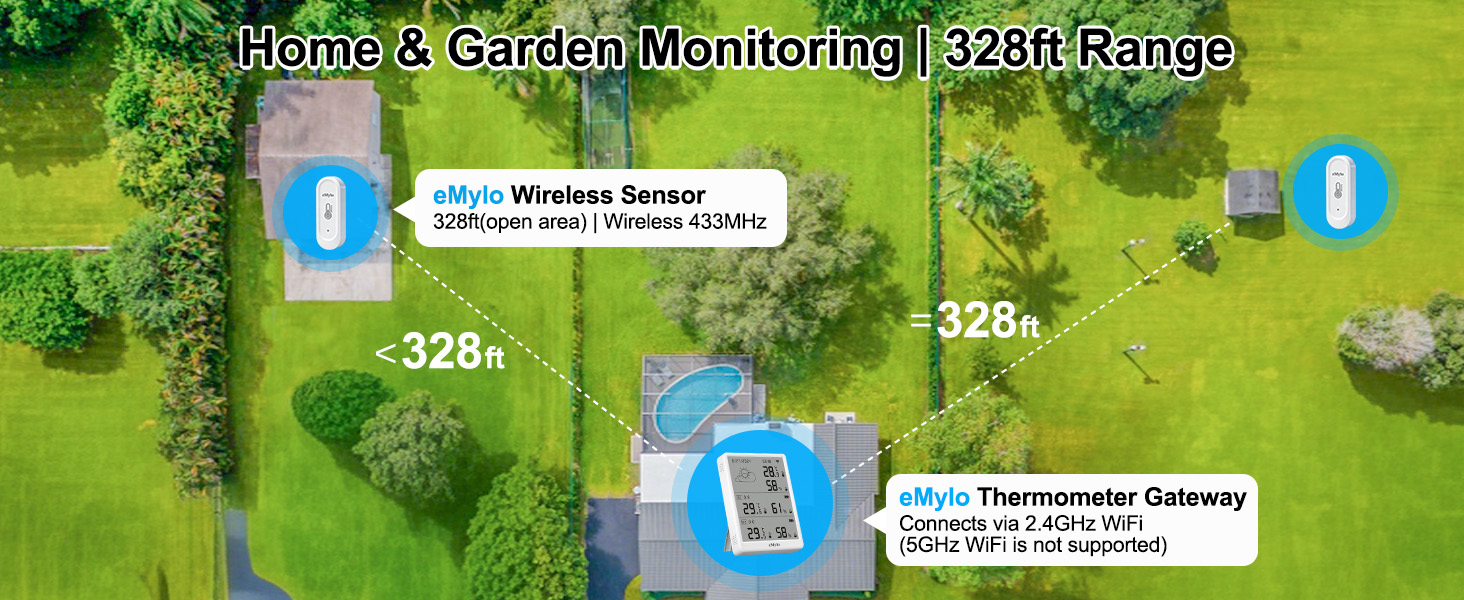
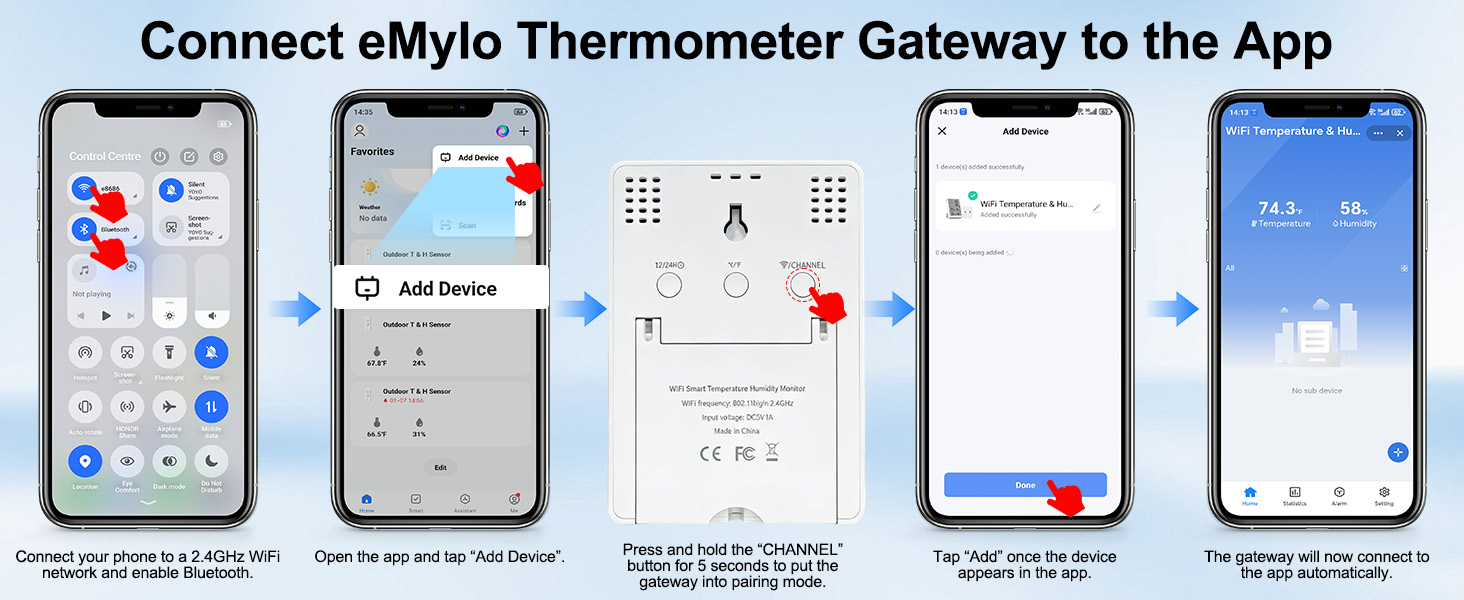
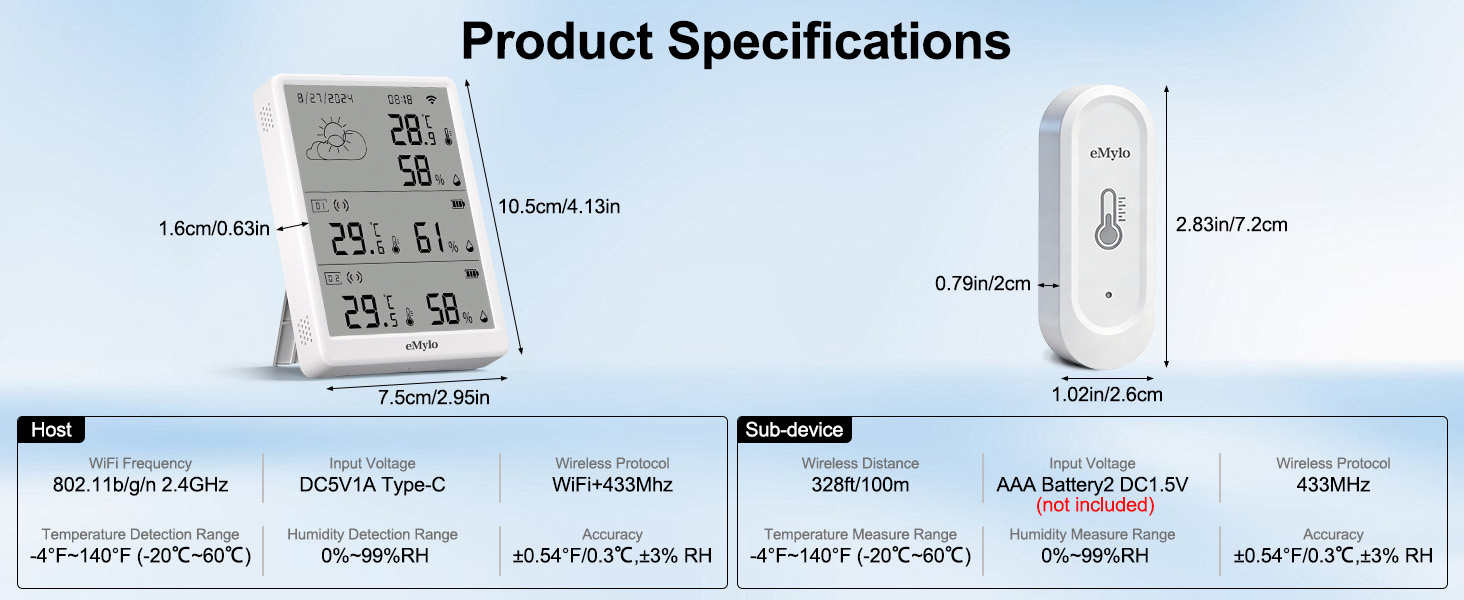
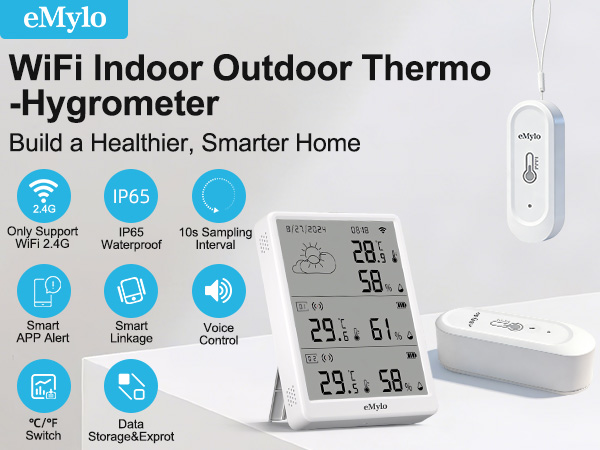
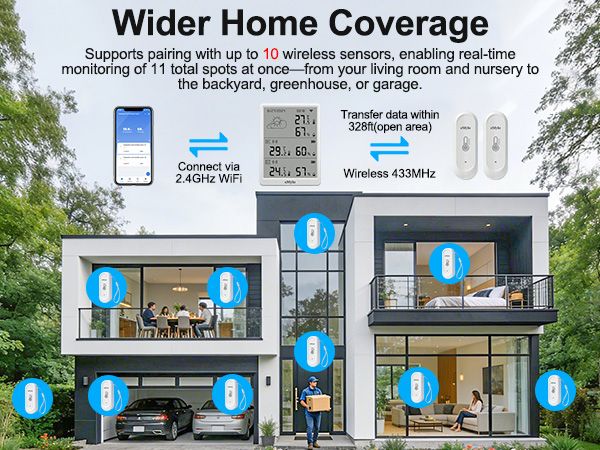
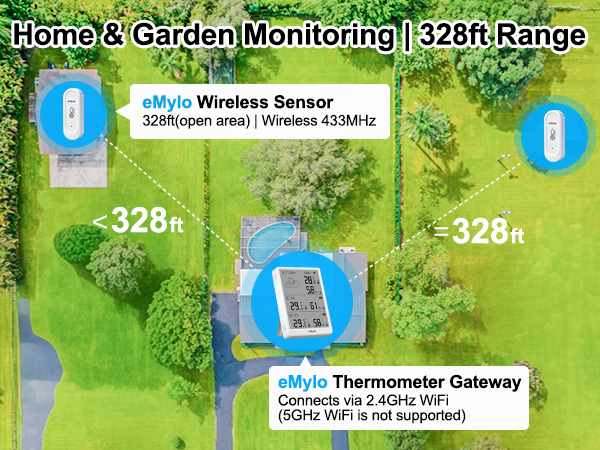
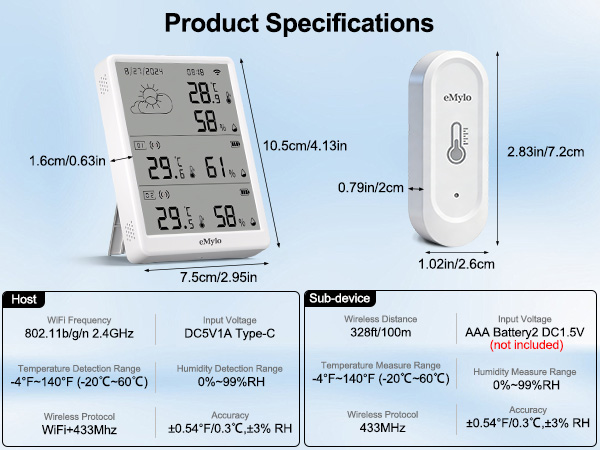
Ensure the thermometer gateway is within 32.8ft(10m) of the router in open areas using 2.4GHz WiFi (5GHz unsupported). And the transmission distance between the thermometer gateway and sub device is 328 feet (No obstacles).
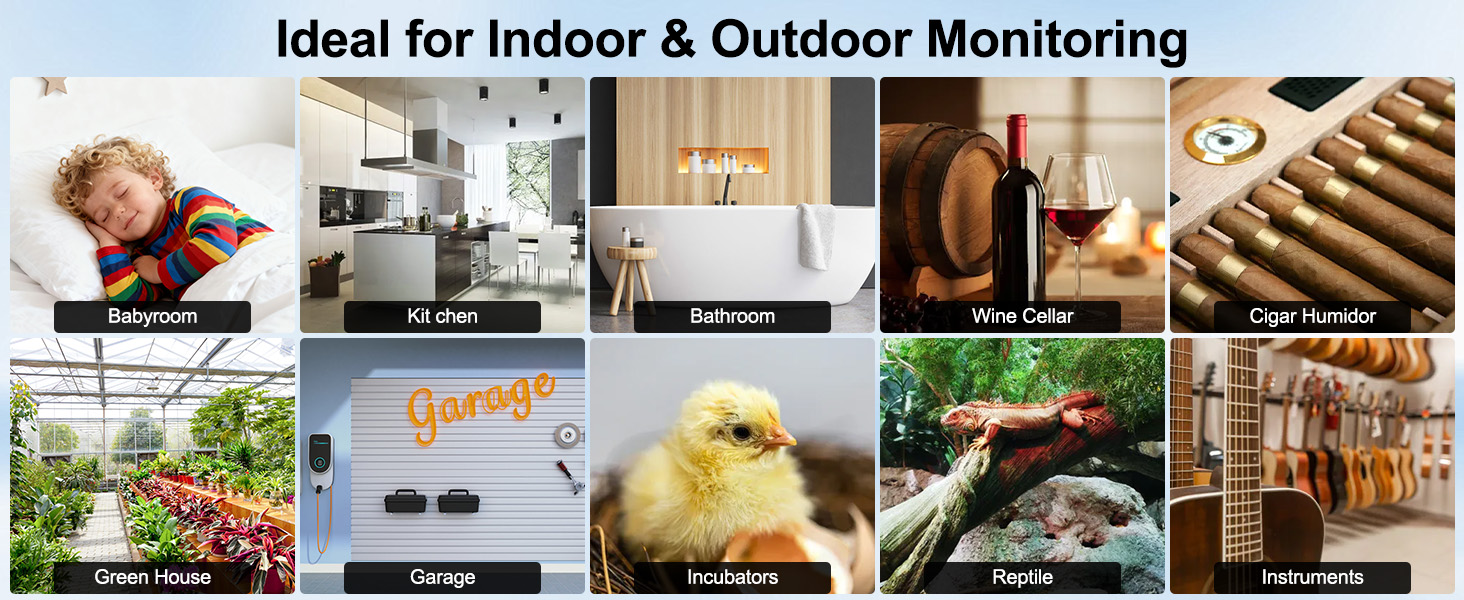
Can this wifi thermometer be used outdoors?
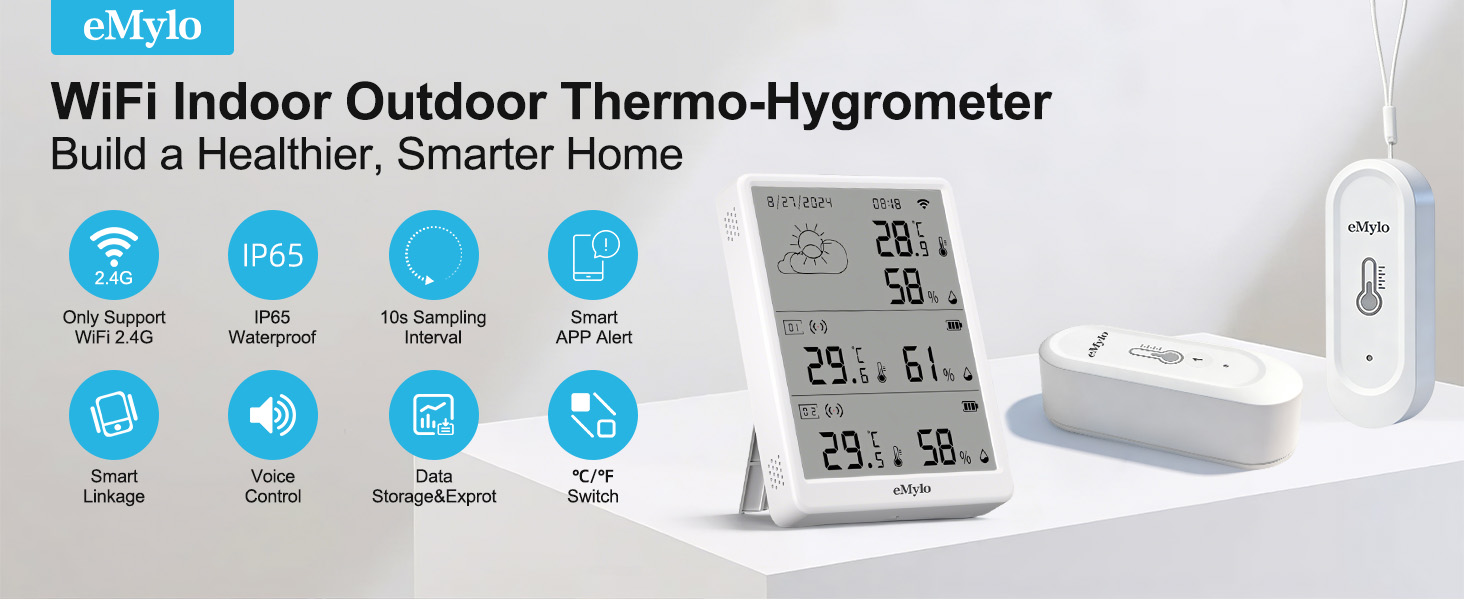
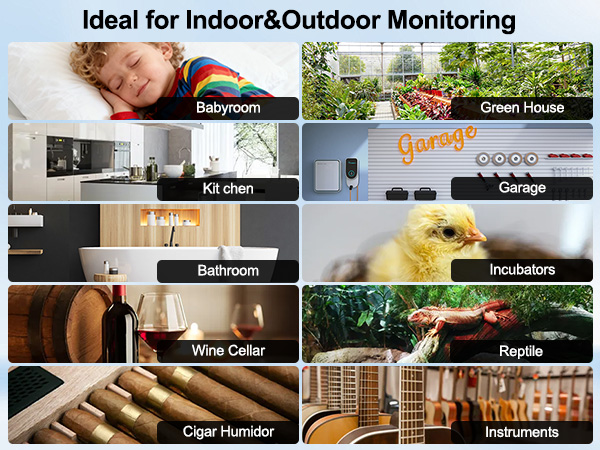
Yes, the sub device is designed with IP65 waterproof function for outdoor use.
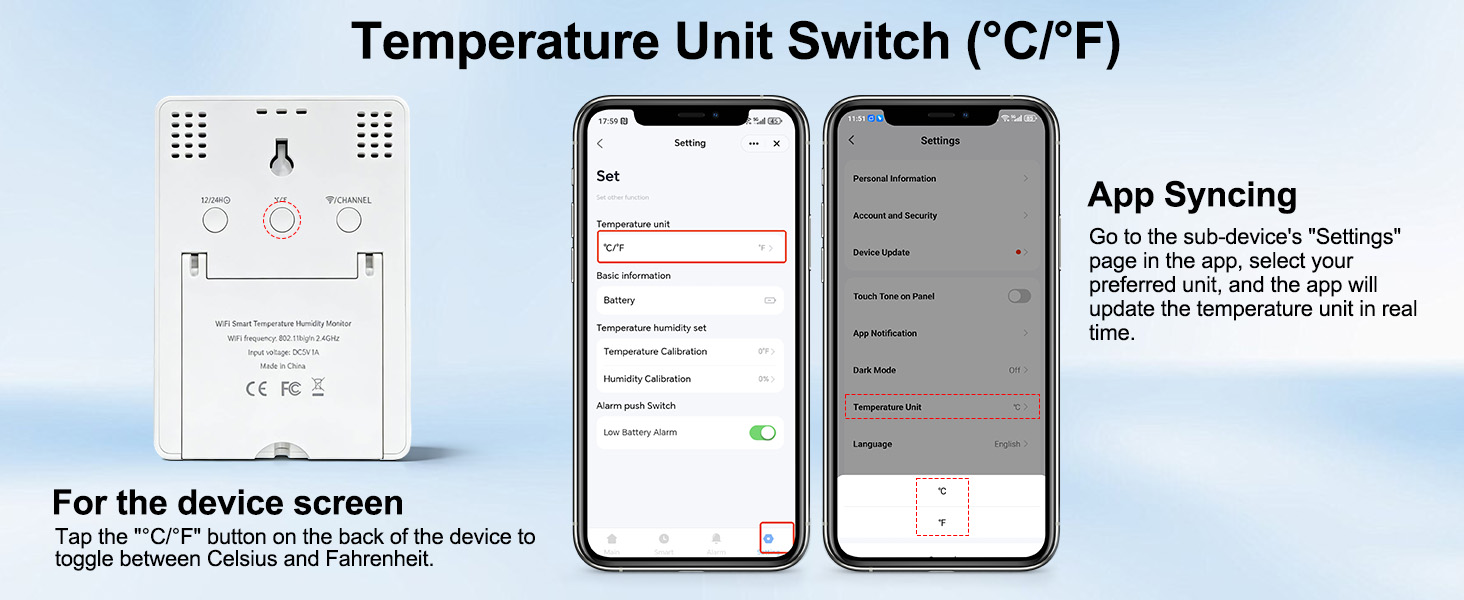
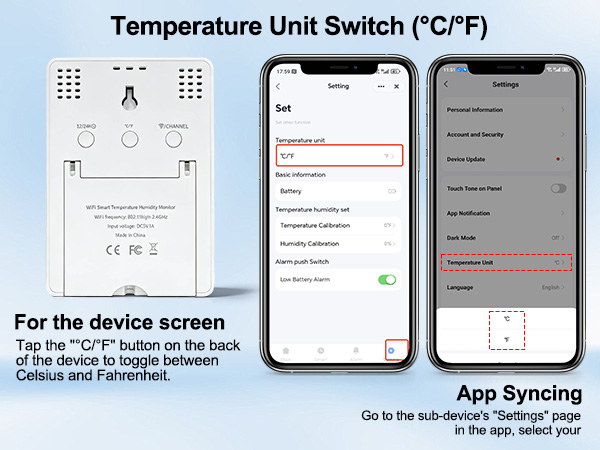
How to Switch Between °C and °F
1. Go to Settings in the app and select your preferred temperature unit (°C/°F).
2. Single-click the reset button on the device at the same time.
3. The temperature unit will be synchronized instantly on both the device screen and the app.
Why does my temperature monitor keep switching back to °C even after I set it to °F?
This is caused by temporary power or WiFi disconnection, which resets the unit to its default °C setting.
Fix: Re-select °F on the back after power/WiFi recovers.
Prevent: Use stable power supply and reliable 2.4GHz WiFi within 32.8ft of the router.
NEW ARRIVALS
 In-Outdoor Thermometer | 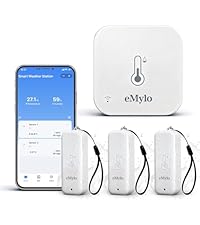 WiFi Thermo-Hygrometer |  Digital Thermo-hygrometer | 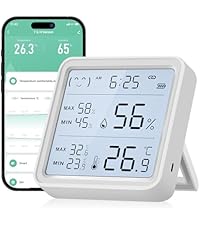 Digital WiFi Thermometer |  WiFi Digital Thermometer |  WiFi Temperature Sensor | 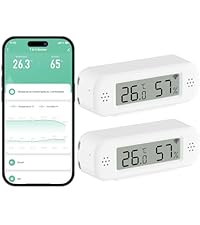 Temp&Humidity Sensor | |
|---|---|---|---|---|---|---|---|
Customer Reviews | — | — | — | — | — | — | — |
Price | — | — | — | — | — | — | — |
Special Feature | IP65 Waterproof & LED Display | IP65 Waterproof | IP65 Waterproof & LED Display | Large LED Display with Backlit | LED Display | Mini | Mini & Digital |
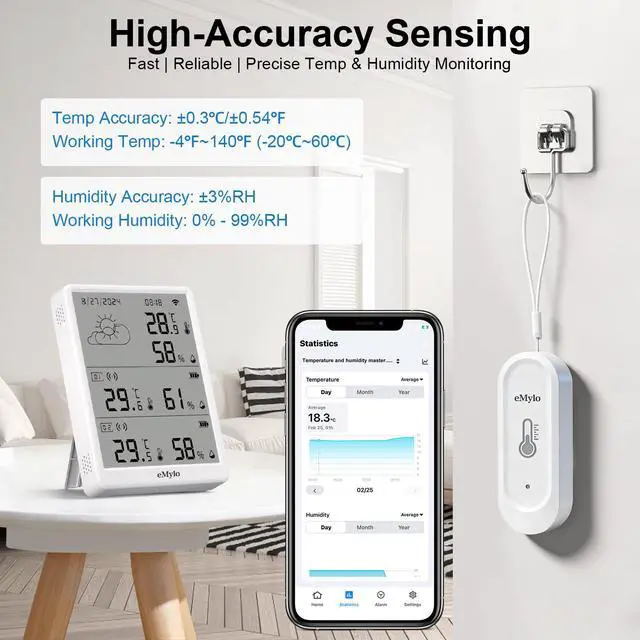
Accuracy | ±0.3°C/0.54°F, ±3%RH | ±0.5°C/0.9°F, ±5%RH | ±0.5°C/0.9°F, ±5%RH | ±1°C/1.8°F, ±5%RH | ±1°C/1.8°F, ±5%RH | ±1°C/1.8°F, ±5%RH | ±1°C/1.8°F, ±5%RH |
WIFI | 2.4GHz | 2.4GHz | 2.4GHz | 2.4GHz | 2.4GHz | 2.4GHz | 2.4GHz |
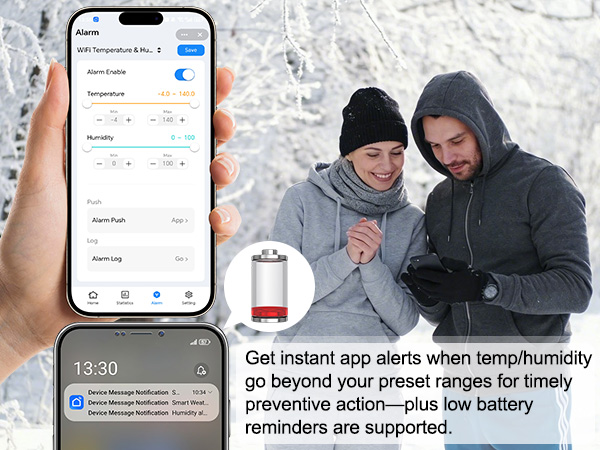
Alarm Mode | App Alert | App Alert | App Alert | App Alert | App Alert | App Alert | App Alert |
Power Source | USB&4*AAA Battery(not Included | USB & 6*AAA Battery(Included) | USB & 6*AAA Battery(Included) | 3*AAA (Included) | 2*AAA (Included) | 4*AAA (Included) | 4*AAA (Included) |
Why do sensors placed side by side show significant differences in temperature and humidity readings?
Due to the first connection or reconnection,the sensors require time to refresh and upload data,resulting in significant differences in temperature & humidity among the sensors. The temperature & humidity data will be synchronized in about 1 minutes.
Why won’t my thermometer gateway connect to Wi-Fi?
Ensure the thermometer gateway is within 32.8ft(10m) of the router in open areas using 2.4GHz WiFi (5GHz unsupported). And the transmission distance between the thermometer gateway and sub device is 328 feet (No obstacles).
Can this wifi thermometer be used outdoors?
Yes, the sub device is designed with IP65 waterproof function for outdoor use.
How to Switch Between °C and °F
1. Go to Settings in the app and select your preferred temperature unit (°C/°F).
2. Single-click the reset button on the device at the same time.
3. The temperature unit will be synchronized instantly on both the device screen and the app.
Why does my temperature monitor keep switching back to °C even after I set it to °F?
This is caused by temporary power or WiFi disconnection, which resets the unit to its default °C setting.
Fix: Re-select °F on the back after power/WiFi recovers.
Prevent: Use stable power supply and reliable 2.4GHz WiFi within 32.8ft of the router.
NEW ARRIVALS
In-Outdoor Thermometer | WiFi Thermo-Hygrometer | Digital Thermo-hygrometer | Digital WiFi Thermometer | WiFi Digital Thermometer | WiFi Temperature Sensor | Temp&Humidity Sensor |
|---|---|---|---|---|---|---|
| Customer Reviews | ||||||
| — | — | — | — | — | — | — |
| Price | ||||||
| — | — | — | — | — | — | — |
| Special Feature | ||||||
| IP65 Waterproof & LED Display | IP65 Waterproof | IP65 Waterproof & LED Display | Large LED Display with Backlit | LED Display | Mini | Mini & Digital |
| Accuracy | ||||||
| ±0.3°C/0.54°F, ±3%RH | ±0.5°C/0.9°F, ±5%RH | ±0.5°C/0.9°F, ±5%RH | ±1°C/1.8°F, ±5%RH | ±1°C/1.8°F, ±5%RH | ±1°C/1.8°F, ±5%RH | ±1°C/1.8°F, ±5%RH |
| WIFI | ||||||
| 2.4GHz | 2.4GHz | 2.4GHz | 2.4GHz | 2.4GHz | 2.4GHz | 2.4GHz |
| Alarm Mode | ||||||
| App Alert | App Alert | App Alert | App Alert | App Alert | App Alert | App Alert |
| Power Source | ||||||
| USB&4*AAA Battery(not Included | USB & 6*AAA Battery(Included) | USB & 6*AAA Battery(Included) | 3*AAA (Included) | 2*AAA (Included) | 4*AAA (Included) | 4*AAA (Included) |